
 A brief becomes a real page.
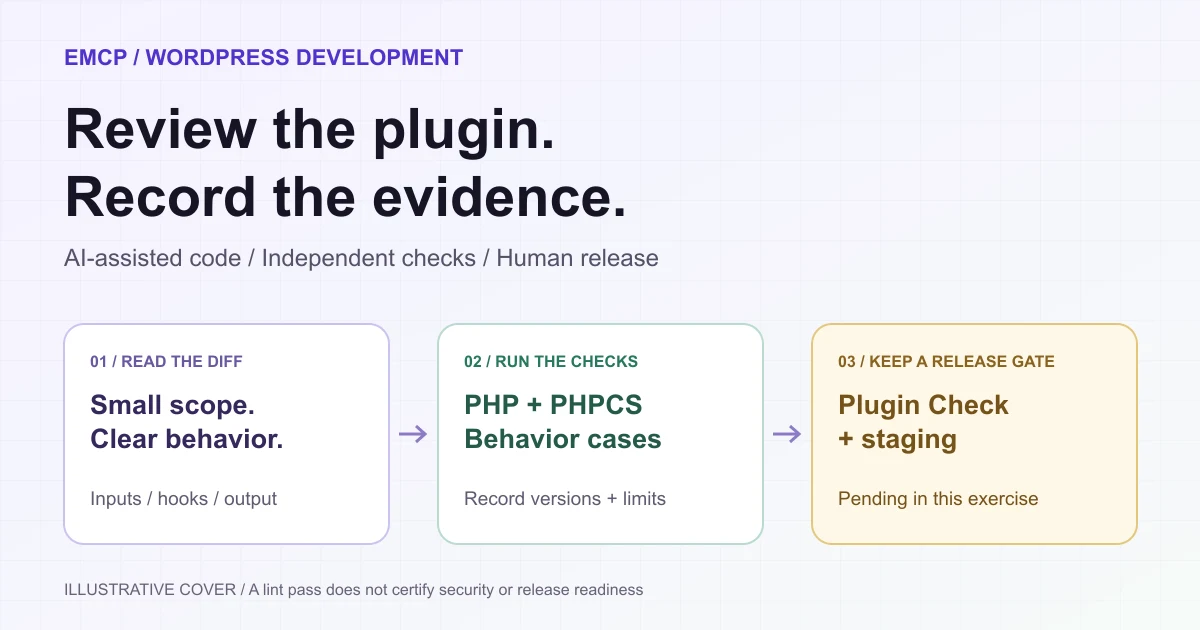
Vibe coding a WordPress plugin becomes easier to review when the first feature is small enough to describe and test precisely. Ask the agent for one bounded change, inspect the diff, run independent checks and keep release approval separate from code generation.
This walkthrough uses a text-only shortcode. We ran PHP syntax checks, WordPress coding standards and an isolated harness using selected real WordPress core functions. We also observed an AI review of a deliberately flawed copy. Full Plugin Check, plugin activation and browser rendering on a working WordPress installation remain untested: the local practice database was unavailable. The steps below distinguish recorded evidence from the staging work still needed.
Download the learning starter ZIP, inspect its PHP source and readme, and use the release review worksheet. The starter is a reviewed teaching example, not a production-ready or WordPress.org-approved release.
Give the first feature a narrow contract
Our example registers [emcp_review_notice text="Review this draft"]. Its callback returns a paragraph containing escaped plain text. Missing, whitespace-only or non-string text produces no markup.
The feature needs no settings page, database writes, external requests, scheduled task, REST route or permission changes. That small scope gives the reviewer concrete boundaries. It also keeps the exercise separate from the more complex questions that accompany a form submission or a store operation.
Use a brief like this before asking for code:
Create one small WordPress plugin in the approved plugin directory.Register the prefixed shortcode emcp_review_notice on init.Accept a text attribute. Return a paragraph with text escaped forHTML content. Return an empty string for missing or invalid text.
Do not echo shortcode output, save options, add network calls,change capabilities, install dependencies or activate the plugin.Show the file diff, proposed checks and untested cases for review.
The WordPress shortcode guidance calls for prefixed names, returned output and careful input/output handling. Keep the initial contract and its exclusions in the repository’s project rules so the agent can see them while working.
If the task genuinely needs stored settings, add a separate acceptance plan for authorization, nonces, validation and recovery. Do not copy this shortcode’s small test plan onto a plugin with a much larger input or permission surface.
Review the generated diff before running it
Read the bootstrap, hooks, callbacks and every included file. Check where user-controlled data enters, which functions transform it and where it reaches output or storage. Ask why each new dependency and hook is necessary.
A plugin header identifies the plugin and declares requirements. Those declarations are not proof of compatibility. Our starter declares WordPress 7.0 and PHP 7.4 as minimums; only PHP 8.4.15 and selected core files from WordPress 7.1.4 were exercised here.
The important expression in the reference callback is:
return '<p class="emcp-review-notice">' . esc_html( $attributes['text'] ) . '</p>';The fixed class is part of the markup; the attribute value is HTML text. WordPress’s escaping reference explains the difference between text, attribute and URL contexts. Escaping text for this paragraph is a different operation from allowing a selected set of HTML tags or validating a URL.
In a separate, never-activated negative control, we deliberately replaced that expression with raw echo followed by an empty return. The AI reviewer identified both the missing escaping and the shortcode return problem. We checked its proposed expression against the human-authored reference rather than treating the response as an approval.
Run syntax and coding standards independently
First run a PHP syntax check using the PHP executable intended for your test environment:
php -l emcp-review-notice.phpA syntax pass says that this interpreter can parse the file. It does not prove that WordPress can activate it or that a shortcode produces the right output.
For WordPress coding standards, the maintained WordPressCS installation instructions use a project-local Composer installation:
composer config allow-plugins.dealerdirect/phpcodesniffer-composer-installer truecomposer require --dev wp-coding-standards/wpcs:"^3.0"vendor/bin/phpcs --standard=WordPress --extensions=php emcp-review-notice.phpThese commands belong in your development checkout, with its dependency changes reviewed. The Composer setting authorizes the named installer plugin. Use the documented installation method and inspect your project’s manifest and lockfile changes.
Run the check on the exact files you plan to package. Read the finding code and line number before asking an agent to fix it. Recheck the diff after a formatting tool or agent edit, particularly if it changes behavior rather than whitespace.
In our exercise, PHPCS caught this finding on the negative control’s raw output:
WordPress.Security.EscapeOutput.OutputNotEscapedThe final reference file returned zero errors and zero warnings under the full WordPress ruleset. That result applies to this file and ruleset, not to every security property a plugin might need.
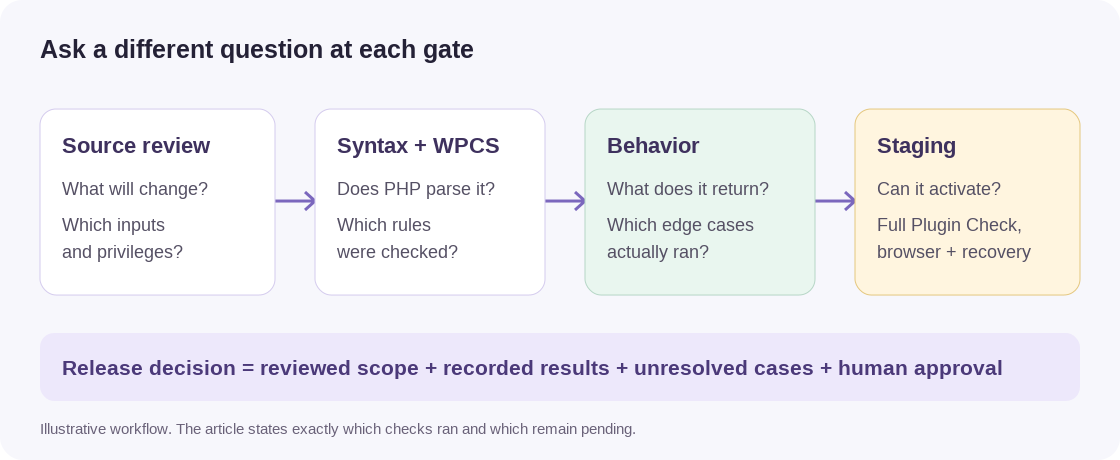
Add Plugin Check without overstating its result
Plugin Check provides static and runtime checks related to directory requirements and development practices. Install and activate it on a disposable test installation, then use Tools → Plugin Check or its documented CLI.
For example, after setup on that test installation:
wp plugin check /path/to/emcp-review-notice --format=jsonThe official project README documents that ordinary CLI use runs static checks by default. Runtime checks currently require loading its early bootstrap:
wp plugin check /path/to/emcp-review-notice --format=json \ --require=./wp-content/plugins/plugin-check/cli.phpConfirm the command against the version installed on your test site. Runtime checks can execute plugin code. Record whether you ran the default set, selected checks or exclusions; those are different evidence claims.
Review each finding and any proposed suppression. A narrowly justified false-positive annotation is different from disabling a category to make a summary look clean. Plugin Check also does not replace manual review or guarantee WordPress.org approval.
We inspected the installed Plugin Check 2.2.0 files and used its bundled PHPCS executable for the separate coding-standards run. We did not run the full Plugin Check command successfully. A WP-CLI read of the practice installation failed with a database connection error. We did not restart services or change that site to conceal the missing evidence.
Test behavior, then test the installed plugin
For a text-only shortcode, begin with ordinary text, an ampersand, literal markup, Unicode, missing text and invalid attribute types. Confirm that the callback returns output without unexpectedly printing it.
Then move to an actual disposable WordPress installation. Use a page where the shortcode is visible between normal paragraphs so incorrect output placement is obvious. Inspect the rendered markup as well as the page’s appearance.
| Staging question | Evidence to collect |
|---|---|
| Does activation complete? | Correct plugin status and no new relevant PHP errors |
| Does the shortcode behave as specified? | Expected output, empty cases and text escaping |
| What happens on deactivation? | Page behavior with the shortcode still present; no assumptions about automatic replacement |
| Do the declared environments work? | Results for the PHP, WordPress, theme and plugin combinations you support |
| Can you recover the previous release? | A tested restoration procedure appropriate to files and any data changes |
| Does the ZIP contain only intended files? | Reviewed package inventory, version and source fingerprint |
For a plugin with no activation or uninstall hooks, still inspect activation and removal behavior. For a plugin that changes data, a file rollback alone may not reverse migrations or saved values.
Staging is its own gate. A developer machine’s output string is not proof that a browser, active theme, cache layer or another plugin will produce the intended result.
Where EMCP Sandbox fits
For a small addition, PHP Snippets can be an alternative to maintaining a standalone plugin. The Sandbox reference documents validation and inactive drafts that an administrator reviews before activation. That review gate does not replace source inspection or functional testing.
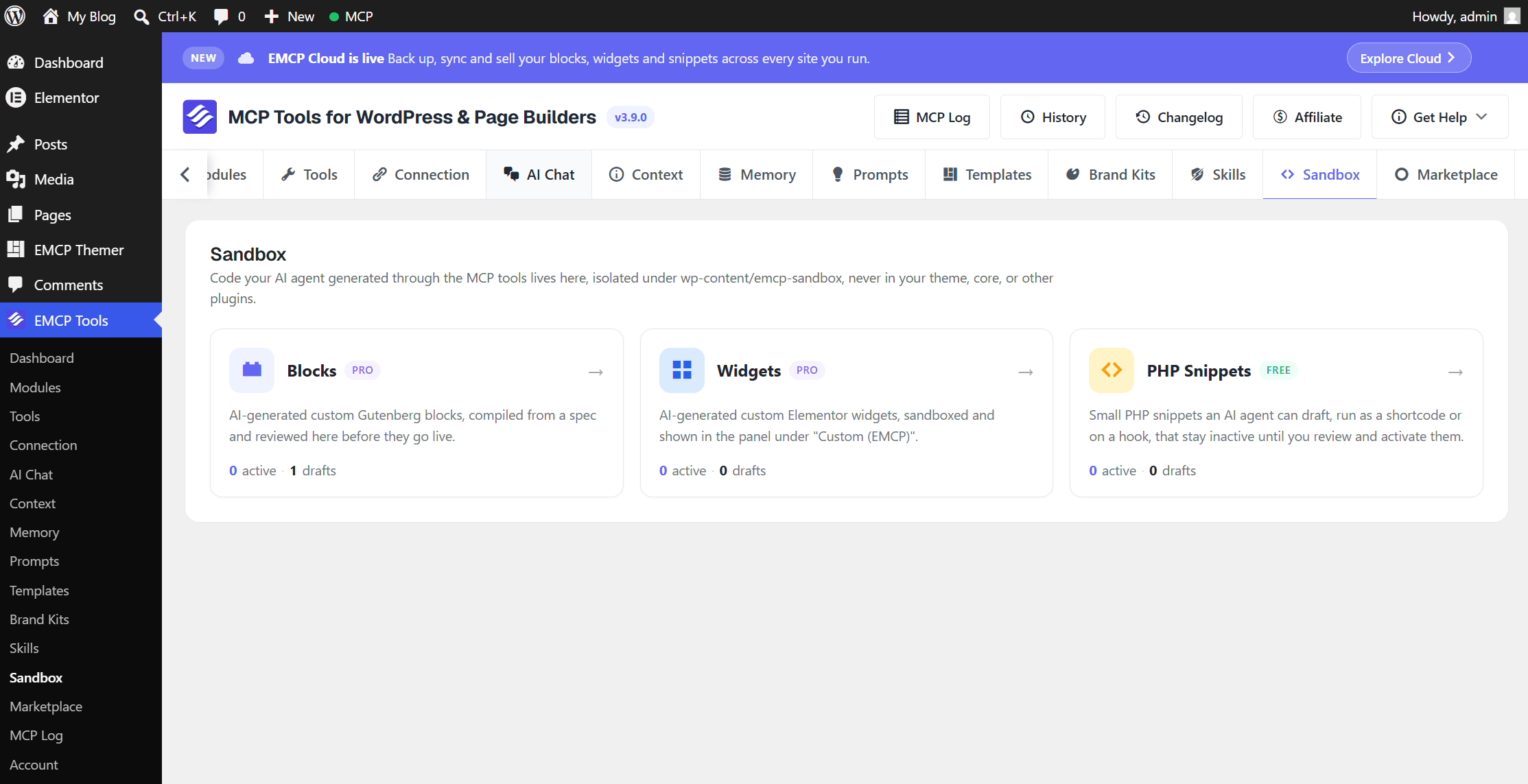
Sandbox separates generated artifacts from theme, core and other plugin files. It is not an operating-system security boundary for arbitrary PHP after activation. Review code that will execute with the site’s privileges.
Export as plugin is a separate Pro feature for supported Sandbox artifacts. Check the documented packaging and handover behavior, then test the exported ZIP on a disposable site. Our downloadable starter was written directly for this tutorial; it was not generated by Sandbox export, and we did not test an EMCP connection or activation flow here.
Recorded exercise and its limits
On 13 November 2026, we reviewed a deliberately flawed copy of a small, human-authored reference plugin. The AI was a reviewer in this exercise; we do not claim it generated the complete starter.
| Check actually run | Recorded outcome |
|---|---|
| PHP 8.4.15 syntax check | Reference source parsed successfully |
| PHPCS 3.13.6 with WordPressCS 3.4.1 | Negative control had one escaping error; final reference had zero errors and warnings |
| Isolated core-function harness | Registration, six text cases and a direct non-string rejection passed; no unexpected echo |
| Bounded Claude Code 2.1.302 review | Two turns; identified raw output and proposed the escaped return expression |
| Source integrity | AI input and final reference remained unchanged during their respective read-only exercises |
The model result reported claude-sonnet-5-5. It ran with plan mode, Read/Glob/Grep only and a strict empty MCP configuration. It did not edit files, invoke PHP or contact WordPress.
The PHP harness loaded selected real WordPress 7.1.4 hook, shortcode, formatting and escaping functions. A pre_option filter supplied the UTF-8 charset; it did not load wp-load.php, connect to a database or activate the plugin. The six cases were plain text, an ampersand, literal markup, Unicode, missing text and whitespace-only text. This is a limited function-level test.
The exact reference PHP file has SHA-256:
85F589FB2985AB56991C72313393255BBE42A49ACA27E2C1EDE3434C573261A7Full Plugin Check, installed-plugin activation/deactivation, browser rendering, theme/plugin conflicts, multisite, translation behavior and the declared minimum-version matrix remain untested. No production site or persisted WordPress content was changed. A clean lint result and this harness do not certify security or release readiness.
Use the review worksheet to keep completed checks, missing evidence and the release decision separate. For a broader development process, continue with the AI WordPress development guide and the WordPress review-skill starter.
Start with an inactive, reviewable change
Install EMCP Lite from WordPress.org to begin supported WordPress workflows. PHP Snippets are free but capability-gated; custom Widgets, custom Blocks and Sandbox plugin export require Pro. Inspect the installed catalog and review each artifact before activation.
For the earlier architecture decision, compare vibe coding, WordPress and a hybrid site by editing needs, ownership and ongoing maintenance.