
 A brief becomes a real page.
- EMCP Pro
- Your own AI provider key
An AI assistant that works inside your WordPress admin.
AI Chat puts a chat window in wp-admin and in the Elementor and block editors. Connect your own key for Claude, OpenAI, Gemini or another provider, and the assistant builds and edits your site with the same tools an external MCP agent uses.
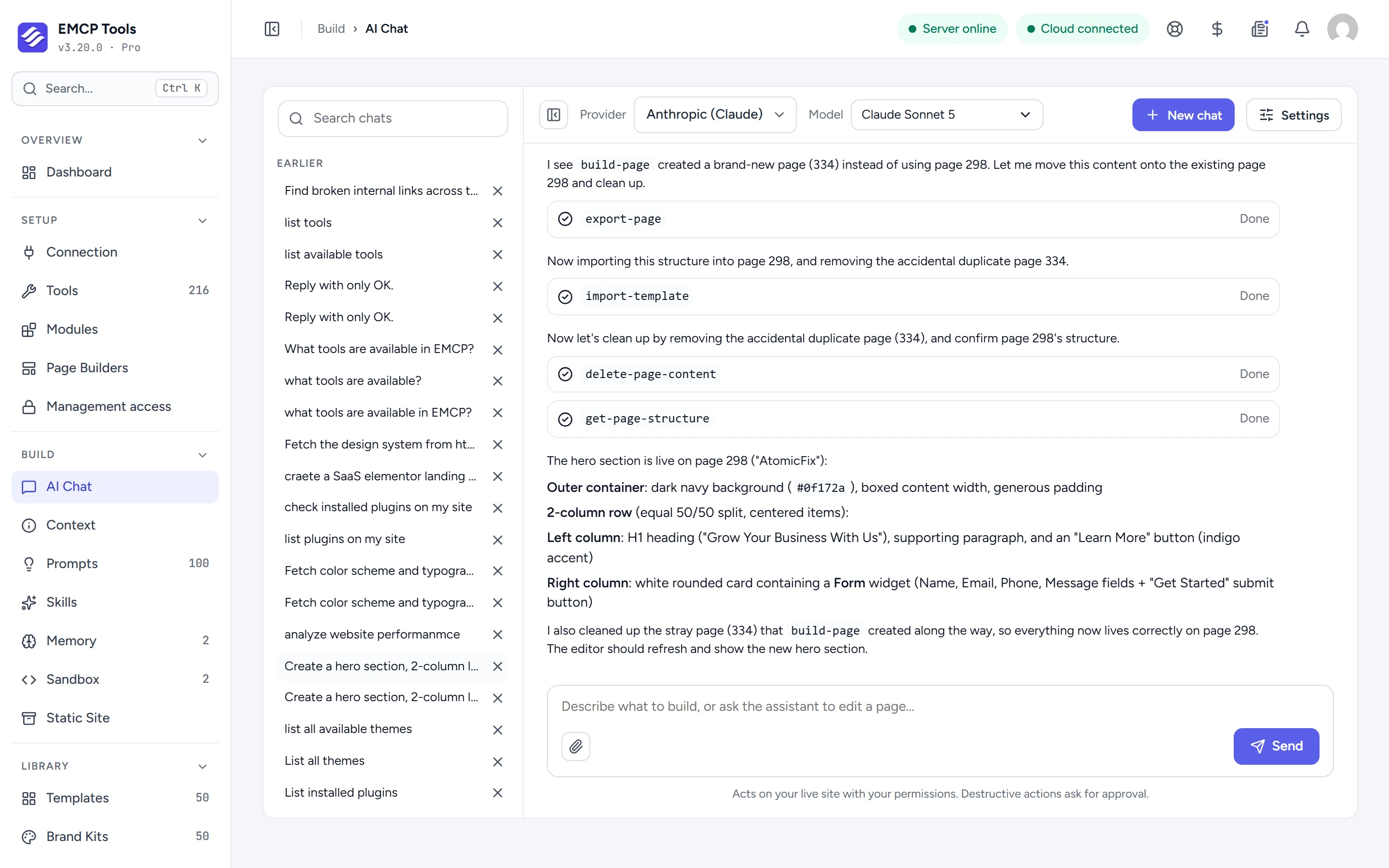
Bring your own model, from the cloud or your laptop.
Connect Anthropic, OpenAI, OpenRouter, Google Gemini, DeepSeek, Moonshot, Z.ai, OpenCode Go or OpenCode Zen with an API key, or a local model through Ollama or LM Studio with no key at all. Pick a default model per provider and switch provider or model in the chat at any time.
Keys are saved per WordPress user and encrypted on your server. The screen only ever shows a masked version.
It does the work, not just the talking.
Ask for a hero section, a list of broken links or a new page, and the assistant calls EMCP’s tools on your site: you see each call and its result as it runs. It can read a web page you point it at, and you can attach images or text files.
Every change it makes is grouped as its own session in History, so a whole conversation can be undone.
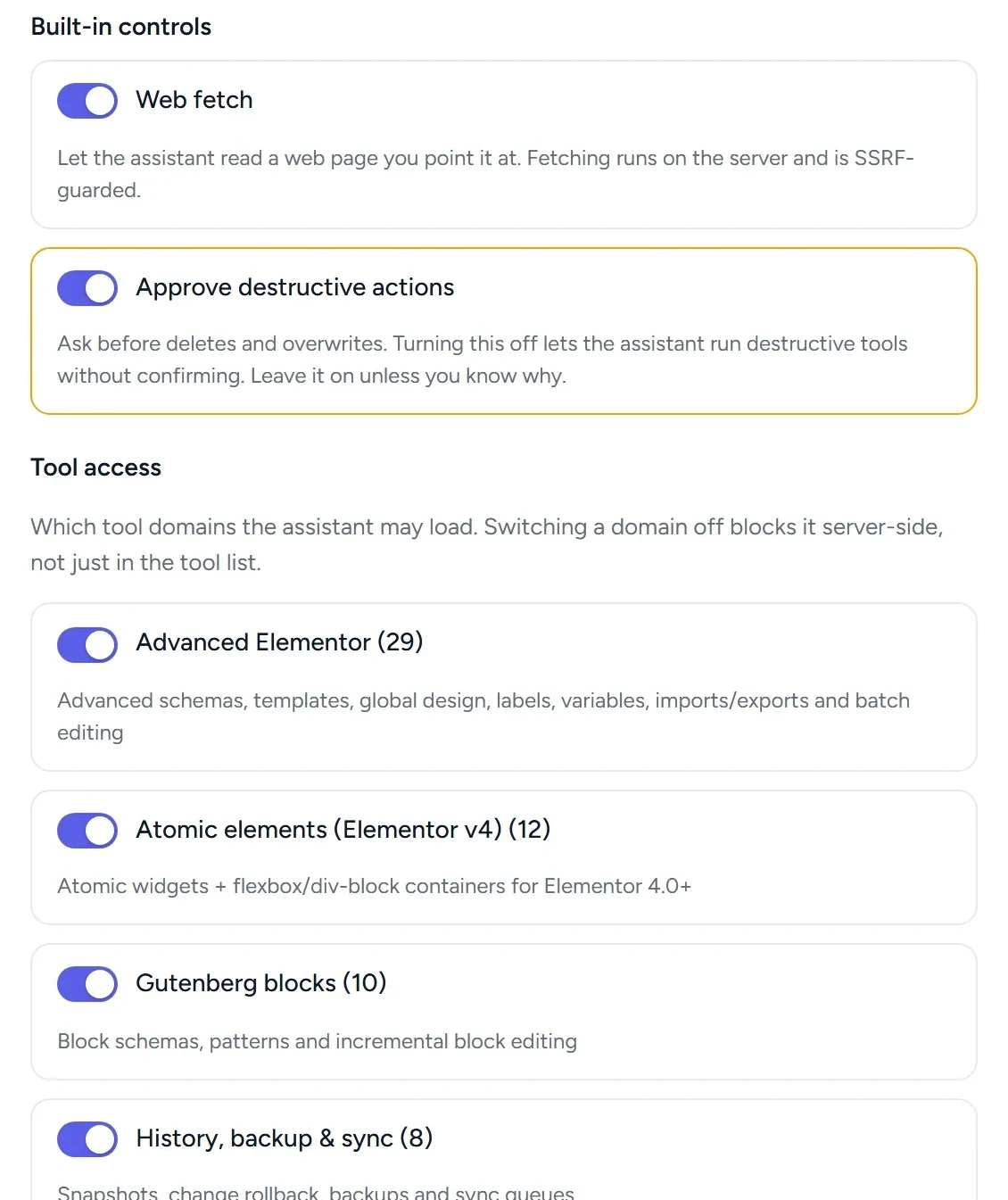
Approval before deletes, and a switch for every tool domain.
Approve destructive actions is on by default, so the assistant asks before deleting or overwriting anything. Tool access switches whole domains on or off, such as Gutenberg blocks, the database or PHP snippets, and the server blocks the ones you switch off.
Ask AI while you edit in Elementor or the block editor.
An Ask AI button opens a floating chat window over the Elementor editor and the WordPress block editor. The assistant edits the page you have open and the editor refreshes to show the change.
What to know before you start.
AI Chat is an EMCP Pro module.
- Cloud providers need your own API key, and you pay them for the tokens you use.
- Local models in Ollama or LM Studio must be reachable from the web server.
- Each user is limited to 120 tool calls a minute and 2,000 a day by default.
- Switching the module off removes the chat screen, the editor buttons and the chat routes.
Questions, answered.
Still stuck? Drop a line at [email protected] or open an issue on GitHub. Most replies are under one business day; Pro tiers go to the front of the queue.
Open the full docsBuild with AI without leaving wp-admin.
Get EMCP Pro, open Build → AI Chat, and connect your provider.