
AI Chat
New in v3.1.0. Pro. AI Chat isn’t just a chat window bolted onto WordPress, it’s an AI agent that lives inside your editor and can actually build. It shows up two ways: an admin AI Chat tab for general conversations, and a floating panel (with a chat-bubble launcher) inside both the Elementor editor and the WordPress block editor, scoped to whatever page you’re currently editing.
Turning the module off is a true kill switch: the tab, both editor panels, the REST routes, and the cron all stop.
Bring your own key
Section titled “Bring your own key”Hosted providers: Anthropic (Claude), OpenAI, OpenRouter, Google Gemini, DeepSeek, Moonshot, and Z.ai. Add your API key on the AI Chat admin tab. Keys are encrypted at rest per user (AES-256-GCM, authenticated) and are only ever sent to the provider you chose, never to EMCP’s own servers.
As of v3.15.1, OpenAI’s GPT-5.6 family and Astra models use the provider’s Responses API so tool calling and reasoning work together. Older OpenAI models continue to use Chat Completions, as do third-party providers with an OpenAI-compatible API. Existing provider configurations do not need to be changed.
Local runtimes (v3.5.1): Ollama and LM Studio are auto-detected, no API key at all, your prompts and page content never leave the machine running the model. Useful for privacy-sensitive sites or just avoiding hosted-API cost.
A refresh-models button pulls a provider’s current model list on demand, so a newly-installed local model shows up without reconnecting. Your last provider/model selection is remembered across reloads instead of resetting to the default each time. If the selected model has no vision support, images are handled two ways: a local vision model (private, if one’s configured) or a built-in, dependency-free image reader as a fallback.
It can actually make changes
Section titled “It can actually make changes”The chat has tool-calling access to the same MCP tools an external agent like Claude Desktop would use, discovery, page building, widgets, globals, templates, and more. To keep the per-turn request small, it doesn’t advertise all 509+ tools at once. As of v3.15.1, 17 common discovery and page-building tools are available initially, and the model pulls in specialist groups on demand through the load_tools meta-tool. Every enabled tool remains reachable, while routine messages avoid repeatedly sending hundreds of tool definitions. Every tool call still goes through the same permission checks as an external MCP client; the chat has no special privilege.
Conversation history and large tool results are also bounded before a provider request. This prevents an old conversation or a large inspection result from consuming the entire context window. The usage display counts cached OpenAI input tokens correctly, so its total matches what the provider bills more closely. These reductions change how tools are supplied to the model, not which tools the site exposes.
Reading a web page: web_fetch
Section titled “Reading a web page: web_fetch”New in v3.2.0. The chat’s model can read a URL you give it: a reference design, a competitor page, documentation, a JSON endpoint, or a stylesheet.
format: "text"(the default) returns the page’s readable text, cheap, and usually all you need.format: "html"returns sanitized markup including the<head>, when the model needs class names to reason about layout.- Fetching an HTML page also returns a
stylesheetsarray of absolute CSS URLs. Ask the AI to read one, and it lifts the design’s color tokens and type scale straight from source, far cheaper and more accurate than inferring them from a rendered page.
It cannot search the web: you have to give it a URL. Only text is readable (HTML, CSS, JSON, XML, Markdown, plain text). Images, fonts, and scripts are refused.
Tool-call budget
Section titled “Tool-call budget”New in v3.10.0. A per-user cap stops a runaway agent loop from hammering your site: 120 tool calls/minute and 2,000/day by default. Hitting either returns an HTTP 429 (rate_limited or daily_budget_reached), and the daily budget resets at midnight UTC.
This meters tool calls specifically (the /execute-ability route), not chat turns or tokens — the LLM call itself goes straight from your browser to the provider with your own key, the WordPress server never sees it, so the guard can only see (and only needs to limit) the tool-calling side. Both caps are per WordPress user, so one runaway session doesn’t throttle everyone else.
Override with the EMCP_TOOLS_AI_CHAT_RATE_CAP / EMCP_TOOLS_AI_CHAT_DAILY_CAP constants, or the emcp_tools_ai_chat_rate_cap / emcp_tools_ai_chat_daily_cap filters if you’d rather compute it (e.g. per-role). Either cap set to 0 disables that check entirely.
Approval for destructive tools
Section titled “Approval for destructive tools”Require approval (on by default, set on the AI Chat admin tab) pauses the conversation before a destructive tool runs, deleting a page, a redirect, a block, a theme template, and asks you to confirm in the chat UI before it executes.
As of v3.13.0, which tools count as destructive is read straight from each tool’s own metadata instead of a separately-maintained list, so a newly-added destructive tool is covered automatically rather than waiting for the list to catch up (an earlier version of this list had drifted and missed several, including delete-redirect and the Backup, Sync & Migrate tools). If a tool’s metadata can’t be read for some reason, approval is required by default rather than skipped, so the gate fails closed, never silently open.
Where to use it
Section titled “Where to use it”The admin AI Chat tab
Section titled “The admin AI Chat tab”EMCP Tools → AI Chat: a full-page conversation view with a provider/model picker and a conversation sidebar for switching between past chats. Good for general questions or work that isn’t tied to one specific page.
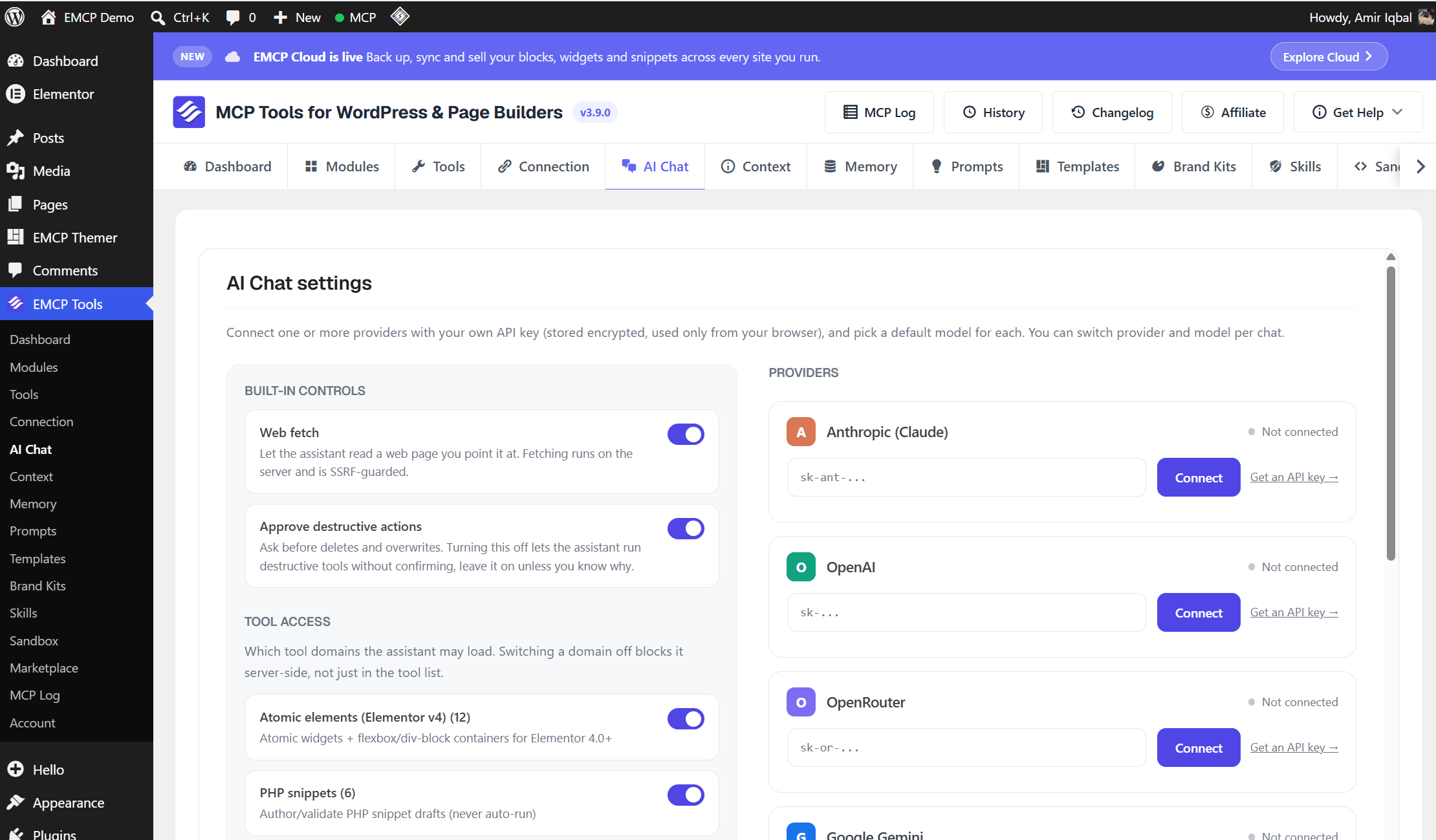
The Elementor editor panel
Section titled “The Elementor editor panel”A floating window and chat-bubble launcher appear in the Elementor editor’s footer. The panel shares the same chat engine and config as the admin tab, plus embed context: the current page’s id and a page-context sentence, so the model already knows what you’re editing without you explaining it.
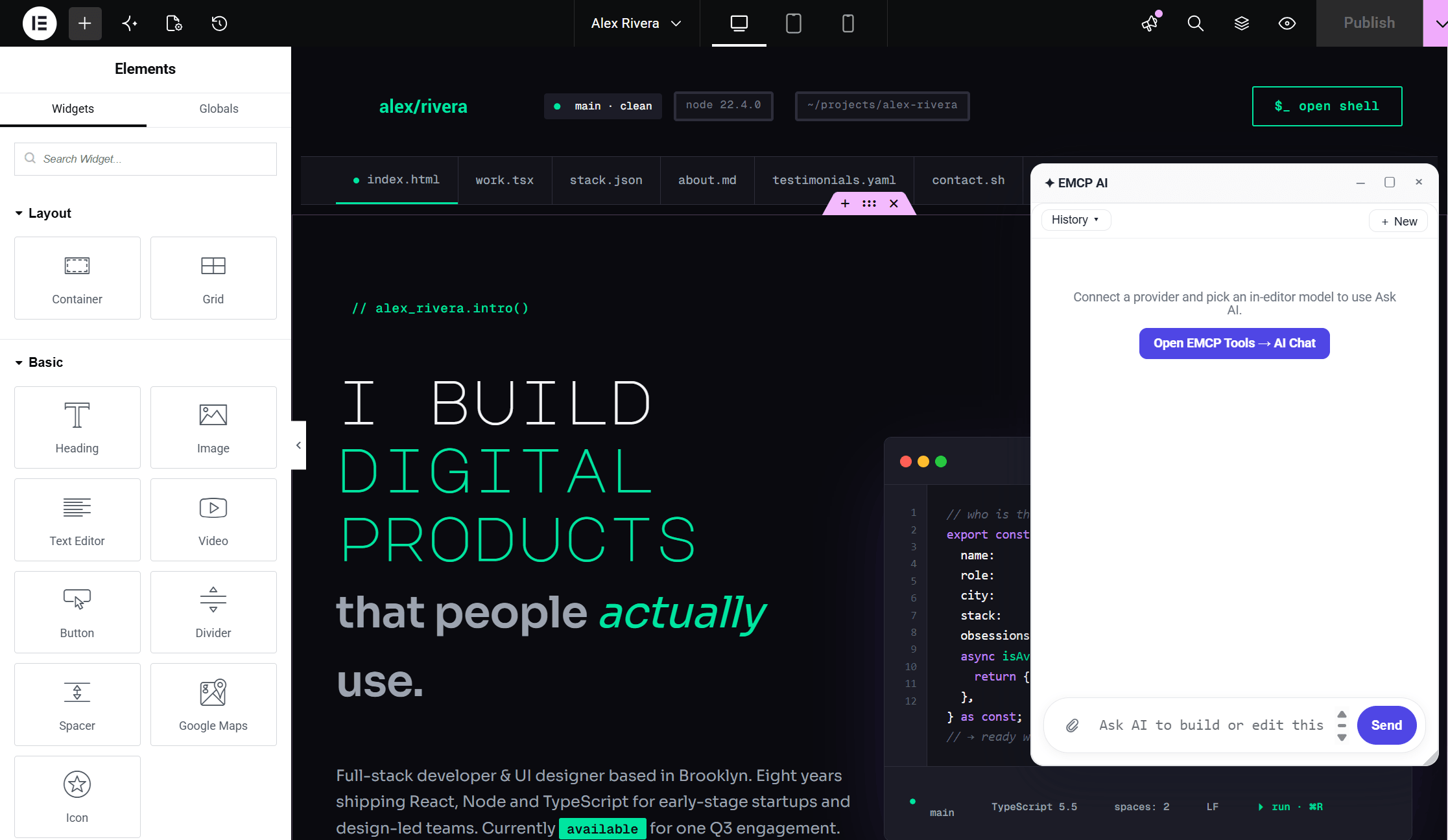
The Gutenberg editor panel
Section titled “The Gutenberg editor panel”Same floating-window treatment, in the WordPress block editor’s admin footer, with block-editor embed context (current post id) instead of Elementor’s.
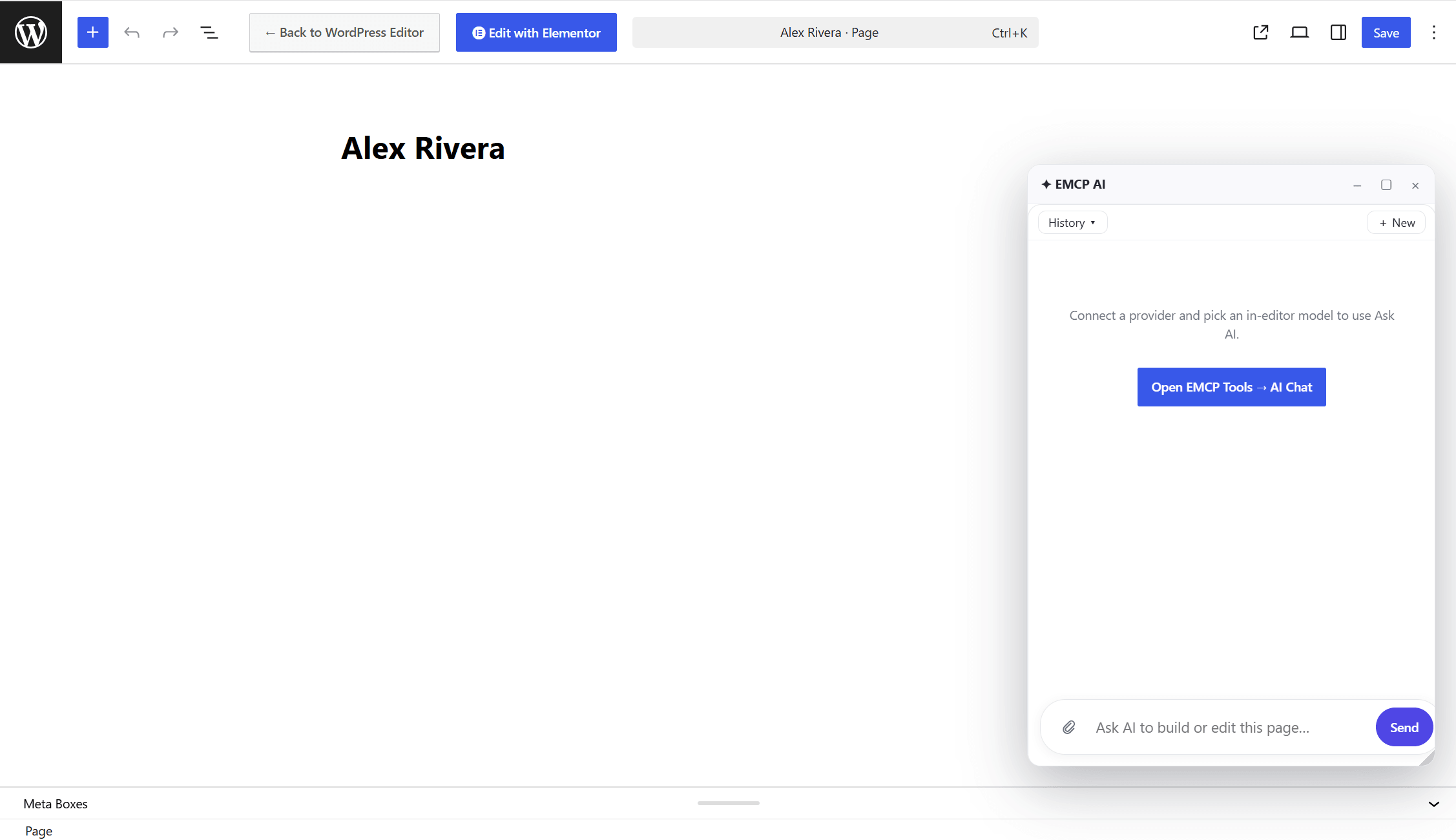
Permissions
Section titled “Permissions”Both editor panels require edit_posts and only load on their respective editor screens. The admin tab and API key management require Pro plus the capability to manage the plugin’s settings.