
Tutor LMS
New in 3.19.0 (Pro). Two dispatcher tools work with Tutor LMS 4.x (the free edition is enough):
| Tool | Default | Purpose |
|---|---|---|
tutor-read | On | The setup, courses with their curriculum, lessons, quizzes, enrolments and student progress (7 operations) |
tutor-write | Off | Create and update courses, topics, lessons and quizzes, set the order, publish or trash, enrol and cancel (15 operations) |
Enable the write tool under Tools > Plugins > Tutor LMS. EMCP runs Tutor’s own course builder code, so Tutor validates and stores every change the way its builder does. Administrators work on every course; an instructor only on the courses they teach.
Read first
Section titled “Read first”get-setup: the Tutor version, how courses are sold, the course levels and statuses, the free question types, whether instructors may publish or trash courses, and the write operations you may run.list-courses: courses with status, level, price, counts and links (20 per page;search,status,category,instructor).get-course: the course fields (the namescreate-coursetakes), the curriculum (topics with their lessons and quizzes, in order), any orphans, and the course version.get-lessonandget-quiz: a lesson’s or quiz’s own version.
Build a course
Section titled “Build a course”create-coursewithtitleand the details:content,level,categoriesandtags(term ids),benefits,requirements,target_audience,materials,duration{hours, minutes},max_students,thumbnail_id,video{source, url}. It starts as a draft.create-topicfor each section, with the latestcourse_version.create-lessonin a topic:title,content,video(youtube,vimeo,external_url,html5,embeddedorshortcode),attachments,thumbnail_id.save-quizwithtopic_id,title,options(passing_grade,attempts_allowed,time_limit, …) andquestions, each withtitle,type,markandanswers[{title, is_correct}].get-courseto check, thenset-course-statuswithpublish.
The free question types are true_false, single_choice, multiple_choice, open_ended and fill_in_the_blank. Tutor Pro types answer unsupported_question_type.
Change things
Section titled “Change things”update-course,update-topicandupdate-lessonchange only the fields you pass.""clears a text field; on a lessonvideo: null,attachments: []andthumbnail_id: 0remove those.save-quizwithquiz_iddescribes the whole quiz: keep eachquestion_idandanswer_idfor what you keep; anything left out is removed.reorder-contentssets the whole order, every topic once and every lesson and quiz exactly once. Contents may move between topics.
Every write to an existing course passes course_version; lesson and quiz writes pass that object’s version. A change made since you read it is a conflict and nothing is written: read again, or pass force: true to overwrite on purpose.
Students’ work is protected
Section titled “Students’ work is protected”- Questions students answered cannot be removed or changed, and a quiz with attempts cannot be deleted (
has_attempts). - Courses are only moved to the trash (
trash-course), never deleted: Tutor would delete their attempts and enrolments. tutor_update_pendingonsave-quizmeans Tutor has not finished its own database update; open any wp-admin page and try again.
Students
Section titled “Students”enrol-studentenrols an existing user in a published free course. Paid courses are refused (paid).cancel-enrolment(withconfirm: true) cancels it and keeps the progress.list-enrolmentsandget-student-progressshow who is enrolled and how far they got.
trash-course, delete-topic (an empty topic only), delete-lesson, delete-quiz and cancel-enrolment need confirm: true.
On a real site
Section titled “On a real site”From our test run with the fictional Larkspur Kitchen School, recorded over a real MCP connection with Tutor LMS’s free edition. The Tutor LMS integration page shows every call the assistant made.
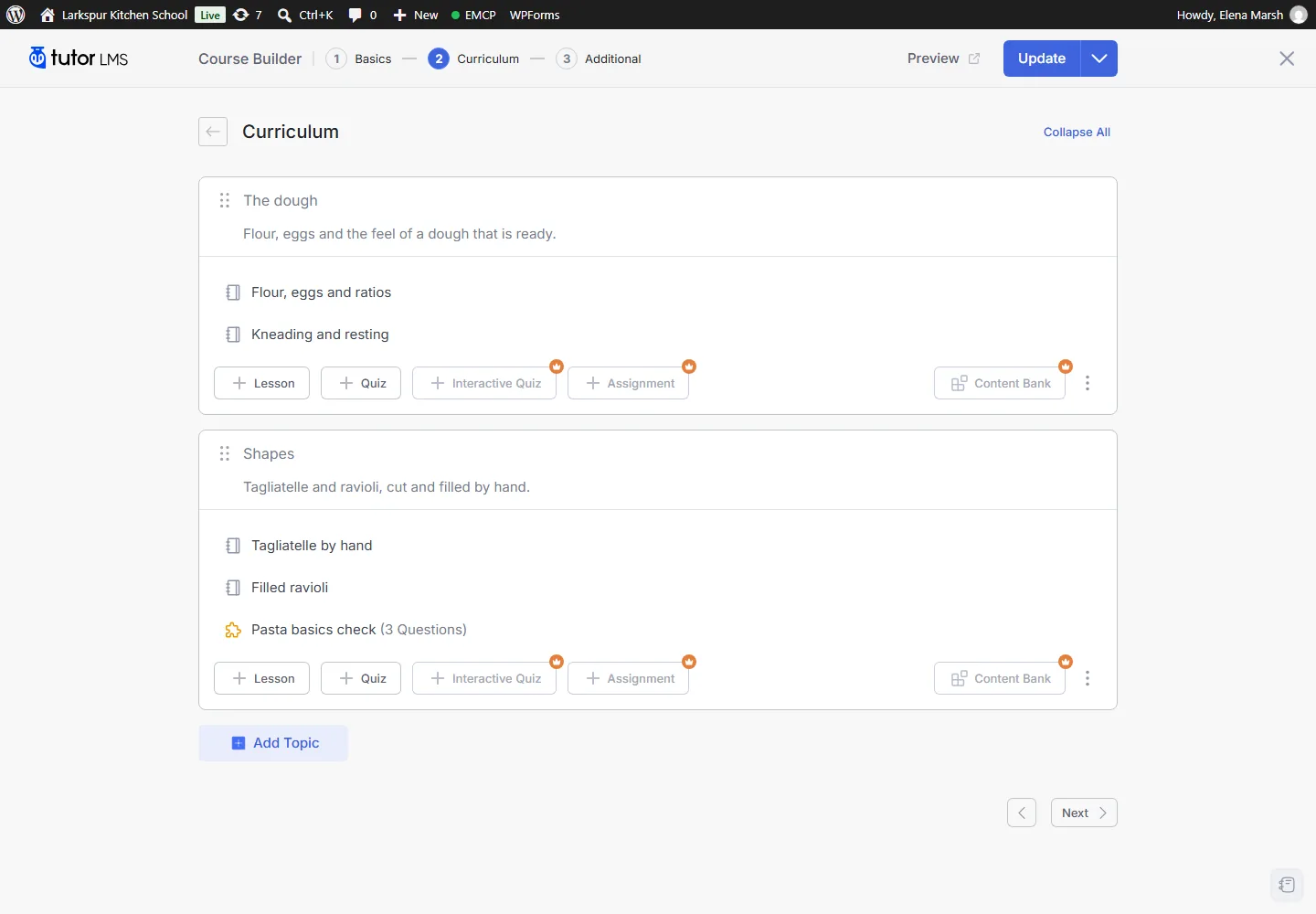
Tutor’s own course builder shows the curriculum the assistant built.
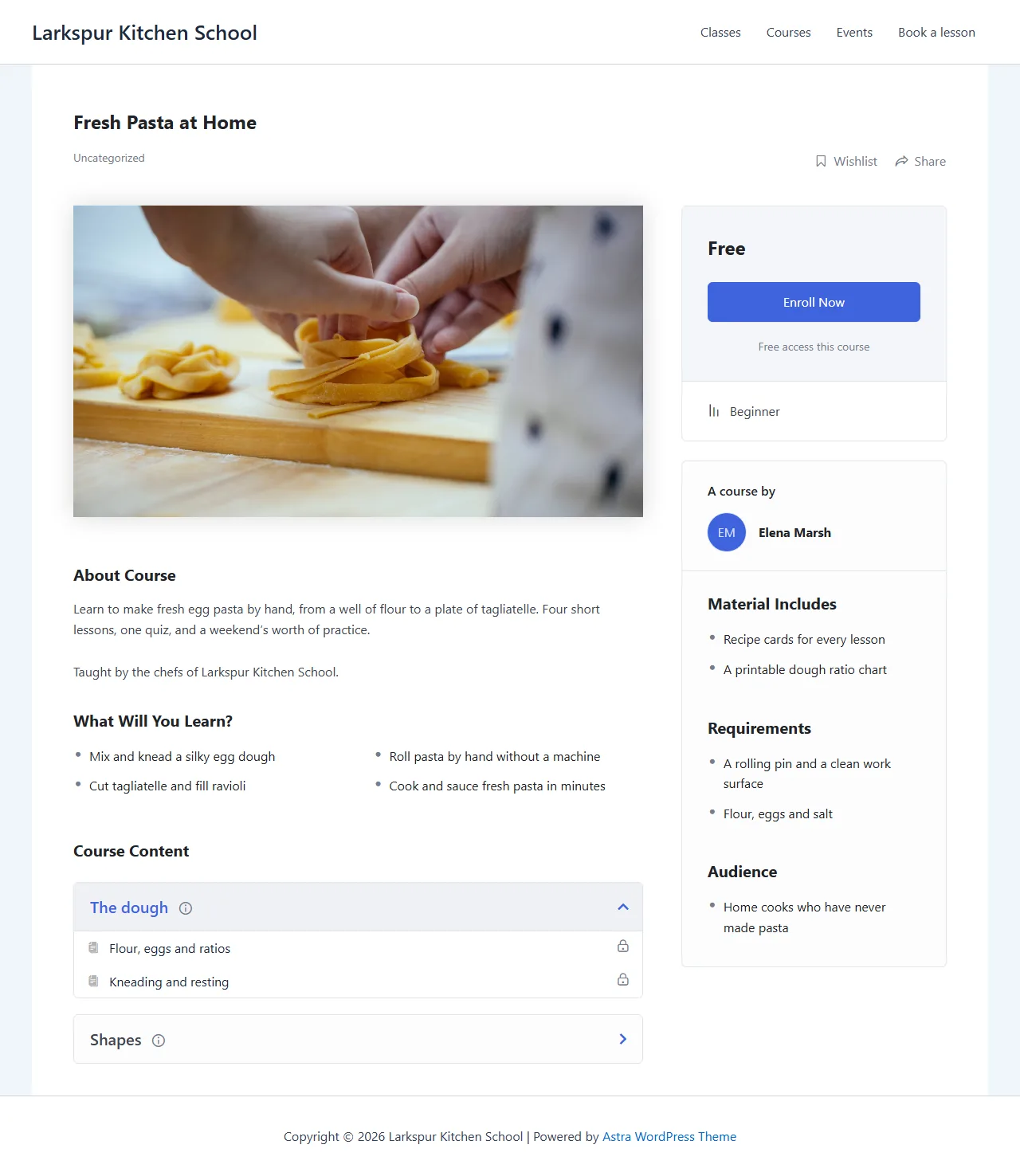
The published course, with everything the assistant wrote: outcomes, materials, requirements and curriculum.
History
Section titled “History”Every write can be undone in History: an edit comes back, a new course, topic, lesson or quiz is removed, a deleted lesson or quiz comes back with its old id, a trashed course gets its earlier status back and an order change is reversed. An undo is refused once students completed a lesson (has_progress) or took a quiz (has_attempts), whatever force says.