
Install EMCP Tools on WordPress
EMCP Tools is not on the WordPress.org plugin directory. Install it from a GitHub release zip: three steps, one minute.
Prerequisites
Section titled “Prerequisites”- WordPress 6.9 or later
- PHP 8.1 or later
- Elementor 3.20 or later, only for Elementor page-building tools. Other builders and integrations require their own supported plugins or themes.
Elementor is optional for general WordPress tools. See the integration catalog for dependency and Free/Pro requirements.
The WordPress MCP Adapter is bundled with the plugin, so you don’t need to install or activate it separately. It ships as a committed Composer dependency loaded via the Jetpack Autoloader (and coexists cleanly with other plugins that bundle their own copy).
If a prerequisite is missing on activation (for example WordPress is too old for the Abilities API), EMCP Tools shows an admin notice explaining what to do and refuses to register its tools until you fix it. Nothing breaks.
Install
Section titled “Install”-
Download the latest release zip from the Releases page. The asset is named
emcp-tools-{version}.zip.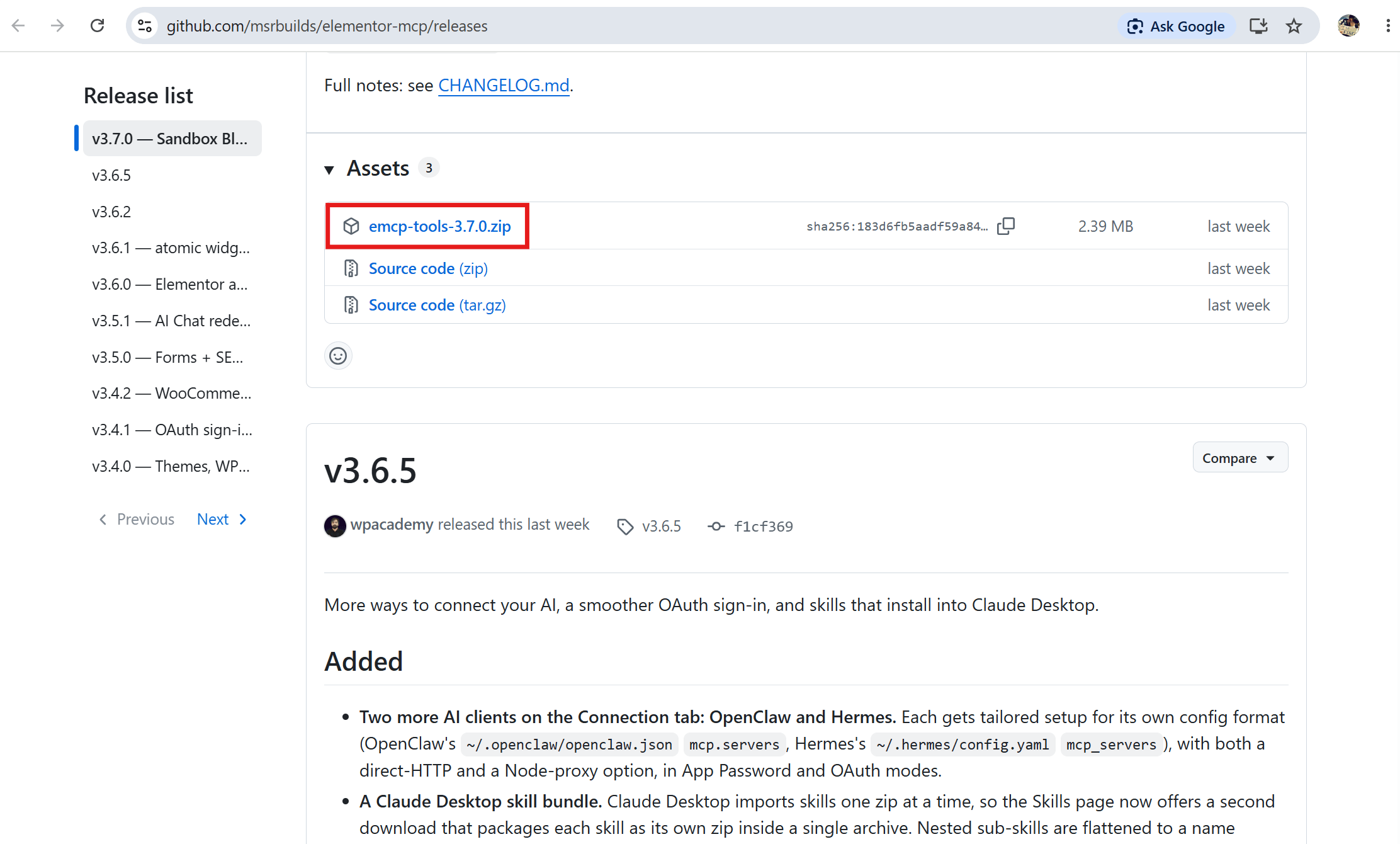
-
In WordPress admin, go to Plugins → Add New → Upload Plugin.
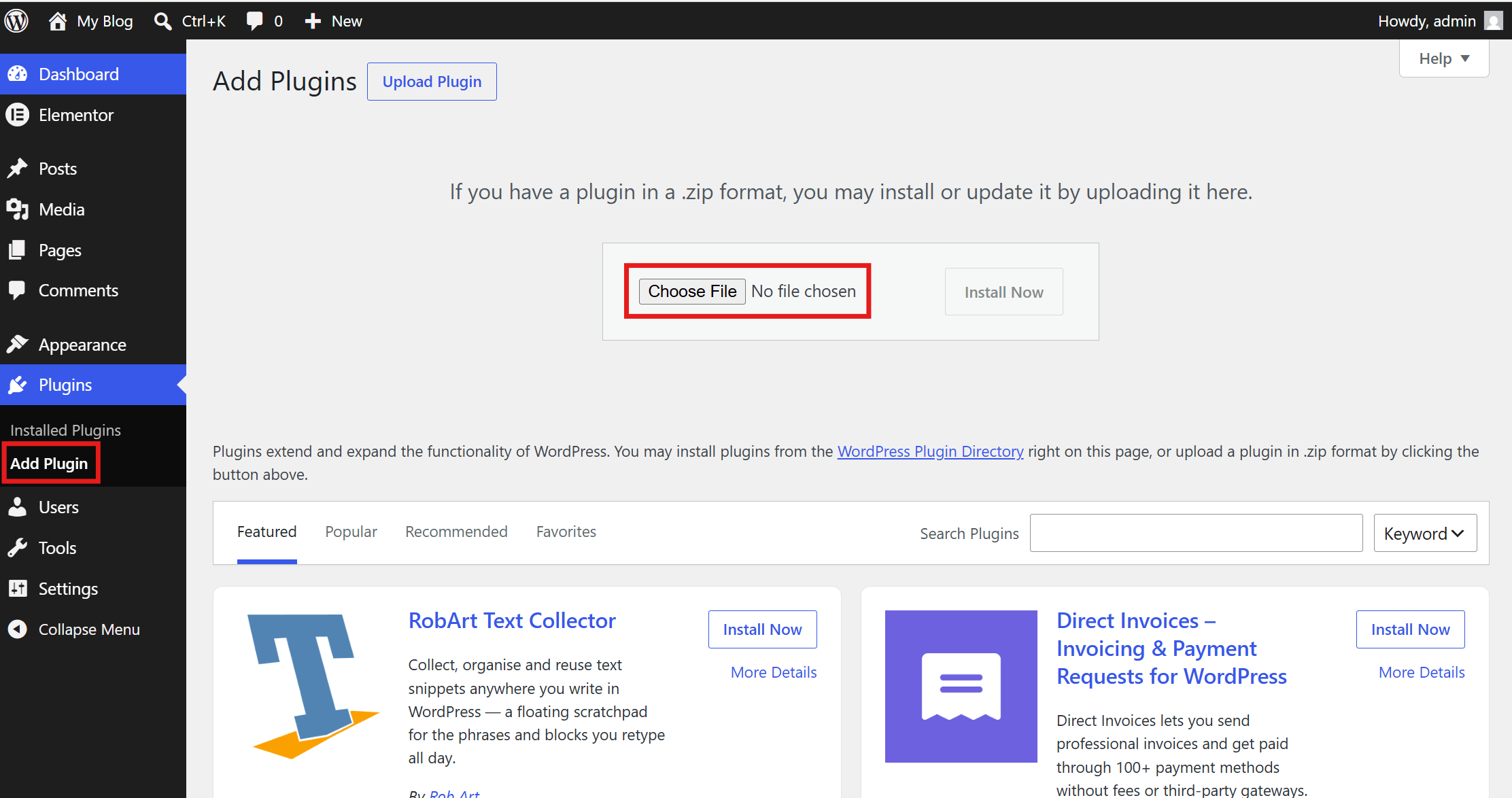
-
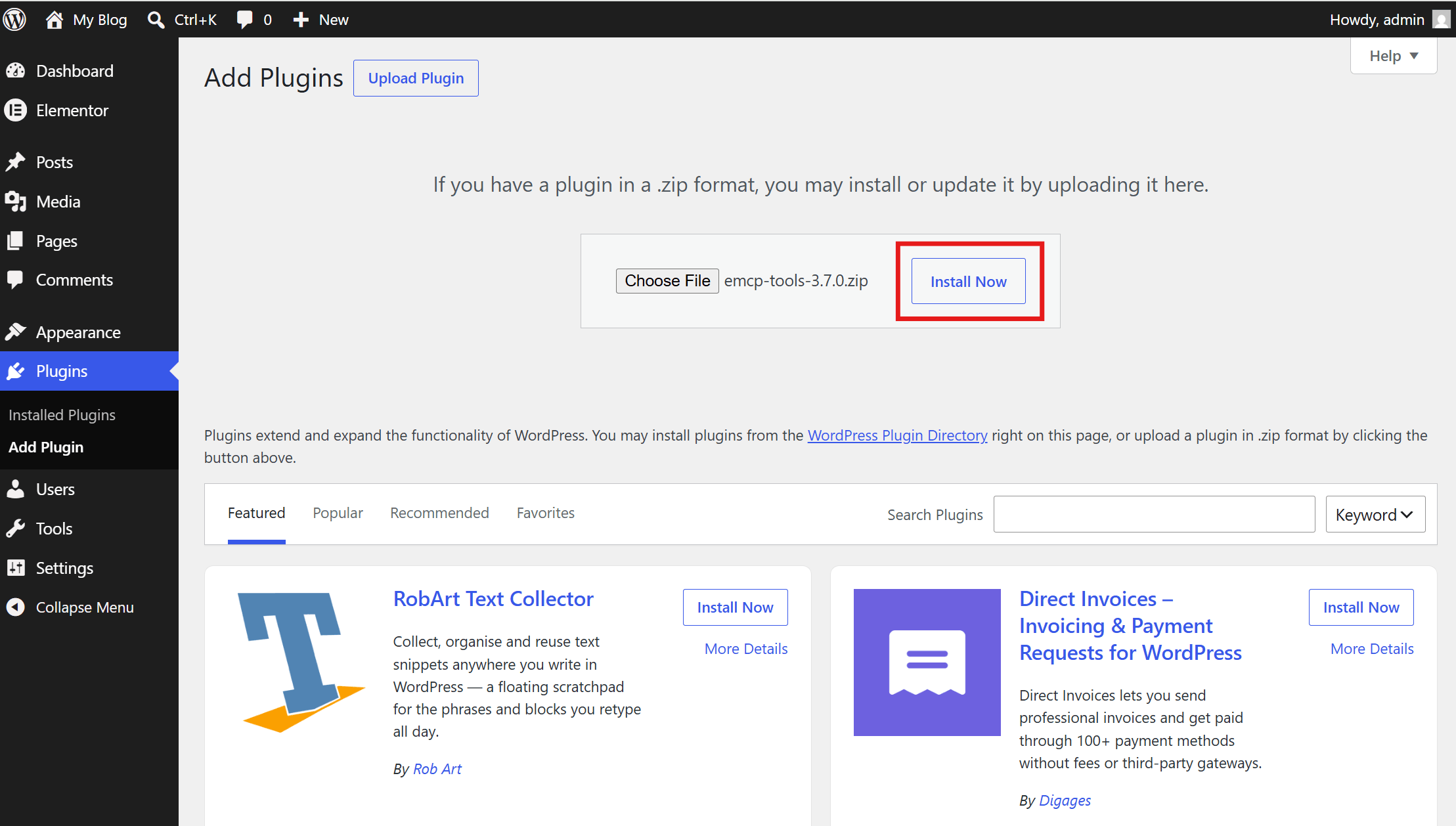
Choose the zip, click Install Now, then Activate.
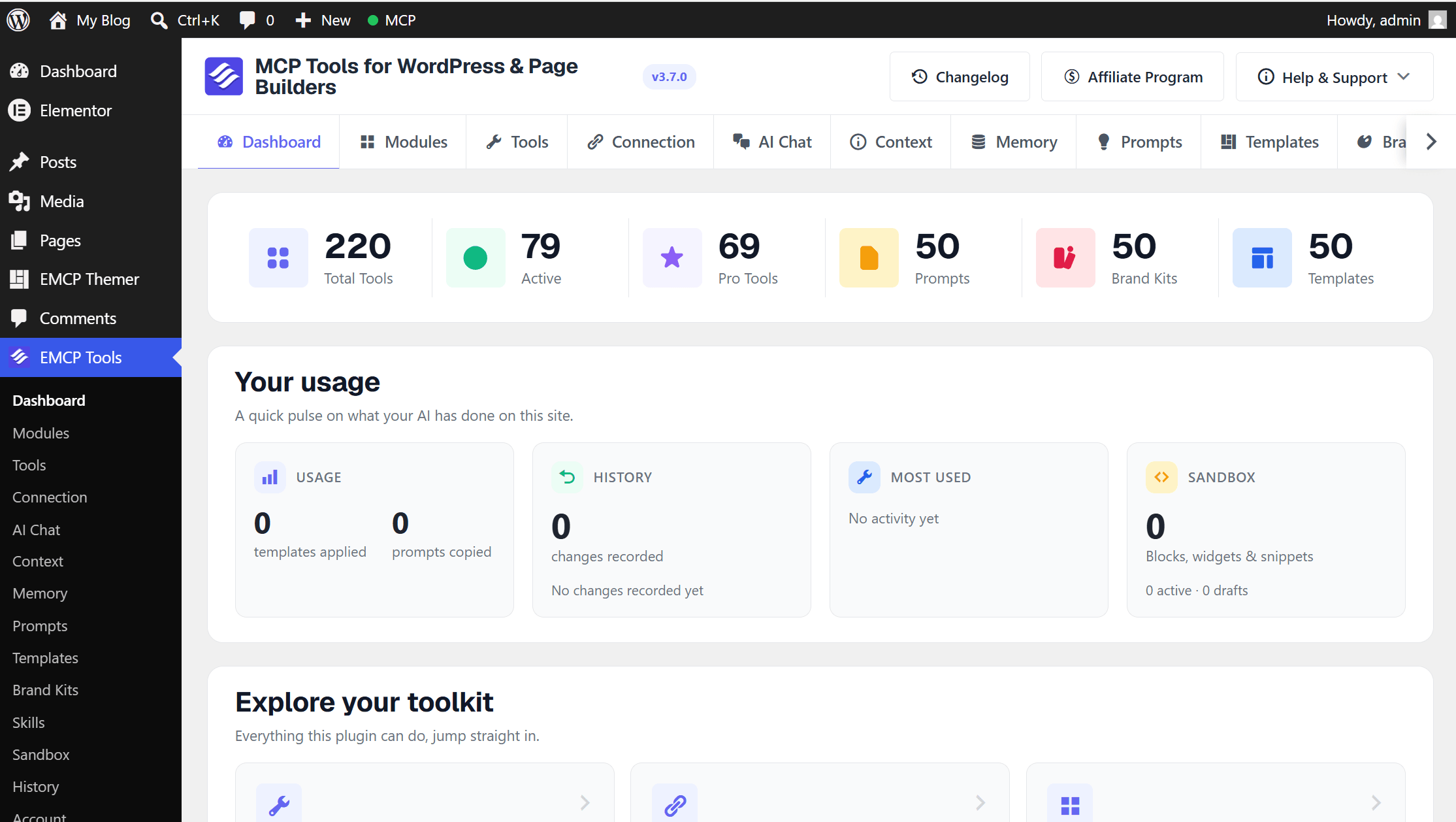
After activation, a new EMCP Tools menu appears in the WordPress sidebar. It opens on the Dashboard, inside the EMCP admin frame: every EMCP screen is reached from the frame’s own sidebar (grouped into Overview, Setup, Build, Library and Safety), and Ctrl+K (Cmd+K on Mac) opens a search across screens and tools.
The Dashboard starts with a health strip (MCP server status, connected clients, how many tools are enabled, and your version), then an AI activity chart, Most used tools, Recent changes with Undo, and a Needs your attention list. Use Connect a client at the top to open the Connection setup. Every part of the screen is described in Dashboard and admin frame.
What happens on first activation
Section titled “What happens on first activation”- The plugin registers its MCP server at
/wp-json/mcp/emcp-tools-server. - Up to 526 MCP tools register with the WordPress Abilities API (scaled by your environment, fewer if you don’t have Elementor Pro / Elementor 4.0).
- 377 tools ship disabled-by-default (SEO & Accessibility, Widget Builder, PHP Snippets, the 9 Plugins & Themes write tools,
delete-media, the 2 Users write tools, the 3 Filesystem write tools, and the 3 Database write tools). Re-enable any of them on EMCP Tools → Tools: switch the tool on, then choose Save changes in the save bar that appears at the bottom of the screen. - Larger features are modules you switch on or off on EMCP Tools → Modules. As of 3.18.0 the Themer (theme builder) module is off by default on new installs.
- A one-time defaults marker is set so the disable-by-default doesn’t repeat on every page load.
Next steps
Section titled “Next steps”- Verify the requirements: quick sanity check that everything’s wired correctly.
- Connect an MCP client: pick your client and follow the matching guide. EMCP Tools → Connection walks you through it in four steps and confirms when the client makes its first call.
- First steps: what to do once a client is connected.
Updates
Section titled “Updates”As of v3.1.0, the free plugin updates in your dashboard, the same experience as a WordPress.org plugin, but sourced from GitHub releases:
- When a newer release is published, WordPress shows an update available notice in Plugins → Installed Plugins (and Dashboard → Updates) within ~12 hours. Click Update Now. You can also enable auto-updates.
- The plugin’s own Dashboard shows the version in its health strip: “You’re on the latest version” or “vX is ready to install”. Pending updates also appear under Needs your attention.
- Prefer to do it by hand? Re-download the latest
emcp-tools-{version}.zipfrom the Releases page and overwrite the install.
Pro installs update through the bundled Freemius SDK using your license, no GitHub download needed.