
VS Code (MCP extension)
The Model Context Protocol extension for VS Code reads server configs from VS Code settings (settings.json).
The four-step wizard on EMCP Tools → Connection has no VS Code entry, so configure VS Code by hand with the snippets below. Copy your endpoint from Server status on that screen (the MCP endpoint URL has a Copy button). If you use the Claude Code extension, follow the Claude Code guide instead: the wizard’s Claude Code entry covers it.
Sign in with OAuth (recommended)
Section titled “Sign in with OAuth (recommended)”Recent VS Code MCP support (1.102+) and the Claude Code extension can sign in through the browser instead of pasting credentials. Add the server with just its URL, no headers block:
{ "mcp.servers": { "emcp-tools": { "type": "http", "url": "https://your-site.test/wp-json/mcp/emcp-tools-server" } }}When the server starts, VS Code opens a browser to approve access from your WordPress login. If you use the Claude Code extension, it shares Claude Code’s config and OAuth token automatically, connect it once with claude mcp add and it works here too.
Requires an HTTPS site with OAuth sign-in on (EMCP Tools → Connection → Advanced settings, on by default on HTTPS). Only administrators can approve. Sign the app out or remove it any time under EMCP Tools → Connection → Connected apps.
Application Password
Section titled “Application Password”Open VS Code settings → search “MCP” → click Edit in settings.json. Add:
{ "mcp.servers": { "emcp-tools": { "type": "http", "url": "https://your-site.test/wp-json/mcp/emcp-tools-server", "headers": { "Authorization": "Basic BASE64_ENCODED_CREDENTIALS" } } }}Replace the URL and credentials as usual. Create the application password under Users → Profile → Application Passwords. Base64 generator:
echo -n "admin:xxxx xxxx xxxx xxxx xxxx xxxx" | base64Verify
Section titled “Verify”Open the MCP extension panel (Cmd/Ctrl+Shift+P → “MCP: Show Servers”). emcp-tools should appear in the list with a tool count.
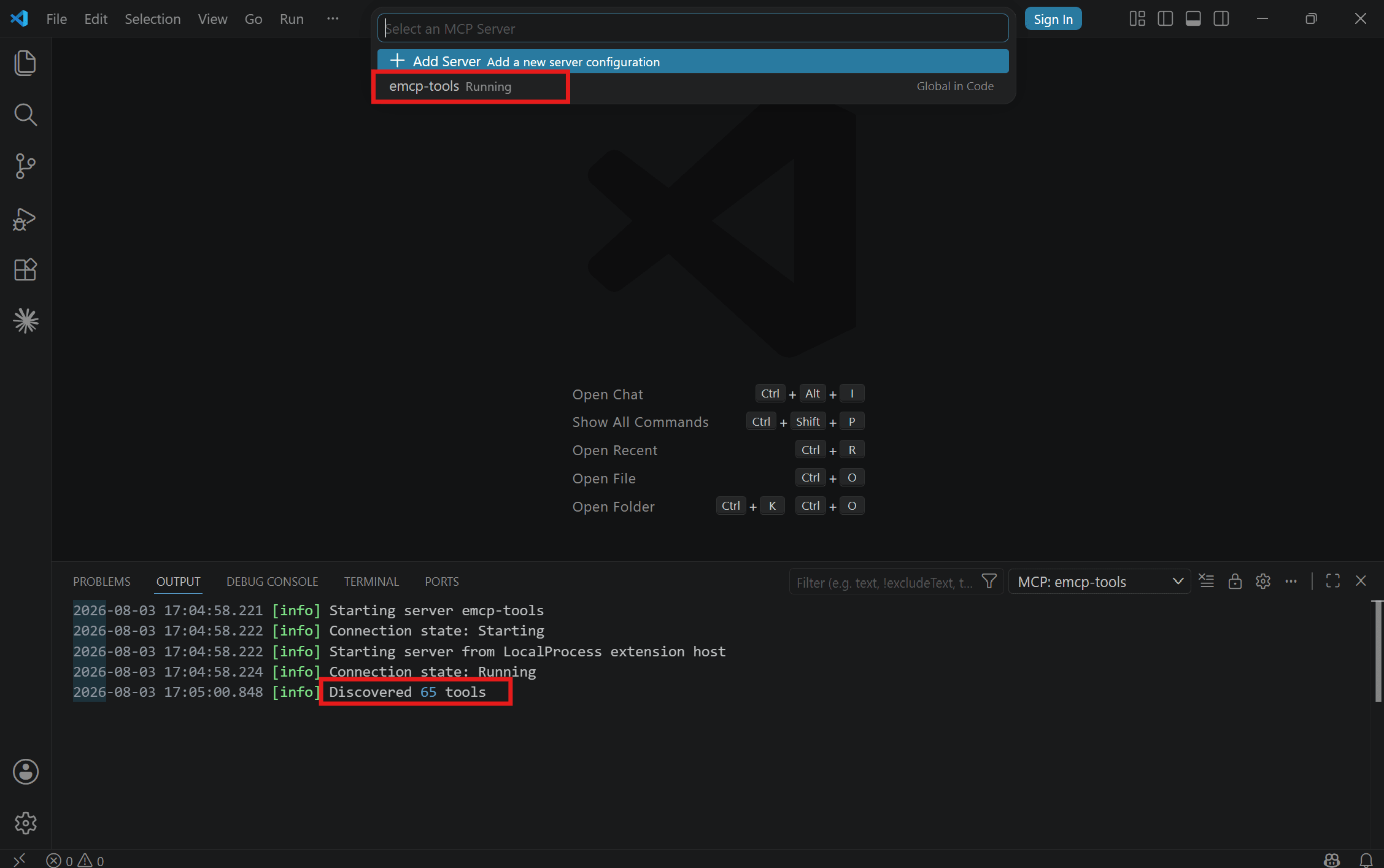
The extension exposes the tools to whichever AI client you use inside VS Code (Copilot Chat, Continue.dev, etc., depending on which has MCP support enabled in your VS Code version).
- VS Code’s MCP support is newer than Claude / Cursor. Feature parity is still moving. If a tool call hangs or fails silently, check the extension’s output panel for error logs.
- The extension supports both stdio and HTTP. HTTP is simpler unless your WordPress install is local-only.
Connection and discovery help
Section titled “Connection and discovery help”If the server is unreachable, returns no tools, or lists fewer tools than expected, follow missing-tool diagnosis. Check the failing stage before changing the enabled catalog.