
The Events Calendar
New in 3.19.0 (Pro). Two dispatcher tools work with The Events Calendar 6.x (the free edition is enough):
| Tool | Default | Purpose |
|---|---|---|
events-calendar-read | On | The setup, events by date and filter, venues, organizers and categories (8 operations) |
events-calendar-write | Off | Create and update events, venues, organizers and categories, set an event’s status, trash (12 operations) |
Enable the write tool under Tools > Plugins > The Events Calendar. EMCP writes through TEC’s own PHP layer, the one its calendar views use, including the calendar tables its month and list views read. Administrators and editors work on every event; authors on their own; contributors create drafts of their own only.
TEC’s own REST API rebuilds an event from the request on a partial update, deleting its cost, organizers and featured flag and publishing a draft. Use EMCP’s tools instead.
Read first
Section titled “Read first”get-setup: the version, the time zone mode and site time zone, the enabled views, events per page, date formats, and whether you may create and publish events.list-events: by start date withstart_after,end_before,status,search,category,venue_id,organizer_id,featured; 20 per page withtotal.get-event: the event’s fields, venue and organizers, categories, tags, event status and its version.list-venues/get-venue,list-organizers/get-organizer,list-categories: fields, how many events link to them, and their version.
Build an event
Section titled “Build an event”create-venuewithtitleand the address (address,city,state_province,zip,country,phone,website,show_map).create-organizerwithtitle,email,phone,website.create-categoryif needed.create-eventwithtitle,start_date,end_date,timezoneand the details:content,excerpt,cost,website,currency_symbol,currency_position(prefixorsuffix),featured_image,featured,categories,tags,venue_id,organizer_ids. It starts as a draft.get-eventto check, thenupdate-eventwithstatus: publish.
Dates and time zones
Section titled “Dates and time zones”start_dateandend_dateareY-m-d H:iin the event’s own time zone. All-day events takeall_day: truewithY-m-ddates.timezoneis an identifier such asEurope/Paris,UTC, or an offset such asUTC+2. Anything else isinvalid_timezone.- An end before the start is refused (
invalid_dates). Changing only the dates keeps the time zone.
Change things
Section titled “Change things”update-eventchanges only the fields you pass:venue_id: 0unlinks the venue,organizer_ids: []removes the organizers,featured_image: 0removes the image,cost: ""clears the cost.update-venue,update-organizerandupdate-categorywork the same way.set-event-statuswithevent_status: cancelledorpostponedand areasonshown on the event page, orevent_status: scheduledto clear it.
Every write to an existing object passes its version. A change made since you read it is a conflict; force: true overwrites on purpose. tec_busy means another change to the same object is running.
Trash, not delete
Section titled “Trash, not delete”trash-event, trash-venue and trash-organizer need confirm: true. A venue or organizer that events outside the trash still use is refused (in_use, with the event ids). Categories are never deleted. Recurring events from Events Calendar Pro are read but never written.
On a real site
Section titled “On a real site”From our test run with the fictional Larkspur Kitchen School, recorded over a real MCP connection with The Events Calendar’s free edition. The The Events Calendar integration page shows every call the assistant made.

The Events Calendar’s list view, with the featured workshop and the postponed class.
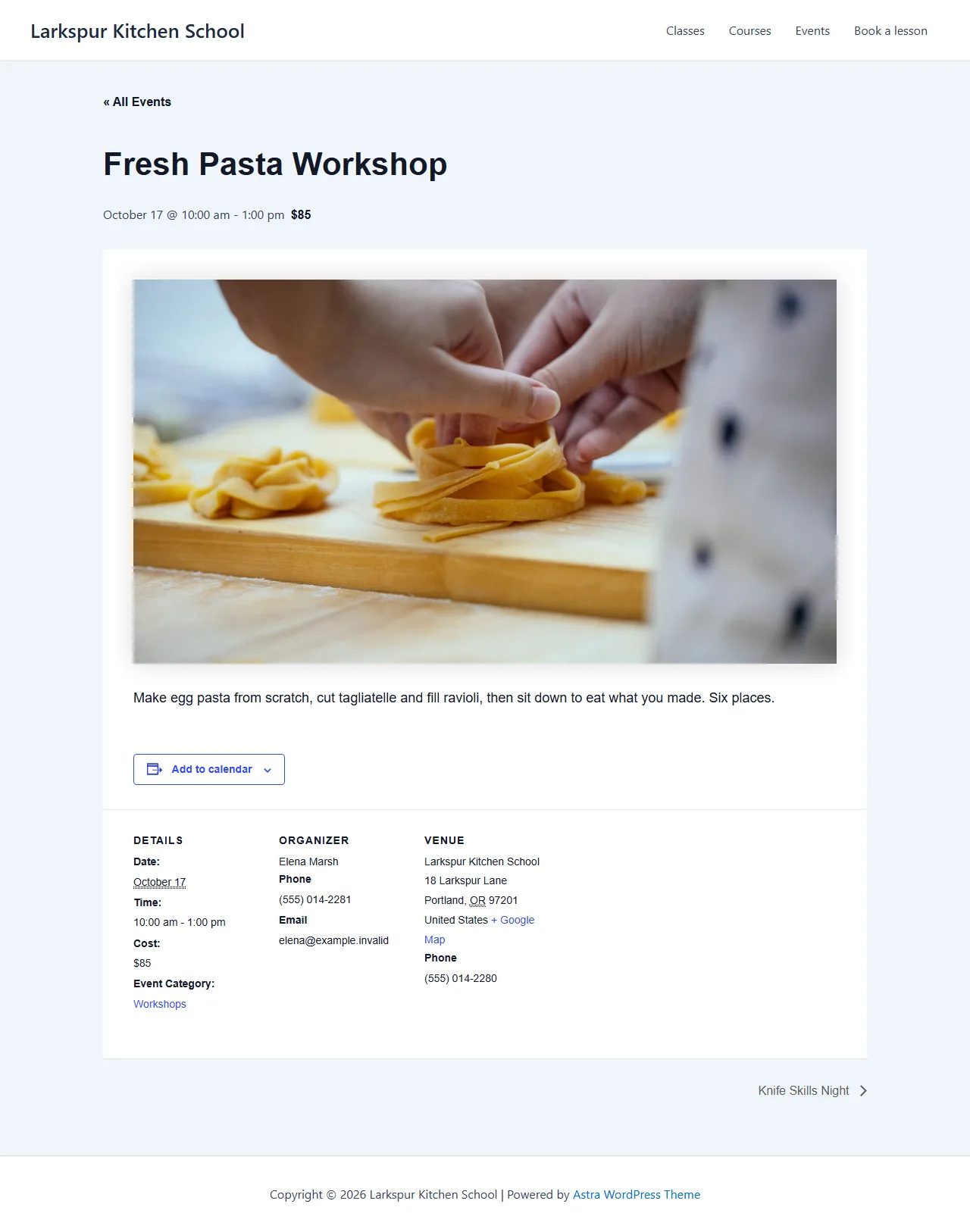
The event page with the venue and organizer the assistant created.
History
Section titled “History”Every write can be undone in History: an edit comes back with its dates in TEC’s calendar tables, a new event, venue, organizer or category is removed, and a trashed one gets its earlier status back. An event is never restored onto a venue or organizer that is gone or trashed since (linked_unavailable).