
 A brief becomes a real page.
The Events Calendar MCP integration
Put a season of events on the calendar in one request.
EMCP Pro writes through The Events Calendar's own PHP layer, the one its calendar views read, so events show in the month and list views exactly as if they were made in TEC's editor. Create venues and organizers, then events with their dates, time zone, categories and tags, and publish them when you are ready.
Pro integrationThe Events Calendar 6.x (free is enough)
A real run on our test site
An autumn calendar, with one class postponed.
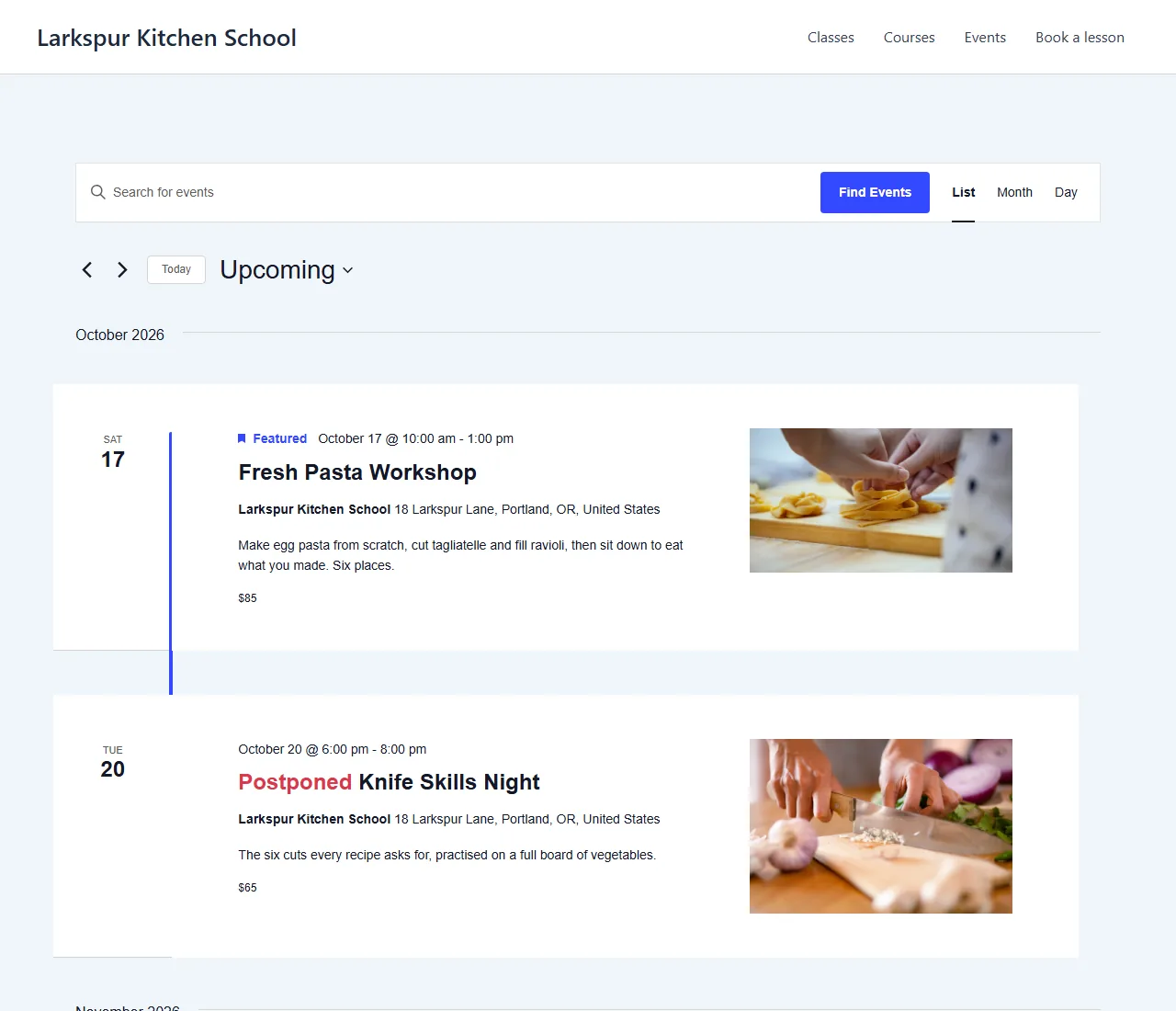
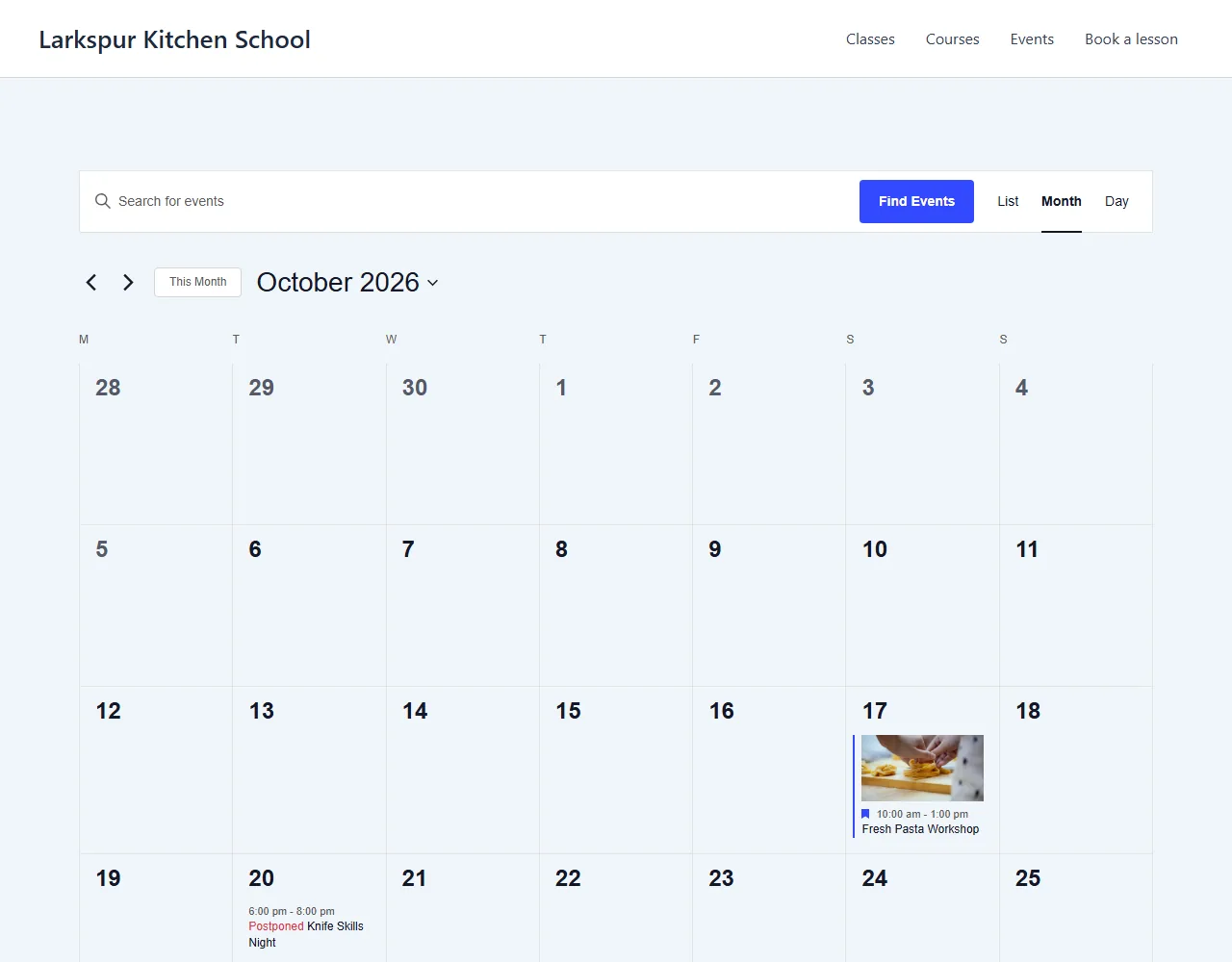
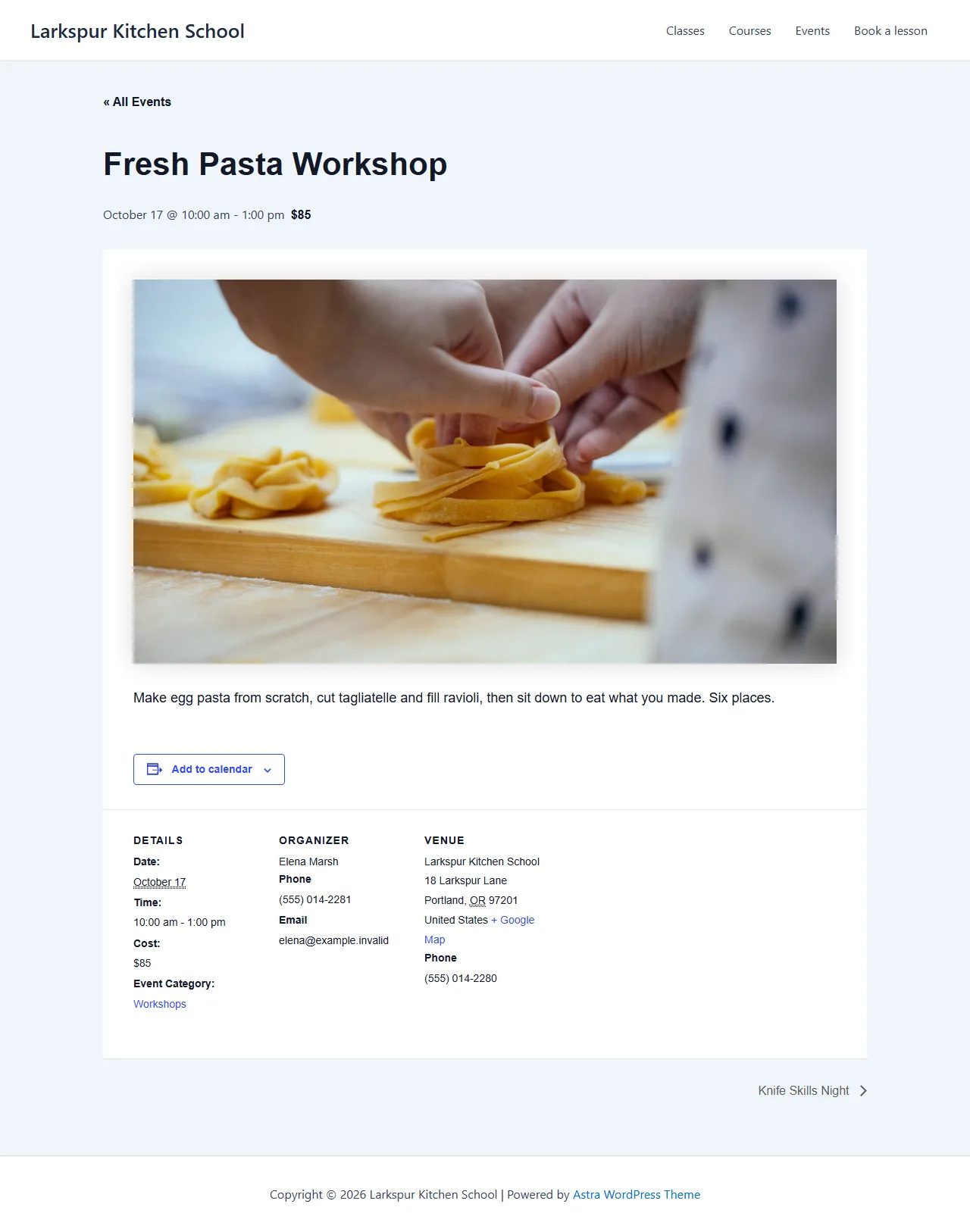
The assistant created the venue, the organizer, a Workshops category and three events with prices and photos, then postponed one with a reason.
Add our autumn workshops to The Events Calendar: Fresh Pasta Workshop on 17 October, Knife Skills Night on 20 October and Autumn Bread Bake on 1 November, at our school, with prices, photos and Elena as organizer. Feature the pasta workshop and mark Knife Skills Night as postponed.
- Recorded
- Plugin
- The Events Calendar 6.18.0
- Connection
- EMCP 3.19.0 over MCP (WP-CLI stdio)
- Calls shown
- 8, in the order they ran
- Times were sent in the America/Los_Angeles time zone, and every write was read back, dates included.
- The venue and organizer were created as drafts; The Events Calendar published them when the published events linked them, and a later read showed it.
- 01
events-calendar-write · create-venue{"title": "Larkspur Kitchen School", "address": "18 Larkspur Lane", "city": "Portland", "state_province": "OR", "zip": "97201", "country": "United States", "phone": "(555) 014-2280", "…": "2 more fields"}Answer: {"id": 2341, "status": "draft", "version": "f37b95e8c304526c", "url": "", "change": {"change_id": "c7db202982f6", "undo": true}} - 02
events-calendar-write · create-organizer{"title": "Elena Marsh", "email": "[email protected]", "phone": "(555) 014-2281"}Answer: {"id": 2342, "status": "draft", "version": "5f6fa06112ff61c1", "url": "", "change": {"change_id": "761007e5d5f9", "undo": true}} - 03
events-calendar-write · create-category{"name": "Workshops", "description": "Hands-on cooking workshops"}Answer: {"id": 69, "version": "02552e7de1442da5", "change": {"change_id": "a06c7cee8997", "undo": true}} - 04
events-calendar-write · create-event{"title": "Fresh Pasta Workshop", "start_date": "2026-10-17 10:00", "end_date": "2026-10-17 13:00", "timezone": "America/Los_Angeles", "status": "publish", "cost": "85", "currency_symbol": "$", "…": "6 more fields"}Answer: {"id": 2343, "status": "publish", "version": "48623bd2c9c78c43", "url": "https://elementor-mcp.test/event/fresh-pasta-workshop/", "change": {"change_id": "3d8f740613e5", "undo": true}} - 05
events-calendar-write · create-event{"title": "Knife Skills Night", "start_date": "2026-10-20 18:00", "end_date": "2026-10-20 20:00", "timezone": "America/Los_Angeles", "status": "publish", "cost": "65", "currency_symbol": "$", "…": "5 more fields"}Answer: {"id": 2346, "status": "publish", "version": "55e5dbf77c852246", "url": "https://elementor-mcp.test/event/knife-skills-night/", "change": {"change_id": "dd4d800ca299", "undo": true}} - 06
events-calendar-write · create-event{"title": "Autumn Bread Bake", "start_date": "2026-11-01 11:00", "end_date": "2026-11-01 14:00", "timezone": "America/Los_Angeles", "status": "publish", "cost": "90", "currency_symbol": "$", "…": "5 more fields"}Answer: {"id": 2347, "status": "publish", "version": "c62ceb7b675a7738", "url": "https://elementor-mcp.test/event/autumn-bread-bake/", "change": {"change_id": "b1de29d36175", "undo": true}} - 07
events-calendar-write · set-event-status{"event_id": 2346, "version": "55e5dbf77c852246", "event_status": "postponed", "reason": "Our chef is away that week. New date coming soon; everyone bo…"}Answer: {"id": 2346, "status": "publish", "version": "5b016b69eed1d01f", "url": "https://elementor-mcp.test/event/knife-skills-night/", "change": {"change_id": "cda1ce390ba3", "undo": true}} - 08
events-calendar-read · list-events{}Answer: {"events": [{"id": 2343, "title": "Fresh Pasta Workshop", "status": "publish", "start": "2026-10-17 10:00:00", "end": "2026-10-17 13:00:00", "timezone": "America/Los_Angeles", "all_day": false, "…": "6 more fields"}, {"id": 2346, "title": "Knife Skills Night", "status": "publish", "start": "2026-10-20 18:00:00", "end": "2026-10-20 20:00:00", "timezone": "America/Los_Angeles", "all_day": false, "…": "6 more fields"}, {"id": 2347, "title": "Autumn Bread Bake", "status": "publish", "start": "2026-11-01 11:00:00", "end": "2026-11-01 14:00:00", "timezone": "America/Los_Angeles", "all_day": false, "…": "6 more fields"}], "page": 1, "total": 3}
Larkspur Kitchen School is a fictional demonstration, and so are its staff and students. Recorded on our test site on October 7, 2026 with EMCP 3.19.0 and The Events Calendar 6.18.0, over a real MCP connection. Food photos from Pexels. Email was held on the test site, so nothing was sent. The The Events Calendar screens are the plugin’s own; values and ids in the calls are the ones this run returned, with long text shortened.
A practical place to start
From a schedule to a published calendar.
- 01
Set the places and people
Create the venue with its address and the organizers with their contact details, and an event category if the series needs one.
- 02
Create the events
create-event takes the title, start and end in the event's own time zone, cost, venue, organizers, categories and tags. Events start as drafts.
- 03
Publish and adjust
Publish when ready. Later, update only the fields that change, or mark an event cancelled or postponed with a reason shown on its page.
Built for The Events Calendar
Written the way the calendar reads it
TEC keeps event dates in its own calendar tables as well as in the event, and its month and list views read the tables. EMCP writes through TEC’s own layer and checks the calendar rows after every write, repairing them through TEC when they lag, so a new event is on the calendar straight away.
Partial updates that stay partial
Change the start time and only the start time changes. Clear a cost with an empty string, unlink a venue with 0, and keep everything else. An end before the start is refused, where TEC would ignore it silently.
Cancelled, postponed, or trashed with care
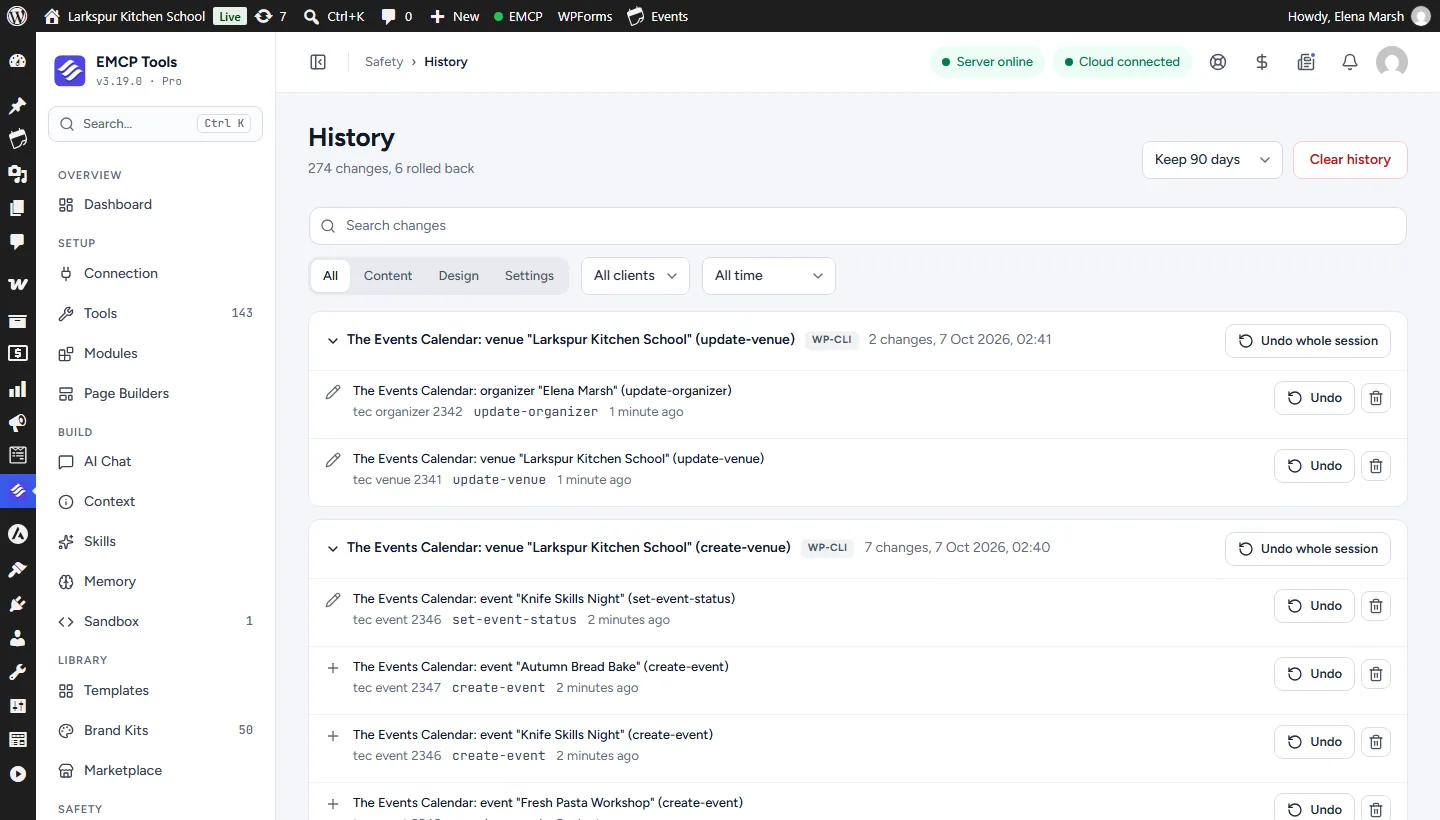
set-event-status marks an event cancelled or postponed with a reason, as TEC’s editor does. Trashing keeps links intact: a venue that events use stays until you unlink it. Every change is in History in EMCP Tools.
Use The Events Calendar tool reference for operation names and arguments, and the Amelia integration for appointment booking.
Get connected
Put The Events Calendar in your AI’s toolkit.
- 1
Install The Events Calendar
Install EMCP Pro 3.19 or later with The Events Calendar 6.x. The free edition is enough.
- 2
Enable the write tool
events-calendar-read is on; events-calendar-write starts disabled. Enable it under EMCP Tools > Tools > Plugins > The Events Calendar and reconnect your AI client.
- 3
Check the setup
get-setup reports the time zone mode, the site time zone, the enabled views and whether you may create and publish events.
Then connect Claude Code, Claude Desktop, or Cursor to use the The Events Calendar tools enabled on your site. Compare Free and Pro access.
A few useful details
Before you connect.
Questions about The Events Calendar, supported operations, and the workflow on your site.
Why not TEC's REST API?
A partial update through TEC's REST API rebuilds the event from the request, deleting its cost, organizers and featured flag and publishing a draft. EMCP changes only the fields you name.
How are time zones handled?
Each event has its own time zone, given as an identifier such as Europe/Paris or an offset. Dates are in that zone, and changing only the dates keeps it.
Can it delete events?
It moves events, venues and organizers to the trash. A venue or organizer that events still link to is refused with in_use and the event ids.
Can I undo a change?
Yes. Edits come back with their dates in TEC's calendar tables, new items are removed and trashed ones regain their status. An event is never restored onto a venue that is gone.
Your tools. Your WordPress site.