
 A brief becomes a real page.
- EMCP Pro
Back up, migrate and sync WordPress from the plugin your AI already uses.
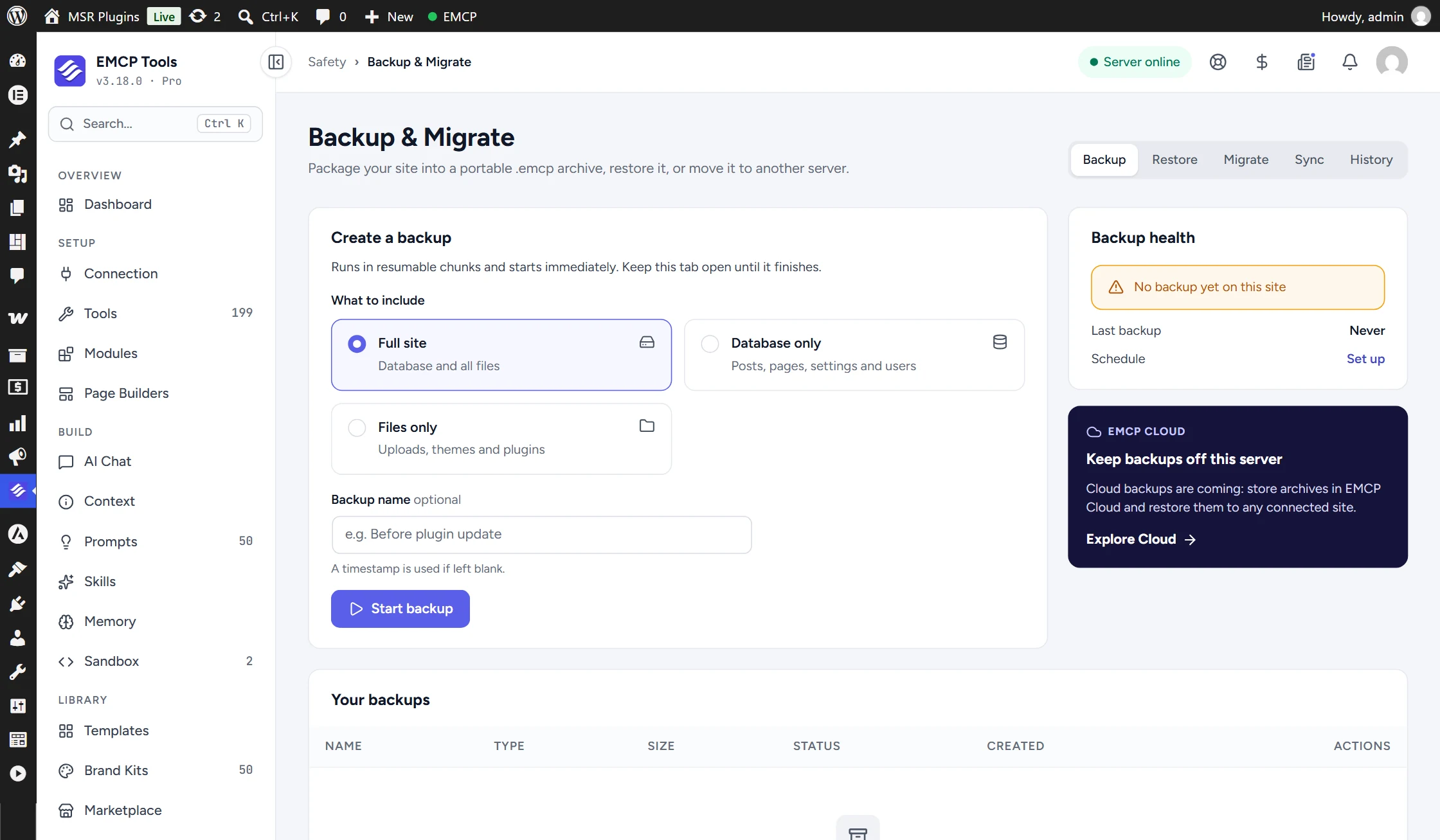
EMCP Pro packages a whole WordPress site, database and files, into one portable .emcp archive. Back it up on a schedule, restore it, push a local build to its live server, or sync only the pages you changed, from wp-admin or through your AI agent.
Backups that run on a schedule.
Choose a full site, database-only or files-only backup, by hand or daily or weekly at a set time. Scheduled backups keep the newest copies you choose, from 1 to 30. Backups made by hand or by an AI agent keep the newest 10 by default, with an optional size limit, so old archives never fill the disk. A health card warns you when there has been no backup for 14 days.
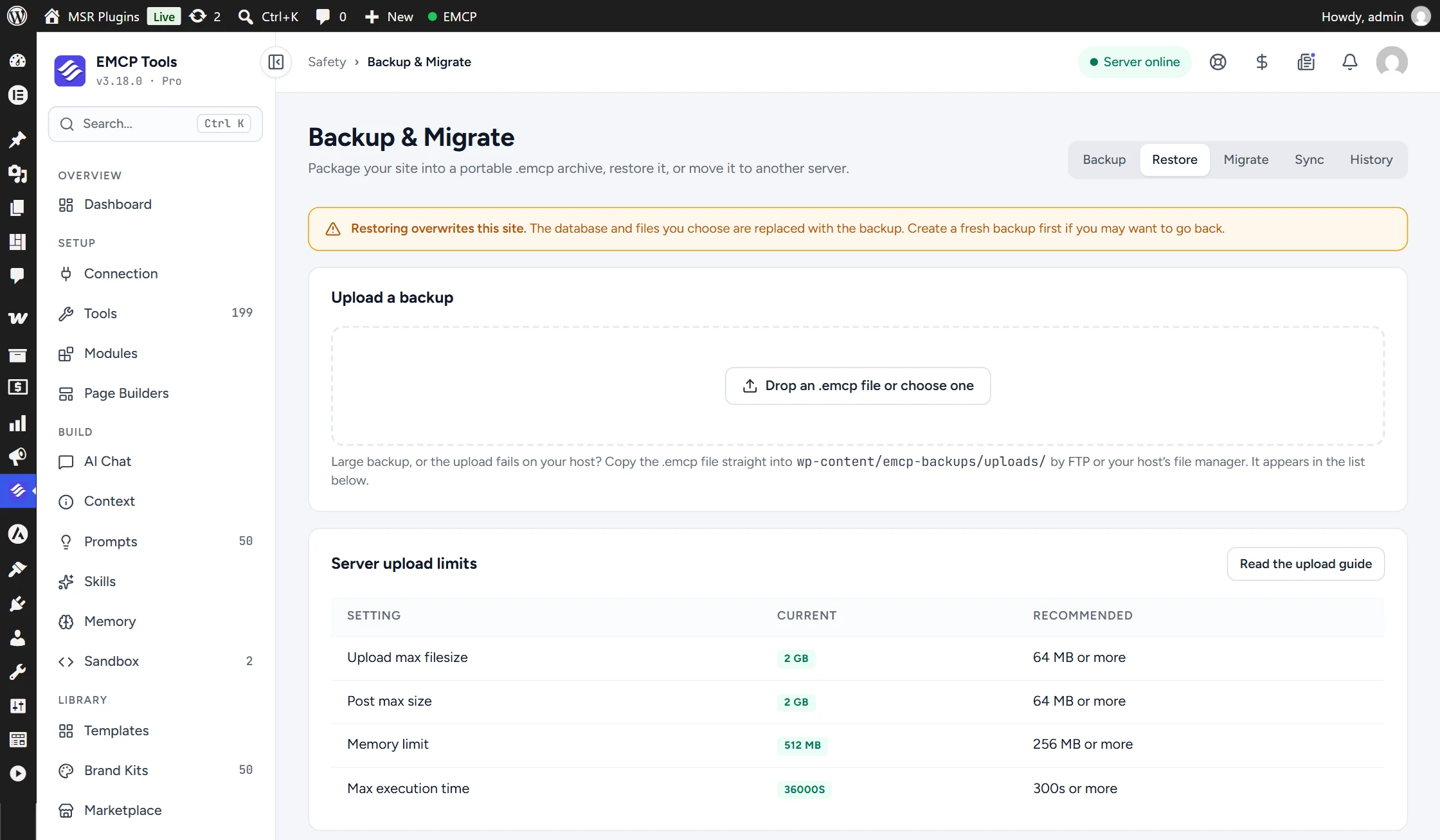
Restore by uploading an archive in the browser, which retries in smaller chunks if your host rejects one, or drop a very large archive in by FTP.
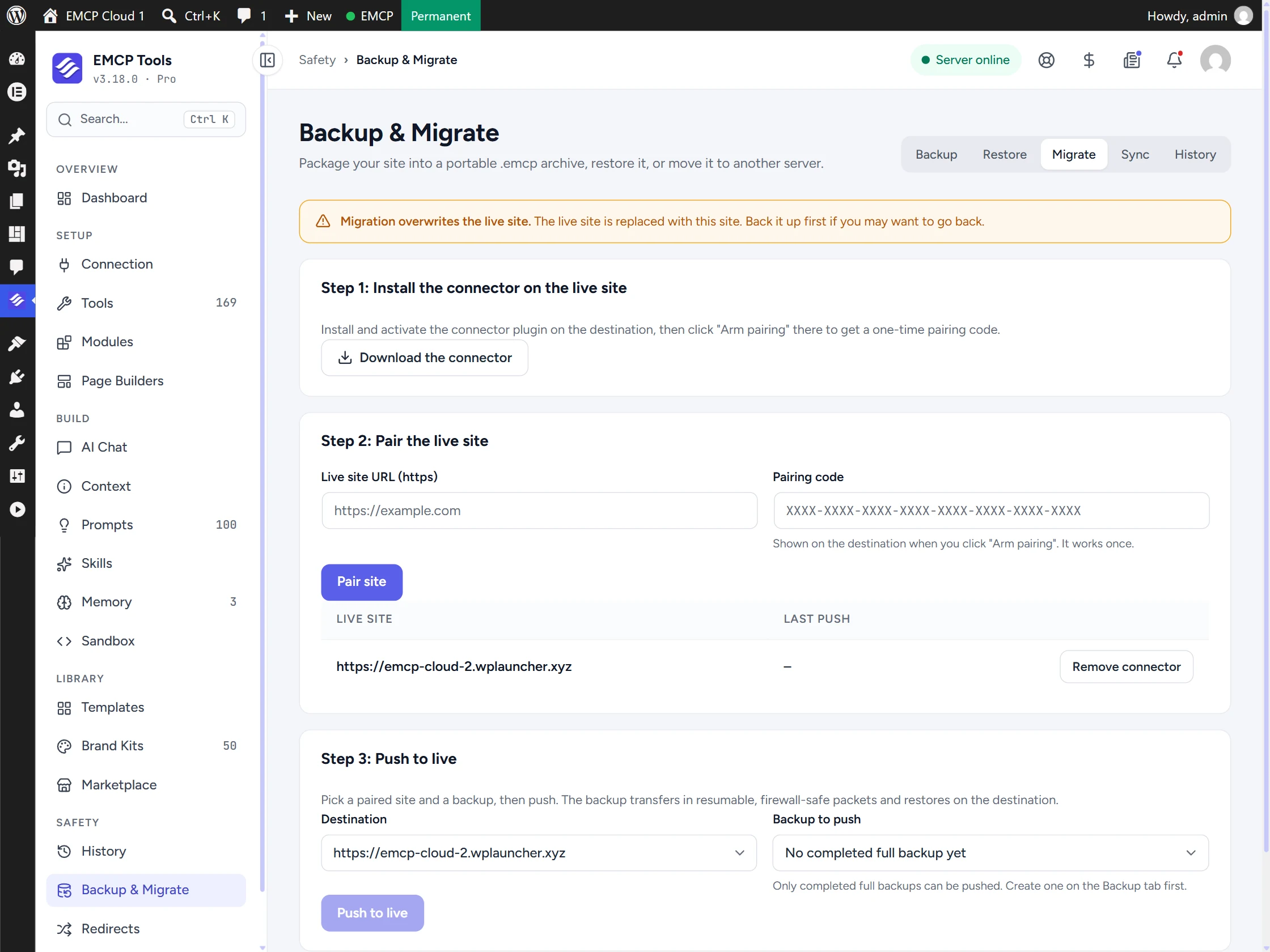
Move a site to its live server without a manual upload.
Install the small EMCP Migrate Connector on the destination, pair the two sites with a single-use code, and push a full backup. The archive travels in signed, resumable packets designed to get through host timeouts and firewalls, and it never touches the destination’s wp-config.php or security salts.
When the migration finishes, a button removes the connector from the live site again, leaving nothing behind.
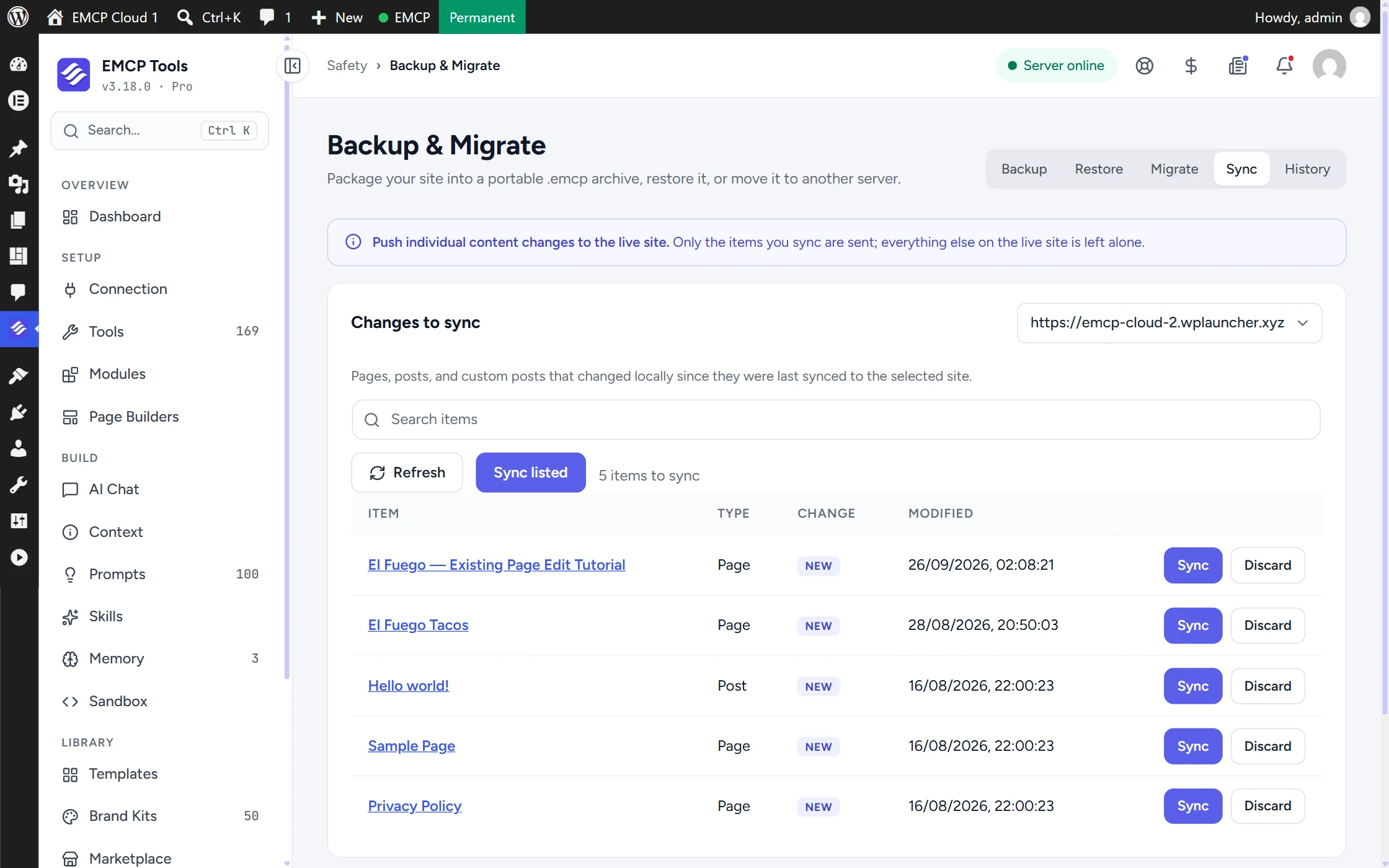
Publish one page, not the whole database.
Content Sync lists the pages, posts and custom post types you changed locally and pushes just those to the live site, with their custom fields, terms and attached images. There is no full database import and no downtime, so live orders, comments and form entries are left alone.
For bigger changes, a selective sync pushes chosen database tables or file areas, such as one theme folder, and leaves everything else as it is.
Ask your agent to take a backup first.
Seven MCP tools let a connected agent run the same work. Four are on by default: create and list backups, list content waiting to sync, and skip a change. The three that change another site (migrate, full or selective sync, and syncing one item) are off by default and need an explicit confirmation on every call.
Plan where your copies live.
Backup & Migrate is built for moving and protecting your own sites. A few details shape how to use it.
- Backups are stored on the same server, outside the web root when possible, and a weekly check warns you if the web server could hand them out. Download them to keep an off-site copy.
- A migration replaces the destination’s database and files, so back up the destination first if you might need it.
- A selective database sync overwrites the tables you choose on the live site.
- Scheduled backups run through WP-Cron, so they need some site traffic or a system cron.
MCP tools this adds 7
What a connected AI agent can call. Tools marked "Off by default" are switched on under EMCP Tools, Tools.
create-backupCreates a portable .emcp backup (full/database/files) and returns its id + size. Non-destructive.list-backupsLists this site's .emcp backups. Read-only.migrate-sitePushes this whole site to a paired live target and restores it there. Destructive on the destination; requires confirm. Disabled by default.sync-to-livePushes a full or selective scope (chosen tables/files) to a paired live target. Destructive for the pushed scope; requires confirm. Disabled by default.list-syncable-changesLists pages/posts/CPTs changed locally since they were last synced to a paired live target. Read-only.sync-content-itemPushes one page/post/CPT (content + fields + attached media) to a paired live target, upserting it and remapping media. Overwrites only that item; requires confirm. Disabled by default.discard-sync-changeDismisses an item from the changes-to-sync list until it changes again. Local only.
Questions, answered.
Still stuck? Drop a line at [email protected] or open an issue on GitHub. Most replies are under one business day; Pro tiers go to the front of the queue.
Open the full docsTake your first backup in a minute.
Install EMCP Pro, open Safety → Backup & Migrate, and start a full site backup.