
 A brief becomes a real page.
- Free
Undo anything your AI agent changed, one change or a whole session.
EMCP Tools records every change made through it, by an MCP client, by AI Chat or on its own admin screens. History groups those changes by conversation, shows exactly what changed, and puts it back with one click.
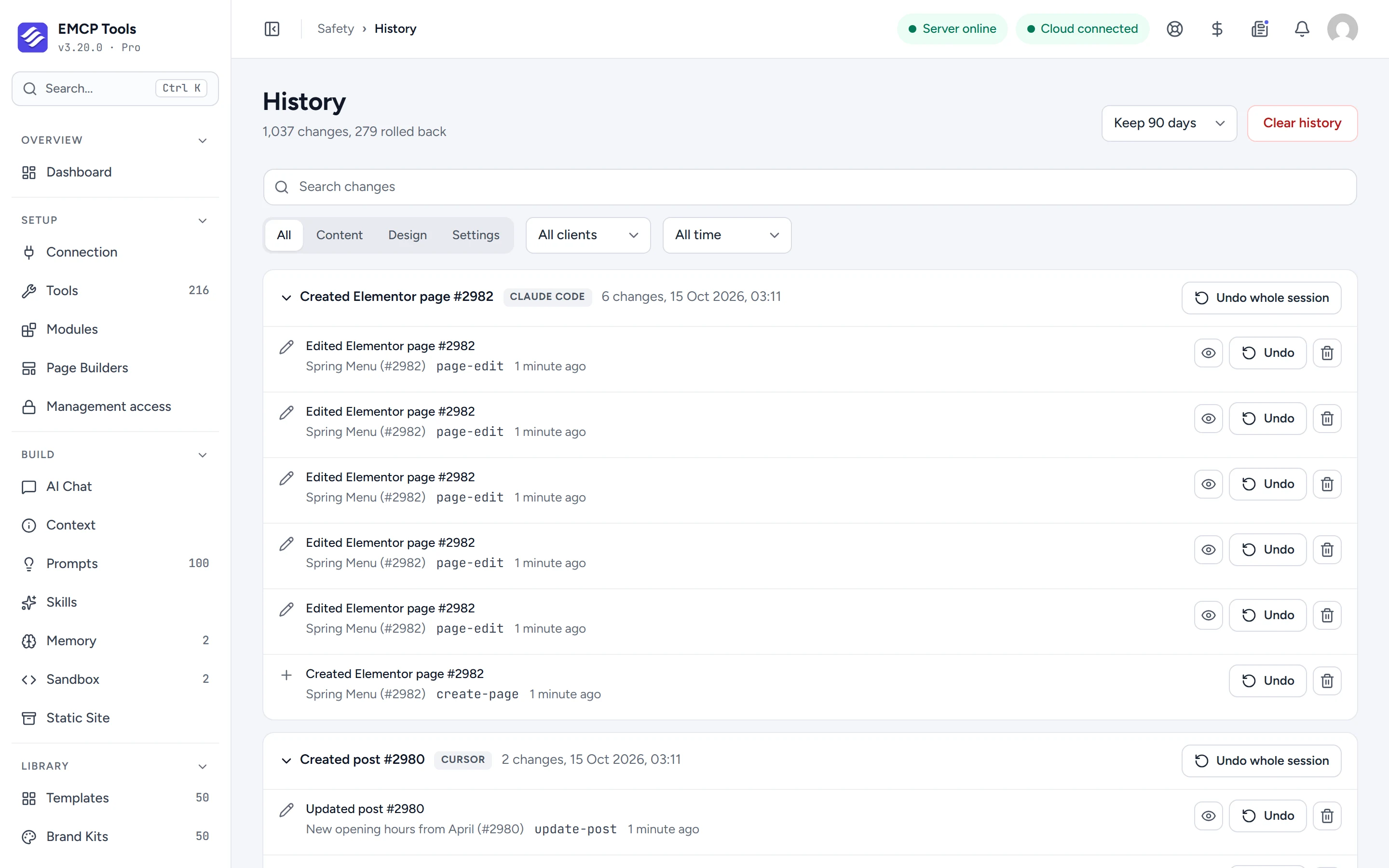
Every change, grouped by the conversation that made it.
Each change is stamped with the AI client that made it and its session, so History shows one group per conversation, labelled with the client name: Claude Code, Cursor, AI Chat, WP-CLI or Admin. Changes made on EMCP’s own screens, such as a new redirect, are recorded too.
Search the list, or filter it by kind (content, design or settings), by client and by time range.
See exactly what changed before you undo it.
View difference opens a line-by-line comparison for a change: Elementor data and settings as formatted JSON, post fields and custom fields as text, and files as text.
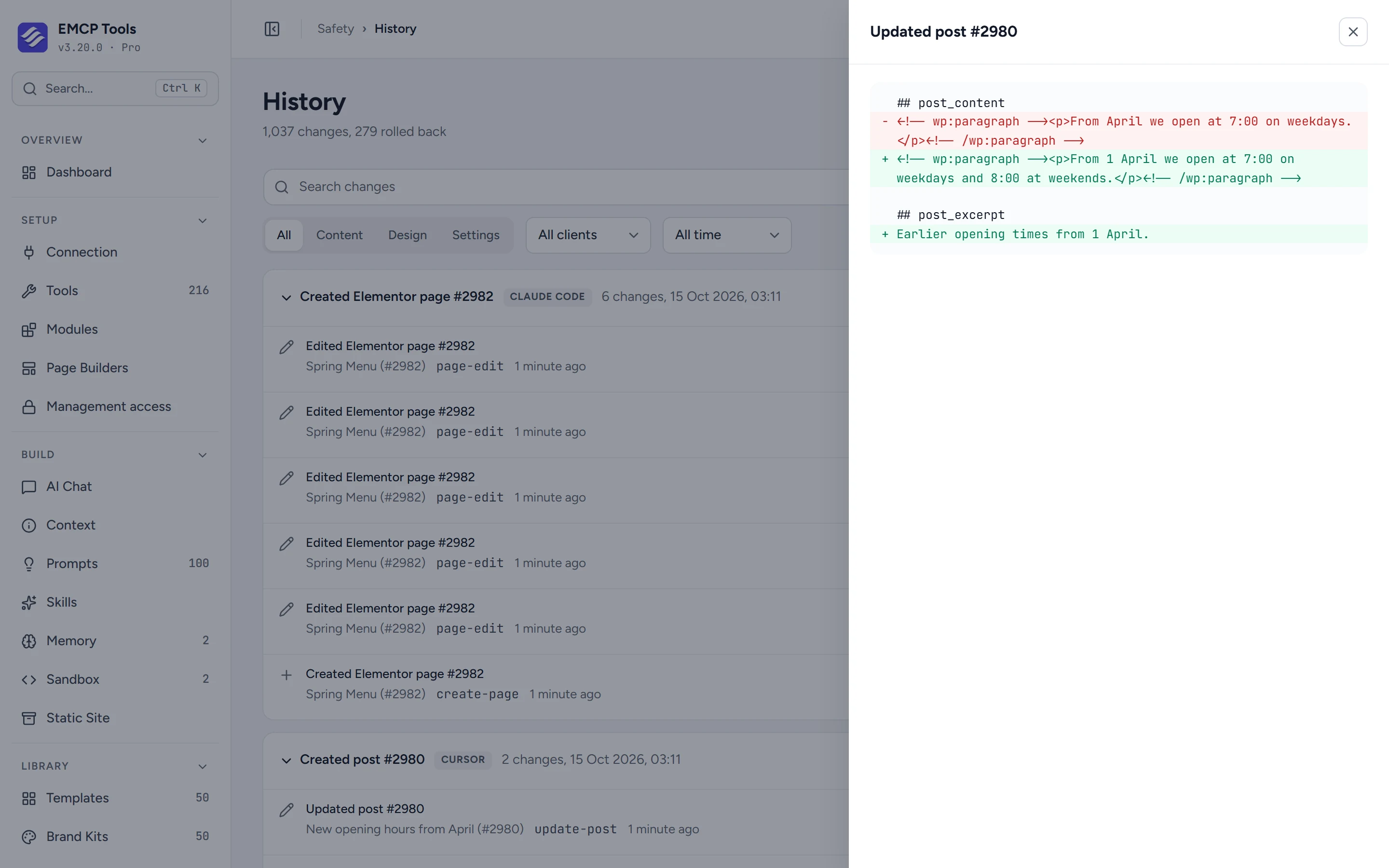
Undo one change, or the whole session.
Undo puts the item back as it was before that change. Undo whole session works from the newest change to the oldest and stops at the first one it cannot reverse.
If someone edited the same page after the AI did, Undo tells you and asks before it overwrites the newer version. Undo also checks your own permissions, so you can only undo changes to things you are allowed to edit.
Database rows and taxonomy terms can be undone too.
The database tools (insert, update and delete rows) record each row they touch by its primary key, so History can put rows back and check them afterwards, up to 500 rows per change. Deleting a category or tag can also be undone: the term returns with its original ID, its custom fields, the posts it was assigned to and its child terms.
What History can and cannot undo.
History covers changes made through EMCP Tools. A few things shape what it can reverse.
- Edits made in the normal WordPress or Elementor editor are not recorded.
- Some changes are recorded as not undoable, and History says why: for example a table without a primary key, a table that is not InnoDB, or a change to primary key values.
- Entries are kept for 30, 90, 180 or 365 days. The default is 90.
- Each side of a difference is capped at 256 KB, and binary files are not compared.
MCP tools this adds 3
What a connected AI agent can call. Tools marked "Off by default" are switched on under EMCP Tools, Tools.
list-changesList recent AI-made changes (Elementor/filesystem/database), newest first.get-changeFull detail of one change-ledger entry, including its rollback reference.rollback-changeUndo one recorded change by id (page/file/database). Only reverts changes EMCP recorded.
Questions, answered.
Still stuck? Drop a line at [email protected] or open an issue on GitHub. Most replies are under one business day; Pro tiers go to the front of the queue.
Open the full docsLet your AI work, knowing you can take it back.
Install EMCP Tools free, connect your AI client, and open Safety → History after its first change.