
 A brief becomes a real page.
- EMCP Pro
- Off by default
GSAP animation, ready for your agent to use.
The GSAP Integration module bundles GSAP 3.15 and all 24 official plugins on your own server and registers them as WordPress scripts, so your pages, theme and plugins share one copy. Choose where it loads and which plugins are on, then let your agent write the animation.
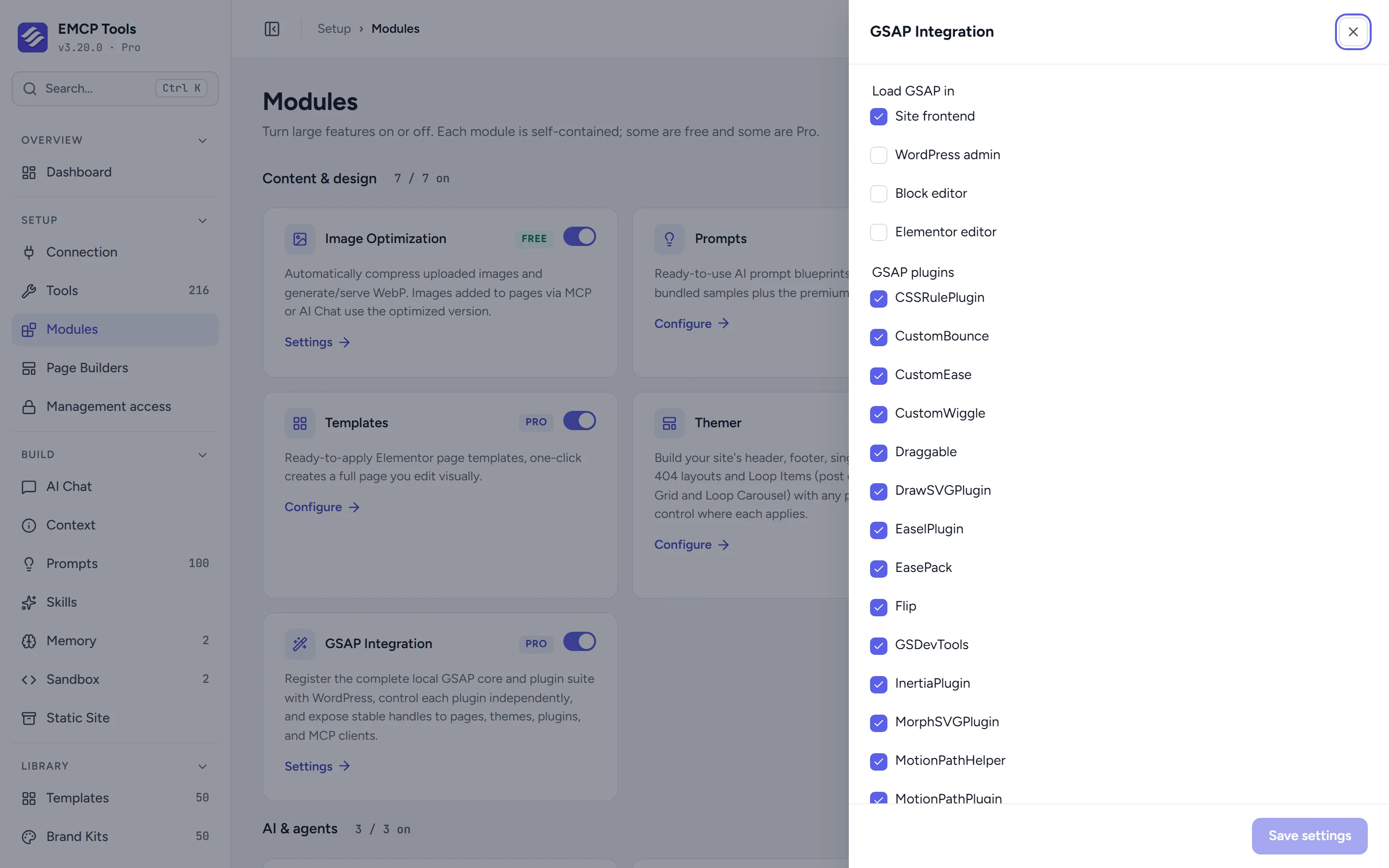
On the front end, and in the editors if you want.
Load GSAP on the site front end (the default), in wp-admin, in the block editor or in the Elementor editor. Tick the plugins you need, such as ScrollTrigger, SplitText, Flip or MorphSVG, and their dependencies are added for you.
One copy for everything on the site.
GSAP registers as emcp-gsap and each plugin as emcp-gsap-{id}, so a theme or another plugin can depend on them instead of loading its own copy from a CDN.
Your agent sets it up and writes the motion.
With gsap-read and gsap-write, an agent checks what is loaded, switches on the plugins it needs and then adds the animation code, for example as custom JavaScript on an Elementor page. The bundled GSAP skill walks it through checking the result in a browser.
- The module provides GSAP. You or your agent write the animation code.
- PixiPlugin and EaselPlugin need their own libraries loaded separately.
- GSAP Integration is an EMCP Pro module, off by default.
Questions, answered.
Still stuck? Drop a line at [email protected] or open an issue on GitHub. Most replies are under one business day; Pro tiers go to the front of the queue.
Open the full docsBring pages to life.
Get EMCP Pro and switch on GSAP Integration in Setup → Modules.