
 A brief becomes a real page.
Update WordPress with a snapshot before every group.
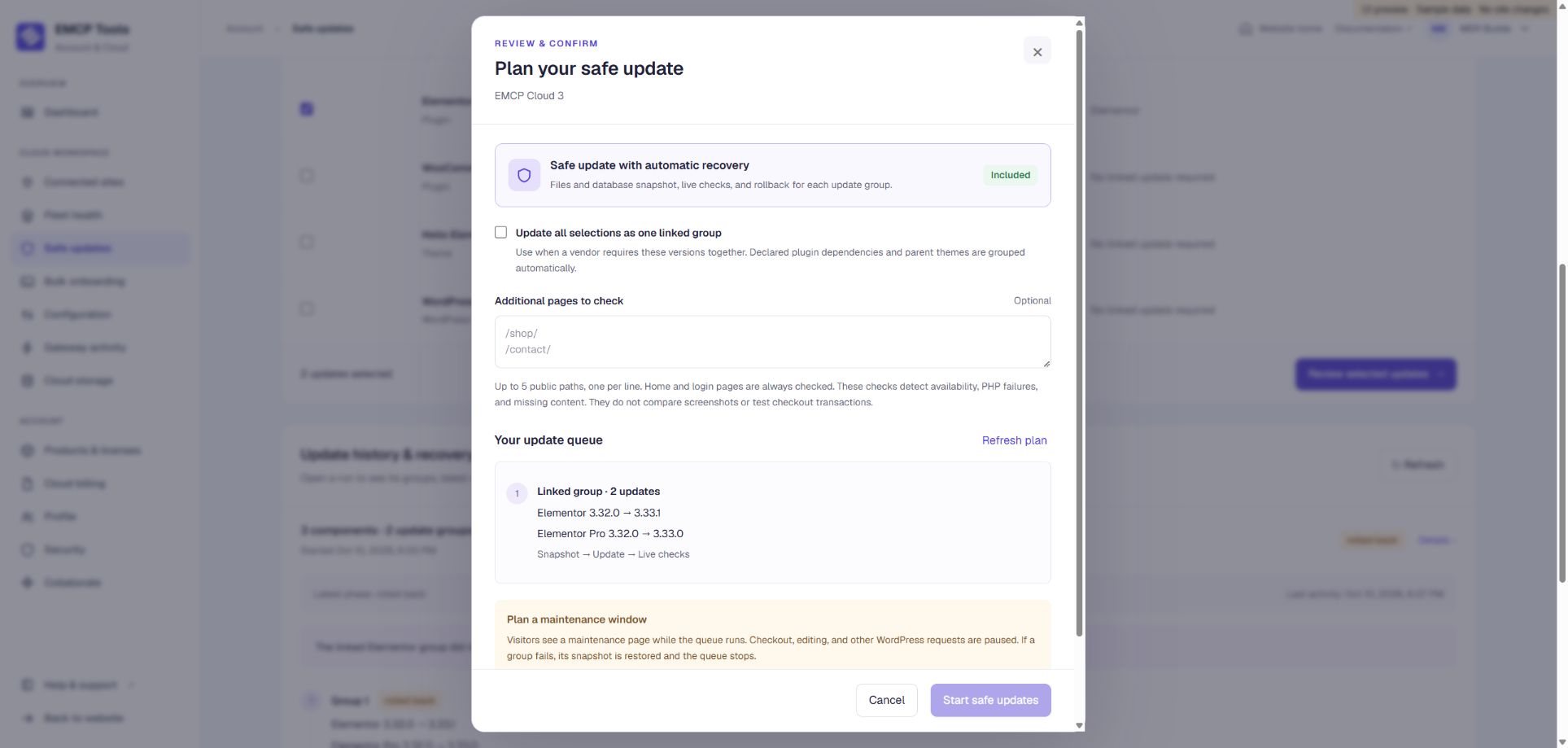
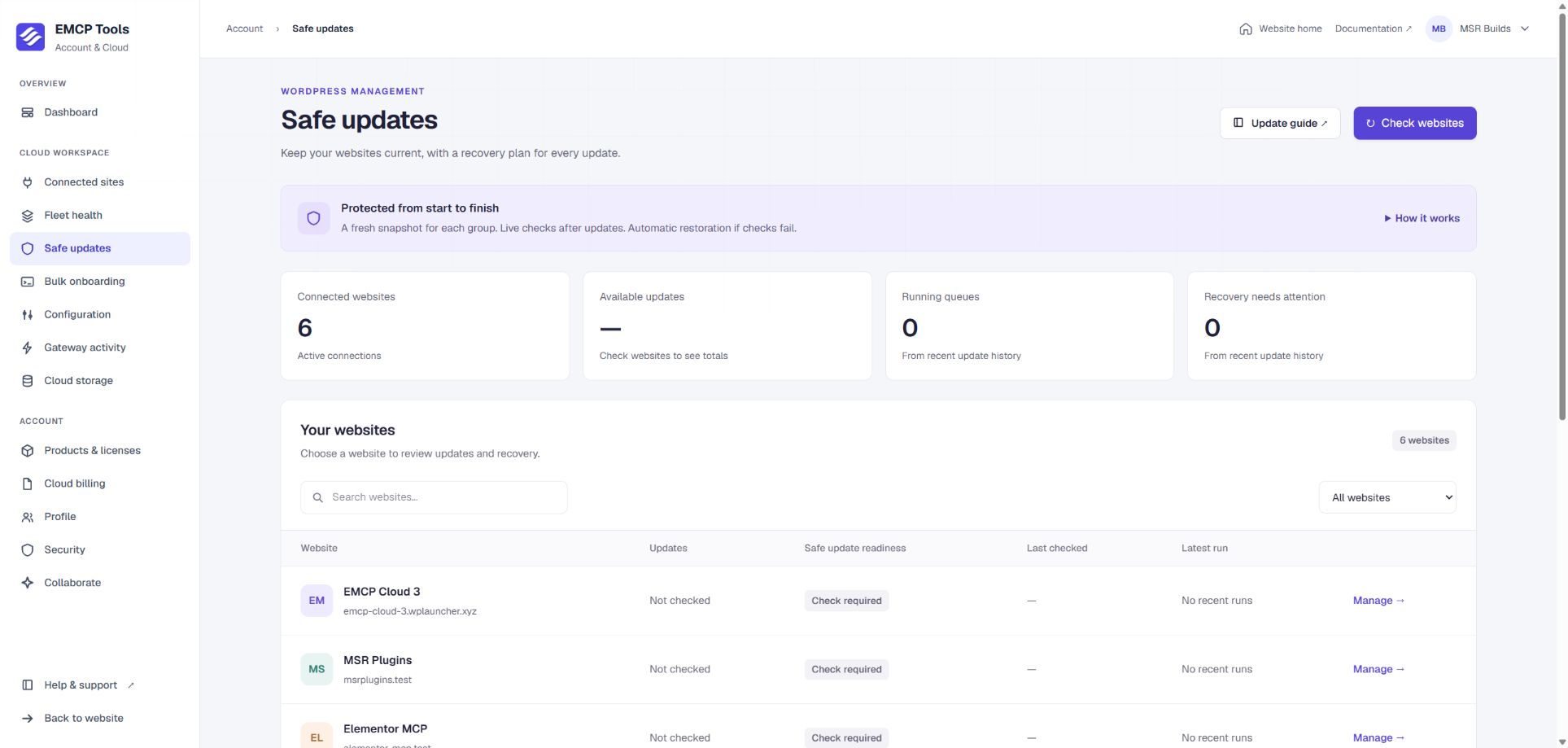
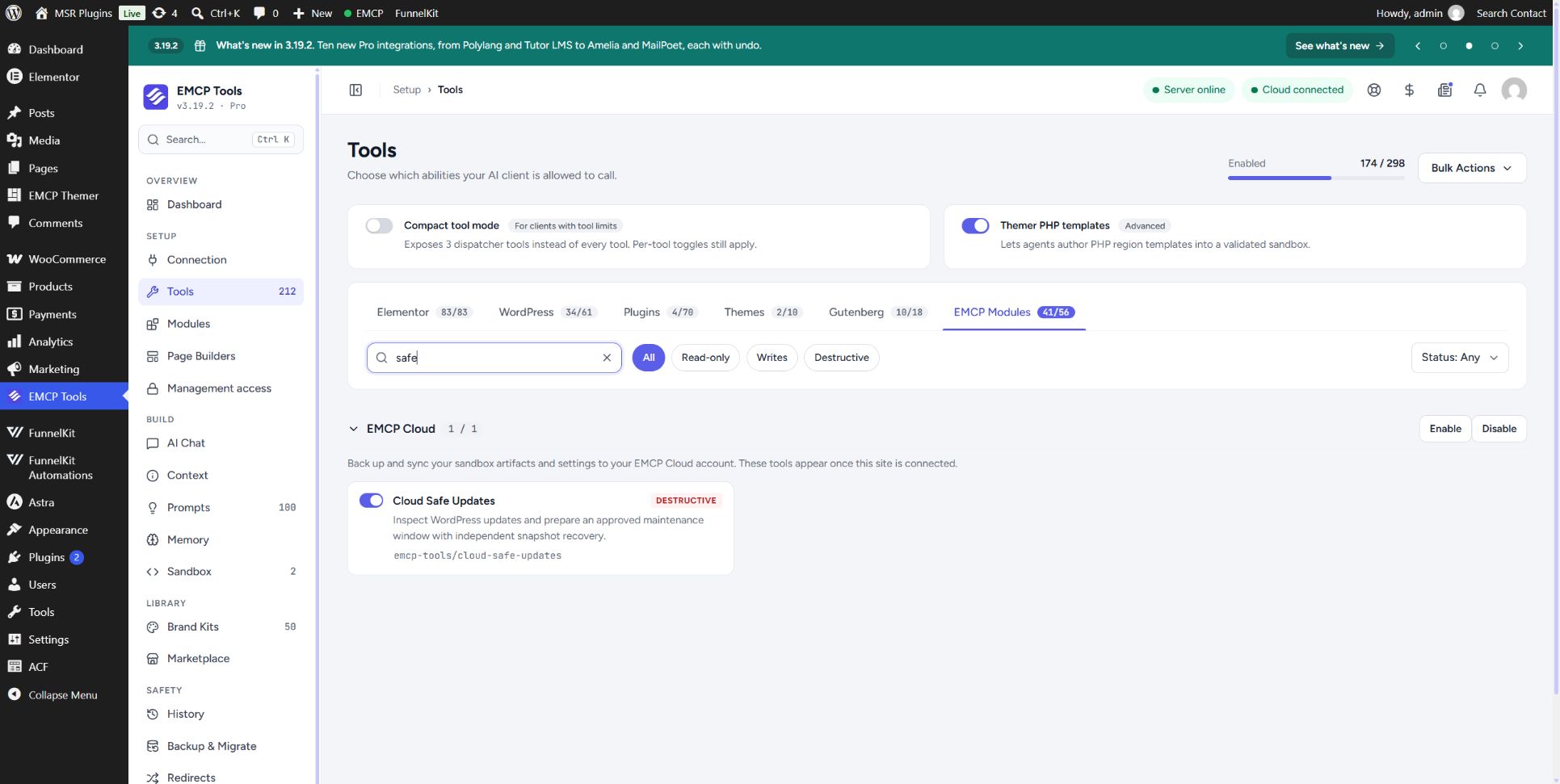
Cloud Safe Updates shows the plugin, theme and WordPress updates each connected site has waiting and installs them in groups. Before each group, EMCP takes a file and database snapshot. If the site fails its health checks afterwards, that group is restored automatically and the queue stops.
Five steps, the same way every time.
You choose the updates in your Cloud account and accept a short maintenance window. Cloud coordinates the queue; the EMCP plugin on your site takes the snapshot, installs the updates and runs any recovery. Each group starts only after the one before it has passed.
Baseline checks
The site must pass its health checks before anything is installed.
Maintenance drain
Earlier WordPress requests get two minutes to finish before the snapshot.
Snapshot
Files and WordPress database tables are saved for the group about to run.
Install the group
The selected plugins, themes or WordPress update are installed together.
Live checks
Three consecutive passing checks let the next group begin with a fresh snapshot.
Checks that catch a broken site.
Every check uses a fresh request and needs WordPress to finish loading cleanly. The home page and login page are always checked, and you can add up to five more public pages, such as your shop or contact page.
- HTTP failures and WordPress critical errors fail the check.
- Missing health evidence, unexpected output and substantial missing page content fail it too.
- Temporary failures get a bounded retry window before a group is judged.
- Plugins that depend on each other, and parent themes, are updated and judged as one linked group.
Recovery that runs even when WordPress cannot.
A failed group is restored automatically. An independent runner works outside WordPress, so a plugin that causes a fatal error cannot block its own rollback. Recovery restores the files and WordPress database tables, removes anything the failed group created, and only lifts maintenance once the restored site passes its checks.
Groups that already passed stay installed, and the update history names every affected plugin and version. You can also stop a running queue yourself, which restores the current group.
Review updates across your sites from one account.
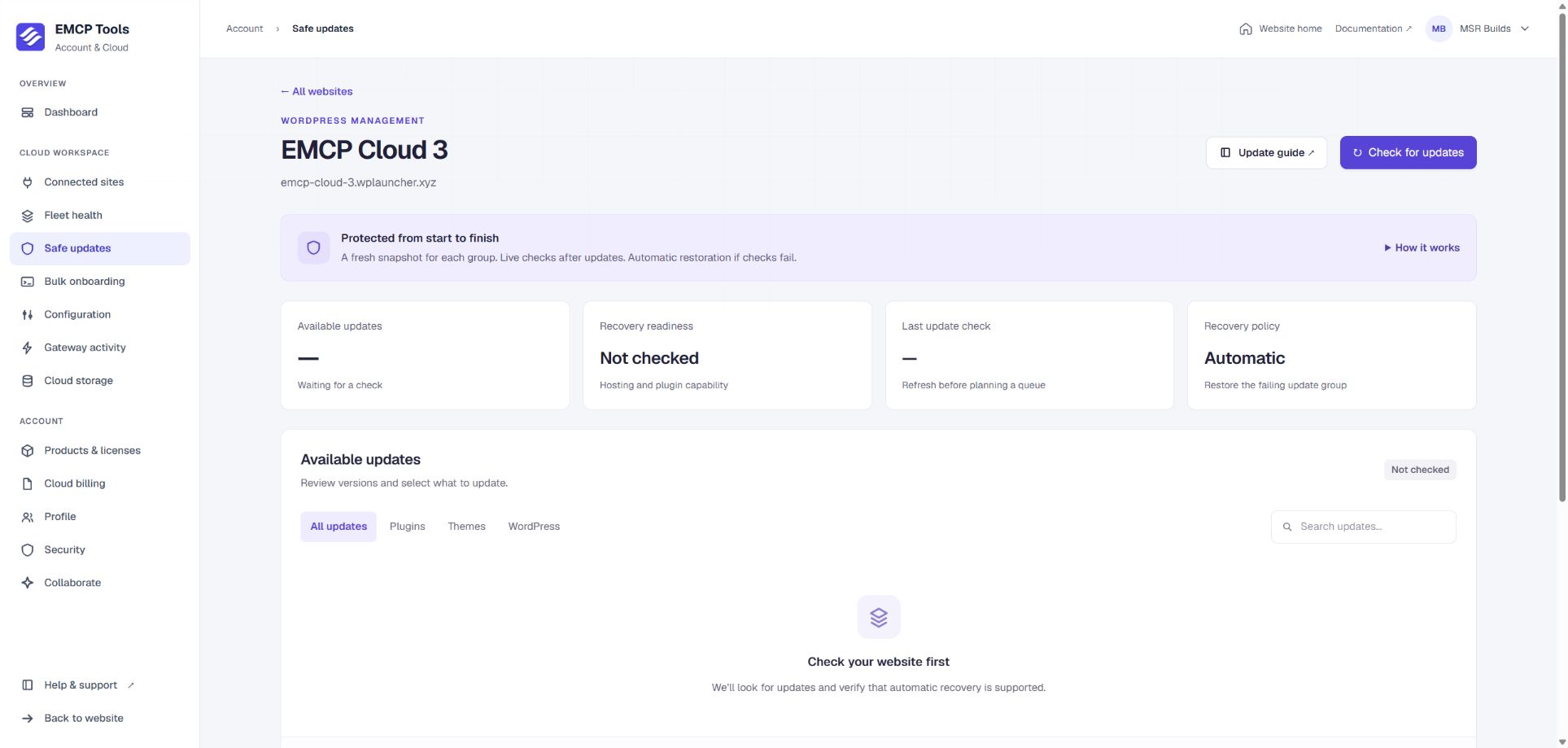
Open Account → Safe updates in EMCP Cloud to check every connected site, filter for the ones with updates waiting, and follow running queues. Cloud can update different sites at the same time while each site keeps one queue.
Set up email, Slack or SMS alerts for when a run completes, fails, rolls back or needs attention.
Requirements and honest limits.
Safe Updates works on single-site WordPress over HTTPS with a standard layout, InnoDB tables, writable core files and enough storage for snapshots. Since EMCP 3.19.3 it also supports writable must-use plugins and hosts such as Hostinger and WP Launcher.
- It uses a maintenance window on your live site, not a separate staging copy. Visitors, checkout, admin changes and cron pause while it runs.
- Multisite, drop-ins, external object caches, symlinks and custom content paths are not supported yet. The site list explains any blocker.
- Snapshots have size limits, such as 2 GiB of files and 300 database tables. A site over a limit is blocked, never updated without a snapshot.
- It does not compare screenshots. Check important pages, forms and checkout yourself after a run, and keep an independent, tested backup.
Questions, answered.
Still stuck? Drop a line at [email protected] or open an issue on GitHub. Most replies are under one business day; Pro tiers go to the front of the queue.
Open the full docsUpdate your sites without crossing your fingers.
Connect a site to EMCP Cloud, check its readiness, and run your first safe update.