
 A brief becomes a real page.
- Free
- Elementor
Restyle your whole site in one click.
A brand kit is a colour palette plus a type system. Applying one replaces Elementor’s global colours and fonts and sets body, link and heading styles to match, and a restore point is saved first so you can step back.
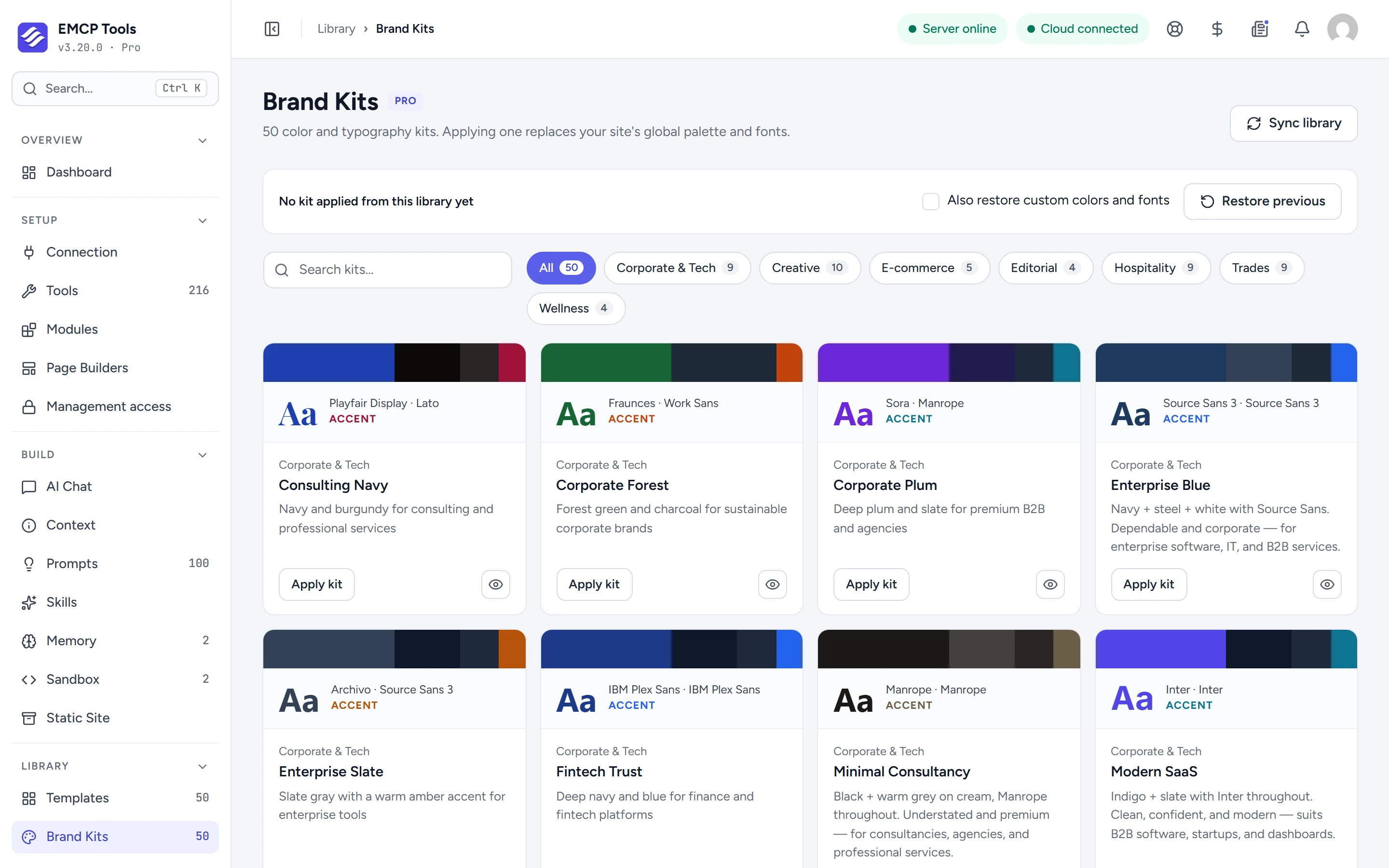
See the colours and fonts before you apply them.
Each card shows the kit’s primary, secondary, text and accent colours and its heading and body fonts. Search the kits or filter by style: corporate and tech, creative, e-commerce, editorial, hospitality, trades and wellness.
Global colours, fonts and text styles together.
Apply kit writes Elementor’s four global colours and four global fonts, any extra colours in the kit, and the colours and fonts for body text, links and headings H1 to H6. Every page that uses your global styles changes at once.
Changed your mind? Step back a kit at a time.
A restore point is saved before every apply. Restore previous puts the last look back, and each further restore goes one kit further back. Tick Also restore custom colors and fonts to roll those back too. If an apply fails partway, the previous colours and fonts are put back for you.
Let your agent apply the brand.
With EMCP Pro, agents can list the kits and apply one with apply-brand-kit, which saves a backup by default, or replace the global colours and fonts directly.
- Brand kits need Elementor: they write to the active Elementor kit.
- Applying and restoring needs an administrator.
MCP tools this adds 4
What a connected AI agent can call. Tools marked "Off by default" are switched on under EMCP Tools, Tools.
list-brand-kitsLists available premium brand kits from the cached library.apply-brand-kitApplies a brand kit: replaces system colors + typography site-wide.replace-system-colorsReplaces the four Elementor system color slots atomically.replace-system-typographyReplaces the four Elementor system typography slots atomically.
Questions, answered.
Still stuck? Drop a line at [email protected] or open an issue on GitHub. Most replies are under one business day; Pro tiers go to the front of the queue.
Open the full docsTry a new look, risk free.
Install EMCP Tools free and open Library → Brand Kits.