
 A brief becomes a real page.
- EMCP Pro
- Off by default
- Elementor
Custom Elementor widgets, designed by your agent.
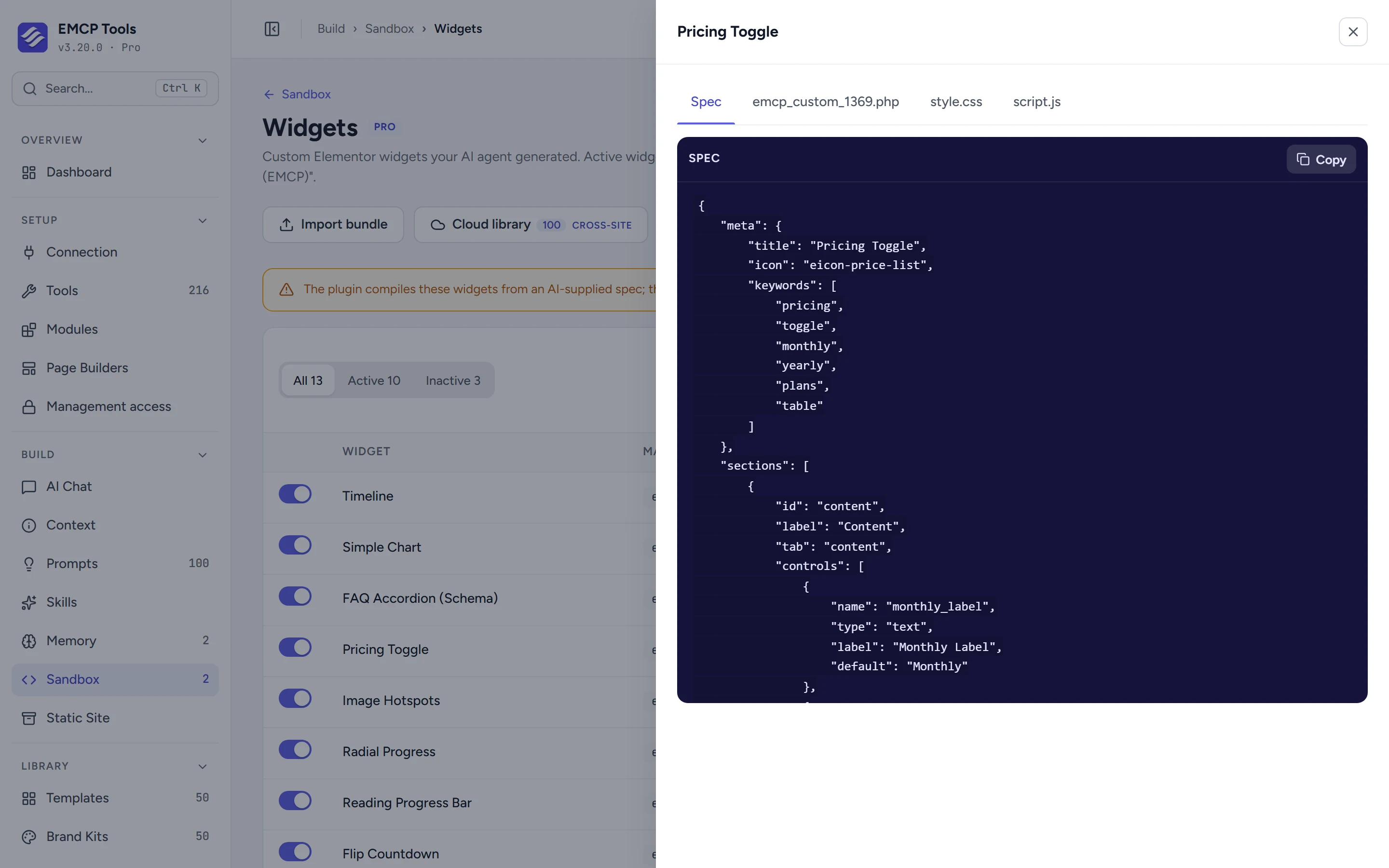
Describe the widget you need and your AI agent writes it as a structured spec: controls, an HTML template and its styles. EMCP compiles that spec into a real widget in an isolated sandbox. The agent never writes PHP, and nothing goes live until you activate it.
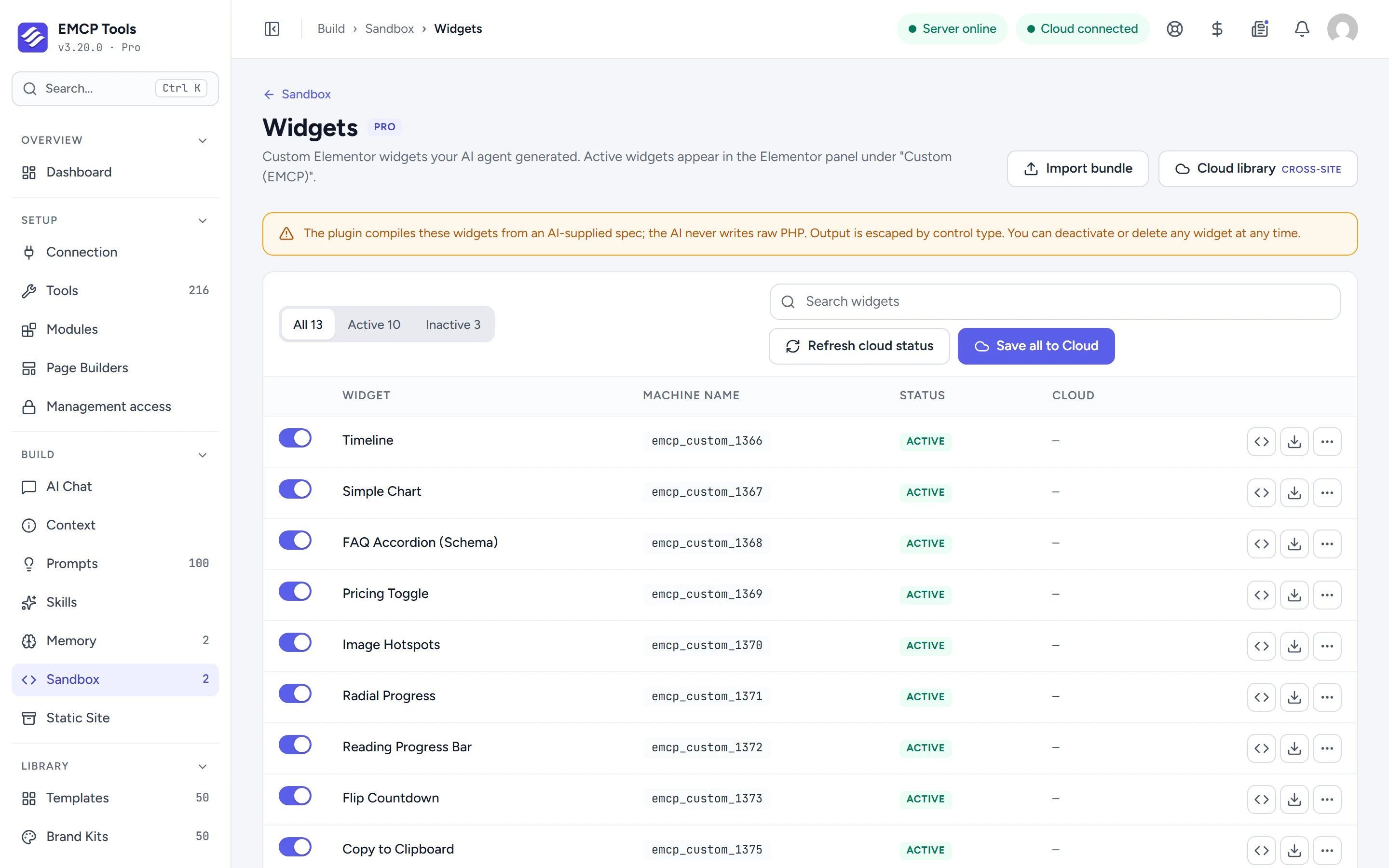
Controls, template and styles, compiled for you.
A widget spec lists its controls on the Content, Style and Advanced tabs (text, media, colours, typography, repeaters and more), an HTML template that uses them, and optional CSS and JavaScript that load only on pages where the widget is used. EMCP escapes each value by control type when it renders.
Widgets that show posts, products or reviews.
Data controls let a widget list posts, products, terms, a menu, breadcrumbs or the cart, embed a saved Elementor template or a form, or show live data from OpenWeather, Google Reviews, Yelp or any JSON feed, with the keys kept on the Connection screen.
Drafts until you switch them on.
Agents can only create drafts. Review the spec and the generated files on the Sandbox screen, then activate the widget. It appears in the Elementor panel under Custom (EMCP), and your agent can place it from then on.
- Only users who may add unfiltered HTML can change widgets.
- A widget whose code fails is switched off automatically, so the next page load is clean.
- Widgets can move between sites as bundles, through EMCP Cloud, or as a standalone plugin with Plugin Export.
MCP tools this adds 8
What a connected AI agent can call. Tools marked "Off by default" are switched on under EMCP Tools, Tools.
list-control-typesReturns the control types and template syntax for building widget specs.validate-widget-specValidates a widget spec and dry-runs the generator without saving.create-custom-widgetGenerates a custom Elementor widget from a spec into an isolated sandbox as an inactive draft. You activate it in Sandbox, Widgets.update-custom-widgetReplaces a custom widget's spec and regenerates its code.get-custom-widgetReturns a custom widget's spec, generated PHP, status, and last error.list-custom-widgetsLists all generated custom widgets with their status.set-widget-statusReturns a custom widget to draft. Activation is yours, in Sandbox, Widgets.delete-custom-widgetPermanently deletes a custom widget and its sandbox file.
Questions, answered.
Still stuck? Drop a line at [email protected] or open an issue on GitHub. Most replies are under one business day; Pro tiers go to the front of the queue.
Open the full docsGet the widget you need, not the closest one.
Get EMCP Pro and switch on the Widget Builder tools in Setup → Tools.