
 A brief becomes a real page.
Know when a site goes down, before your client does.
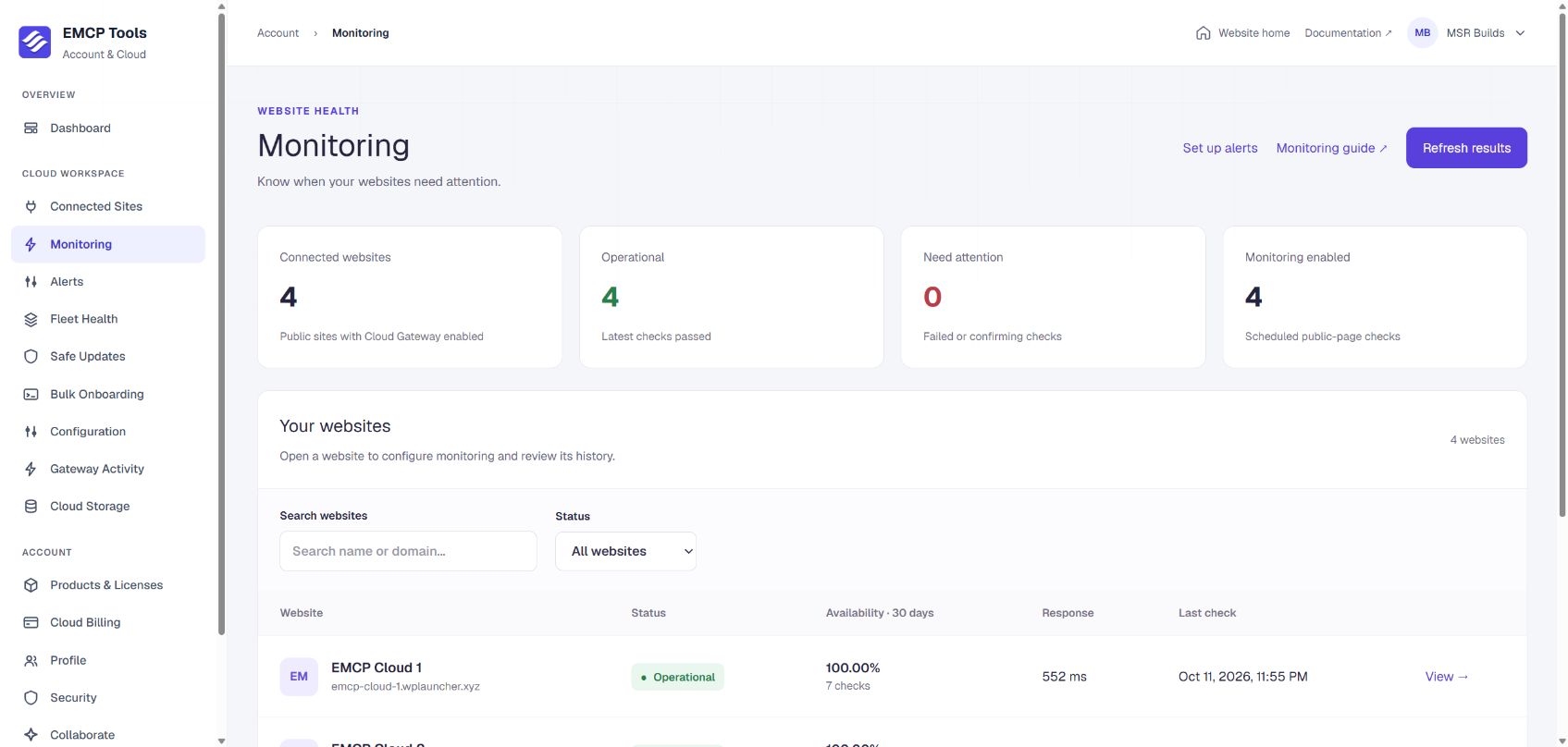
EMCP Cloud checks each connected site’s public page on the schedule you choose, from every 2 minutes to hourly. It records response time and SSL expiry, opens an incident when a site is down, and alerts you by email, Slack or SMS.
Public checks with no credentials.
Open Account → Monitoring, choose a site and pick a check interval of 2, 5, 15 or 60 minutes. EMCP Cloud requests the site’s public HTTPS page, so no WordPress login is ever sent.
- The HTTP response and its response time.
- Visible WordPress critical errors in the page content.
- SSL certificate expiry.
- Redirects within the site are followed; a redirect to another site is reported so you can fix it.
Incidents without false alarms.
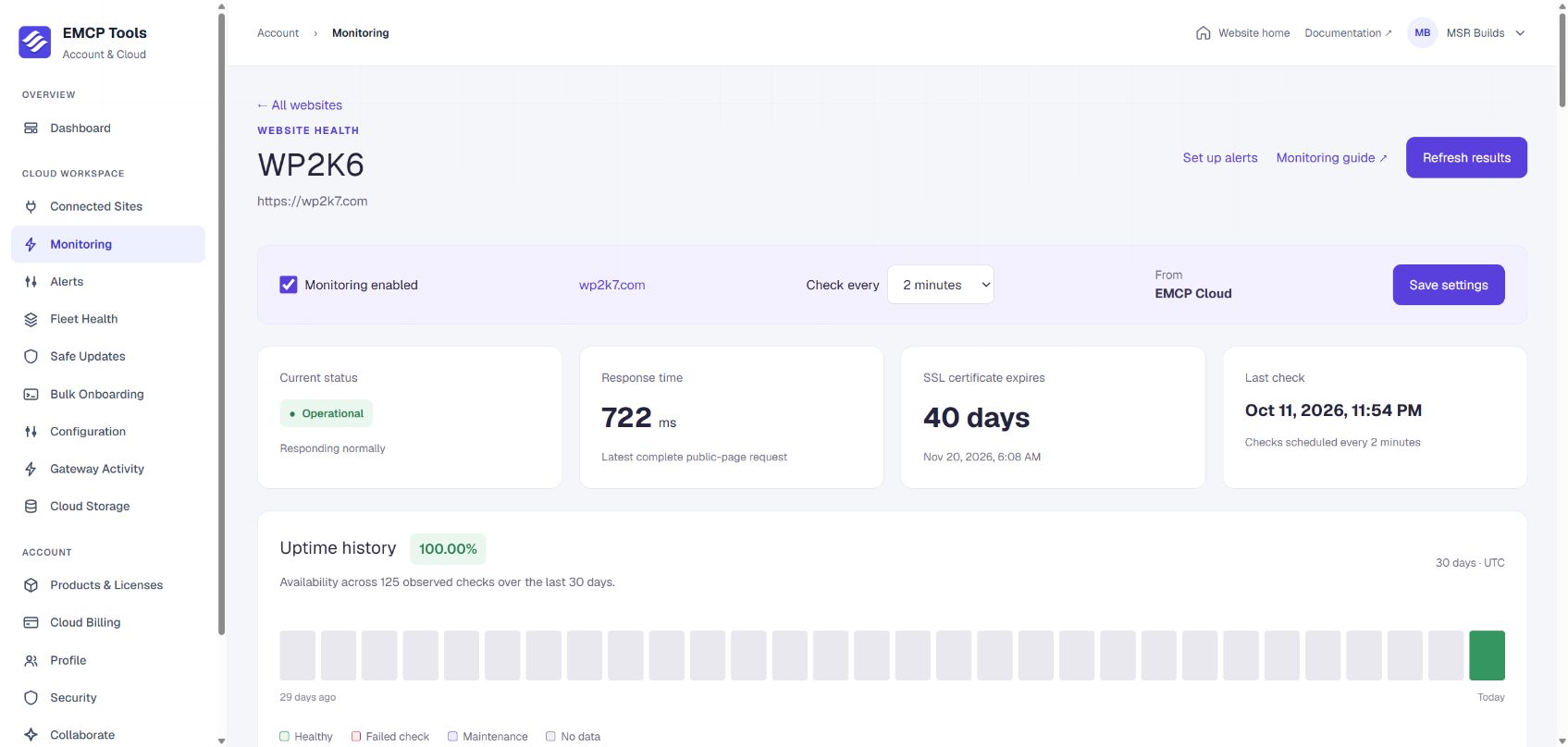
One failed check marks a site as confirming. Two failures in a row open an incident, timestamped from the first failure, and the next successful check closes it. Each incident records the failure reason, start, recovery and duration.
While a Cloud Safe Updates run has a site in maintenance, monitoring pauses, so planned updates never open an incident. Availability counts only the checks that actually ran.
Alerts where your team already works.
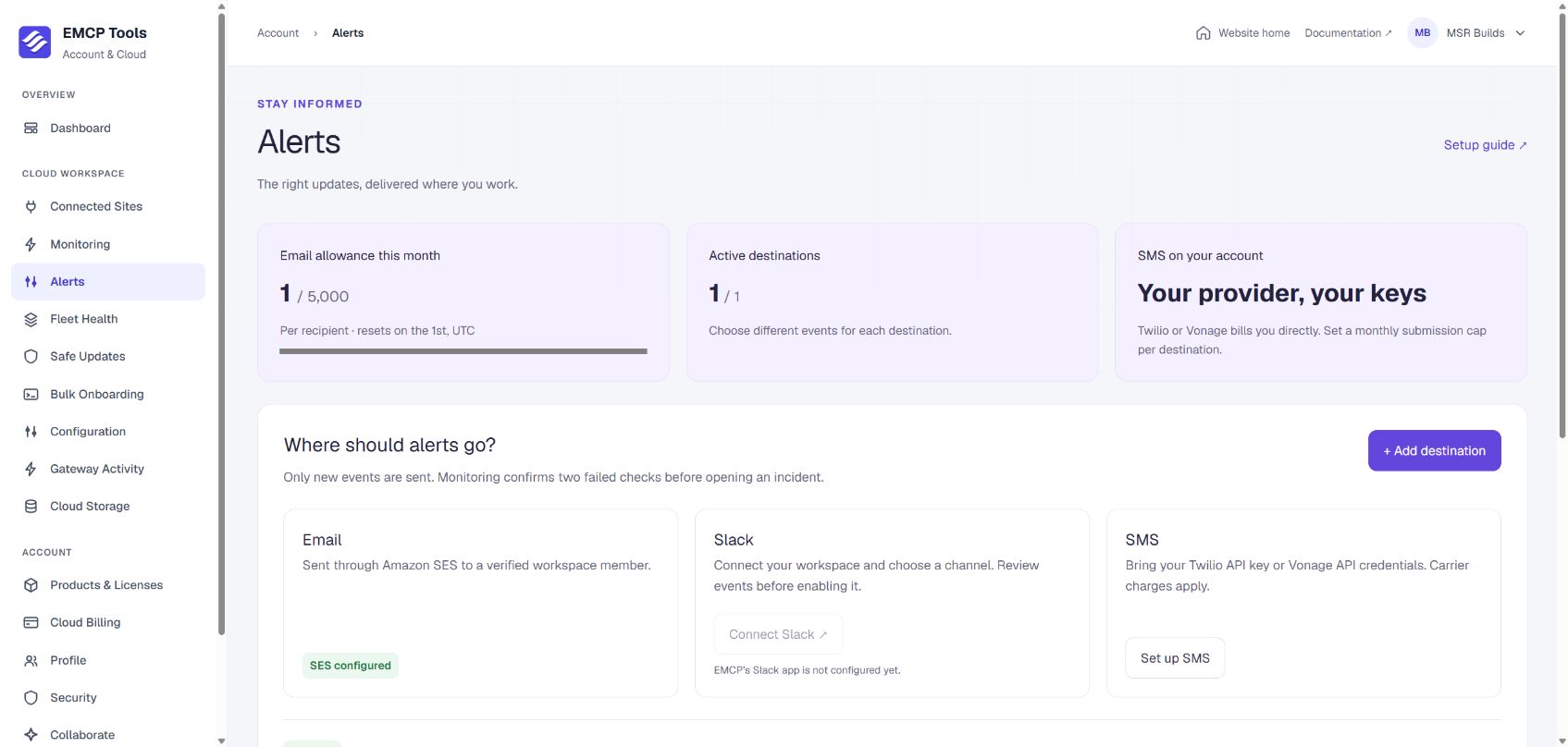
Open Account → Alerts to add destinations. Each one chooses its own events and covers all sites, including future ones, or only the sites you pick.
- Email is included: 1,000 a month on Freelancer, 5,000 on Agency and 15,000 on Enterprise.
- Slack posts to the channel you choose through the EMCP Slack app, without reading your conversations.
- SMS sends through your own Twilio or Vonage account, which bills you directly.
- Events: site down, site recovered, SSL expiring at 30, 7 and 1 days, and Safe Updates completed, failed, rolled back or needing attention.
What monitoring does not cover.
Monitoring tells you when the public site stops responding. It is not a full observability service, and the limits are worth knowing up front.
- Checks run from the EMCP Cloud worker; you cannot choose a region.
- Domain registration expiry, screenshot comparison, PHP logs and checkout testing are not included.
- A cached page can look healthy while the server behind it has a problem.
- Availability is the share of observed checks that passed, not an uptime guarantee.
Questions, answered.
Still stuck? Drop a line at [email protected] or open an issue on GitHub. Most replies are under one business day; Pro tiers go to the front of the queue.
Open the full docsWatch every site from one account.
Connect your sites to EMCP Cloud, choose a check interval and add an alert destination.