
 A brief becomes a real page.
- Free
- Off by default
- EMCP Cloud
- Not multisite
Turn your WordPress site into plain HTML files.
The Static Site module fetches every page of your site, rewrites its links and saves the result as static HTML with its CSS, scripts and images. Download it as a ZIP, keep it in a folder on your server, or let EMCP answer visitors with the static copy. It is free in EMCP Tools and counts generations through your EMCP Cloud account.
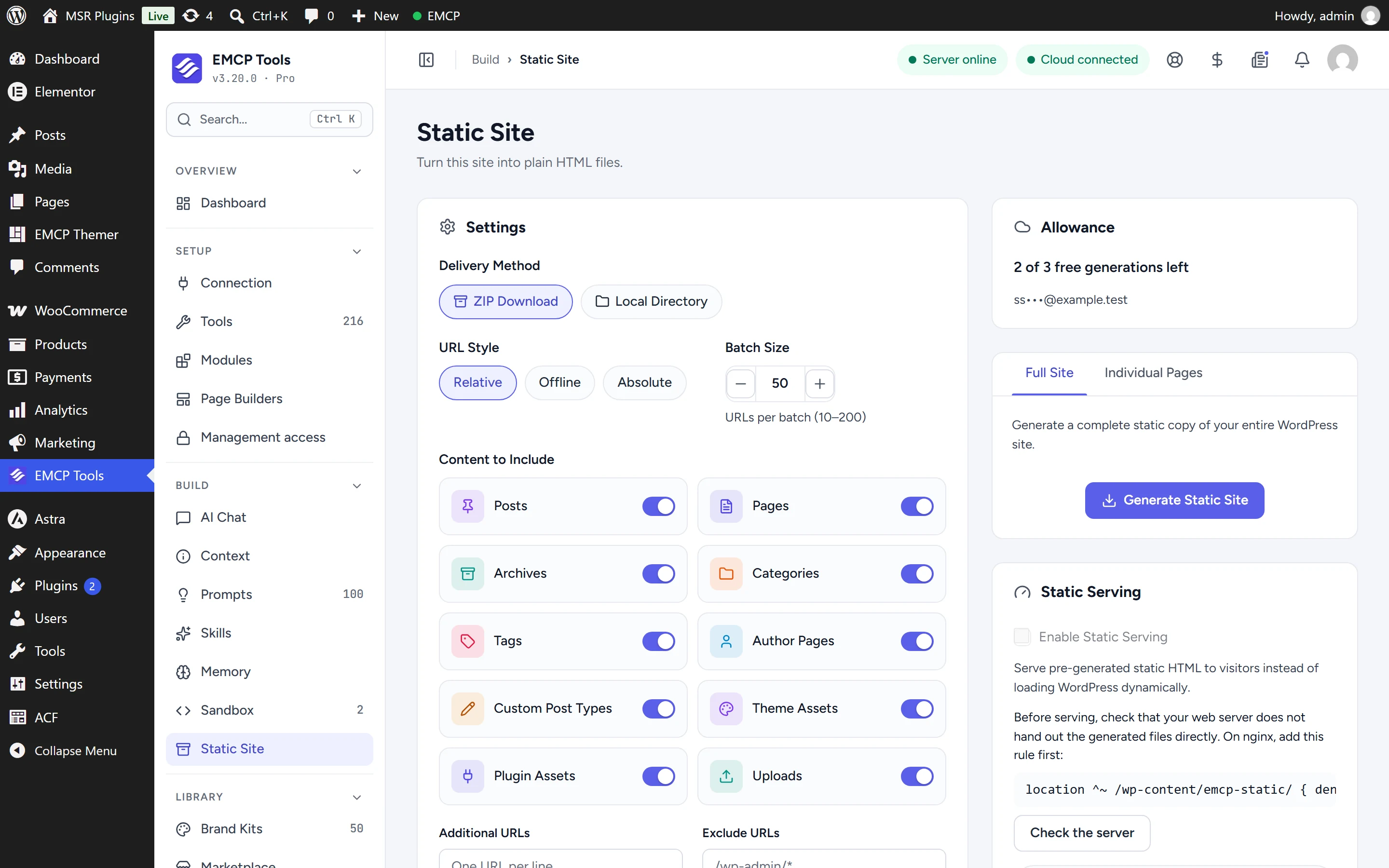
Settings, allowance and generator in one place.
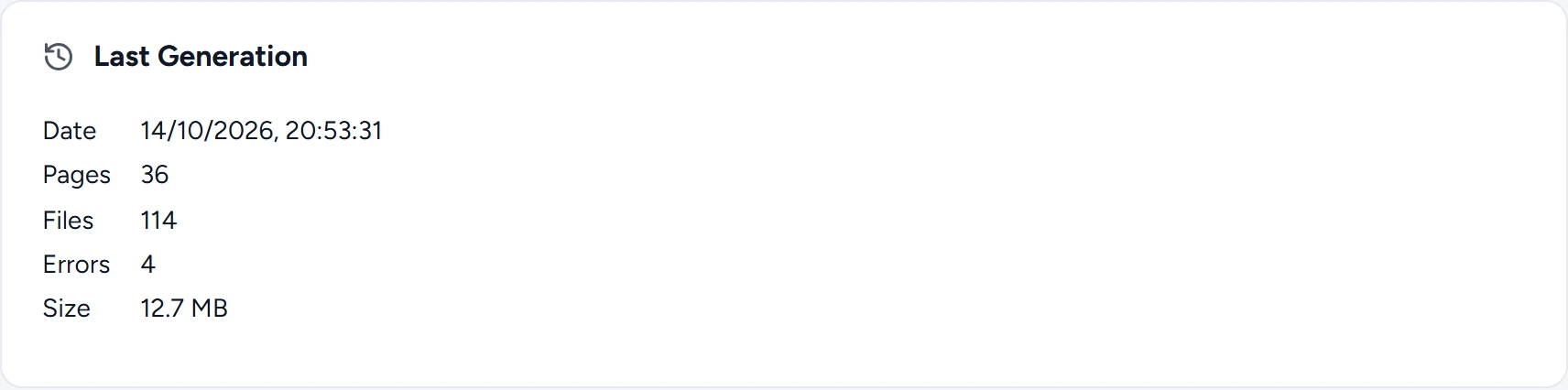
Everything lives on EMCP Tools → Static Site under Build. Choose what to include, check how many generations you have left, and start a run. The screen shows your last generation with its page count, file count, errors and size, and lets you download it again.
A static copy shaped to your site.
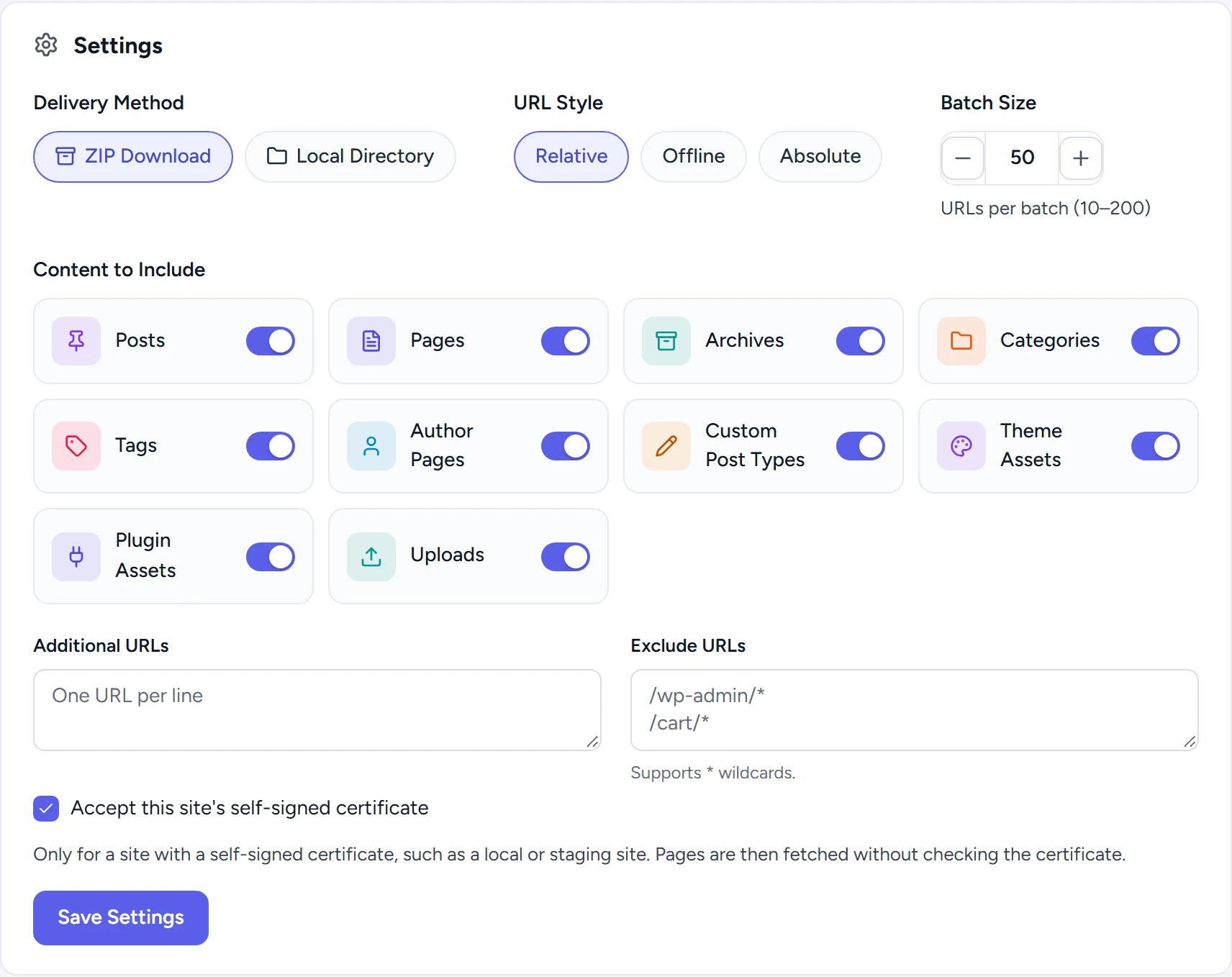
Pick the content to include: posts, pages, archives, categories, tags, author pages, custom post types, theme assets, plugin assets and uploads. Add URLs the crawler cannot find on its own, and exclude others with * wildcards, such as /cart/*.
- ZIP Download gives you one archive to take anywhere. Local Directory writes the files to a folder on the server.
- Relative links work on any host, Offline links point at each
index.htmlso the copy opens straight from your disk, and Absolute links use the base URL you set. - Batch size sets how many URLs are fetched per step, from 10 to 200, so slow hosts can take smaller batches.
- Local and staging sites with a self-signed certificate can still be fetched: tick one box to accept it.
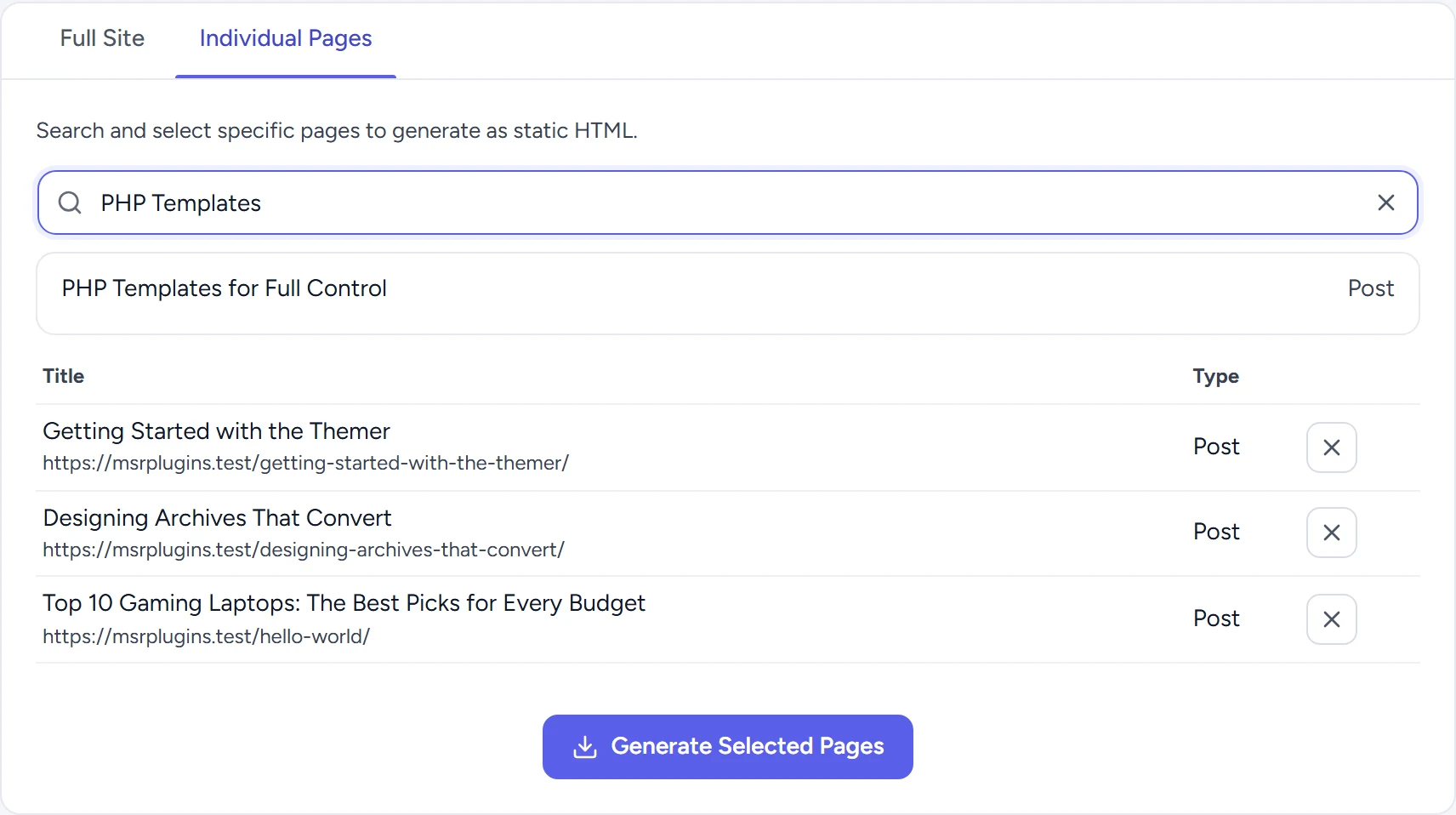
Regenerate the whole site, or just the pages you changed.
Full Site starts from your content and archives and follows the links on every page it fetches. Individual Pages lets you search by title or URL, pick the pages you want, and generate only those with the assets they use.
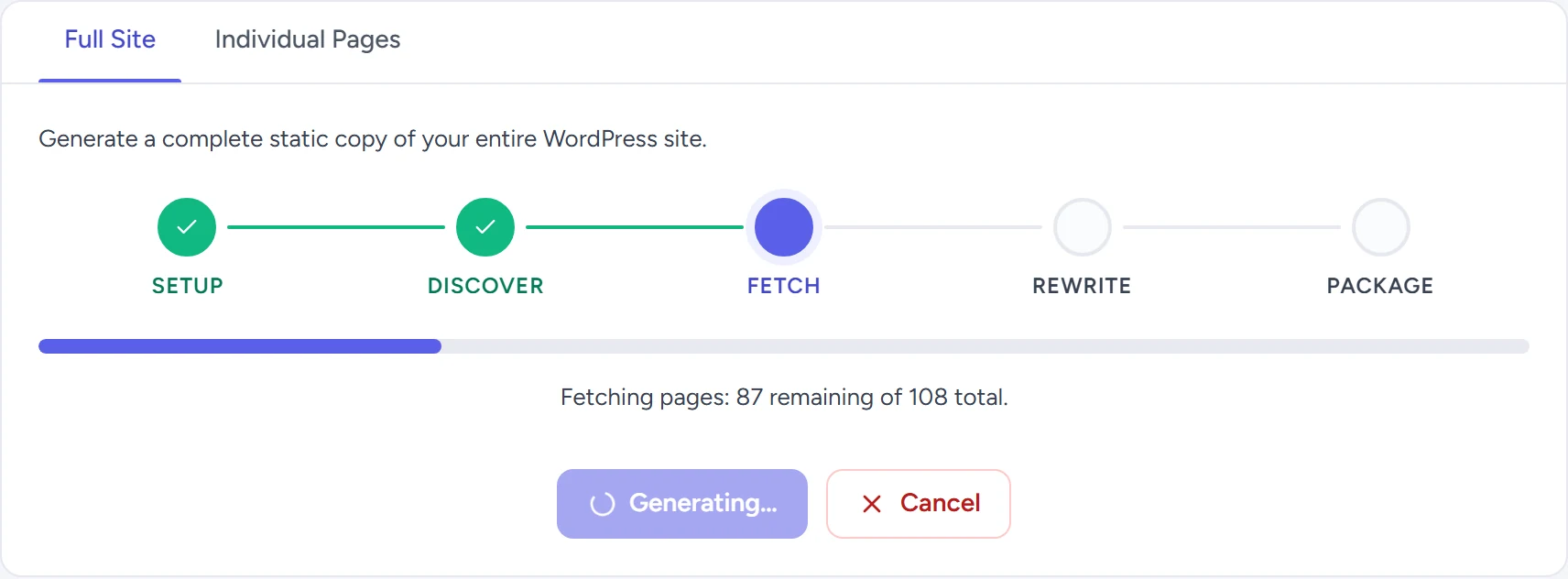
Five clear steps from crawl to archive.
A generation moves through Setup, Discover, Fetch, Rewrite and Package, then checks for pages that changed while it ran before it replaces the previous copy. The run continues step by step in your browser tab, so a slow host never hits a single long request. If you close the tab, open the screen again to continue.
See exactly what was built.
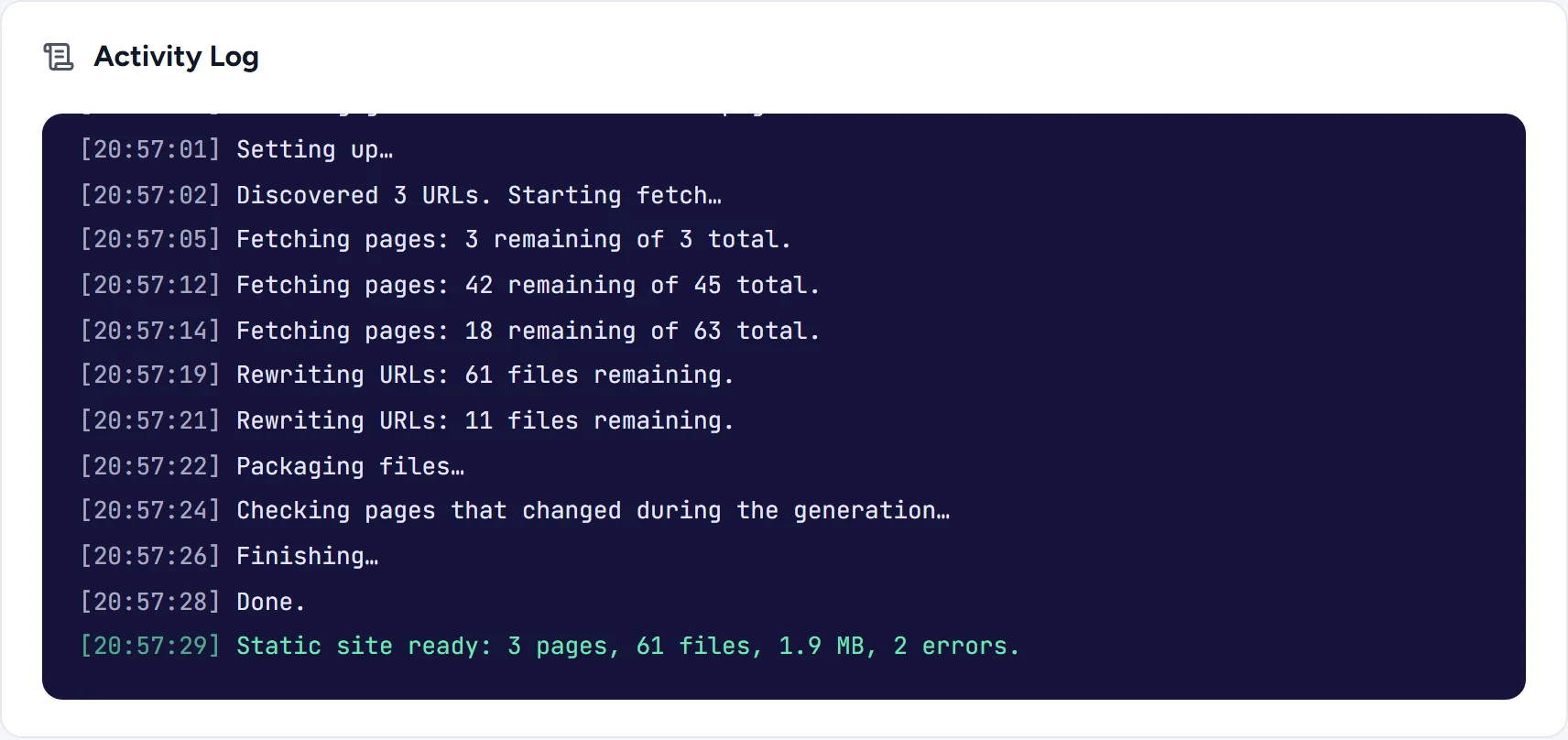
The activity log records each batch with a timestamp and finishes with a summary. Errors are counted rather than hidden: a missing font or image that returns 404 on your live site is listed as an error in the static copy too, so you know what to fix.
Answer visitors with the static copy.
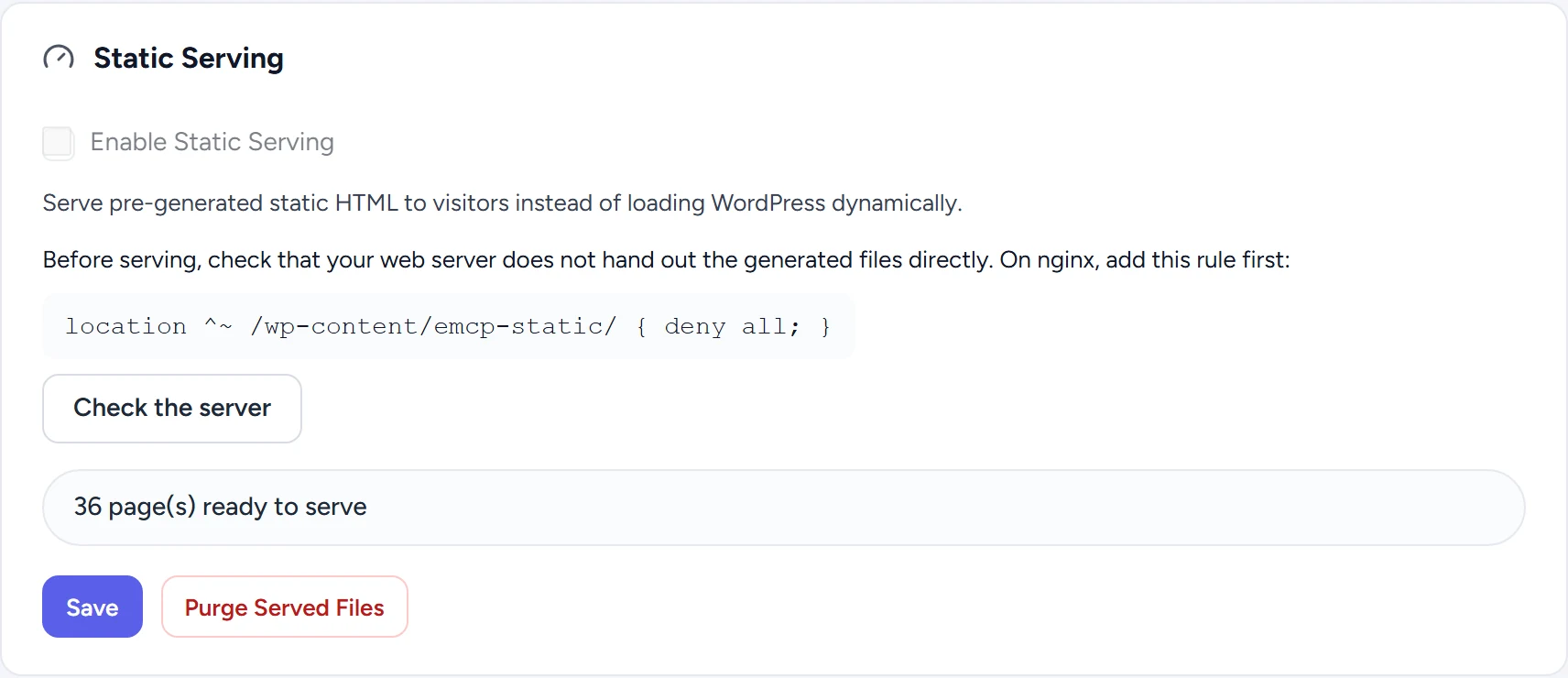
With Static Serving on, EMCP answers a page request with its static HTML before WordPress builds the page. Before it can be switched on, the plugin checks that your web server does not hand out the generated files directly; on nginx you add one deny rule first.
- Only plain GET requests without a query string are served from the static copy.
- Logged-in visitors still get WordPress unless you choose to serve them too, and you can exclude URLs.
- Editing, trashing or deleting a post, or editing a term, takes its pages out of the static copy. Switching theme, activating or deactivating a plugin, changing a menu or saving the Customizer takes out every page.
- Pages left out are answered by WordPress as usual until you generate again.
Three free generations, more with EMCP Pro.
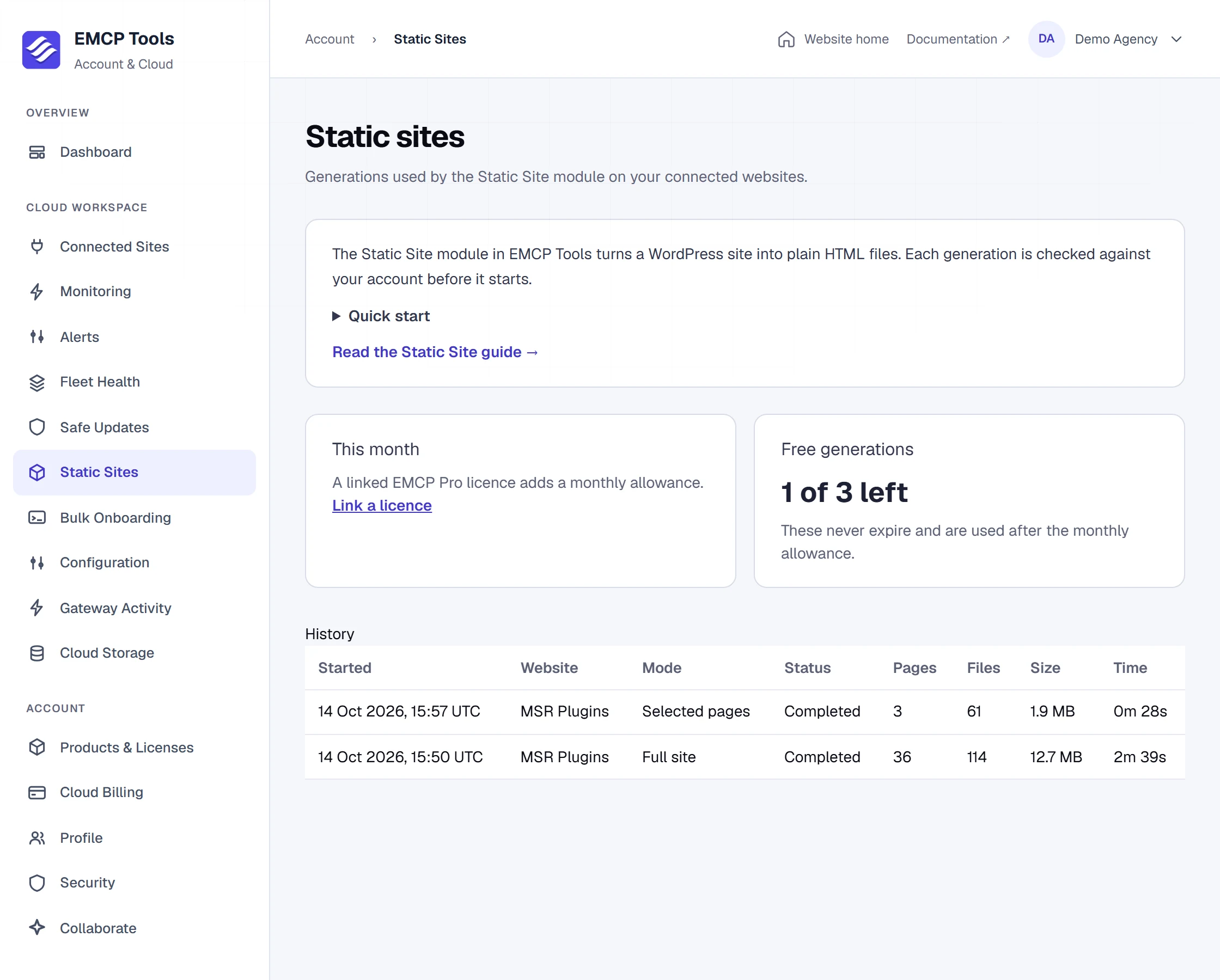
Each generation is checked against your free EMCP Cloud account before it starts. Every account has 3 free generations that never expire. A linked EMCP Pro licence adds 3, 10, 25 or 50 generations every month, by licence size, used before the free ones.
A generation counts when it is reserved. Cancel it within 15 minutes and before it starts fetching pages, and it is returned to you. Your Cloud account lists every run with its site, mode, status, pages, files, size and time.
What the module needs and does.
The Static Site module is part of free EMCP Tools and is off until you switch it on.
- It needs a connection to EMCP Cloud (a free account is enough) and pretty permalinks.
- It does not run on WordPress multisite.
- Forms, search, carts and anything else that needs PHP keep working only where WordPress still answers. Exclude those URLs, or keep them dynamic.
- Visitors’ page views load only the small part of the module that serves pages, and only while the module is on.
Questions, answered.
Still stuck? Drop a line at [email protected] or open an issue on GitHub. Most replies are under one business day; Pro tiers go to the front of the queue.
Open the full docsGenerate your first static copy.
Update to EMCP Tools 3.20.0, connect EMCP Cloud, switch on Static Site under Modules and select Generate.