
Static sites
The Static Site module in EMCP Tools fetches every page of your WordPress site, rewrites its links and saves the result as plain HTML files. You can download the result as a ZIP, keep it in a folder on the server, or let EMCP serve the static pages to visitors. For an overview with screenshots, see the Static Site feature page.
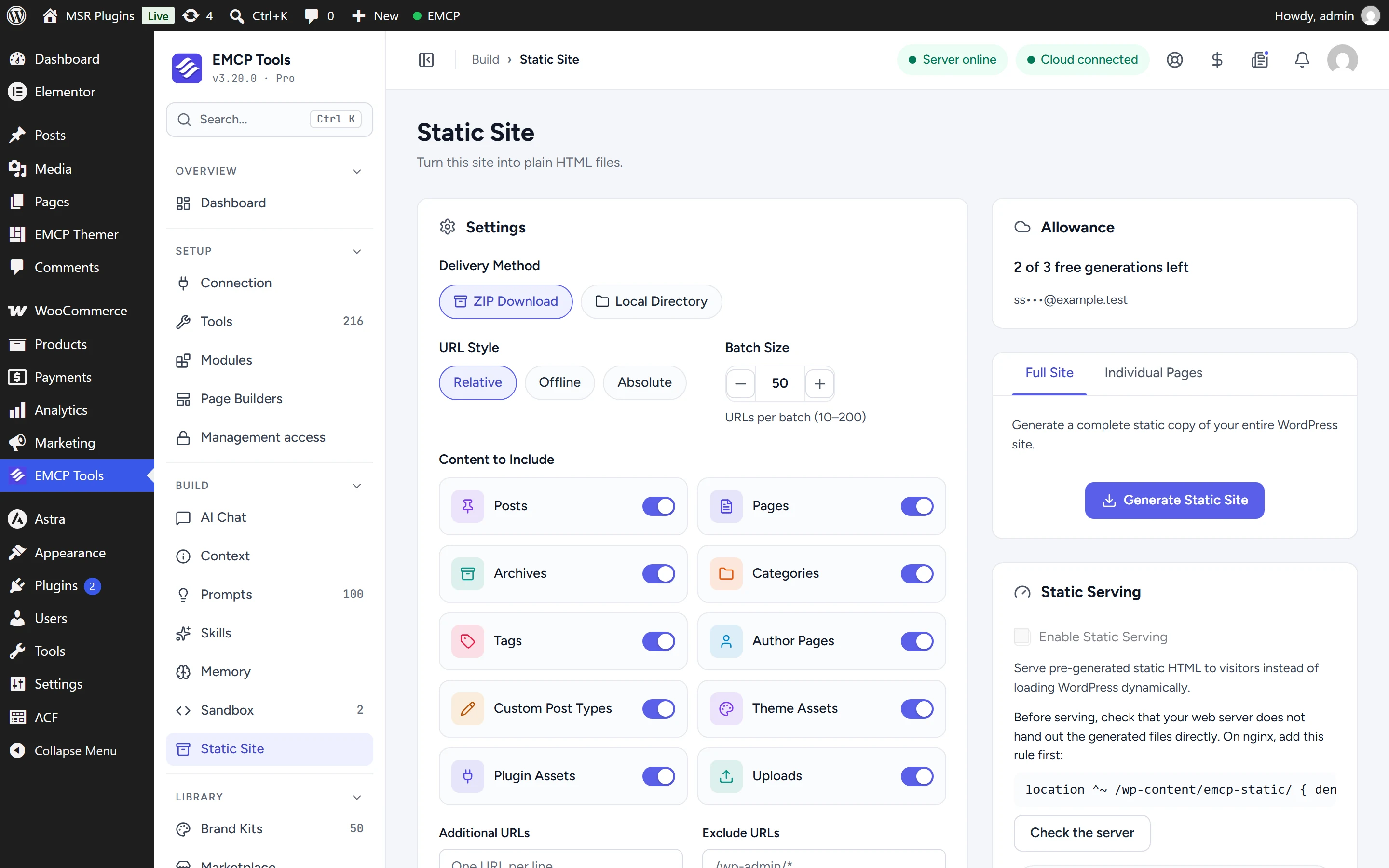
Allowance
Section titled “Allowance”Each generation is checked against your EMCP Cloud account before it starts.
| Account | Generations |
|---|---|
| Cloud account without an EMCP Pro licence | 3 in total, never expire |
| Cloud account with a linked EMCP Pro licence | 3, 10, 25 or 50 every calendar month, by licence size, then the 3 free ones |
Your allowance and every generation your sites ran are on Account → Static sites.
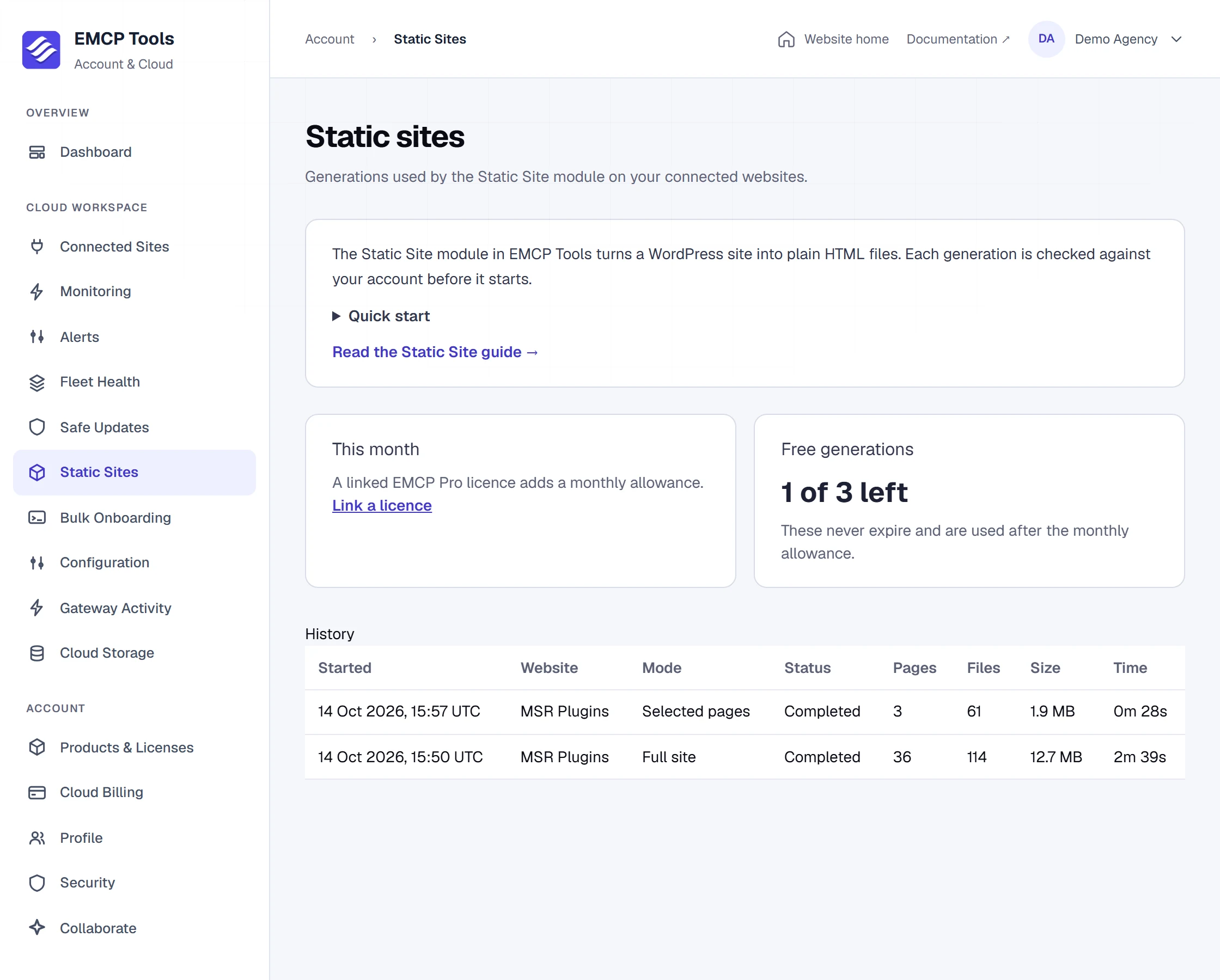
What counts as a generation
Section titled “What counts as a generation”A generation is counted when it is reserved, before anything is fetched. If you cancel it within 15 minutes and before it started fetching pages, the generation is returned to you. Once fetching has started, a cancelled or interrupted generation still counts. Generating a few selected pages counts as one generation, the same as the full site.
Metering is enforced by your Cloud account. It decides whether a generation may start and whether a cancelled one is returned; it cannot check what a modified copy of the plugin does afterwards.
Set up the module
Section titled “Set up the module”- Connect the site under EMCP Tools → Connection → Cloud.
- Switch on Static Site under EMCP Tools → Modules.
- Open EMCP Tools → Static Site, choose Full site or Selected pages, and select Generate.
The module needs pretty permalinks and does not run on WordPress multisite.
Settings
Section titled “Settings”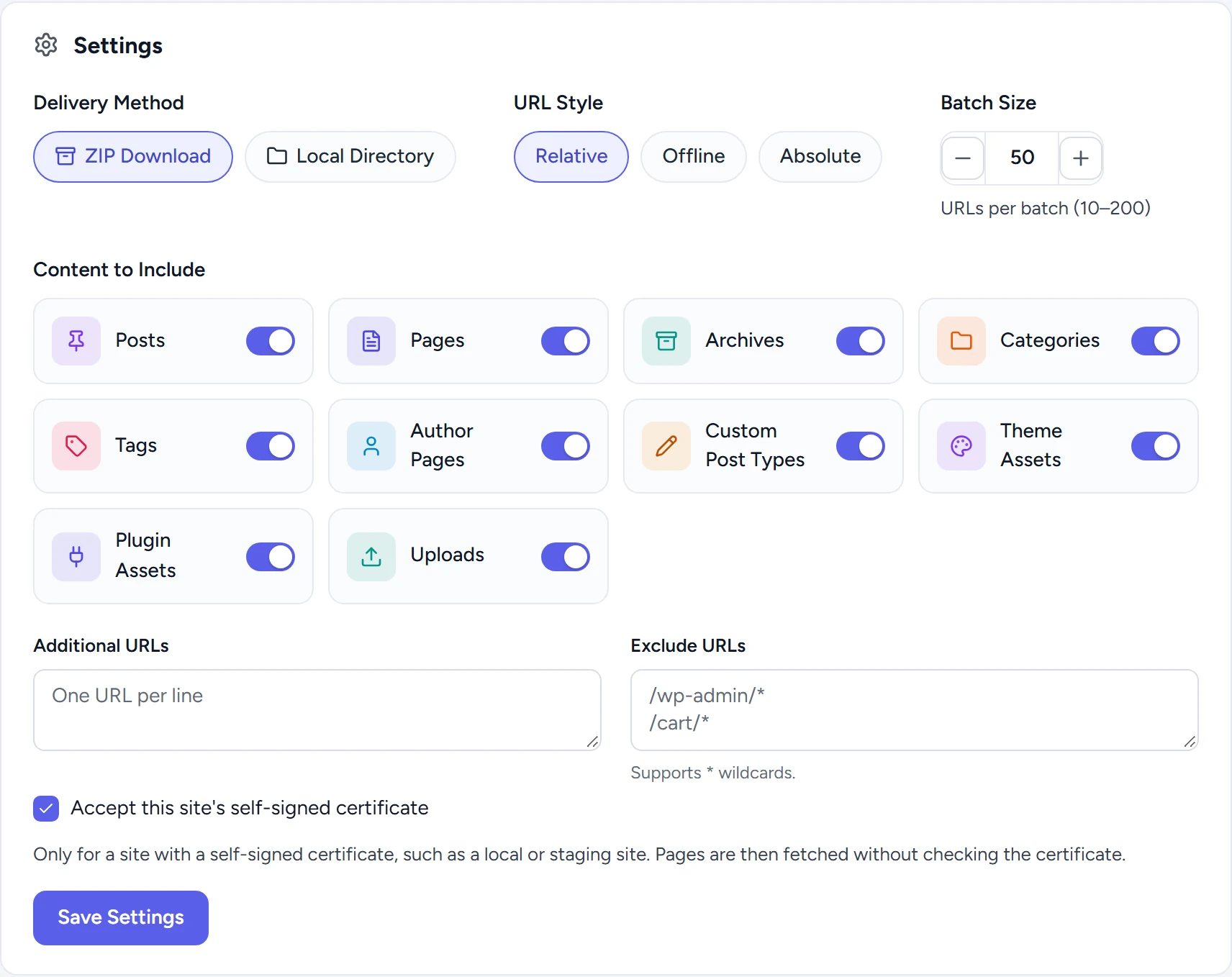
| Setting | What it does |
|---|---|
| Delivery Method | ZIP Download packages the copy as one archive. Local Directory writes it to the output directory on the server. |
| URL Style | Relative links work on any host. Offline links point at each index.html, so the copy opens from your disk. Absolute links use the base URL you enter. |
| Batch Size | URLs fetched per step, 10 to 200. Use smaller batches on slow hosts. |
| Content to Include | Posts, pages, archives, categories, tags, author pages, custom post types, theme assets, plugin assets and uploads. |
| Additional URLs | URLs to add that the crawler cannot find, one per line. |
| Exclude URLs | URLs to leave out, one per line; * is a wildcard (for example /cart/*). |
| Accept this site’s self-signed certificate | For local and staging sites with a self-signed certificate: pages are then fetched without checking the certificate. |
Generate
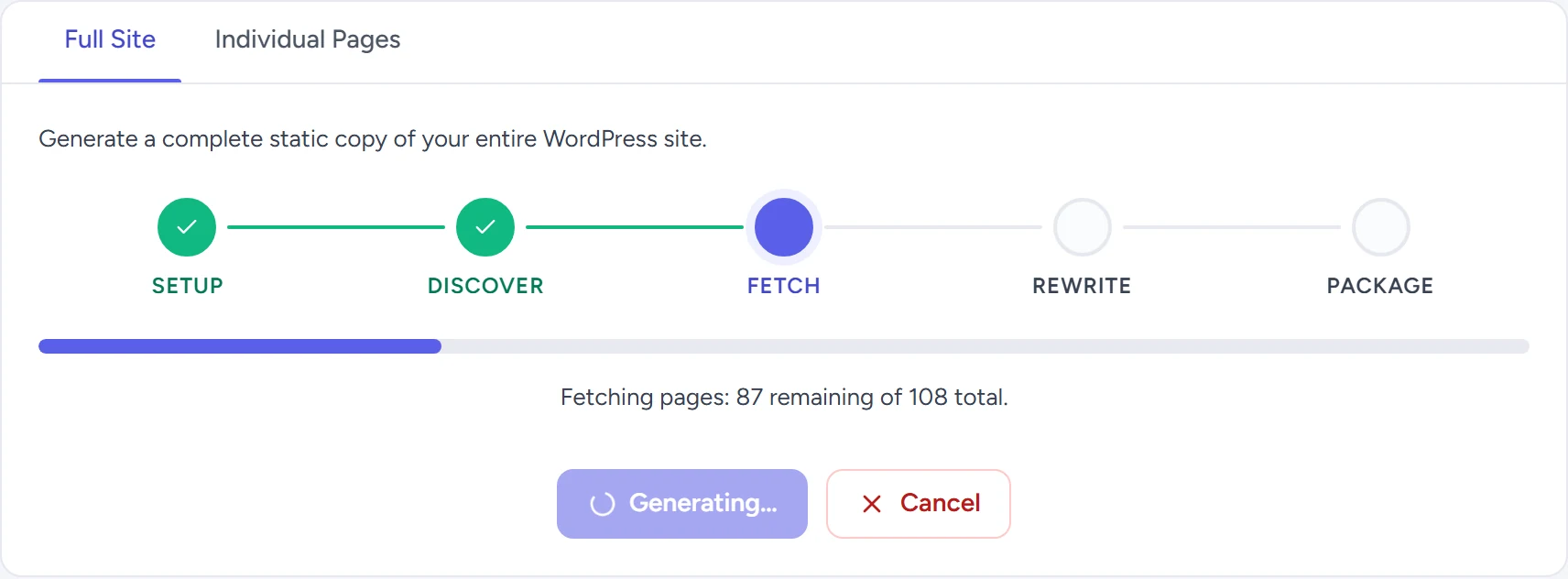
Section titled “Generate”Full Site starts from your content and archives and follows the links on every page it fetches. Individual Pages lets you search by title or URL and generate only the pages you pick.
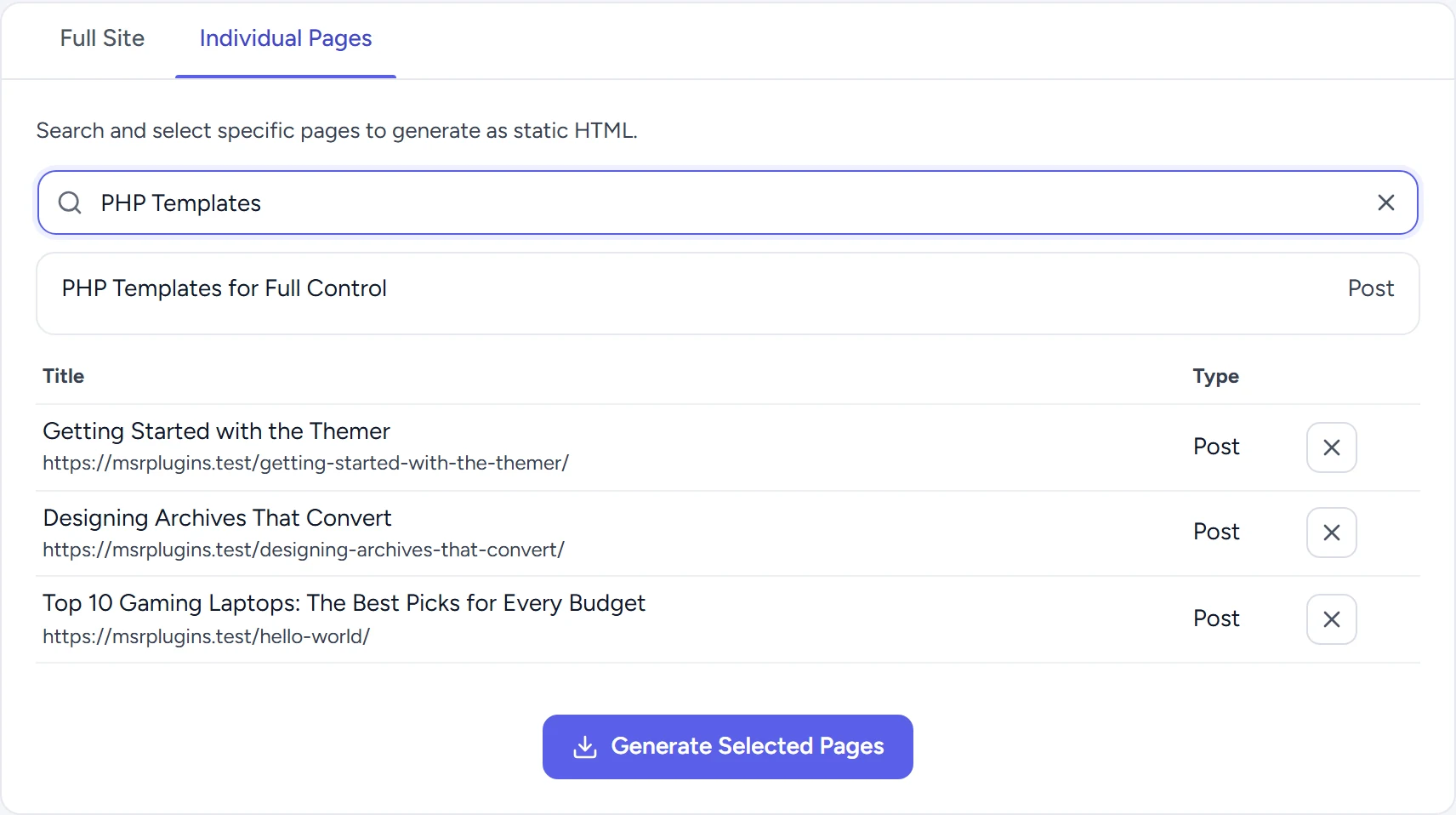
A generation runs through Setup, Discover, Fetch, Rewrite and Package, then checks for pages that changed while it ran before it replaces the previous copy. It continues step by step from your browser tab; if you close the tab, open the screen again to continue. Cancel stops it (see What counts as a generation).
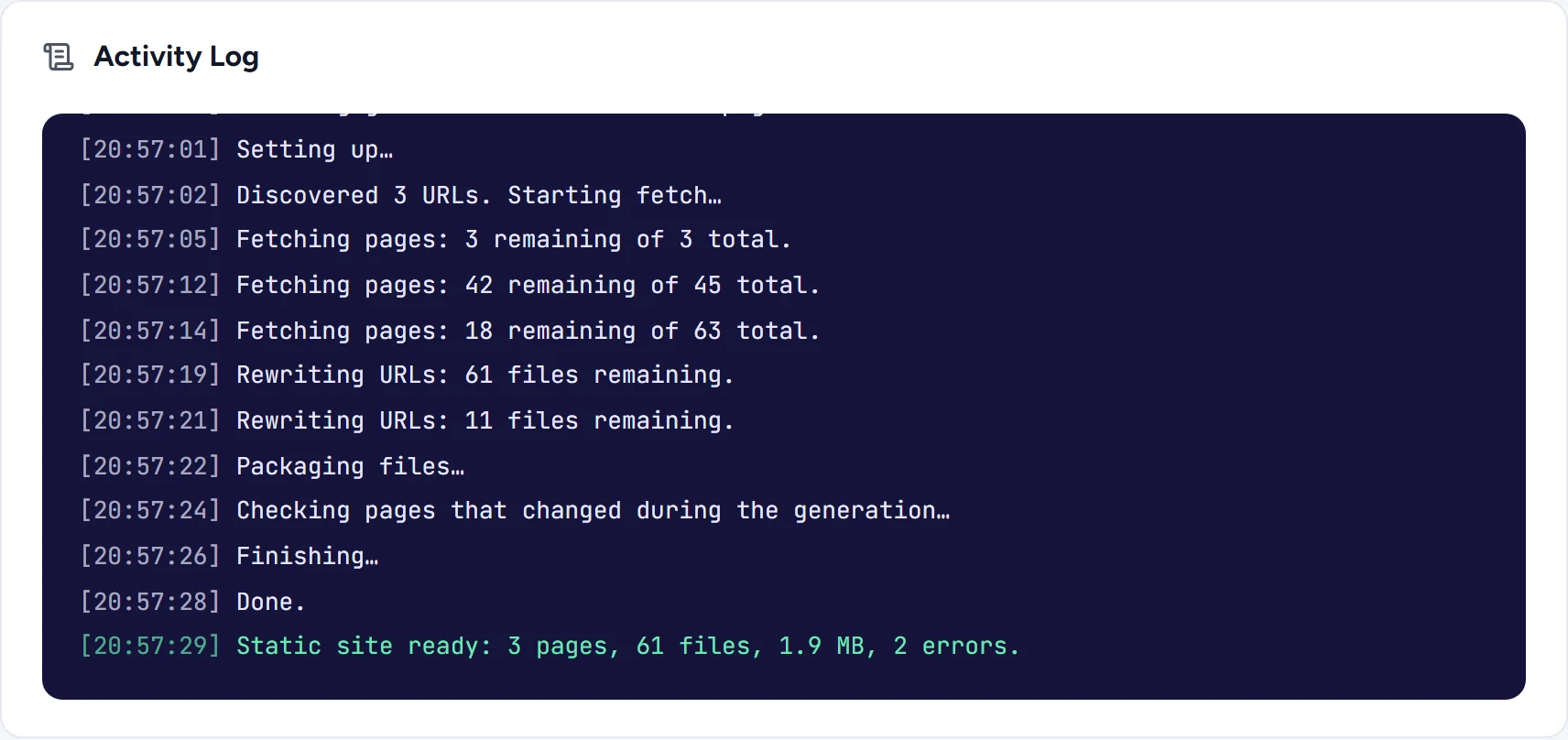
The activity log ends with a summary of pages, files, size and errors. An error is a URL that did not answer with a page or file, such as an asset that returns 404 on the live site too.
Serving static pages
Section titled “Serving static pages”The module can answer visitors with the static copy of a page instead of building it in WordPress. Before serving can be switched on, the plugin checks that your web server does not hand out the generated files directly. On nginx, add this rule to the server block, then run the check again:
location ^~ /wp-content/emcp-static/ { deny all; }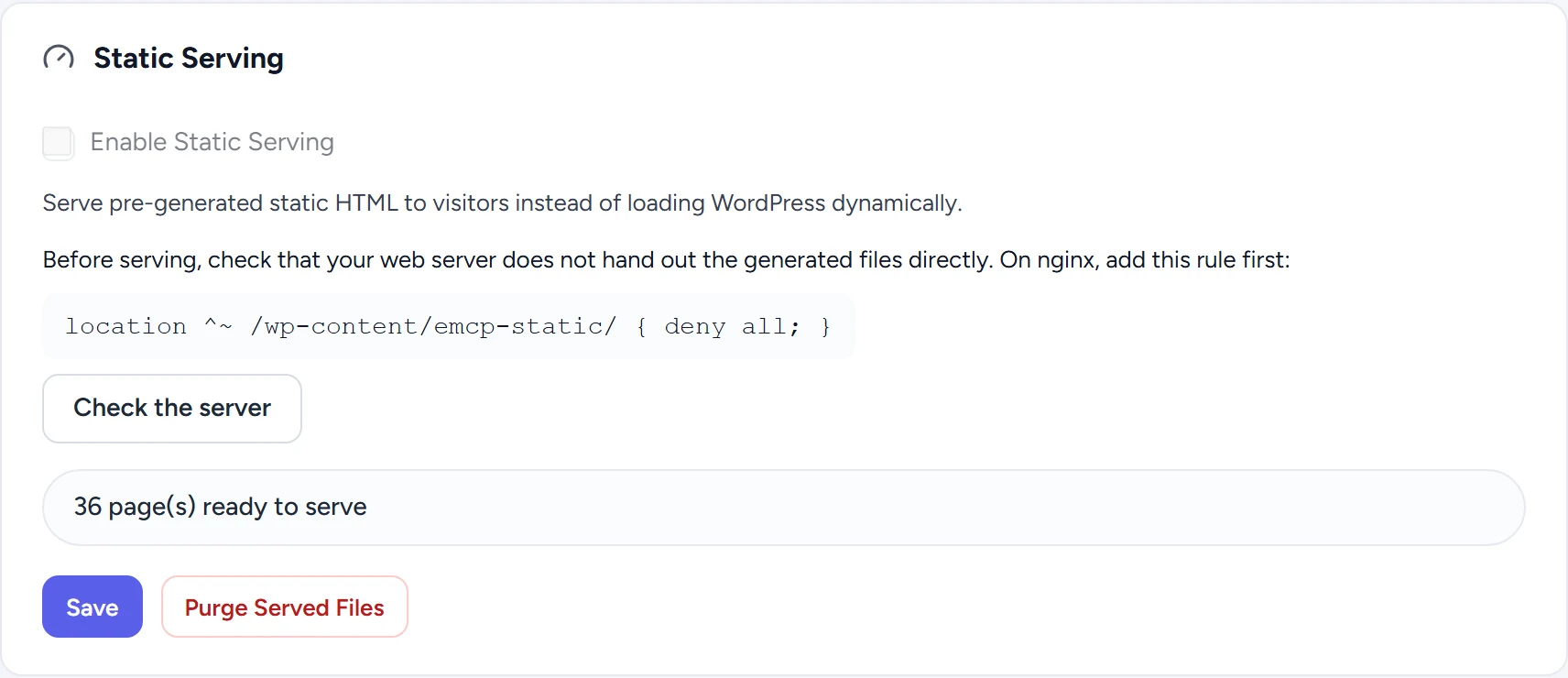
Only plain GET requests without a query string are answered from the static copy. Logged-in visitors still get WordPress unless you switch on serving for them, and you can list URLs that should never be served statically.
Editing, trashing or deleting a post, or editing a term, takes its pages out of the static copy. Switching theme, activating or deactivating a plugin, changing a menu or saving the Customizer takes out every page. WordPress answers those pages until you generate again. Purge Served Files takes out every page at once.