
FluentCRM
New in 3.19.0 (Pro). Two dispatcher tools work with FluentCRM 3.x (the free edition is enough):
| Tool | Default | Purpose |
|---|---|---|
fluentcrm-read | On | The setup, contacts, tags, lists, custom fields, campaigns, templates, previews and automations (15 operations) |
fluentcrm-write | Off | Contacts, notes, imports and tagging, tags and lists, custom fields, templates, campaigns and sends, automations (33 operations) |
Enable the write tool under Tools > Plugins > FluentCRM. EMCP runs FluentCRM’s own abilities and REST API in-process; every operation checks FluentCRM’s own permission (fcrm_*).
FluentCRM’s own MCP switch
Section titled “FluentCRM’s own MCP switch”FluentCRM has its own MCP server behind FluentCRM > Settings > MCP. EMCP respects that switch: while it is off, every operation except get-setup answers fluentcrm_mcp_disabled.
Read first
Section titled “Read first”get-setup: version, whether FluentCRM’s AI access is on, the live automation triggers, user sync, double opt-in and sender settings, contact statuses, and the write operations you may run.list-contacts(search, tags, lists, statuses, dates, or advanced filters),get-contact.list-tags,list-lists,list-custom-fields,list-campaigns,get-campaign(withrecipients_estimate),list-templates,preview-email,list-automations,get-automation.
Every contact, tag, list, campaign, template, automation and the custom field list answers a version; pass it to every write. A different version is a conflict; force: true writes anyway.
Contacts
Section titled “Contacts”create-contactwithemail, fields,address,custom_fields,tagsandlists. An email that exists in any case iscontact_exists.update-contactchanges only the fields you pass.""ornullclears a field,[]a multiple choice.add_tags,remove_tags,add_lists,remove_lists.- A write that would change a linked administrator’s name or email, or let FluentCRM change a user’s email, is refused (
linked_admin_user,wp_user_email_sync). add-note,update-note,delete-note;add-custom-field,update-custom-field.
Automations do not run unless you ask
Section titled “Automations do not run unless you ask”Tag, list and user writes can enter contacts into automations that send email in the same call. EMCP holds FluentCRM’s automation triggers for every write. Pass run_automations: true to let them run; the answer lists the automations entered and the emails sent.
Batches
Section titled “Batches”import-contacts and tag-contacts take up to 200 contacts per call (dry_run: true counts first). Import rows carry the contact fields themselves plus address, custom_fields, tags and lists; an unknown row or address key is refused before anything is written. if_exists is merge (default) or skip, and missing tags and lists are created only with create_missing: true. merge-tags and merge-lists move contacts onto one tag or list. Tag and list deletes and merges need confirm: true and touch up to 500 attached contacts. Over a cap the answer is too_many_contacts and nothing is written.
Nothing is emailed without confirm: true.
create-campaignandupdate-campaignwrite drafts only.duplicate-campaign,delete-campaign.schedule-campaign:expected_recipientsmust equal therecipients_estimatefromget-campaign, or the answer isrecipients_mismatchand nothing is queued.scheduled_atis site-localY-m-d H:i.unschedule-campaignworks while none of its emails has left the queue (emails_sentotherwise).pause-campaign,resume-campaign.send-test-emailgoes to your own address only.send-email-to-contact(confirm) sends one email to one contact.- Templates:
get-template,create-template,update-template,delete-template.
Automation status
Section titled “Automation status”set-automation-statusto publish needsconfirm: true; setting one back to draft cannot be undone.set-contact-automationmoves a contact in an automation; resuming or advancing needsconfirm: trueand cannot be undone.list-automation-contactsshows who is where.
Consent and erasure
Section titled “Consent and erasure”Undo never makes a contact sendable again: a contact who unsubscribed, bounced or complained after the write is refused with contact_opted_out, and a list they left is never restored, force or not. delete-contact (confirm) erases the contact and removes their data from every earlier History entry; a delete in FluentCRM’s admin does too.
On a real site
Section titled “On a real site”From our test run with the fictional Larkspur Kitchen School, recorded over a real MCP connection with FluentCRM’s free edition. The FluentCRM integration page shows every call the assistant made.
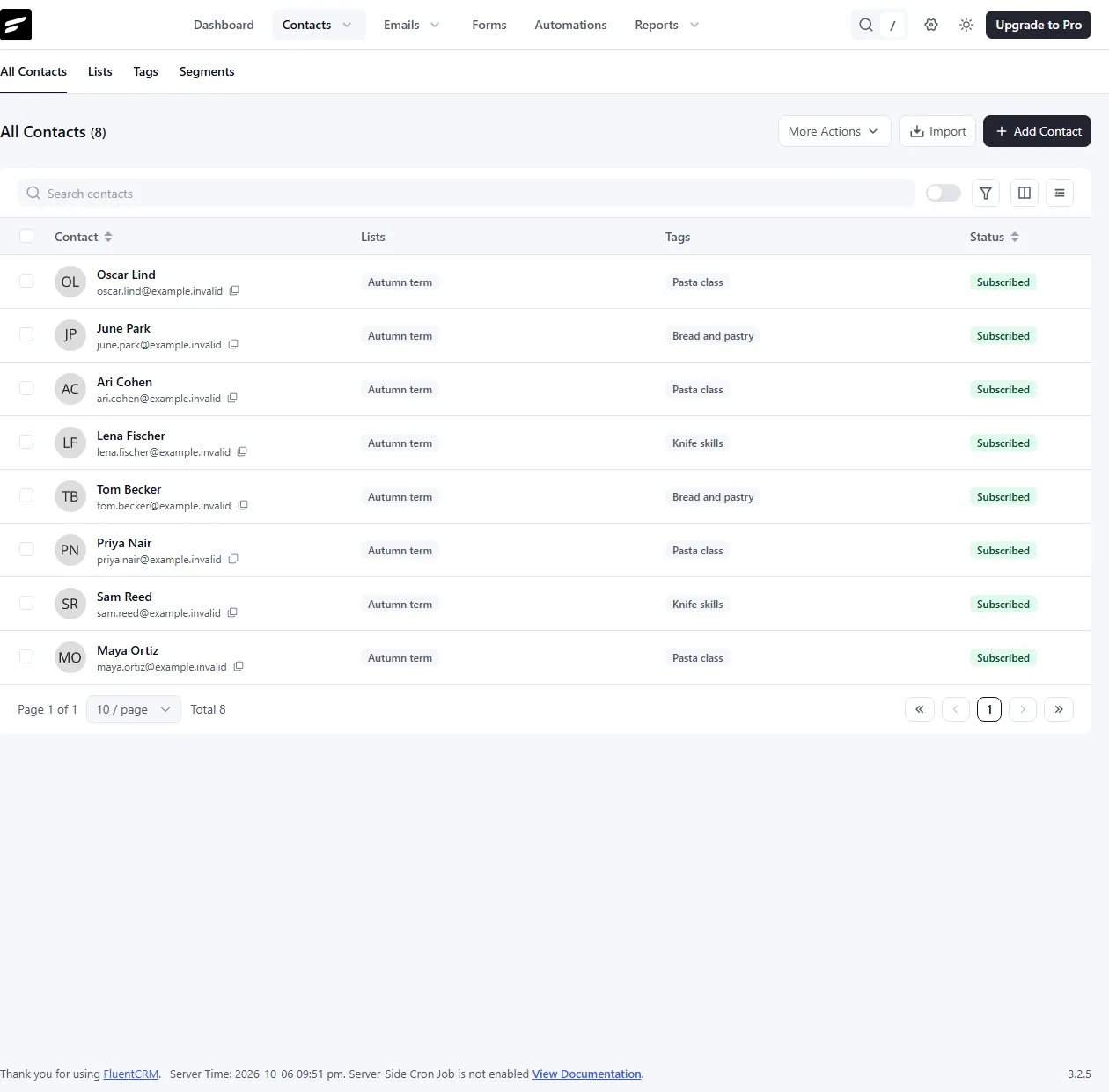
The imported contacts, each with its list and tag.
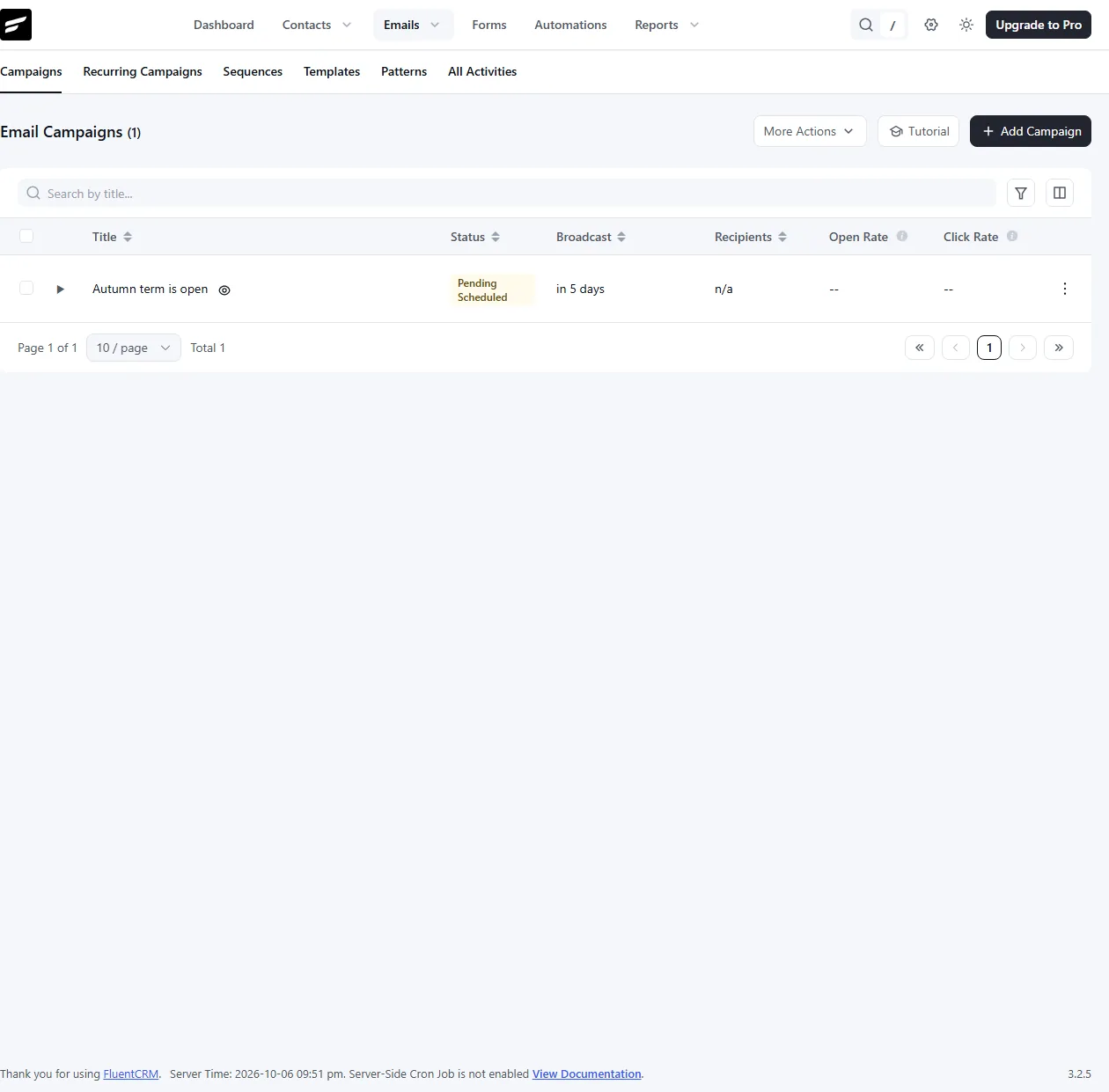
The campaign while it was scheduled.
History
Section titled “History”Most writes can be undone in History. Undo checks the version (force skips only that) and refuses when later real work happened: a contact who has since received email or entered an automation, a tag or list in use, a campaign whose emails left the queue. Sends, unschedules, automation moves and erasures are recorded for the audit trail only.