
Management access
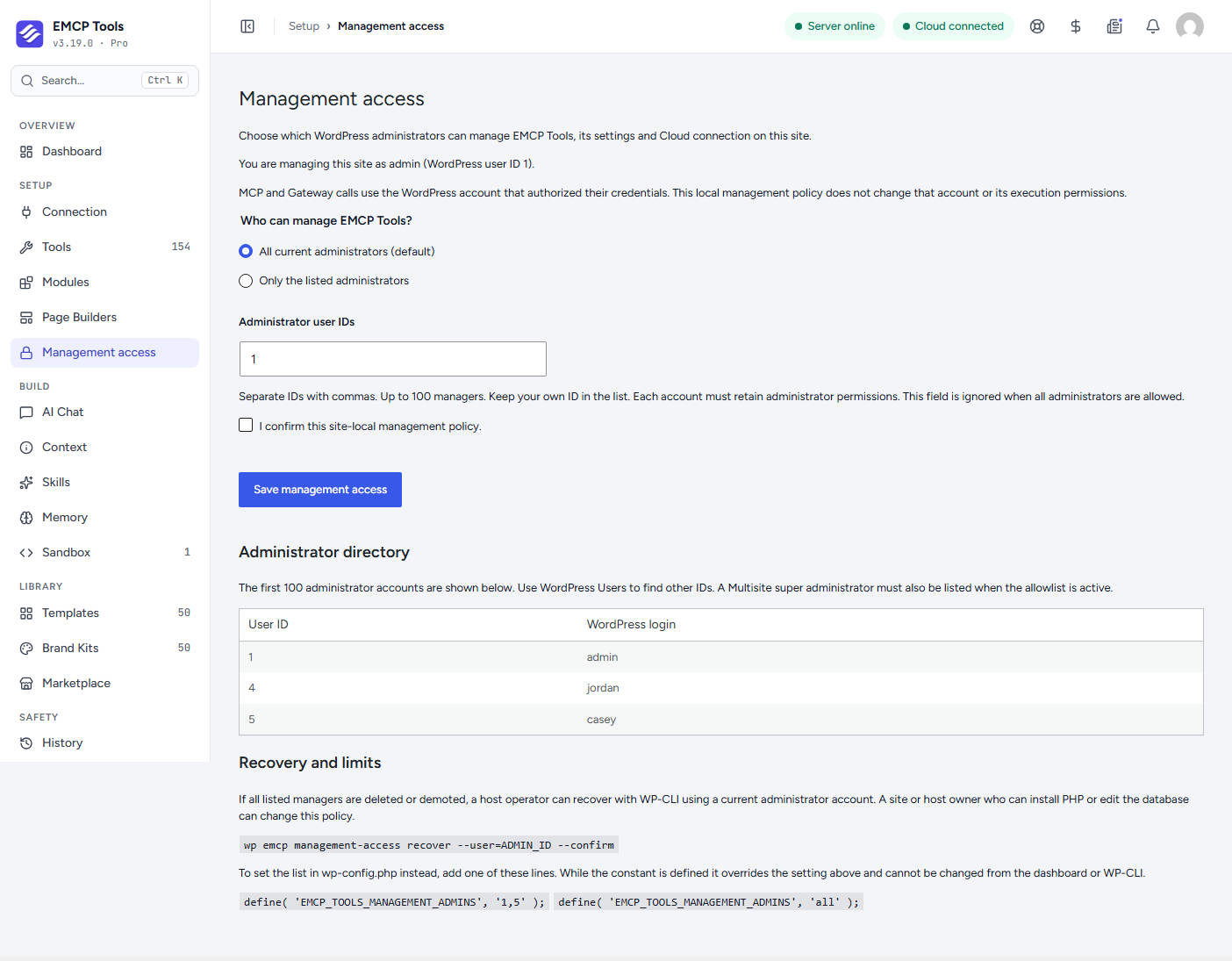
New in 3.19.0 (free). By default every WordPress administrator can manage EMCP Tools. Management access lets you limit that to the administrators you name. Open EMCP Tools → Setup → Management access (admin.php?page=emcp-tools-management).
Limit EMCP to some administrators
Section titled “Limit EMCP to some administrators”- Choose Only the listed administrators.
- Type the WordPress user IDs, separated by commas, for example
1, 4. The Administrator directory below the form lists the first 100 administrators with their IDs; use Users to find others. Keep your own ID in the list: you cannot save a list that locks you out. - Tick I confirm this site-local management policy and choose Save management access.
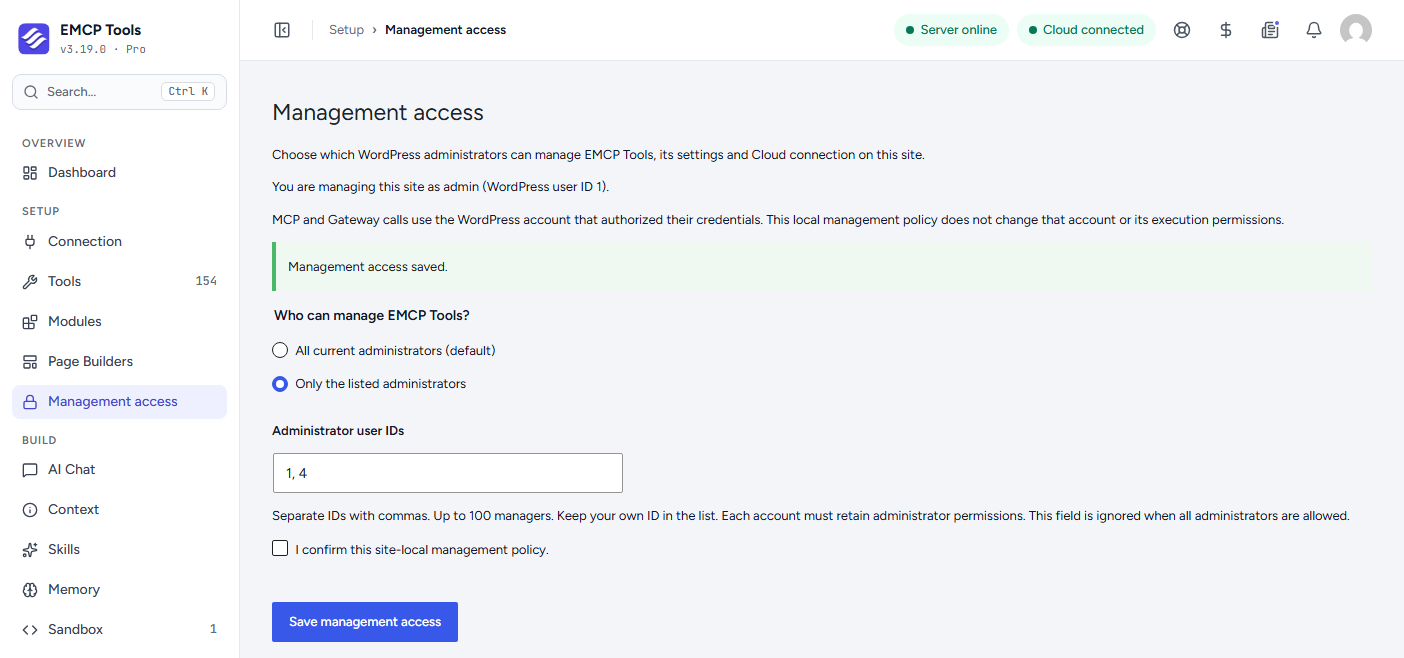
Every listed account must stay an administrator. If someone is demoted or deleted, they lose access even though their ID is still in the list. On Multisite, a super administrator must be listed too.
If two people edit the policy at the same time, the second save is refused and asks you to reload, so nobody overwrites a change they did not see.
What an administrator who is not listed loses
Section titled “What an administrator who is not listed loses”While a list is set, an administrator who is not on it:
- does not see EMCP Tools or EMCP Themer in the WordPress menu, or the EMCP item in the admin bar;
- is refused on every EMCP screen, even by direct URL, and on every EMCP admin request (REST, form posts and AJAX);
- cannot open, create, edit, publish or delete EMCP Themer templates, in the template list, the block editor, the Elementor editor or the REST API.
EMCP Themer follows the list for everyone, editors included. Without a list, editors keep the page-level access to Themer templates they have always had.
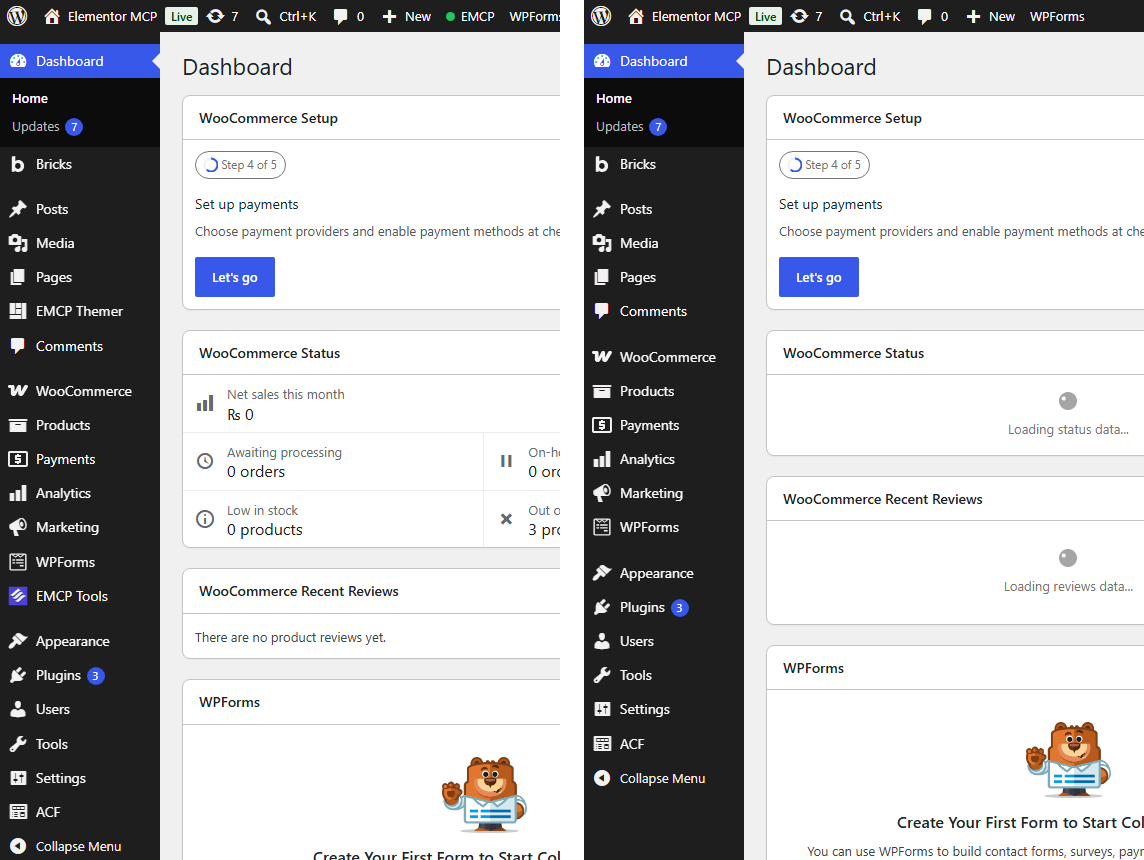
Nothing else changes for them. They keep their WordPress administrator rights, and other plugins and the rest of the site are not affected.
What it does not change
Section titled “What it does not change”Management access decides who can configure EMCP on this site. It does not decide who can use it through MCP:
- An AI client keeps working with the permissions of the WordPress account that authorized it (its application password or OAuth sign-in). The one exception is EMCP Themer: its tools follow the list too.
- OAuth sign-in, the public MCP endpoint and Gateway calls are not affected.
To stop someone using EMCP tools, remove their application password or OAuth connection under Connection, or lower their WordPress role.
The policy is stored on this site only. Settings sync and Cloud configuration profiles never copy it to another site.
Set the list in wp-config.php
Section titled “Set the list in wp-config.php”To fix the list in code, so nobody can change it from the dashboard, add one of these lines to wp-config.php:
define( 'EMCP_TOOLS_MANAGEMENT_ADMINS', '1,4' ); // only these administratorsdefine( 'EMCP_TOOLS_MANAGEMENT_ADMINS', array( 1, 4 ) );define( 'EMCP_TOOLS_MANAGEMENT_ADMINS', 'all' ); // every administrator, and the list cannot be switched onWhile the constant is defined:
- it overrides whatever was saved on the screen;
- the screen shows the policy read-only, and flags listed IDs that are not current administrators;
- saving on the screen,
wp emcp management-access setandrecoverare refused with a message that names the constant.
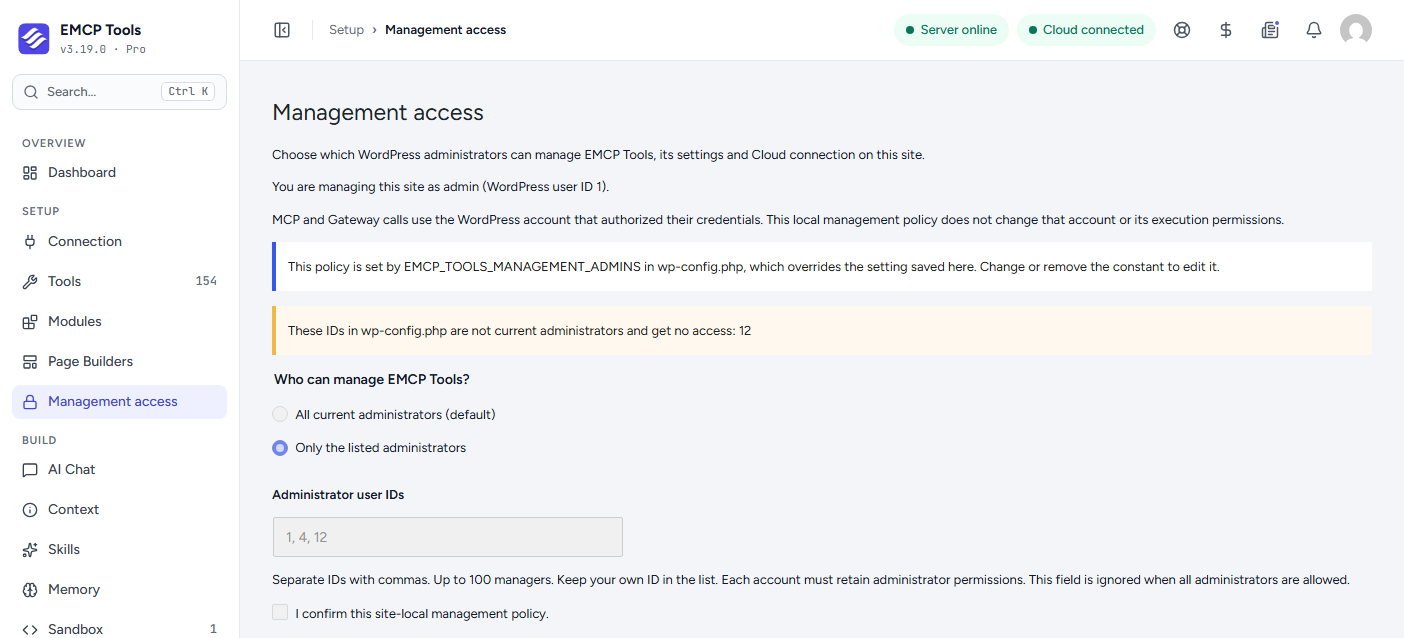
The saved setting is kept. Remove the constant and it applies again.
An invalid value (empty, 1,x, or anything other than IDs, an array of IDs or 'all') gives no administrator access until it is corrected. This is deliberate: a typo never opens EMCP to everyone.
Recovery
Section titled “Recovery”If every listed administrator was deleted or demoted, someone with shell access to the server can restore the default (every administrator) with WP-CLI, acting as a current administrator:
wp emcp management-access recover --user=1 --confirmwp emcp management-access status --user=1 shows the current policy. The commands only run from a real WP-CLI process on the server, never through a web request. When the list is set in wp-config.php, edit or remove the constant instead.
Limits
Section titled “Limits”This is an administration boundary, not a security sandbox. Anyone who can install plugins, run PHP or edit the database can change the policy, so it is meant for sites where several administrators share the dashboard and only some should manage EMCP.