
 A brief becomes a real page.
- Free
- Off by default
Build your theme’s layouts with the builder you already use.
EMCP Themer is a theme builder that works with Gutenberg or Elementor. Design a header, footer, single post, archive, search or 404 layout, choose where it applies, and Themer puts it on the front end. Loop Items add post cards for grids and carousels.
Header, footer, single, archive, search and 404.
Add a template under EMCP Themer, pick its type and build it in the block editor or Elementor. Body templates (single, archive, search and 404) work on any theme. Headers and footers are placed automatically on Astra, GeneratePress, Kadence, OceanWP, Blocksy, Neve and Hello, and with one template tag on other themes.
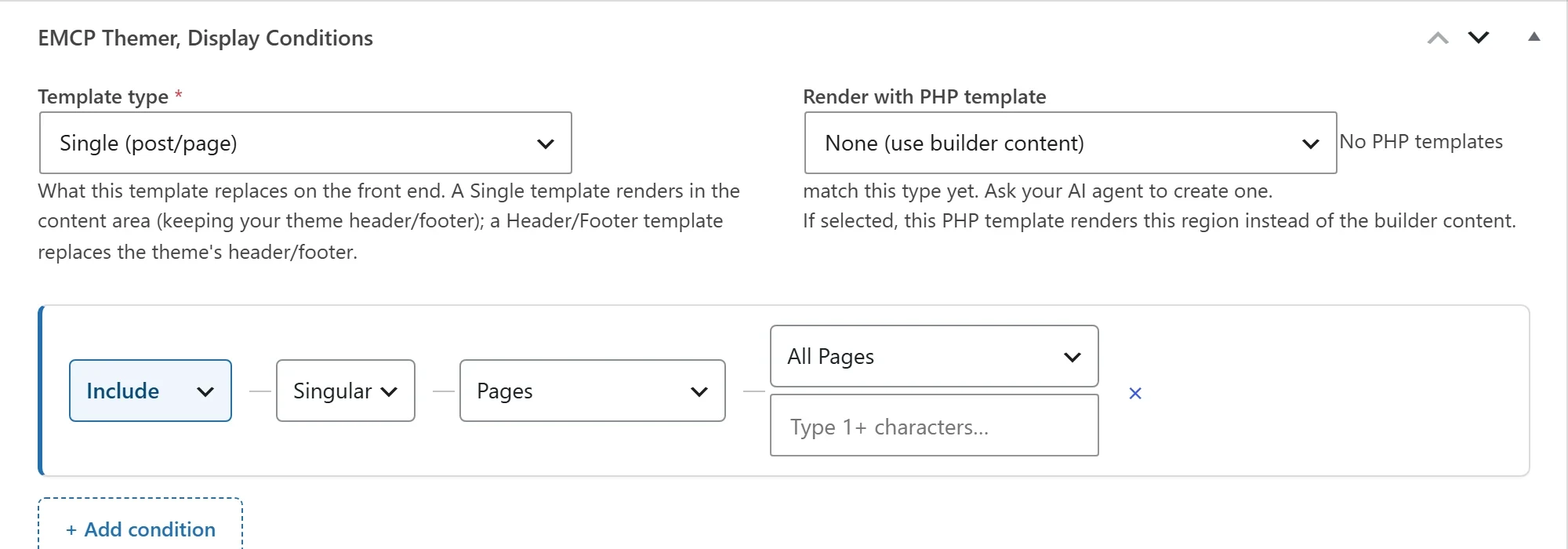
Choose exactly where each template applies.
Build the rules step by step: the whole site, all singular pages, the front page, one post type, all archives, or one post type or taxonomy archive. EMCP Pro adds rules for single posts, terms, authors and dates, exclude rules, priorities and unlimited templates per type. The free plugin allows one template of each type.
Post cards in a grid or a carousel.
A Loop Item is a post card you design once. The Loop Grid and Loop Carousel widgets and blocks repeat it for each post, from any post type, the current archive, related posts, a hand-picked list or WooCommerce products. Grids paginate with numbers, load more or infinite scroll. Carousels can autoplay, loop, fade and show arrows and dots. EMCP Pro adds alternate cards at chosen grid positions.
Fields that fill themselves from the current post.
Themer’s data sources (title, excerpt, featured image, date, author and more) can be bound in its own widgets, in any Elementor widget through dynamic tags, and in core blocks through block bindings, on free Elementor too. Pro adds custom fields, author details and terms.
Your agent can build the whole theme.
Agents create templates, set their conditions, check which template wins on any page with resolve-template, then build the content with the Gutenberg or Elementor tools. With the advanced switch on, agents can also write PHP templates, but only an administrator can attach one to a template, which is the step that makes it run.
- Themer is a free module, off on new installs. Switch it on in Setup → Modules.
- If Elementor Pro’s theme builder already handles a page, Themer leaves that page to it.
MCP tools this adds 14
What a connected AI agent can call. Tools marked "Off by default" are switched on under EMCP Tools, Tools.
EMCP Themer (theme builder)
create-theme-templateCreate a typed theme template (header, footer, single, archive, search, 404).list-theme-templatesList theme templates, optionally filtered by type.get-theme-templateFull detail for one template: type, conditions, detected builder, content status.update-theme-templateUpdate a template's title or type.set-template-conditionsSet where a template applies. Granular selectors, Exclude rules, and priority require Pro.delete-theme-templateDelete a theme template.resolve-templateShow which template wins each slot (header/body/footer) for a given post or context. Use it to debug conditions.list-condition-targetsDiscovery: the selectors and objects a template can target, so conditions are built from real values.list-dynamic-sourcesDiscovery: the dynamic sources this site offers, what each produces, and where each can be used (widget, block, Elementor tag, block binding).
Themer PHP Templates
create-theme-php-templateCreate a validated DRAFT PHP region template (never runs until a human attaches it).list-theme-php-templatesList draft PHP templates.get-theme-php-templateReturn one PHP template with its validation report.update-theme-php-templateUpdate a PHP template and re-validate.delete-theme-php-templateDelete a PHP template and its sandbox file.
Questions, answered.
Still stuck? Drop a line at [email protected] or open an issue on GitHub. Most replies are under one business day; Pro tiers go to the front of the queue.
Open the full docsDesign the whole site, not just the pages.
Install EMCP Tools free and switch on EMCP Themer in Setup → Modules.