
 A brief becomes a real page.
Set up bookings and eventsin one conversation.
With EMCP Pro, your AI agent works in Amelia for appointments and in The Events Calendar for events. Describe your services, hours or event series, and it creates them for you, books appointments into free slots and keeps schedules up to date.
- Amelia2.4+, Lite is enough
- The Events Calendar6.x, free is enough
- EMCP Pro 3.19+

Try asking
Ask the way you would brief a person.
“Set up a 45-minute consultation at 60.00 with Sarah Lee, Monday to Friday 9:00 to 17:00 with a lunch break. Then book Jane Doe into the first free slot next Tuesday, without emailing her.”
“Create four Thursday workshops at Riverside Hall, 18:00 to 20:00 Paris time, 25.00 each, organized by Studio Rhea. Keep them as drafts, then publish the first one.”
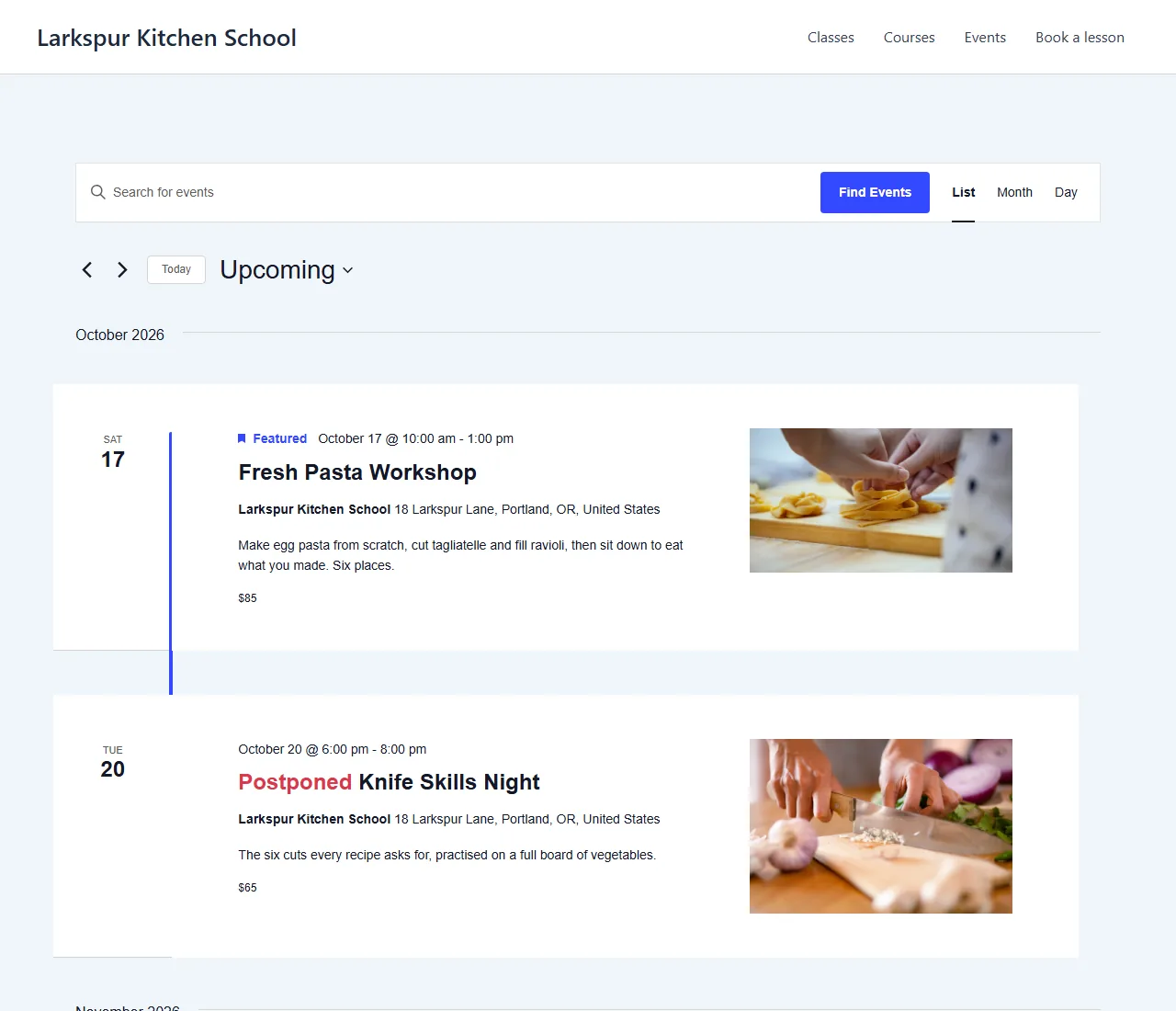
“Postpone next week’s Knife Skills Night because the chef is away, then list the rest of October’s events.”
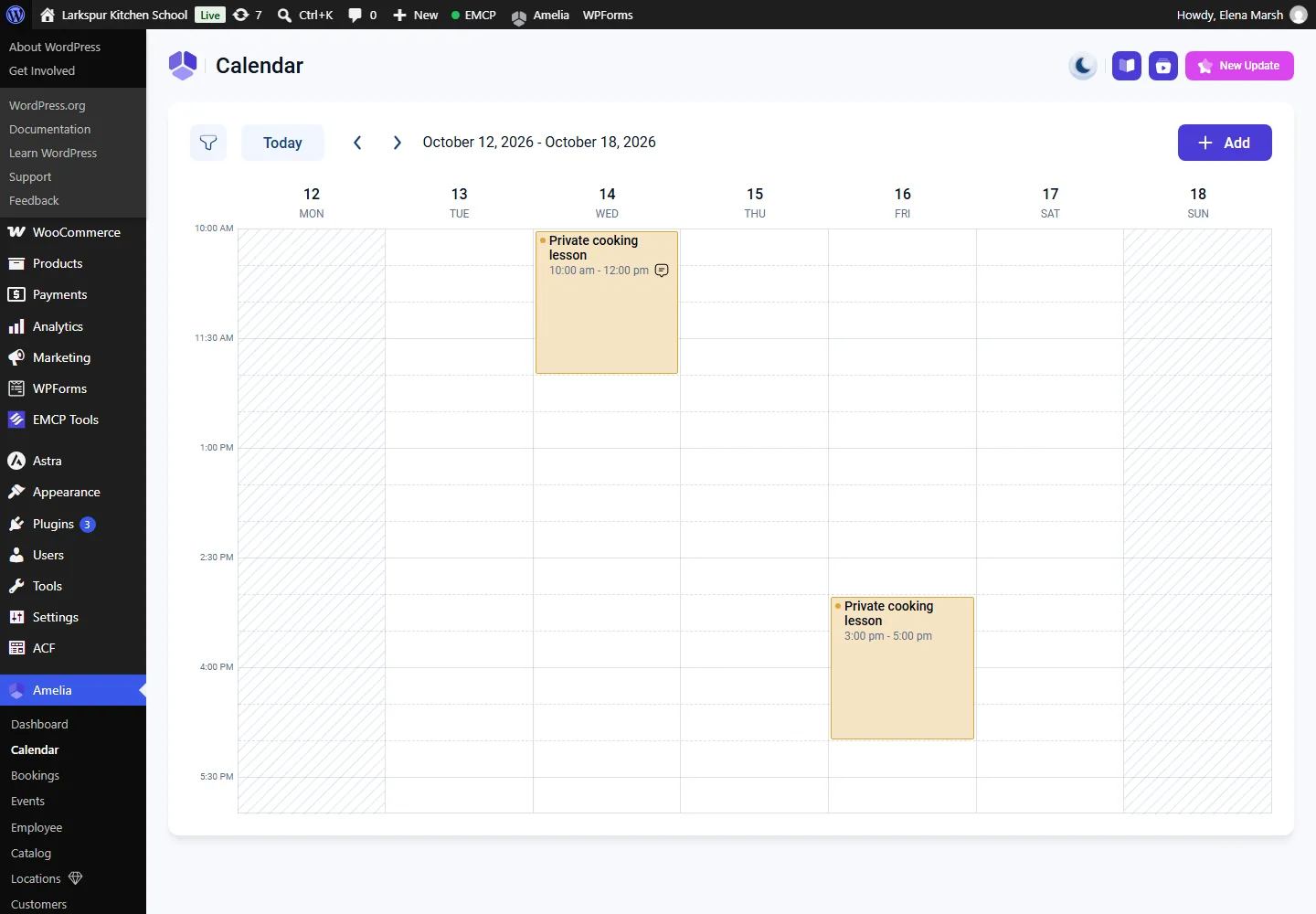
Appointments with Amelia
Services, staff and appointments.
Create categories, services, employees and customers, set working hours and days off, then book, reschedule, approve or cancel appointments. The agent checks free start times before it books.
- Emails to customers are off unless you ask for them:
notifydefaults to false. - Appointments are cancelled, never deleted, and EMCP never changes payments.
- Amelia Lite is enough. Features that need a paid Amelia plan, such as buffer times or deposits, are reported as not available in Lite.
Events with The Events Calendar
A whole event series from one request.
Create venues, organizers and categories, then events with times, time zones, costs and tags. Events start as drafts. Publish them when you are ready, or mark one as cancelled or postponed with a reason.
- Admins and editors work on every event; authors on their own.
- Recurring events from Events Calendar Pro are read but never changed.
- A venue or organizer still in use cannot be trashed.
Built-in safety
Your calendar stays in your hands.
Each plugin has a read tool, on by default, and a write tool you switch on when you are ready. The agent can only do what the connected WordPress user is allowed to do, and Amelia customers are refused.
Writes start off
Switch on
amelia-writeorevents-calendar-writewhen you are ready.Payments untouched
EMCP never changes Amelia payments, and appointments are cancelled, never deleted.
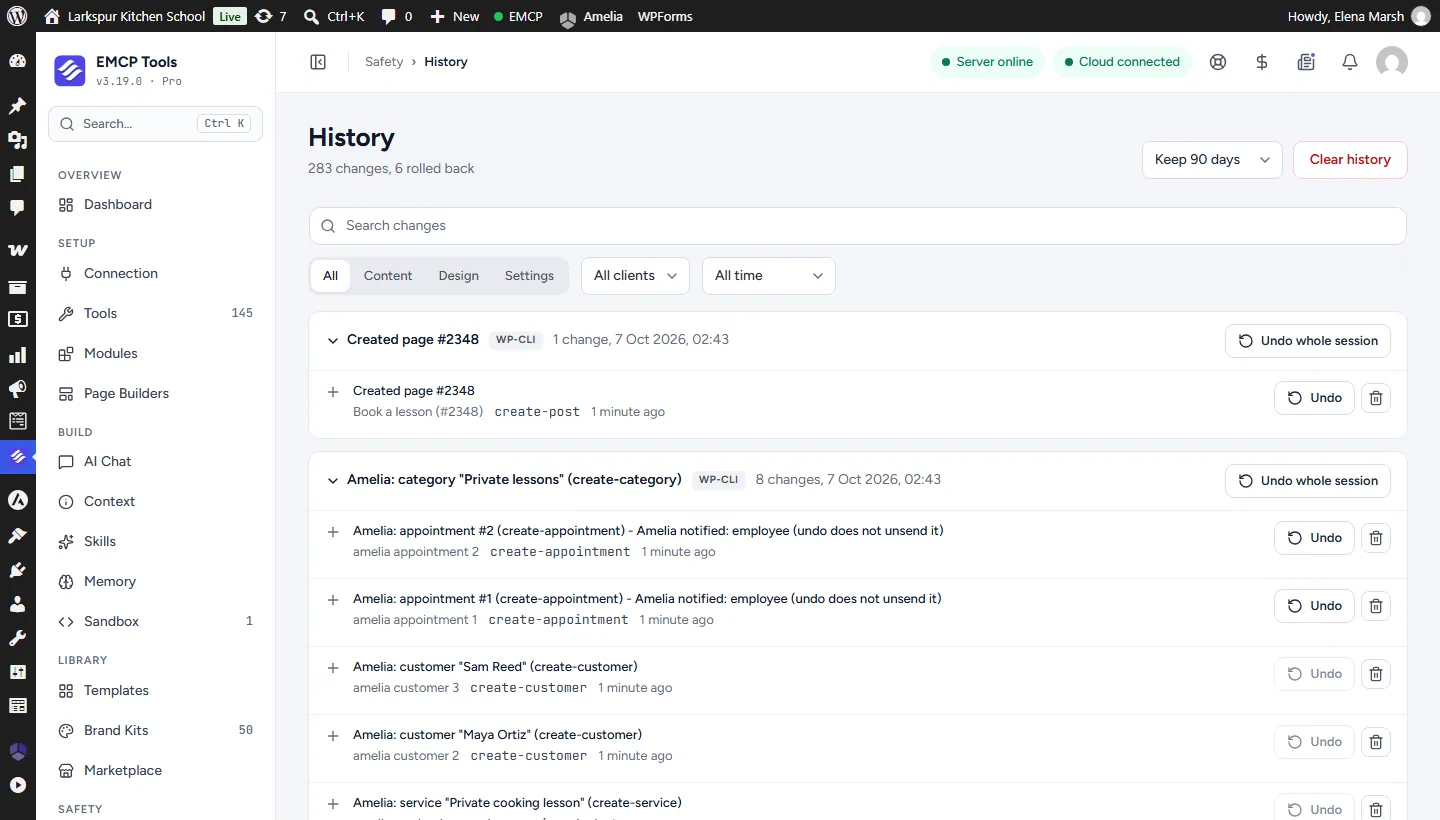
History and Undo
Every write is recorded, and History notes when Amelia emailed the employee.
Confirm to delete
Deleting services, staff or customers needs a confirmation, and only works when nothing uses them.
Get started
Up and running in three steps.
You need: Amelia, The Events Calendar, EMCP Pro 3.19+, and an MCP client such as Claude, ChatGPT or Cursor.
Installation guide- Step 1
Install EMCP Pro
Version 3.19 or later, next to Amelia 2.4+ or The Events Calendar 6.x.
Install Free and Pro - Step 2
Switch on writes
Under EMCP Tools → Tools → Plugins, enable the write tool, then reconnect your AI client.
Choose your tools - Step 3
Describe your schedule
List your services and hours, or your event series, and check the drafts before publishing.
Write a useful brief
Questions, answered.
Still stuck? Drop a line at [email protected] or open an issue on GitHub. Most replies are under one business day; Pro tiers go to the front of the queue.
Open the full docsLet your agent keep the calendar.
Install EMCP Pro, switch on the Amelia or Events Calendar write tool, and describe your schedule.