
 A brief becomes a real page.
Amelia MCP integration
Set up the schedule, then book into it, without surprise emails.
EMCP Pro drives Amelia through the same controllers its admin uses, so Amelia checks working hours, slots and permissions itself. Set up services, employees and their working week, read free time slots, and book, reschedule, approve or cancel appointments and event attendees. Customers are emailed only when you say so.
Pro integrationAmelia 2.4 or later (Lite is enough)
A real run on our test site
Private lessons a visitor can book.
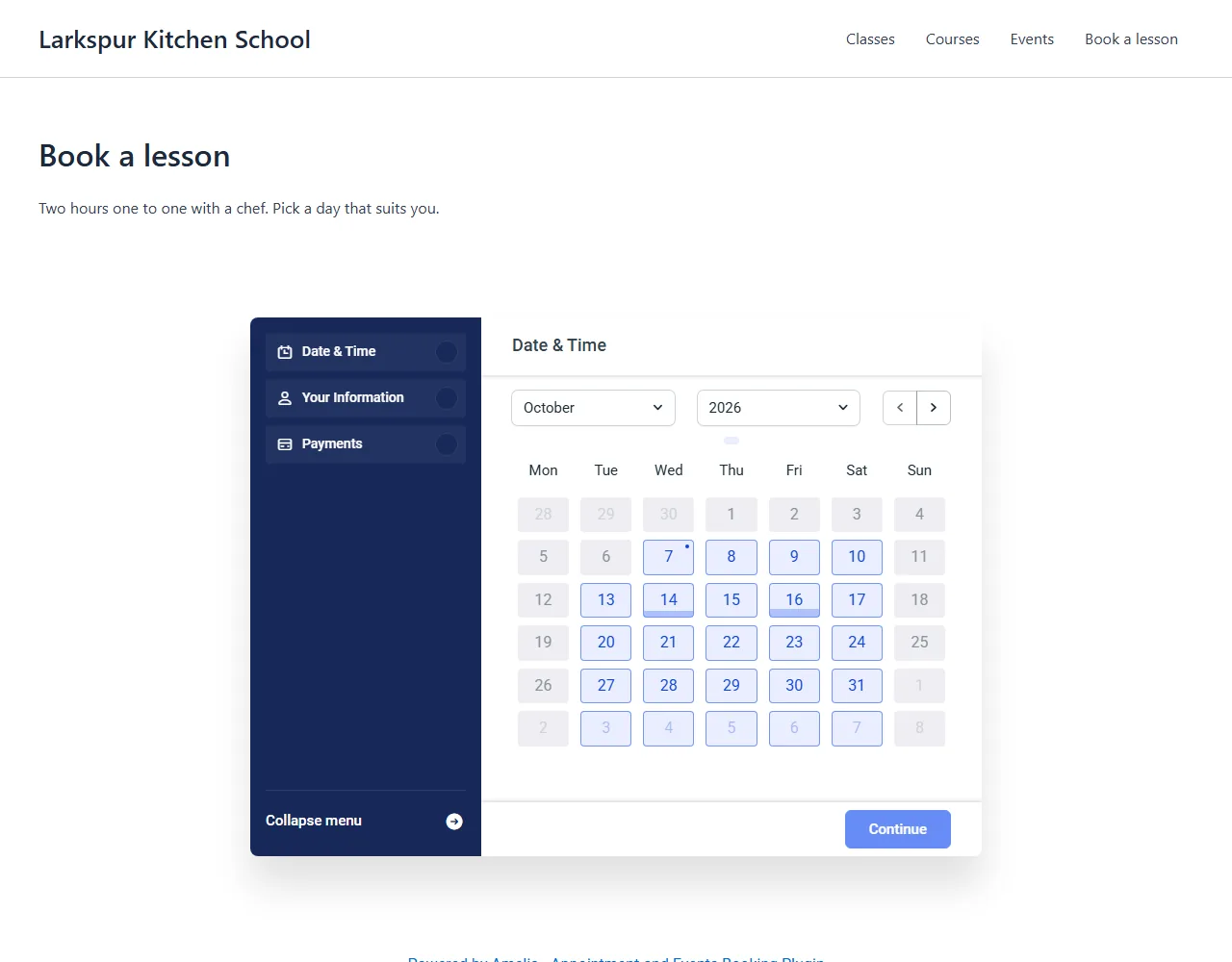
The assistant set Amelia up from nothing: a category, the chef as employee with her working week, a two-hour service, two customers and two lessons on the calendar, then a booking page.
Set up Amelia for private cooking lessons. Elena works Tuesday to Saturday, 10 to 6, with a lunch break. Lessons last two hours and cost $140. Book Maya on 14 October at 10 and Sam on 16 October at 3, and add a Book a lesson page with the booking form.
- Recorded
- Plugin
- Amelia (Lite) 2.4.11
- Connection
- EMCP 3.19.0 over MCP (WP-CLI stdio)
- Calls shown
- 9, in the order they ran
- get-availability returned the free start times before the bookings were made.
- Amelia emails the employee about every approved booking; on this test site those messages were held. Customers are not emailed unless the call passes notify: true.
- 01
amelia-write · create-category{"name": "Private lessons", "color": "#1F3D2B"}Answer: {"id": 2, "version": "736cf6e32df1a161", "change": {"change_id": "454be5218ff5", "undo": true}} - 02
amelia-write · create-employee{"first_name": "Elena", "last_name": "Marsh", "email": "[email protected]", "phone": "+15550142281", "description": "Head chef at Larkspur Kitchen School."}Answer: {"id": 1, "version": "6d3b6f8585198ecf", "change": {"change_id": "8a0105a44d21", "undo": true}} - 03
amelia-write · set-working-hours{"employee_id": 1, "version": "6d3b6f8585198ecf", "week": [{"day": "tuesday", "start": "10:00", "end": "18:00", "breaks": "[1 items]"}, {"day": "wednesday", "start": "10:00", "end": "18:00", "breaks": "[1 items]"}, {"day": "thursday", "start": "10:00", "end": "18:00", "breaks": "[1 items]"}, "… 2 more"]}Answer: {"id": 1, "version": "2c3d4b9c2b29728f", "change": {"change_id": "29b32627fd91", "undo": true}} - 04
amelia-write · create-service{"name": "Private cooking lesson", "category_id": 2, "duration": 120, "price": 140, "color": "#E0A43B", "description": "Two hours one to one with a chef, in our kitchen. Pick the di…", "employees": [1]}Answer: {"id": 1, "version": "261da3c7e2bb42c4", "change": {"change_id": "cb99fc30eb6c", "undo": true}} - 05
amelia-write · create-customer{"first_name": "Maya", "last_name": "Ortiz", "email": "[email protected]", "phone": "+15550142290"}Answer: {"id": 2, "version": "f4f30613e7b949ce", "change": {"change_id": "f2f36441c88b", "undo": true}} - 06
amelia-read · get-availability{"service_id": 1, "from": "2026-10-13", "to": "2026-10-17"}Answer: {"service_id": 1, "duration": 120, "days": {"2026-10-13": ["{…}", "{…}", "{…}", "… 5 more"], "2026-10-14": ["{…}", "{…}", "{…}", "… 5 more"], "2026-10-15": ["{…}", "{…}", "{…}", "… 5 more"], "2026-10-16": ["{…}", "{…}", "{…}", "… 5 more"], "2026-10-17": ["{…}", "{…}", "{…}", "… 5 more"]}} - 07
amelia-write · create-appointment{"service_id": 1, "employee_id": 1, "customer_id": 2, "start": "2026-10-14 10:00", "status": "approved", "internal_notes": "Wants to learn risotto."}Answer: {"appointment_id": 1, "booking_id": 1, "merged": false, "start": "2026-10-14 10:00", "end": "2026-10-14 12:00", "status": "approved", "id": 1, "…": "3 more fields"} - 08
amelia-write · create-appointment{"service_id": 1, "employee_id": 1, "customer_id": 3, "start": "2026-10-16 15:00", "status": "approved"}Answer: {"appointment_id": 2, "booking_id": 2, "merged": false, "start": "2026-10-16 15:00", "end": "2026-10-16 17:00", "status": "approved", "id": 2, "…": "3 more fields"} - 09
create-post{"post_type": "page", "status": "publish", "title": "Book a lesson", "slug": "book", "content": "<!-- wp:paragraph --> <p>Two hours one to one with a chef. Pi…", "meta": {"site-sidebar-layout": "no-sidebar"}}Answer: {"post_id": 2348, "status": "publish", "permalink": "https://elementor-mcp.test/book/"}
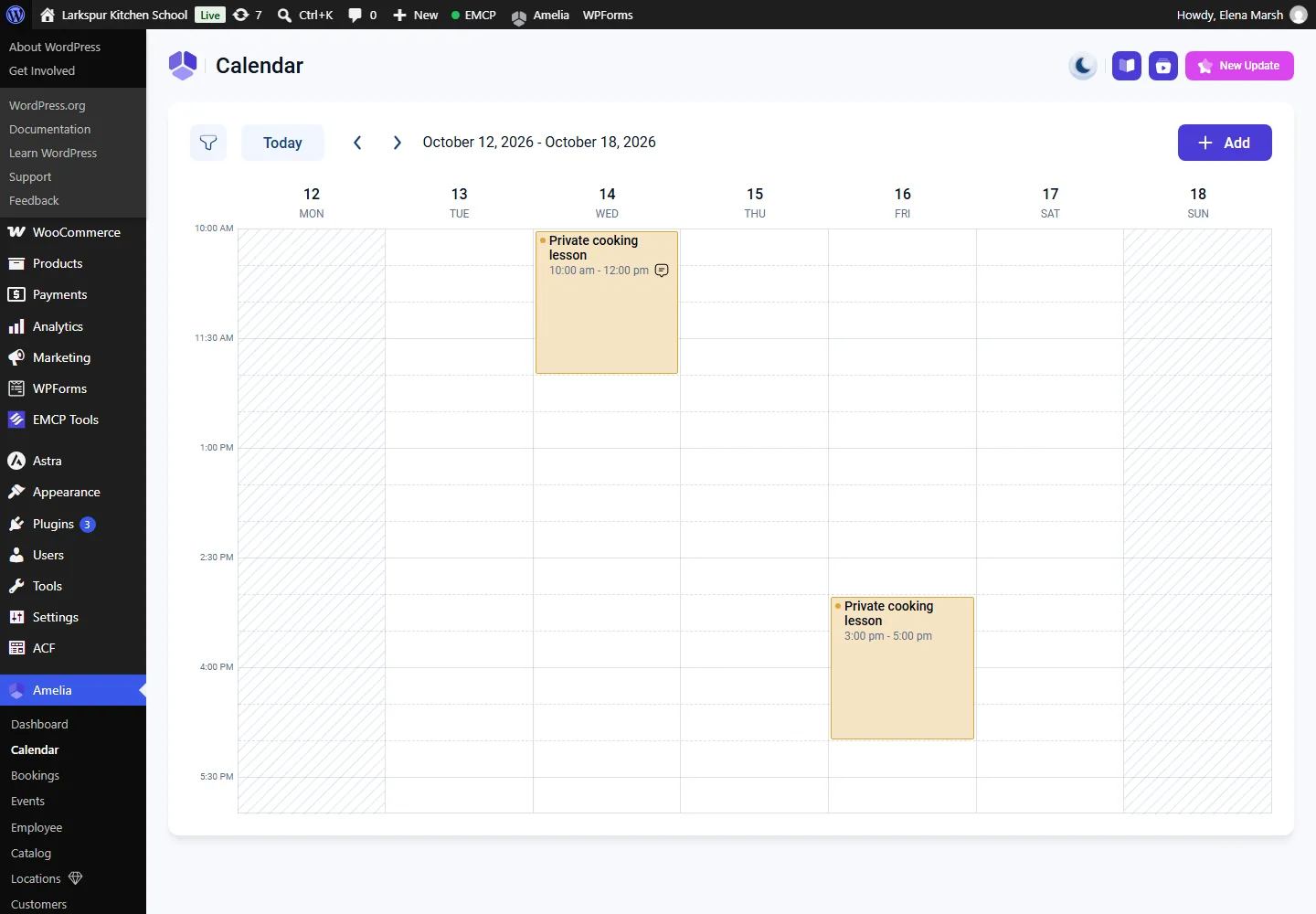
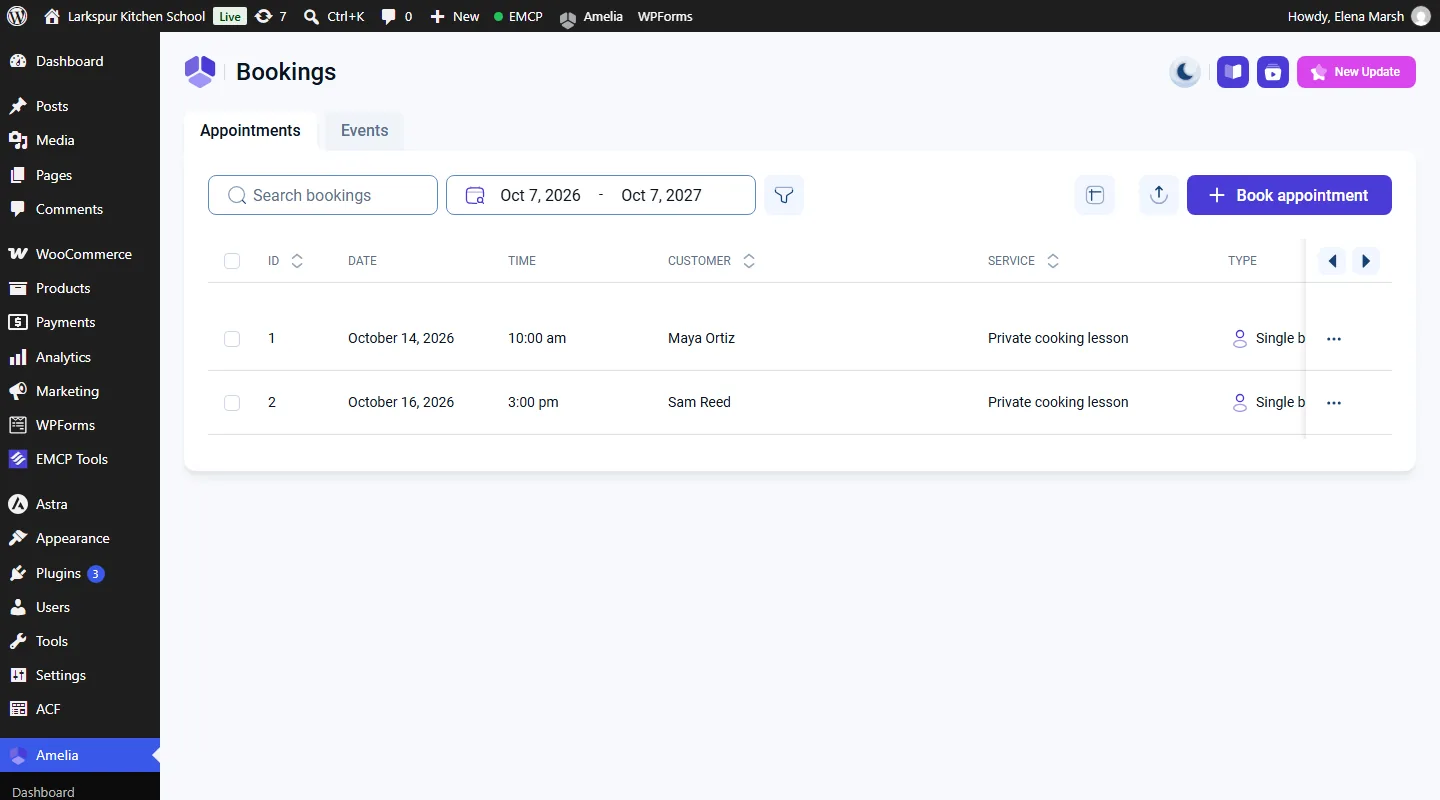
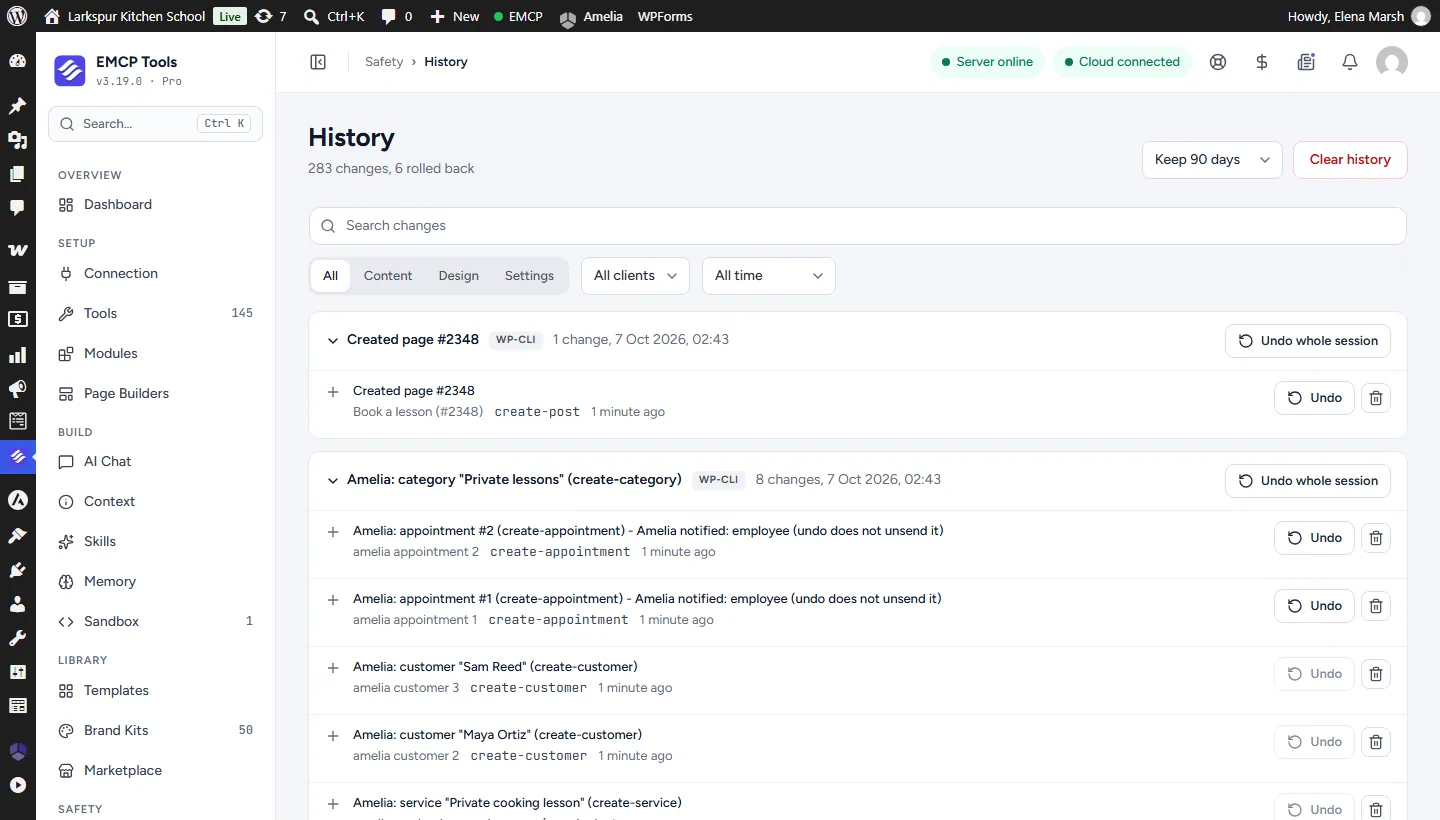
Larkspur Kitchen School is a fictional demonstration, and so are its staff and students. Recorded on our test site on October 7, 2026 with EMCP 3.19.0 and Amelia (Lite) 2.4.11, over a real MCP connection. Email was held on the test site, so nothing was sent. The Amelia screens are the plugin’s own; values and ids in the calls are the ones this run returned, with long text shortened.
A practical place to start
From an empty calendar to booked appointments.
- 01
Set up the services
Create categories, services with duration and price, and employees. set-working-hours gives each employee the week with breaks; without it they have no free slots.
- 02
Find and book a slot
get-availability returns free start times computed by Amelia from working hours, breaks, days off and bookings. create-appointment books the customer in, and Amelia refuses a slot that is taken.
- 03
Run the week
Reschedule, approve or cancel appointments, create events and book attendees with the places checked. Every answer lists what Amelia actually sent.
Built for Amelia
Amelia’s own rules, checked by Amelia
Bookings go through Amelia’s controllers, so a slot outside working hours or already taken is refused the way Amelia’s admin refuses it. EMCP adds validation before the call, versions, a read-back of every write and History undo, and puts Amelia’s rows back if a change fails half way.
Emails stay quiet until you ask
Amelia notifies customers on status changes on its own. EMCP holds those messages unless the call passes notify: true, and reports in every answer what Amelia actually sent and to whom. Undo never sends anything.
Lite and premium, honestly
On Amelia Lite, fields Lite would silently drop, such as buffer times, deposits or a second employee, are refused with not_in_lite and the field names. Premium editions store them. Every change is in History in EMCP Tools.
Use the Amelia tool reference for operation names and arguments, and The Events Calendar integration for public event listings.
Get connected
Put Amelia in your AI’s toolkit.
- 1
Install Amelia
Install EMCP Pro 3.19 or later with Amelia 2.4 or later. Amelia Lite is enough.
- 2
Enable the write tool
amelia-read is on; amelia-write starts disabled. Enable it under EMCP Tools > Tools > Plugins > Amelia and reconnect your AI client.
- 3
Check the sender
get-setup says whether a mail sender is configured. Without one Amelia sends no email at all.
Then connect Claude Code, Claude Desktop, or Cursor to use the Amelia tools enabled on your site. Compare Free and Pro access.
A few useful details
Before you connect.
Questions about Amelia, supported operations, and the workflow on your site.
Will customers be emailed?
Only with notify: true. EMCP holds customer messages through Amelia's own mail filter otherwise. Amelia still emails the employee when a sender is set, and every answer lists what was sent.
What times does it use?
Site-local times in and out, as Y-m-d H:i. Amelia stores UTC and EMCP converts both ways, across daylight-saving changes too. Durations are minutes.
Does it check event places?
Yes. Amelia checks free places only for customer bookings, so EMCP checks them itself before adding an attendee and answers event_full when there are none.
Can I undo a booking?
Yes, from History, and the undo notifies nobody. It is refused when later real work depends on it, such as another booking into the same slot or a payment that moved on.
Your tools. Your WordPress site.