
 A brief becomes a real page.
Tutor LMS MCP integration
Plan a course in a sentence, then watch it fill in.
EMCP Pro drives Tutor LMS through Tutor's own course builder code, so Tutor validates and stores every change the way its builder does. Create a course with its details, add topics, lessons and quizzes, set the order, publish it and enrol students in free courses.
Pro integrationTutor LMS 4.x (free is enough)
A real run on our test site
A free course, from outline to enrolled students.
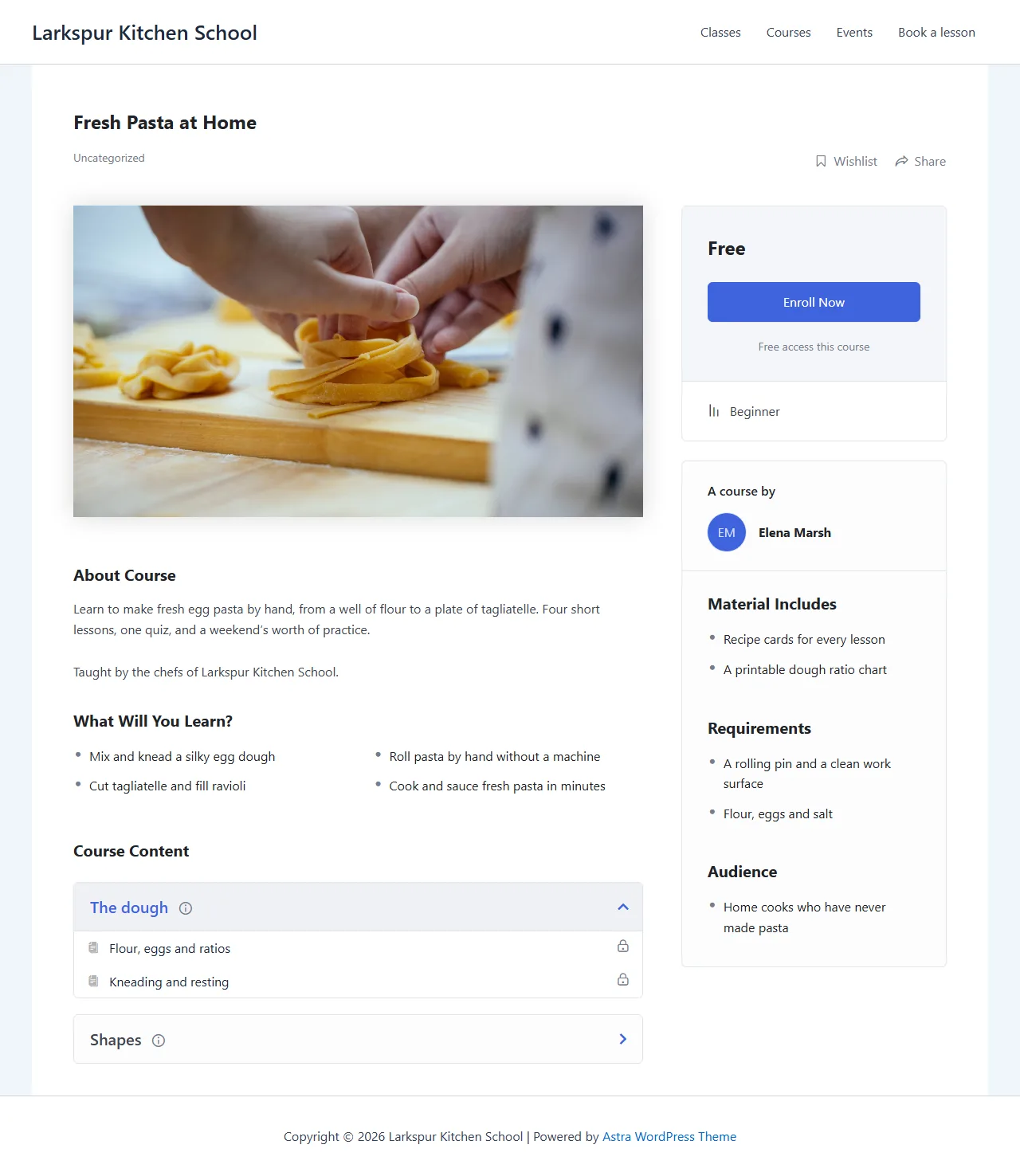
The assistant wrote a Tutor LMS course with two topics, four lessons and a three-question quiz, published it and enrolled two students.
Create a free beginner course in Tutor LMS called Fresh Pasta at Home: two topics, four short lessons and a quiz with a true or false, a single choice and a multiple choice question. Use our pasta photo, publish it and enrol Maya and Sam.
- Recorded
- Plugin
- Tutor LMS 4.1.1
- Connection
- EMCP 3.19.0 over MCP (WP-CLI stdio)
- Calls shown
- 9, in the order they ran
- A new topic answers with id, not topic_id. The first lesson calls named the wrong value and were refused before anything was written.
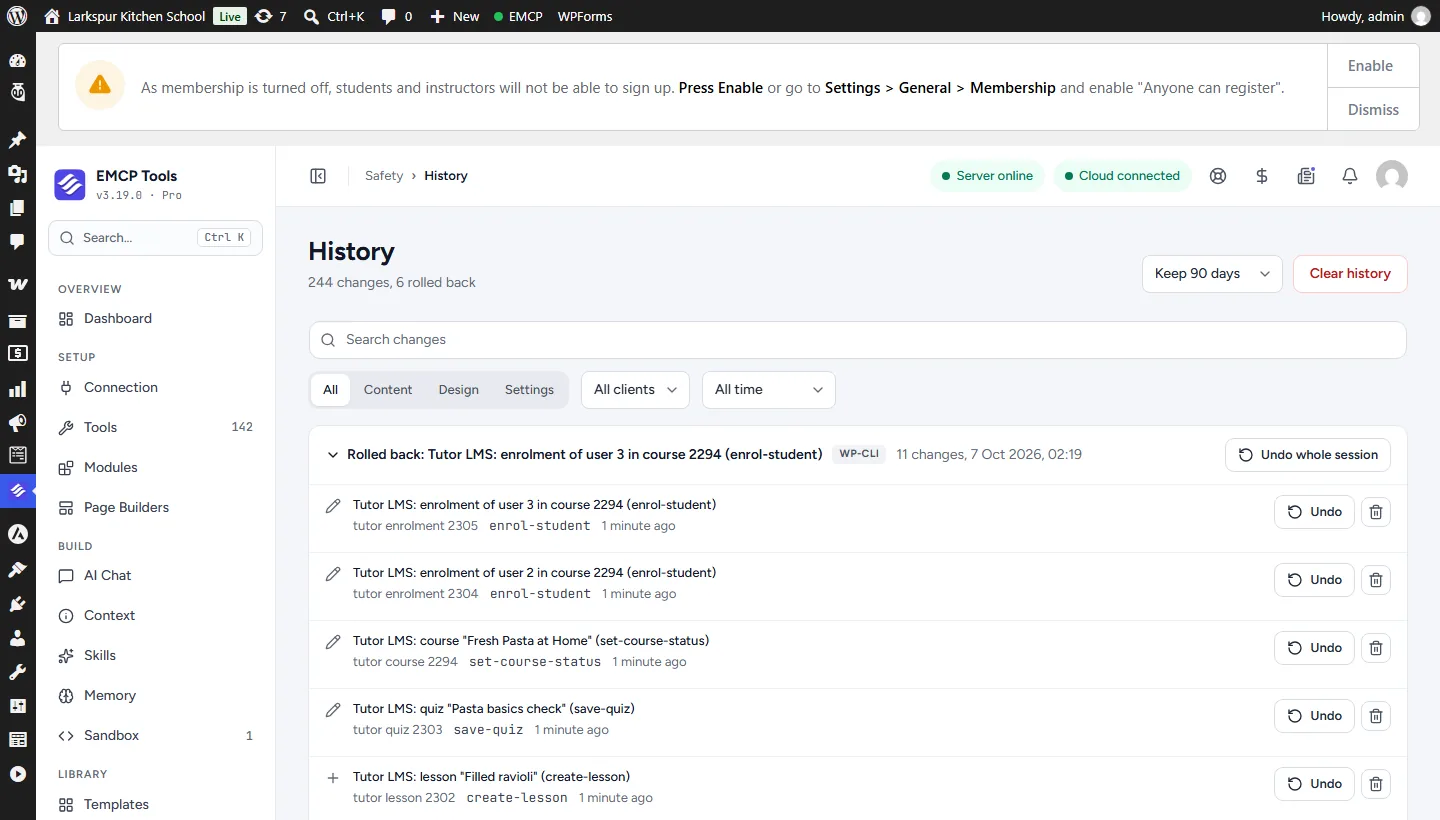
- The course was published and its students enrolled once too early. History undid those three changes over MCP before the lessons went in, which is why the History screen shows them rolled back.
- 01
tutor-write · create-course{"title": "Fresh Pasta at Home", "content": "<p>Learn to make fresh egg pasta by hand, from a well of flou…", "level": "beginner", "price_type": "free", "benefits": "Mix and knead a silky egg dough Roll pasta by hand without a …", "requirements": "A rolling pin and a clean work surface Flour, eggs and salt", "target_audience": "Home cooks who have never made pasta", "…": "3 more fields"}Answer: {"id": 2294, "status": "draft", "version": "406662dc600c4b70", "course_version": "406662dc600c4b70", "url": "https://elementor-mcp.test/?post_type=courses&p=2294", "change": {"change_id": "728323fd3f98", "undo": true}} - 02
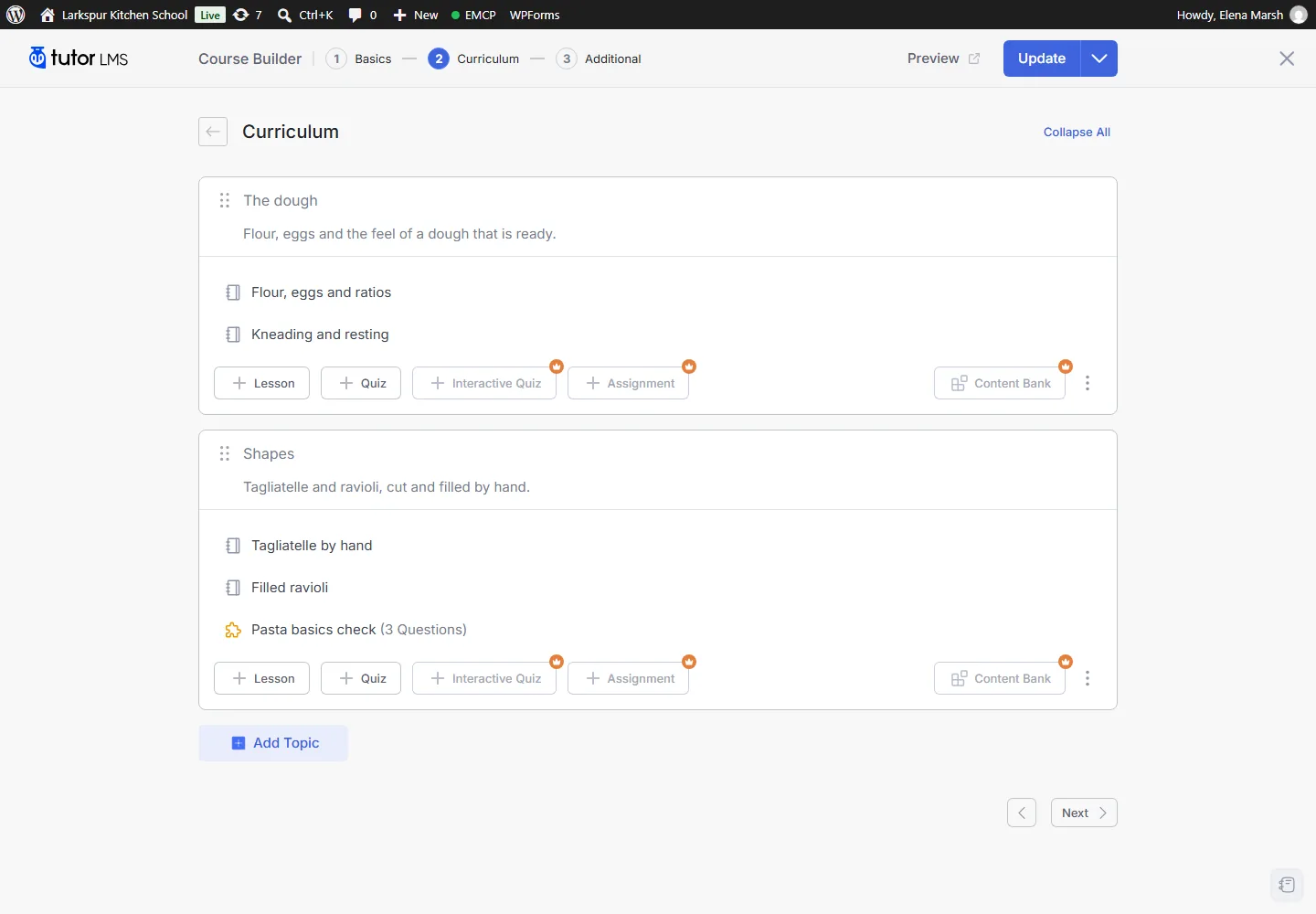
tutor-write · create-topic{"course_id": 2294, "course_version": "406662dc600c4b70", "title": "The dough", "summary": "Flour, eggs and the feel of a dough that is ready."}Answer: {"id": 2295, "kind": "topic", "version": "bb46c9a444ff0a39", "course_version": "5c822e4969837af0", "change": {"change_id": "4b8e9a3a7f84", "undo": true}} - 03
tutor-write · create-topic{"course_id": 2294, "title": "Shapes", "summary": "Tagliatelle and ravioli, cut and filled by hand."}Answer: {"id": 2296, "kind": "topic", "version": "86df4f9d51800172", "course_version": "bb2cef8f5d01f090", "change": {"change_id": "968b4f209741", "undo": true}} - 04
tutor-write · create-lesson{"topic_id": 2295, "course_version": "bb2cef8f5d01f090", "title": "Flour, eggs and ratios", "content": "<p>One egg for every 100 g of flour. Make a well, beat the eg…", "thumbnail_id": 2287}Answer: {"id": 2299, "kind": "lesson", "version": "d87bb486461431f8", "course_version": "c9de256c25b9fab1", "change": {"change_id": "7ab60f761084", "undo": true}, "url": "https://elementor-mcp.test/courses//lessons/flour-eggs-and-ra…"} - 05
tutor-write · create-lesson{"topic_id": 2296, "course_version": "27462c3c28c8a24f", "title": "Tagliatelle by hand", "content": "<p>Roll the sheet thin enough to read through, fold it loosel…", "thumbnail_id": 2286}Answer: {"id": 2301, "kind": "lesson", "version": "ff15df59dfecaf9e", "course_version": "03ccc12347018cfc", "change": {"change_id": "3db933b90ab2", "undo": true}, "url": "https://elementor-mcp.test/courses//lessons/tagliatelle-by-hand/"} - 06
tutor-write · save-quiz{"topic_id": 2296, "course_version": "ab9b01823fb68cc3", "title": "Pasta basics check", "summary": "Three questions before you cook your first batch.", "options": {"passing_grade": 70, "attempts_allowed": 3}, "questions": [{"title": "How many eggs do you need for 300 g of flour?", "type": "single_choice", "mark": 1, "answers": "[3 items]"}, {"title": "Resting the dough makes it easier to roll.", "type": "true_false", "mark": 1, "answers": "[2 items]"}, {"title": "Which of these are filled pasta?", "type": "multiple_choice", "mark": 2, "answers": "[3 items]"}]}Answer: {"id": 2303, "kind": "quiz", "version": "87ff058fa6325864", "course_version": "19223b3ac28d246f", "change": {"change_id": "81136d347775", "undo": true}, "questions": 3} - 07
tutor-write · set-course-status{"course_id": 2294, "course_version": "19223b3ac28d246f", "status": "publish"}Answer: {"id": 2294, "status": "publish", "version": "e5ae4e132f7ec53a", "course_version": "e5ae4e132f7ec53a", "url": "https://elementor-mcp.test/courses/fresh-pasta-at-home/", "change": {"change_id": "beaeb9075bc9", "undo": true}} - 08
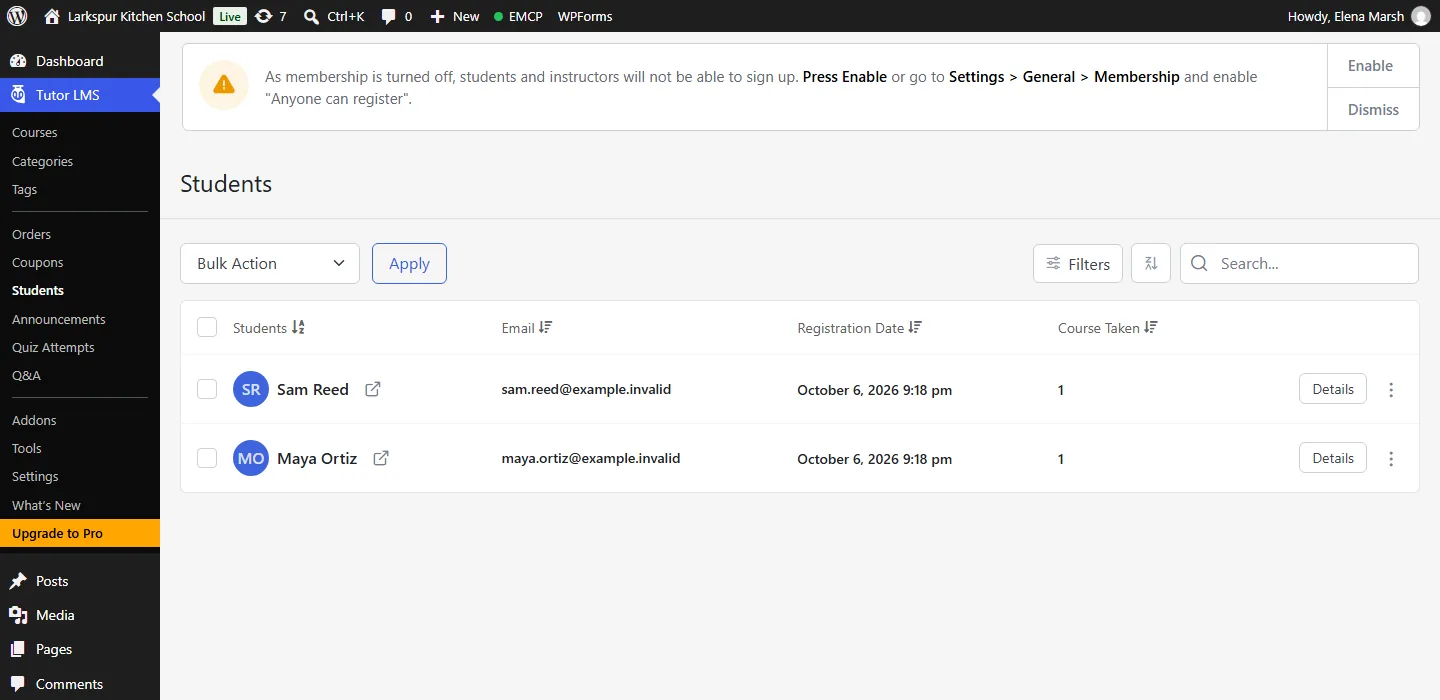
tutor-write · enrol-student{"course_id": 2294, "user_id": 2}Answer: {"enrolment_id": 2304, "status": "completed", "change": {"change_id": "6b1042db1a20", "undo": true}} - 09
tutor-read · list-enrolments{"course_id": 2294}Answer: {"enrolments": [{"enrolment_id": 2304, "user_id": 2, "display_name": "Maya Ortiz", "email": "[email protected]", "status": "completed", "enrolled_at": "2026-10-06 21:19:35", "progress_percent": 0, "…": "1 more fields"}, {"enrolment_id": 2305, "user_id": 3, "display_name": "Sam Reed", "email": "[email protected]", "status": "completed", "enrolled_at": "2026-10-06 21:19:35", "progress_percent": 0, "…": "1 more fields"}], "total": 2, "page": 1}
Larkspur Kitchen School is a fictional demonstration, and so are its staff and students. Recorded on our test site on October 7, 2026 with EMCP 3.19.0 and Tutor LMS 4.1.1, over a real MCP connection. Food photos from Pexels. Email was held on the test site, so nothing was sent. The Tutor LMS screens are the plugin’s own; values and ids in the calls are the ones this run returned, with long text shortened.
A practical place to start
From a course outline to a published course.
- 01
Create the course
create-course takes the title, description, level, categories, benefits, requirements, duration and video. It starts as a draft.
- 02
Fill the curriculum
Add a topic per section, lessons with video and attachments, and quizzes with true or false, single and multiple choice, open ended and fill in the blank questions. reorder-contents sets the whole order in one call.
- 03
Publish and enrol
Check the curriculum with get-course, publish, enrol students in free courses and read their progress.
Built for Tutor LMS
Tutor’s own builder, driven by your AI
EMCP runs the same code Tutor’s course builder runs, so a course built over MCP is the course you would build by hand. Updates change only the fields you name: EMCP merges your change into the stored course before Tutor saves it, because Tutor’s own update replaces the whole course.
Lessons and quizzes that keep their details
Lessons take video from YouTube, Vimeo, a URL, an upload or an embed, plus attachments and a thumbnail, and EMCP keeps those through every save. A quiz is described as a whole: keep a question’s id and it stays, leave it out and it goes, unless students already answered it.
Students come first
Courses are trashed, never deleted. Questions students answered stay as they are, and History refuses to undo anything students built on, whatever force says. Every change is in History in EMCP Tools.
Use the Tutor LMS tool reference for operation names and arguments, and the LifterLMS integration if your site runs LifterLMS.
Get connected
Put Tutor LMS in your AI’s toolkit.
- 1
Install Tutor LMS
Install EMCP Pro 3.19 or later with Tutor LMS 4.x. The free edition is enough.
- 2
Enable the write tool
tutor-read is on; tutor-write starts disabled. Enable it under EMCP Tools > Tools > Plugins > Tutor LMS and reconnect your AI client.
- 3
Open wp-admin once
Tutor finishes its own database updates when someone opens wp-admin. Until then quiz saves answer tutor_update_pending and nothing changes.
Then connect Claude Code, Claude Desktop, or Cursor to use the Tutor LMS tools enabled on your site. Compare Free and Pro access.
A few useful details
Before you connect.
Questions about Tutor LMS, supported operations, and the workflow on your site.
Which question types are supported?
The free ones: true or false, single choice, multiple choice, open ended and fill in the blank. Tutor Pro types are refused with unsupported_question_type.
Can it delete a course?
It only moves a course to the trash, because a permanent delete in Tutor removes its quiz attempts and enrolments with it.
What protects students' work?
Questions students answered cannot be removed, a quiz with attempts cannot be deleted, and an undo is refused once students made progress or took a quiz, even with force.
Can I undo a change?
Yes. Every write is in History: edits come back, new items are removed, deleted lessons and quizzes come back with their old ids, and order changes are reversed.
Your tools. Your WordPress site.