
 A brief becomes a real page.
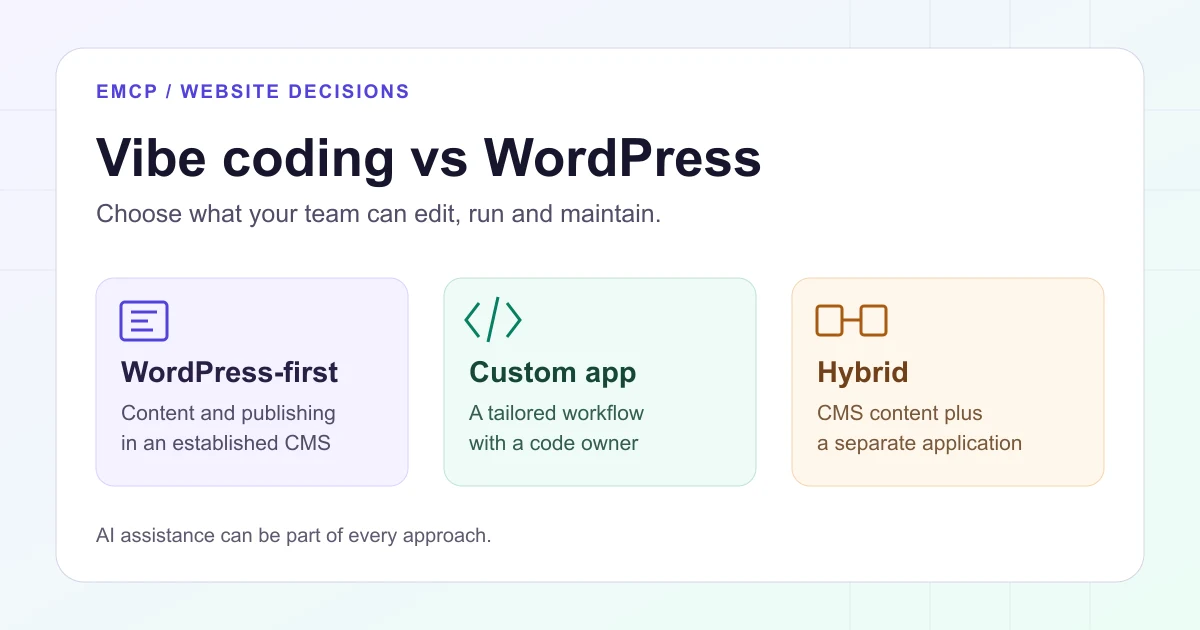
Vibe coding vs WordPress is a useful comparison when you are choosing what to maintain after launch. Start with WordPress when recurring content edits and an established publishing workflow dominate the job. Consider a custom application when distinctive product behavior drives the requirements and someone can maintain its code and services. Combine them when each has a clear role.
Here, vibe coding means using natural-language prompts to generate or change application code. It describes a development method. WordPress supplies a content management system, and AI can help build or operate a WordPress site too. The practical choice is where your content, application logic and daily editing will live.
This guide offers a decision table, examples and a downloadable website decision and handover worksheet. Recommendations are editorial judgments about fit, not measured scores or a claim that one platform is always cheaper or faster.
Compare the work after the first demo
A convincing homepage does not settle who can change it, how a form stores data or how the next release gets restored. Evaluate the recurring work against the actual proposed implementation.
| Requirement | WordPress-first starting point | Custom application starting point |
|---|---|---|
| Staff regularly publish articles and service pages | Try the existing editor, draft workflow and user roles with the intended editors. | Inspect the supplied CMS or editing interface. Ask how ordinary content changes reach production. |
| A distinctive calculation, dashboard or business process is the main product | Check whether an existing plugin or a focused custom extension meets the requirement. | Model the workflow, data and permissions directly, then plan its tests and maintenance. |
| You already have valuable WordPress content and URLs | Assess an incremental change before replacing the publishing system. | Budget for content mapping, redirects, media and any integrations that must move. |
| Developers own releases and need a tailored interface | A custom theme, plugin or separate frontend may fit. | Inspect the repository, build, deployment and service accounts the team will inherit. |
| The owner needs an exit route | Verify a complete backup and the content export needed for the move. | Verify source access, database and file exports, service dependencies and a deployment elsewhere. |
These are starting points for investigation. A WordPress site can contain substantial custom software; an AI app builder can provide visual editing and managed services. Check the product and plan you will actually use.
Choose WordPress when publishing is the daily job
WordPress’s block editor lets people work with headings, paragraphs, images and other content elements. Drafts and previews help separate editing from public release. The roles and capabilities model provides different permissions for contributors, authors, editors and administrators.
That is a useful foundation for a business whose staff change service details, publish resources or maintain a growing article archive. Ask the eventual editor to make a representative change. A visually editable page can still be difficult to maintain if important text is buried inside a custom widget, a large HTML block or an unfamiliar page builder.
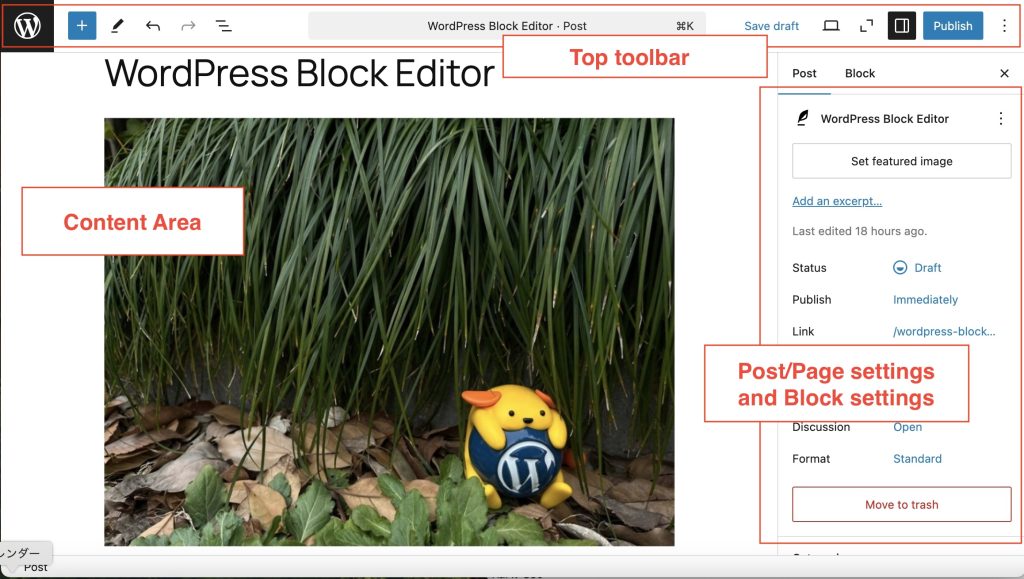
WordPress revisions can help inspect and restore supported post changes, subject to the site’s configuration. They do not replace a full recovery plan for plugin updates, database changes or an unavailable server.
AI can sit inside this workflow. A coding assistant may work on a plugin or theme repository, while an MCP connection can expose supported site operations. Our AI WordPress development guide explains how to choose that work surface. The native AI features guide separates WordPress features, providers and connected tools.
Choose a custom app around a specific product requirement
A bespoke quotation engine or internal dashboard may justify its own application. Write down what it must do before choosing a generator: inputs, validation, user access, stored records, notifications and failure behavior. Then compare an existing WordPress implementation with the custom approach.
Prompt-generated code still needs a release process and a maintenance owner. Find out who can reproduce a build, diagnose a failed request, review a dependency update and recover the data. A managed app platform may handle some of this; its service boundary should be part of the handover.
Avoid assuming that every AI builder locks away the source. As a concrete example, Lovable documents GitHub export and two-way code synchronization. That supports a developer workflow outside its editor. It does not establish that every generated application has a suitable content-editing interface for your staff.
Its ownership and hosting documentation also distinguishes the source code from database content, uploaded files and managed services. Moving a repository is one part of a move. Check authentication, storage, connectors and environment configuration separately.
We reviewed those vendor documents on 16 November 2026. We did not create a Lovable project, test its export or deploy a competitor application. Use the current documentation for the product you choose rather than treating this example as a vendor benchmark.
Use a hybrid when the boundaries are clear
You may want WordPress to own the article library while a separate application owns a calculator or customer workspace. WordPress’s REST API can make content available to a separate frontend or application.
That arrangement adds an interface to maintain. Decide which system owns each record, how changes reach the frontend, how previews work and who handles authentication. Do not adopt a separate frontend merely to add AI to a WordPress workflow.
For example, a service business might keep its existing WordPress pages and add one custom estimator. A publication with a separate member application might keep editorial content in WordPress and give the application its own release process. These are illustrative scenarios, not migrations we performed.
Compare ongoing costs and recovery
Use the same requirements and support period for each proposal. Record actual quotes or plan details for hosting, domains, themes or plugins, app subscriptions, database and storage services, transactional email and any runtime AI usage.
Then include the work: content edits, dependency updates, monitoring, backups, troubleshooting and a handover to another maintainer. Separate a one-time build quote from the recurring costs and usage assumptions. No universal price winner follows from the words “WordPress” or “AI-generated.”
For WordPress, Tools → Export produces a content-oriented WXR file. A content export is not a complete operational copy of the site. The WordPress backup handbook explains that typical full recovery needs both files and the database.
For a custom app, a Git repository similarly does not contain every live record or uploaded file. Identify the data and service exports needed alongside the code, and verify the destination can run the required server and background work. A successful export download alone does not prove a successful migration.
Keep SEO checks independent of the builder
Inspect a real public page from each proposed implementation. Check that its main content and links are accessible, the title and description describe it, its canonical URL is appropriate and missing pages return useful HTTP status codes.
For JavaScript applications, Google’s JavaScript SEO guidance explains crawling, rendering and indexing, including the value of server-side or pre-rendered content. WordPress also needs its rendered output checked; an SEO settings screen is only one part of the result.
Neither an attractive AI demo nor a CMS installation guarantees indexation or rankings. Compare the deployed pages and actual publishing controls rather than awarding a platform an assumed SEO score.
Run an owner-edit and handover drill
Use an isolated practice copy with representative content and fictional data. Give each candidate the same small task and record what actually happens in the worksheet.
- Make a routine edit. Have the intended editor change a heading, paragraph, image and link through the delivered editing interface. Note when a prompt, source edit or developer is required.
- Review the result. Check the saved state and preview, including the link destination, phone layout and keyboard access.
- Check the publishing boundary. Confirm which user can edit, review and publish. Inspect the actual permissions, not just the names of the roles.
- Exercise recovery. Undo the content change. Separately test restoration of a representative backup on the practice copy.
- Test the handover. Ask a second maintainer to find the source, content, service inventory and release instructions, then run the documented process.
A failed step is a concrete requirement to resolve. Record “not tested” when access or time prevents the exercise. Do not translate an unperformed step into a pass.
What we checked in the public editor demo
On 16 November 2026 we used the official Gutenberg demo to replace its opening heading with fictional test text, verified the changed text and enabled Undo control, and used Undo to restore the original heading. The Publish button was disabled.
This checks one editor interaction in a browser demo. It does not test a WordPress installation’s save/publish flow, roles, stored revisions, backups or migration. No AI-generated application was tested alongside it, so it supplies no comparative speed or usability result.
Where EMCP fits if you keep WordPress
EMCP can connect an AI client to supported WordPress operations. Preserve an editing structure the owner can maintain, ask for a bounded draft change, then inspect the saved result and its preview. Choose the installed tool and edition that supports the task.
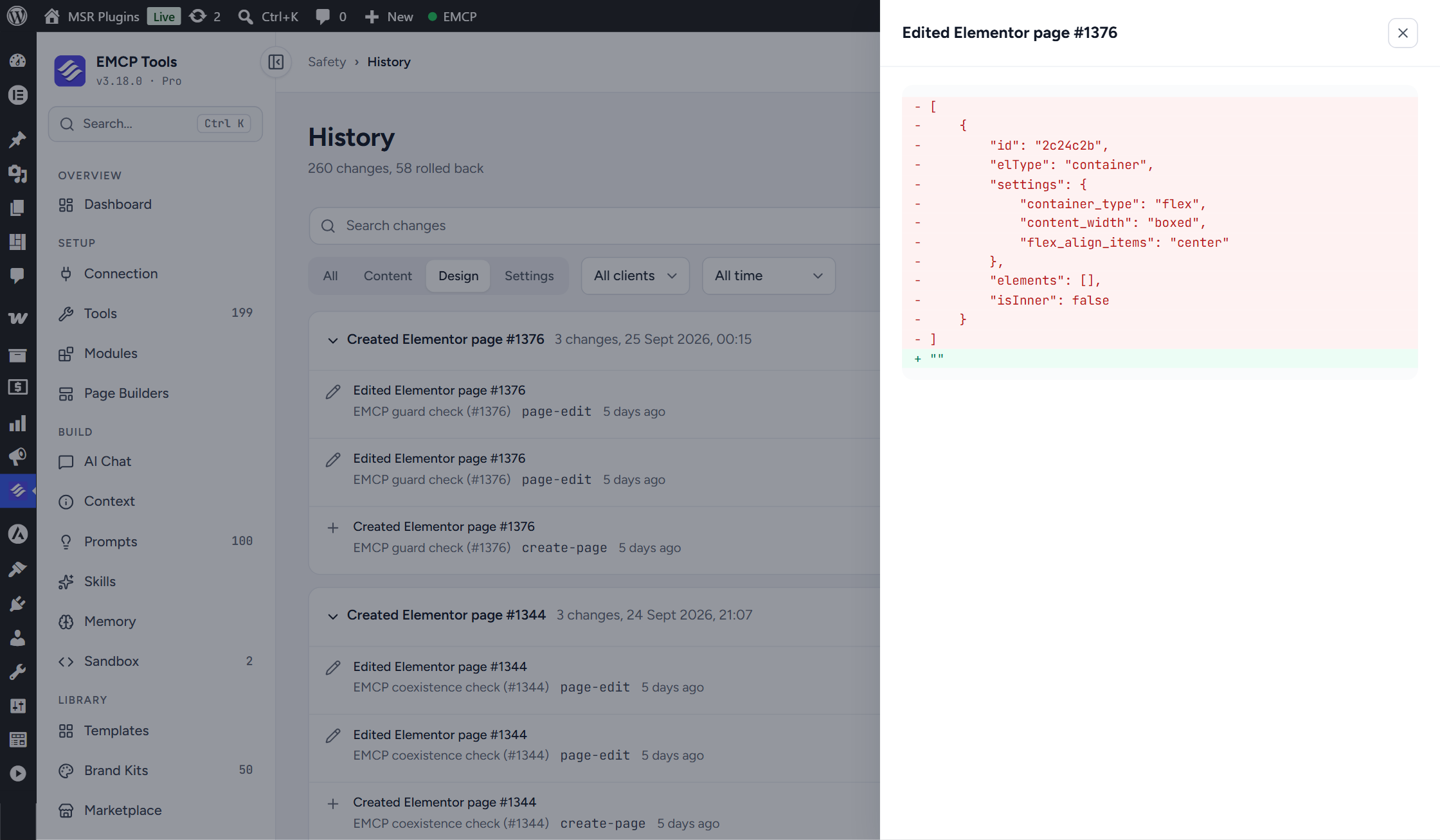
History helps review supported recorded changes; recovery coverage depends on the operation and retained evidence. It is separate from a complete site backup.
Install EMCP Lite from WordPress.org to start with supported content and inspection workflows, and read the edition differences before choosing tools. Lite excludes code execution and file-writing tools; WooCommerce operations require Pro. If your decision leads to a custom WordPress extension, continue with the reviewable plugin workflow.
Questions to settle before choosing
Can an AI-built site be moved into WordPress?
Plan how text, media, URLs and structured data will map into WordPress. Application components and backend behavior may need a different implementation. Verify a representative page and workflow before promising a full conversion.
Can WordPress handle a custom application?
WordPress can be extended, and it can supply content to separate applications. Compare a supported plugin, a custom extension and a separate app against the actual requirement. The important decision is which code and integration surface your team can maintain.
Which approach is cheaper?
Ask for equivalent scope and a recurring cost model with explicit usage assumptions. Include editing and maintenance labor as well as subscriptions. The worksheet leaves amounts blank so you can use actual quotes.
What evidence supports this comparison?
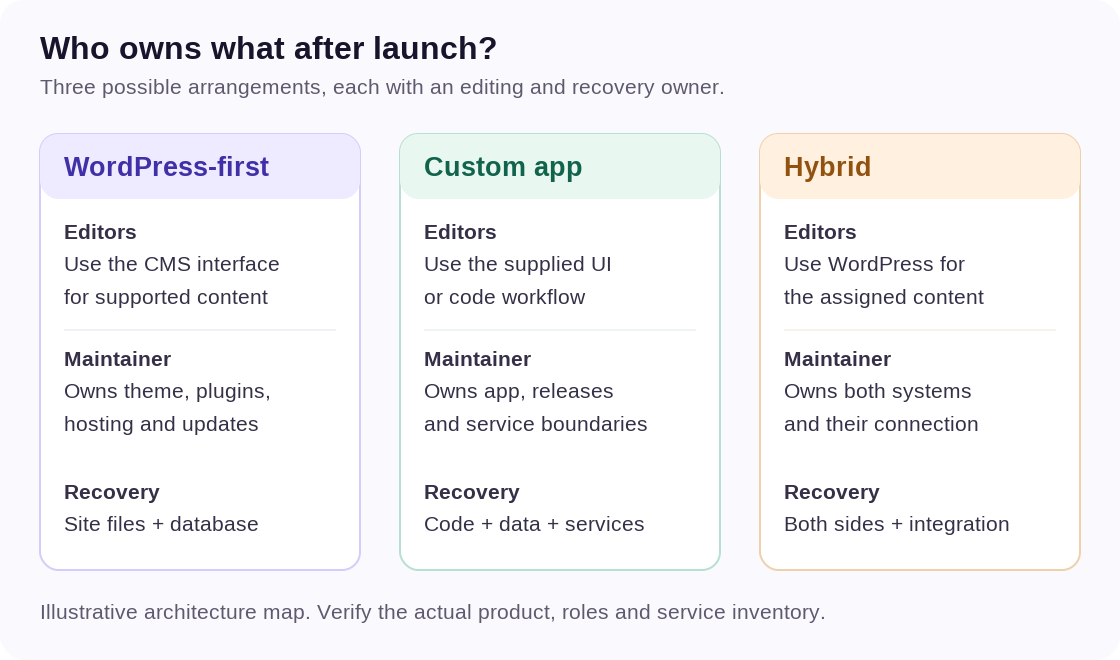
We checked current WordPress, Lovable, Google Search Central and maintained EMCP documentation on 16 November 2026, and performed only the limited Gutenberg demo edit described above. The examples, ownership diagram and worksheet are editorial aids. The two embedded UI captures are credited reused documentation screenshots; the cover is illustrative.
We did not run a platform performance or cost benchmark, deploy or migrate a competitor application, test a full client handover, or change a connected production WordPress site. No traffic, conversion or time-saving results are claimed.