
 A brief becomes a real page.
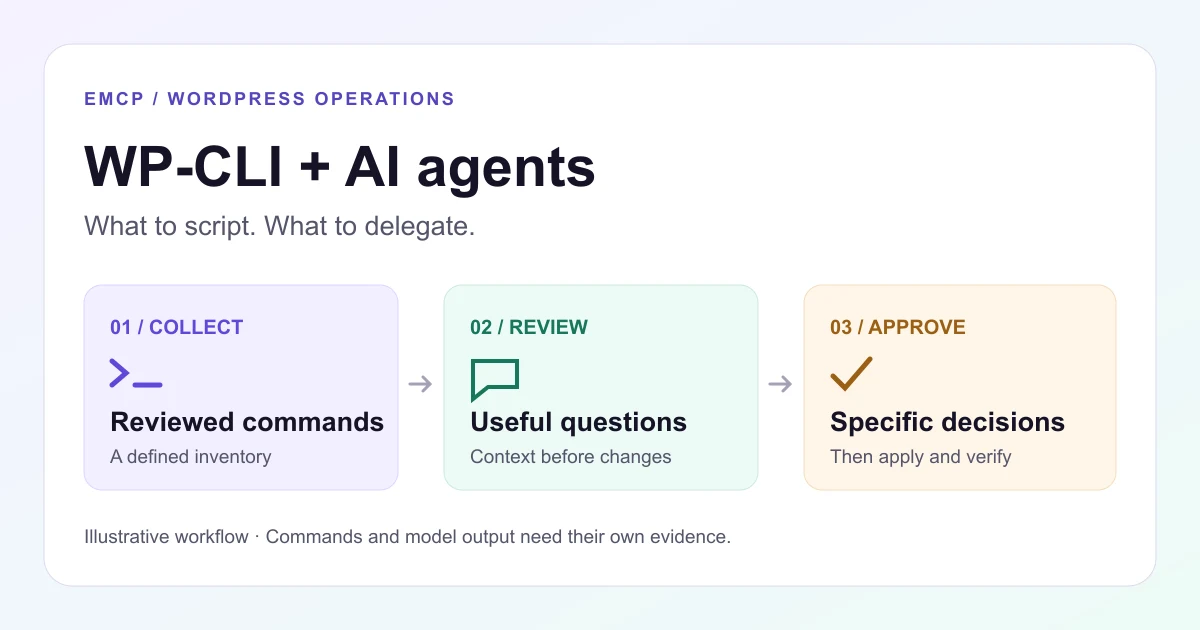
WP-CLI and an AI agent work well together when each has a bounded job. Use a reviewed command to collect a predictable inventory. Ask the agent to identify questions or propose changes from that inventory. Keep the decision to apply a change with the person responsible for the site.
This walkthrough uses draft-post titles as a small example. We tested the collection command on a local WordPress practice site and tested the AI review separately against fictional data. We did not let the agent run WP-CLI or update WordPress.
Download the fictional inventory and review brief to try the file-review stage without connecting a website. For repository work, site access and staging in a larger project, start with the AI WordPress development guide.
Decide which part needs judgment
A fixed selection rule belongs in code when you can state it precisely and inspect its result. Editorial judgment belongs in review when the right answer depends on content or business context.
| Job | Useful starting point | Evidence to keep |
|---|---|---|
| List the first 100 draft posts with chosen fields | A reviewed WP-CLI command | Target, arguments, exit code and JSON output |
| Find exact duplicate titles | A deterministic check, with an agent explaining the findings if useful | Matching records and the rule used |
| Decide whether two drafts cover the same subject | An editor or an agent-assisted review with the actual content | A recommendation and unresolved questions |
| Apply an approved edit | A narrow, reviewed command or supported site tool | Exact record, field, old value and new value |
| Check what was saved | A fresh read and relevant browser preview | Returned value, status and visible result |
You do not need a model to find two identical strings. In this example, the agent’s useful output is a short list of questions for an editor. A duplicate title alone does not prove duplicate content or justify deleting a post.
Confirm the command runner and target
Start with diagnostics:
wp cli info --format=jsonwp --path=/absolute/path/to/practice-wordpress core versionWP-CLI’s environment report identifies its PHP binary, version and configuration. A successful report does not establish that a site’s database is reachable. The core-version command is also not a complete site-health test.
On Windows, a working PHP executable and the WP-CLI Phar can be called explicitly. This PowerShell example contains placeholder paths:
& 'C:\path\to\php.exe' 'C:\path\to\wp-cli.phar' cli info --format=jsonWe used explicit executable paths in our test. A generic inspector that tried to launch the bare wp command could not find it in that process; the explicit PHP/Phar calls worked.
Check WP-CLI configuration and global parameters before relying on a project’s defaults. --path selects the WordPress files; --url selects a site in multisite. Review discovered YAML files and aliases. Supplying an address with --url is not, by itself, a remote connection or a restriction to safe commands.
Collect a small draft inventory
The following Bash command assumes that wp already works. Replace the path with your confirmed practice installation. On PowerShell, use one line and your working executable invocation.
wp --path=/absolute/path/to/practice-wordpress post list \ --post_type=post \ --post_status=draft \ --posts_per_page=100 \ --orderby=ID \ --order=ASC \ --fields=ID,post_title,post_status \ --format=json \ --skip-plugins \ --skip-themes \ --skip-packagesThe post-list reference documents query arguments, field selection and JSON output. This example selects up to 100 ordinary draft posts, ordered by ID. It is not a complete inventory of every content type or every draft on a larger site. Choose pagination deliberately if you extend it.
The skip flags make this a narrower diagnostic, not a guarantee that WordPress executes no other code. In particular, --skip-plugins still loads must-use plugins. Omitting normal plugins can also omit their registered behavior, so this example should not be treated as an audit of plugin-defined content.
Inspect the exit code before passing output to another step. Keep errors separate from the JSON. If you save the inventory, store it outside the site’s public files and decide whether its content may be shared with your chosen AI service. An ordinary title export can still contain unpublished business information.
What the local command check established
On 21 November 2026, we ran the command with explicit PHP/Phar paths against the previously established msrplugins.test practice installation. It used WP-CLI 2.12.0, PHP 8.4.15 and WordPress 7.1.5. The selected inventory returned one draft record.
We kept its actual title out of the model exercise and the article. The selected JSON projection had the same SHA-256 before and after the separate review. That comparison concerns the exported fields; it is not proof that every database table, file or background process remained unchanged. We issued no WordPress write command.
Review a file before granting site access
Use the fictional sample for the next stage. Its invented IDs are not instructions to update real posts. It contains two drafts with the same title, a draft with an empty title, and a published control that the reviewer must exclude.
The downloadable brief asks for observations and editor questions:
Review only draft records for missing or duplicate titles. Return the record ID, observed issue and a question for the editor.
It also says not to invent titles without content context, execute commands, edit files or access a site. Those instructions describe the task. The client’s actual tool configuration determines which actions are available.
For Claude Code, consult the current CLI reference and inspect the tools, MCP servers and permission mode in your session. A review session that does not need a shell or a site connection should not be given them just to read a JSON file. Our WordPress skills article covers packaging a focused procedure for reuse.
What the fictional review established
We ran Claude Code 2.1.326 in plan mode, with only the Read built-in, safe mode, an empty strict MCP configuration, no session persistence, a five-turn limit and a $0.50 estimated-spend cap. The response reported model claude-sonnet-5-5; we report that returned model rather than assuming the requested alias identifies it.
The run completed in two turns. It flagged both duplicate-title drafts and the empty-title draft, asked for editorial context, excluded the published control and proposed no replacement titles. The fictional file’s SHA-256 was unchanged.
This tests one bounded file review. It does not prove that an agent will always honor scope, catch every content issue or safely operate a live site. The model did not execute the collection command or make an EMCP call.
Treat applying a change as a separate job
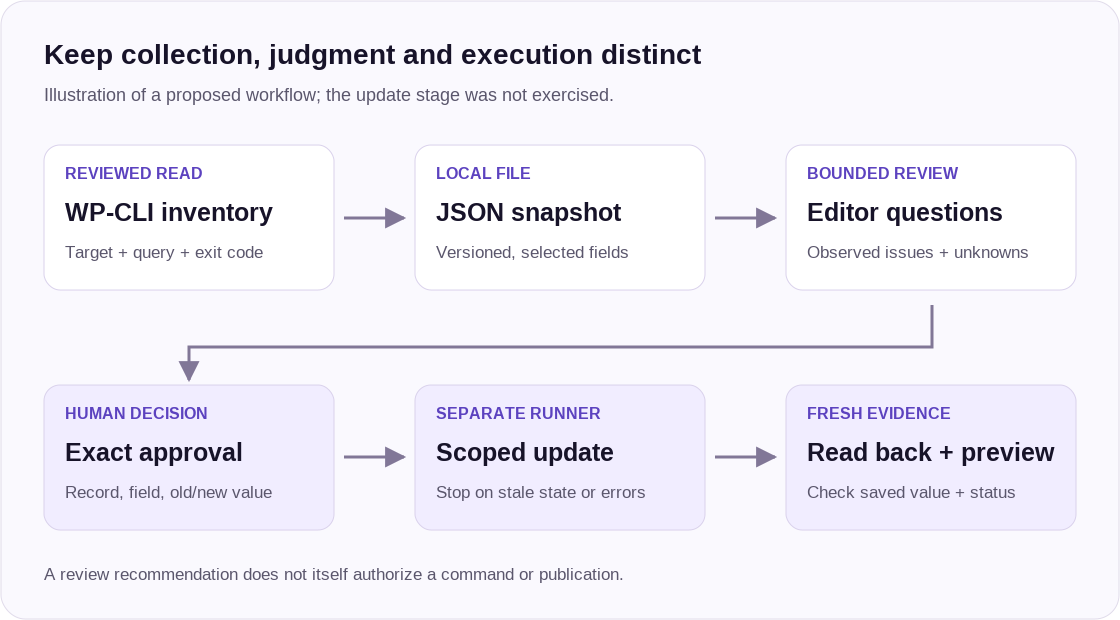
An observation is not an approved update. Before changing a draft, decide which record and field should change, inspect the existing value again, and record the exact replacement. Stop if the current state no longer matches what was reviewed.
WP-CLI’s post-update command can change existing records; post-get can read a chosen record back. We did not run a post update for this article. Use a practice copy and a recovery method appropriate to your own change before extending the exercise.
Do not pipe a model’s free-form response directly into a shell. A review table should remain review data. If you build an automated runner later, have it accept only the intended operation and validated fields, require the relevant approval, and report partial failures.
Keep publication distinct from changing a draft’s wording. A successful exit code is one signal; the saved field, post status and relevant browser view are additional evidence.
Know which WP-CLI path you are using with EMCP
Three arrangements can appear in the same project:
- Direct WP-CLI: your terminal or script invokes WordPress commands.
- WP-CLI as an MCP transport:
wp mcp-adapter serveconnects a client to registered tools. Follow the WP-CLI bridge guide for the installed setup. - WP-CLI execution through EMCP: a connected client uses an enabled tool such as
run-wp-cli. Follow the separate execution guide.
The full free GitHub edition includes the WP-CLI execution tools, disabled by default. They require the documented permissions and setup. A blocklist narrows what they accept; enabling them still grants broad operational access. EMCP Lite excludes these execution tools.
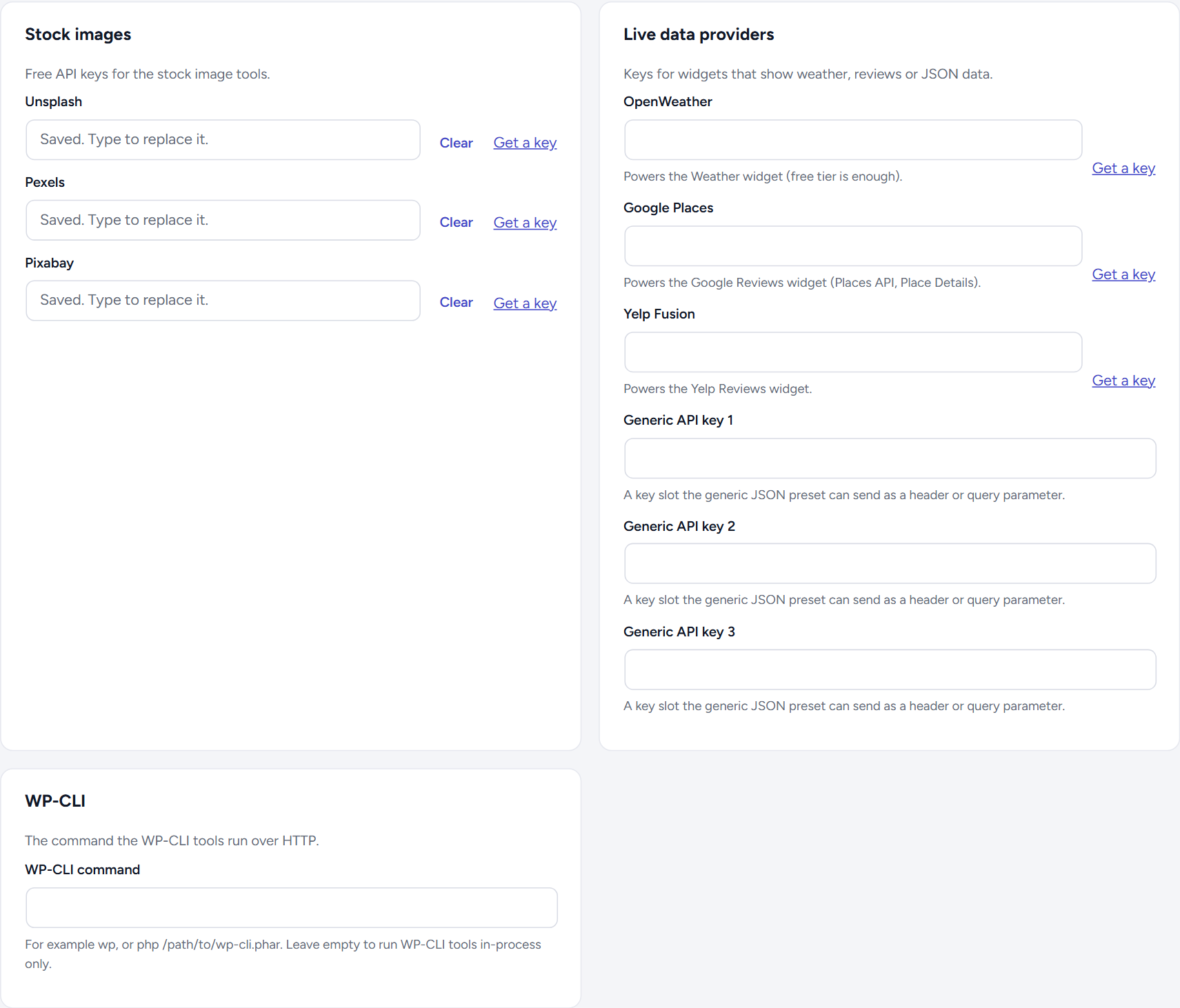
Do not assume that a prompt telling a client to “only inspect” changes its available credentials or execution permissions. Choose a suitable tool surface for the task. We did not enable or call EMCP’s WP-CLI execution tools, start the stdio server or alter the practice site’s environment configuration during this exercise.
Keep the right evidence for each route
For a direct command, retain its target, arguments, exit code and relevant before/after output. For an agent review, retain the input version, tool configuration, observed findings and human decision. Keep private titles and credentials out of shared evidence.
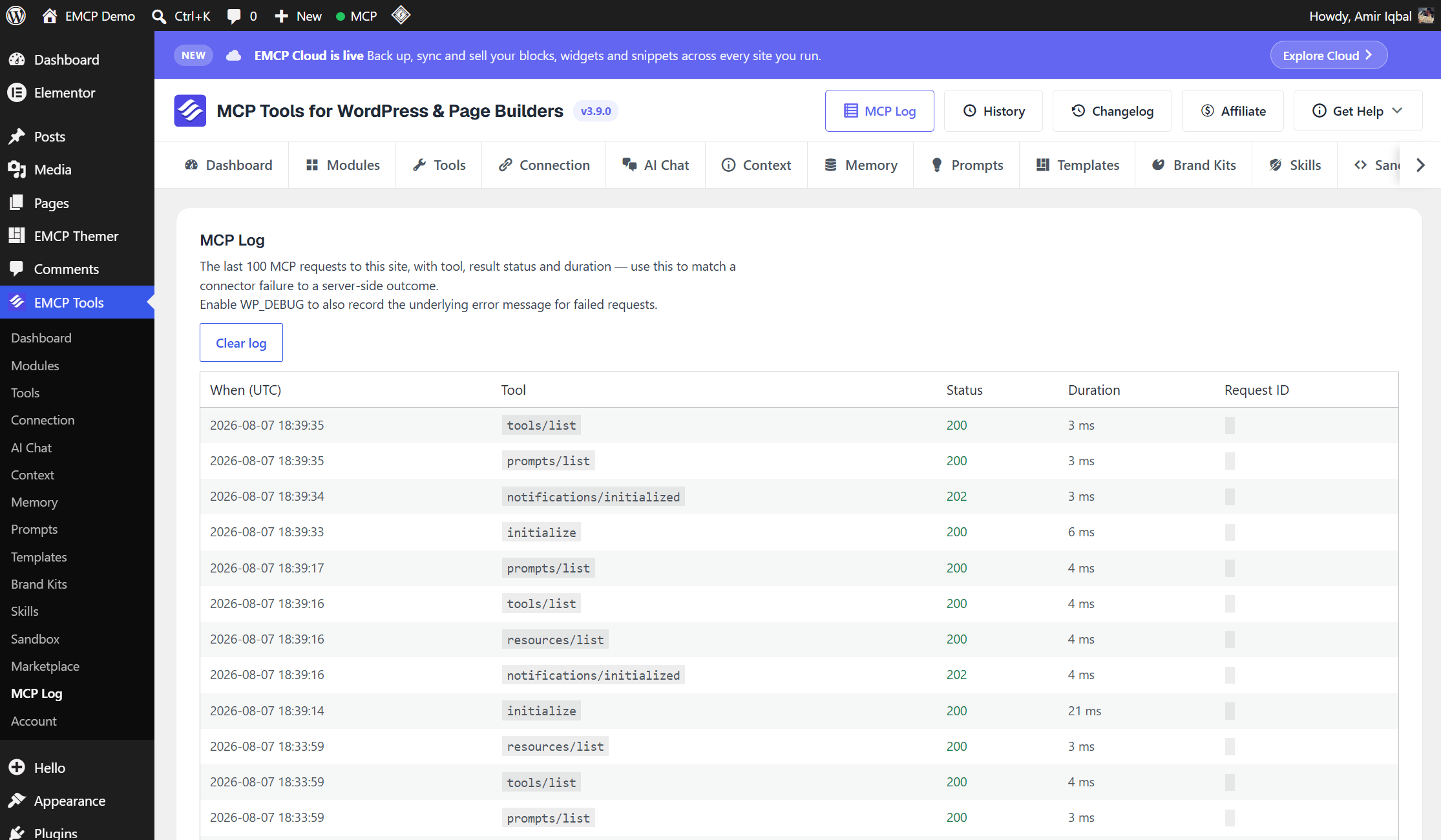
The MCP Log records routed MCP requests, including those using the WP-CLI stdio transport. It is useful for tracing a connected client’s call. A direct terminal command is a different route; do not expect this log to be a complete shell audit or a complete record of database changes.
For migrations, updates or other broader work, use the specific operation’s documentation and recovery process. For example, search-replace has a documented dry-run option. That does not mean every WP-CLI command supports --dry-run, and we did not perform a migration here.
Start with an inventory and a question
The useful boundary is concrete: a reviewed command collects a defined set of records, an agent reviews a versioned file, and a person decides whether any change should happen. Expand the workflow only when you can verify each additional operation.
Install EMCP Lite from WordPress.org for supported content and inspection workflows. Read the edition differences before choosing access: Lite does not supply WP-CLI execution. You can also use ordinary WP-CLI independently of EMCP.
The cover and workflow graphic are original illustrations. The two product screenshots are explicitly reused documentation captures. Primary references were checked on 21 November 2026. No update, publication, remote SSH run, migration, backup restoration, end-to-end EMCP workflow or performance benchmark was tested.