
 A brief becomes a real page.
Translate your sitein your own voice.
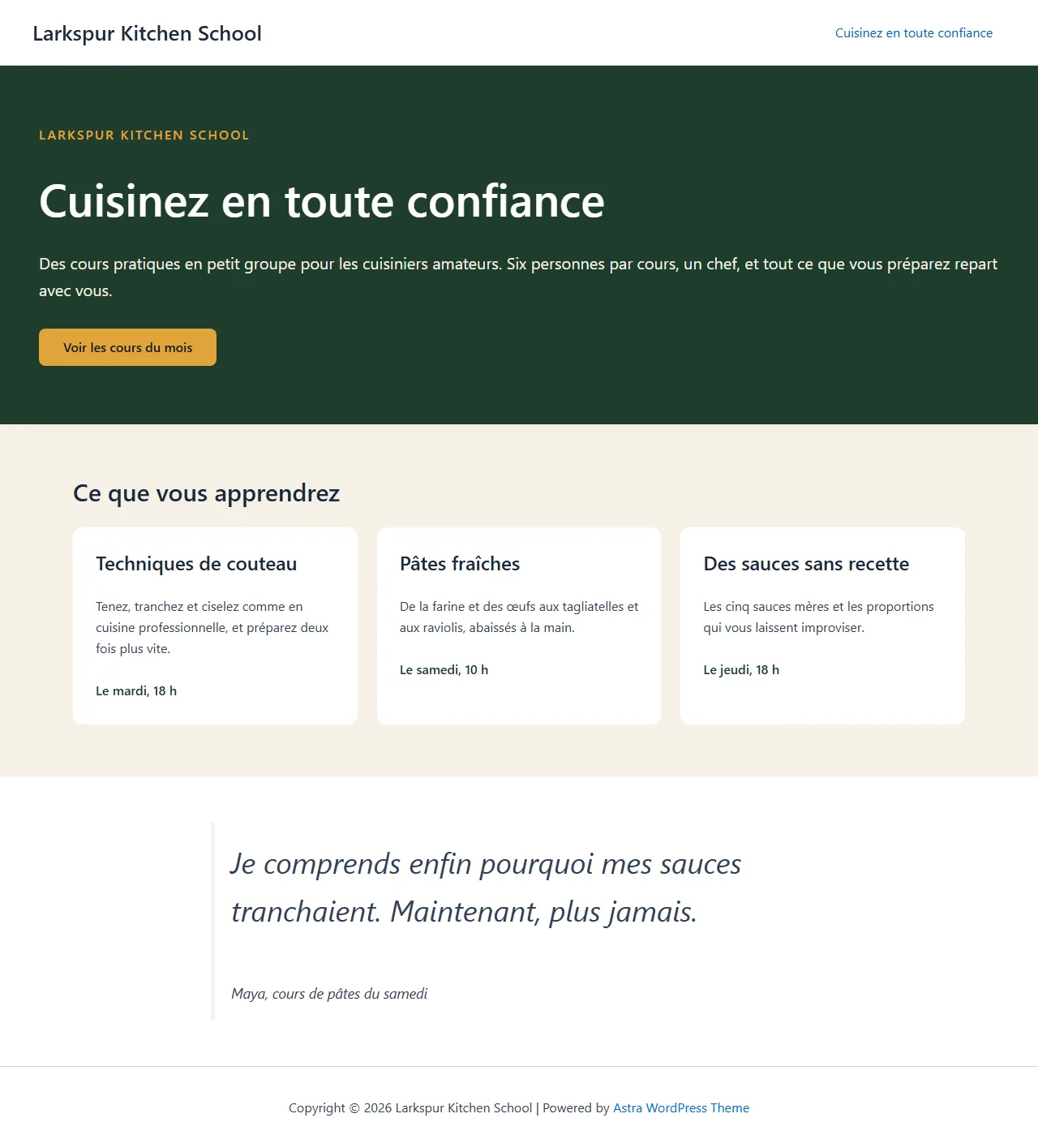
With EMCP Pro, your AI agent translates through Polylang or TranslatePress. Tell it the tone, the terms to keep and the languages you need. Translations are saved for your review, and your original pages are never changed.
- Polylang3.x, free is enough
- TranslatePress3.x, free is enough
- EMCP Pro 3.19+

Try asking
Ask the way you would brief a person.
“Translate the About page into French and German. Translate every text segment in a warm, plain tone, keep the brand name in English, and leave both as drafts. Then tell me which pages have no French version.”
“Translate the Pricing page into French. Read its strings with their context, translate whole sentences in a friendly, direct tone, and keep plan names in English.”
“Translate the WooCommerce Add to cart and checkout labels into French too.”
Polylang
Full page translations, kept linked.
Add languages, assign existing content to a language, and create translations of pages, posts and terms that stay linked to their originals. The agent reads the page as numbered text segments, translates each one and writes them back in one step, on Elementor and Gutenberg pages.
- Page text includes the Yoast, Rank Math or SEOPress title and description.
- Content it cannot change safely, such as HTML widgets or dynamic tags, is listed as skipped.
- Translate the site title, tagline and widget titles, and set menu locations per language.
TranslatePress
String by string, in context.
The agent reads a page’s strings with their context, translates whole sentences, up to 200 in one call, and saves them as machine translated so you can review them. It can also search theme and plugin text, such as WooCommerce checkout labels.
- Reviewed translations are never overwritten unless you say so.
- Reading a page never triggers automatic translation, so no translation credits are spent.
- TranslatePress free allows one translation language. Alt text, slugs and SEO fields need its paid editions.

Built-in safety
Review before anything goes live.
Each plugin has a read tool, on by default, and a write tool you switch on when you are ready. The agent writes to translations only, so your original pages are never touched.
Writes start off
Switch on
polylang-writeortranslatepress-writewhen you are ready.Drafts for review
Polylang copies stay drafts, and TranslatePress strings are saved for review.
History and Undo
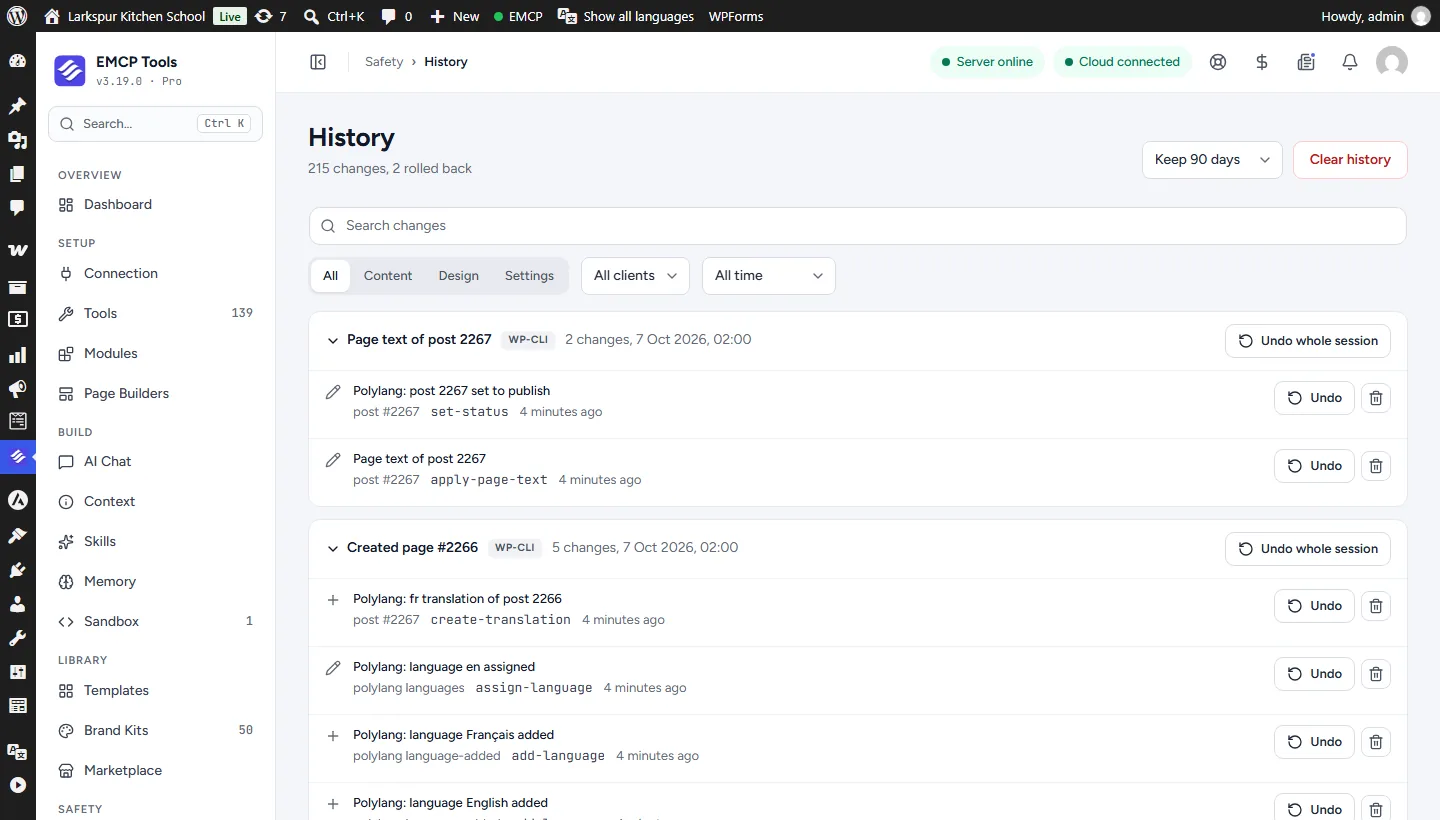
Every write is recorded, with Undo for one change or a whole session.
Confirm big changes
Removing a language or changing the default language needs a confirmation.
Get started
Up and running in three steps.
You need: Polylang, TranslatePress, EMCP Pro 3.19+, and an MCP client such as Claude, ChatGPT or Cursor.
Installation guide- Step 1
Install EMCP Pro
Version 3.19 or later, next to Polylang 3.x or TranslatePress 3.x.
Install Free and Pro - Step 2
Switch on writes
Under EMCP Tools → Tools → Plugins, enable the write tool, then reconnect your AI client.
Choose your tools - Step 3
Set the voice
Name the languages, the tone and the terms to keep, then review the drafts before publishing.
Write a useful brief
Questions, answered.
Still stuck? Drop a line at [email protected] or open an issue on GitHub. Most replies are under one business day; Pro tiers go to the front of the queue.
Open the full docsReach readers in their own language.
Install EMCP Pro, switch on the Polylang or TranslatePress write tool, and translate your first page.