Elementor widget · Utility & Tools
Copy to Clipboard
A one-click copy button for any text or code snippet — with instant "Copied!" feedback.
About this elementor widget
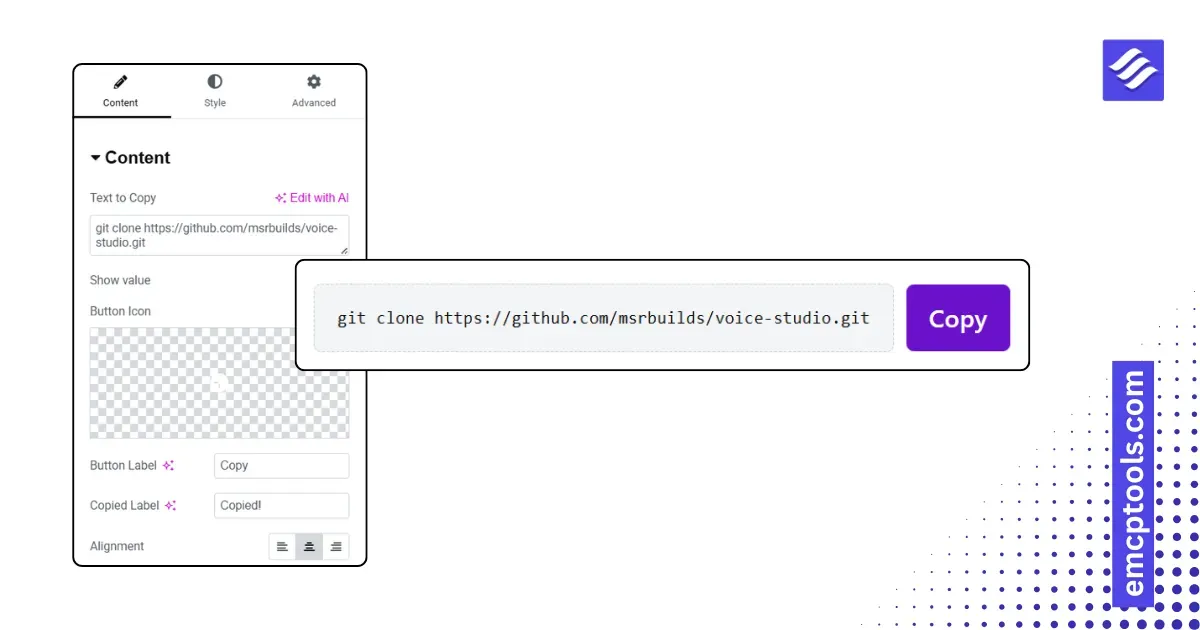
Let visitors grab a value in one click — a coupon code, API key, wallet address, command, or code snippet. The Copy to Clipboard widget shows the text with a copy button and confirms with an instant "Copied!" state so there's no guesswork.
Key features
- One click copies the text to the clipboard, with a brief "Copied!" confirmation (customizable label + a distinct copied color)
- Optionally show the value in a styled code box, or use a button on its own
- Set your own button label and the copied-state label
- Button styling: typography, text and background color, hover and copied background, padding, corner radius, icon gap and size
- Value box styling: typography, text/background/border color, padding, corner radius
- Alignment control and a lightweight, dependency-free build
Paste in the text to copy, label the button, style it to match, and you're done.