Elementor widget · Utility & ToolsPro

Advanced Search

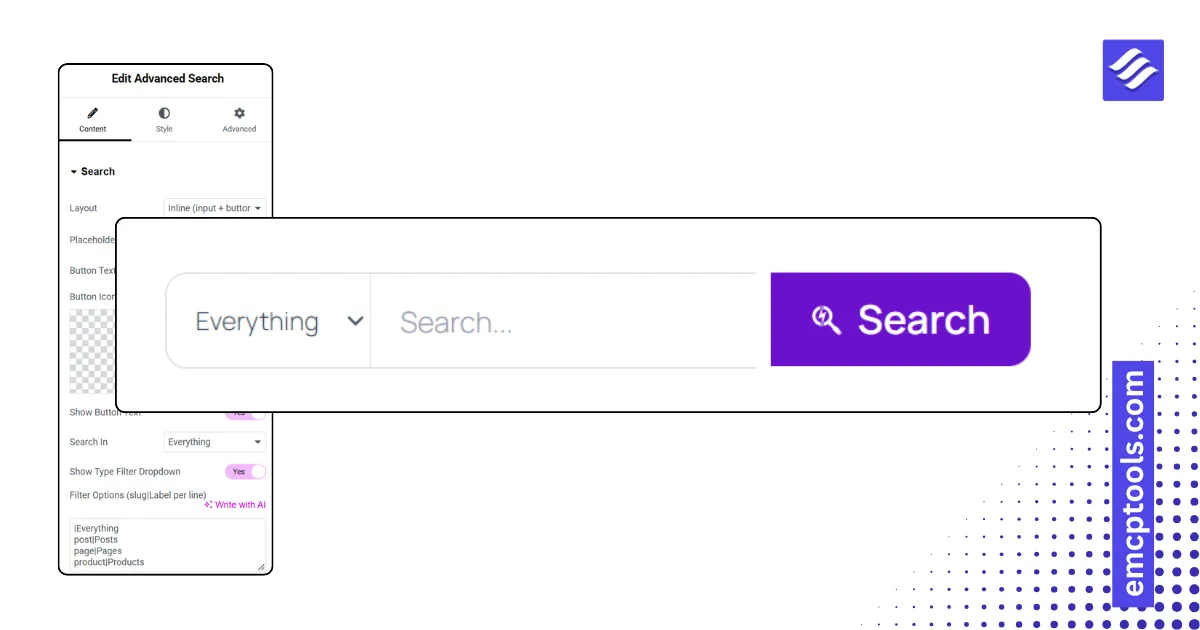
A search form with live results while typing, a post-type filter, and inline, minimal, expanding icon or full-screen layouts.
About this elementor widget

Replace the default search box. Five layouts: inline, minimal underline, an icon that expands, an icon that opens a full-screen overlay, stacked with a filter. Restrict results to posts, pages or products, or give visitors a type dropdown. Live results appear after a minimum number of characters with a See all results link, using the WordPress search endpoint, no plugin required. Style the input, focus state, button, results panel and overlay.
More elementor widgets

Your EMCP guide

Answers from our docs

YOUR CHAT, YOUR CHOICE

Before we chat

MSR Builds processes your question and up to four recent messages on our server to answer from the EMCP docs. AI is optional and needs your separate permission.

The chat is kept in this page's memory, not saved as a conversation in our database or browser storage. Our hosting and security services process connection information, such as your IP address, to prevent abuse.

Cloudflare Turnstile checks your browser and connection to prevent automated abuse when you send a question. No login is required.

Please leave out personal, sensitive or confidential information, passwords and API keys.

You can withdraw consent and clear this page's chat at any time. This cannot undo a request already sent or erase provider/security records.

Chat privacy, retention & your rights ↗ · Privacy contact

Starting chat consents to this processing. You can browse our docs without using the chat.