
 A brief becomes a real page.
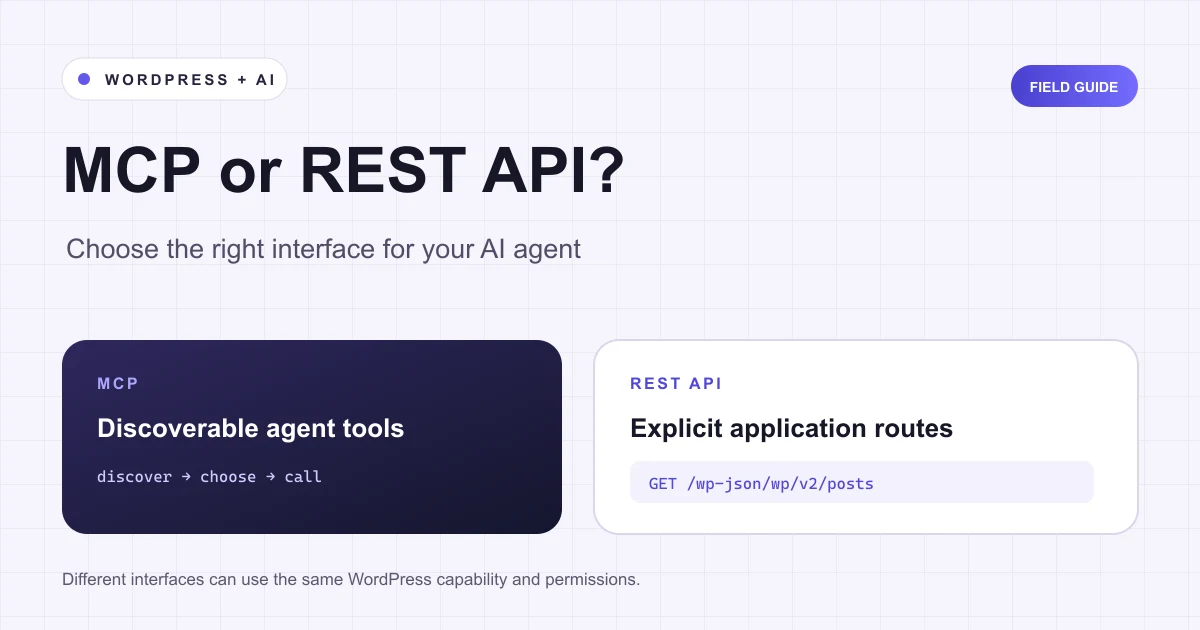
MCP and REST APIs solve different connection problems. A REST API gives an application named HTTP endpoints and structured responses. MCP gives an AI client a standard way to discover and call tools, and optionally read resources or use prompt templates. For WordPress, use REST when you are building a predictable application integration. Use MCP when a compatible agent needs to discover which site actions are available. You can expose the same underlying WordPress capability through both.
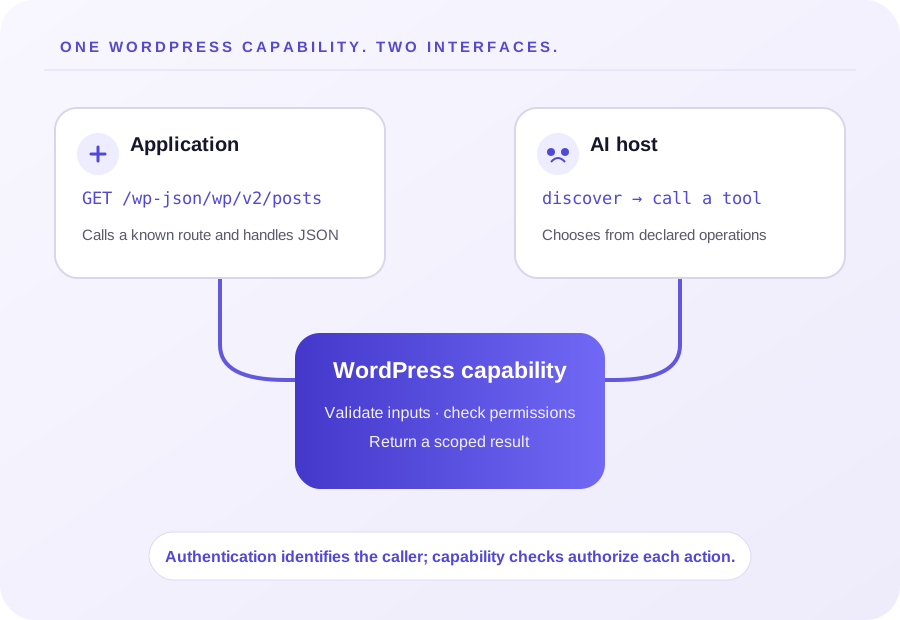
The short comparison
| Question | REST API | MCP |
|---|---|---|
| What does the client call? | A route such as GET /wp-json/wp/v2/posts | A server and a discovered tool such as posts_list |
| Who defines the interface? | The API developer defines routes, methods, parameters and response schemas | The MCP server declares capabilities and tool schemas for an MCP client to discover |
| Best fit | Websites, mobile apps, integrations, scripts and stable service-to-service contracts | AI hosts that need a consistent way to discover context and invoke bounded operations |
| Typical WordPress authentication | Cookies and REST nonces in same-origin admin code; application passwords or another supported method for external clients | Depends on the MCP transport and server; WordPress permissions still apply to the authenticated user |
| Does it make an unsafe action safe? | No | No |
MCP does not make REST obsolete, and REST does not prevent an agent from using your service. They sit at different layers. An MCP server may call REST routes internally, invoke WordPress PHP abilities, or use another implementation. An MCP tool is an agent-facing contract; it is not automatically a wrapper around every REST endpoint.
What a REST API gives your application
WordPress’s REST API returns site data as JSON through routes. Core routes expose familiar records such as posts, pages, media and users. Plugins can add routes for their own features. A conventional integration can call a route it already knows, send declared parameters, and handle documented response codes. That explicit contract is useful when you control the client and need repeatable behavior.
For example, a reporting integration can request public posts from /wp-json/wp/v2/posts, then transform the returned records into a dashboard. A publishing workflow can send an authenticated request to create a draft through a route that supports the operation. The client must still understand the route, its fields, pagination, errors and authentication.
That is often the right choice for:
- A mobile app that uses a fixed set of WordPress operations.
- A nightly synchronization job with a known input and output schema.
- A system that already has a REST contract and monitoring around it.
- A plugin’s own interface communicating with WordPress in the browser.
If you are writing admin JavaScript, WordPress’s cookie authentication and REST nonce flow is designed for the logged-in user. For an external script, WordPress documents Application Passwords over HTTPS as one option. Use a dedicated account with only the capabilities the integration needs, and revoke that application password when the integration no longer needs it.
What MCP gives an AI client
An AI host can connect to an MCP server, ask what it exposes, and call a tool using its declared name and input schema. The server may also offer resources or prompt templates. The client does not need a custom, separately invented discovery convention for every MCP server; it still needs to interpret each server’s actual tools and descriptions.
Imagine a site offers a list_pages tool with a search argument and a read_page tool with a page ID. A compatible agent can inspect those tools and choose a suitable read operation for a user’s question. The server decides which operations exist and how each is implemented. The model does not gain open-ended shell or database access simply because MCP is in use.
MCP is a good fit when:
- The user asks an agent to investigate a site and choose among a set of available actions.
- Different WordPress plugins contribute different capabilities to one agent-facing connection.
- You want the client to learn the operation schemas at connection time rather than hard-code each route.
- A human can review proposed writes and the server enforces each operation’s permissions.
If an agent only has to check the same fixed status endpoint once per day, an ordinary REST client may be simpler. If a third-party service must read your WordPress site but has no MCP client, a REST integration may be the practical interface. Choose for the caller and the workflow, not because one label is newer.
One WordPress capability can support both
WordPress Abilities can be made available through REST with show_in_rest; the MCP Adapter can expose selected abilities to MCP clients as tools. Both interfaces can share an ability’s permission and execution callbacks. The REST endpoints for abilities require an authenticated user, and execution still checks the ability permission callback. See the REST endpoints for Abilities.
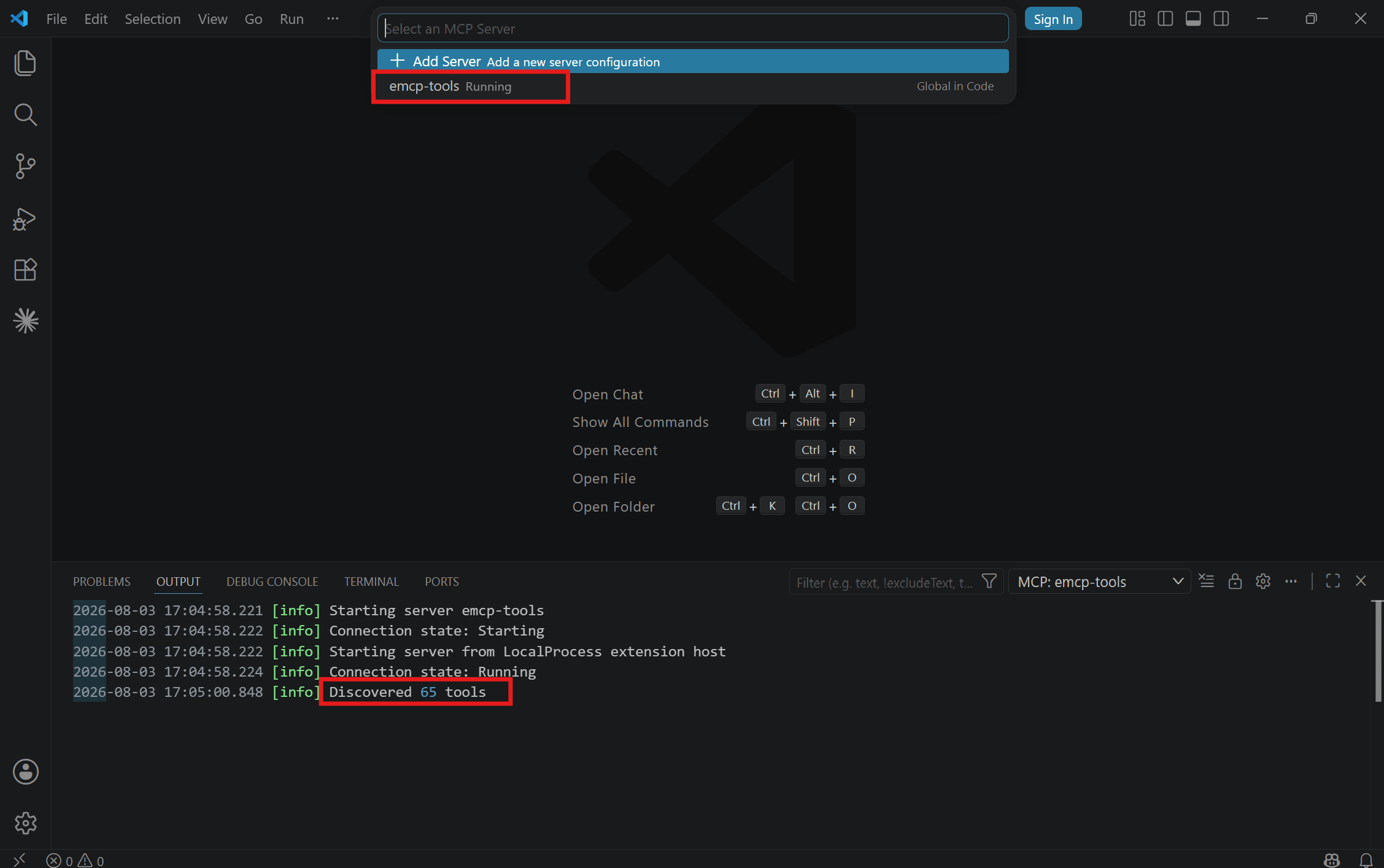
Keep the business operation and its authorization clear, then expose the appropriate interfaces. WordPress’s Abilities API is one path for registering discoverable, typed functionality. The WordPress MCP Adapter can expose eligible abilities to MCP clients; WordPress can also make abilities available through REST when the ability declares REST support. A plugin can instead maintain its existing REST routes and implement a smaller MCP tool layer that calls the same functions.
That arrangement avoids writing two copies of an operation’s business rules. Both entry points should check the current user’s capability, validate inputs, limit what they return, and report errors. Authentication identifies a caller; authorization decides whether that caller may run a particular operation. A successful MCP connection or HTTP 200 response alone does not establish that a write was appropriate or that the saved result is correct.
Before exposing a WordPress operation to an agent, ask:
- Is this tool necessary for the user’s task?
- Is its input schema narrow enough to prevent accidental broad changes?
- Does the callback check the right WordPress capability for every invocation?
- Can a reviewer read the proposed change and its result?
- Is there a clear way to recover if the operation changes content?
WordPress’s official MCP Adapter example starts with Abilities and shows an MCP-aware client discovering them. EMCP provides a broader, productized server with tools for WordPress content and supported page builders. The Adapter and EMCP therefore serve different implementation scopes; see our WordPress MCP Adapter vs EMCP comparison for the product-level distinction.
A practical decision path
Building a known integration? Start with REST. Define the routes or use the WordPress routes you need, document authentication, paginate results, and make writes explicit. Add an MCP surface only if an MCP client needs to discover and choose among those operations.
Connecting an AI assistant to a WordPress site? Start with an MCP server whose tool list matches the task. Test discovery and one read-only tool first. Add a narrowly scoped write only after checking how the server authenticates, how WordPress capabilities are enforced and how you will review the saved change.
Building an AI feature inside a WordPress plugin? The agent-facing MCP interface may be irrelevant. Your plugin can call a provider through its normal PHP integration, use WordPress REST for its admin interface, or register reusable Abilities. Pick the boundary your feature actually needs.
Working with EMCP? Connect an MCP-compatible client, verify the target site, and inspect the available tools before requesting a change. EMCP Lite is available on WordPress.org; its free tool set covers WordPress content and supported builder tasks. The tool catalog shows the wider product’s integrations and edition-specific operations.
Try a read-only check before a write
You can verify the public WordPress REST API without credentials by requesting a published post route from a site that exposes it. An MCP check is different: connect an MCP client to a server, inspect its declared tools, then call a read-only tool against a known record. In both cases, confirm which site answered and inspect the actual response. Do not use a destructive write as a connectivity test.
The public WordPress REST API reference, authentication guidance and MCP specification describe their own interfaces. They do not certify that a particular plugin’s endpoint or MCP tool is safe, complete or available on your installation. Check the documentation and permissions of the server and plugins you actually run.
Evidence and source notes
Reviewed 6 November 2026 against the WordPress REST API Handbook, its authentication guidance, the Application Passwords guide, REST endpoints for Abilities, the WordPress MCP Adapter introduction and the current MCP specification. This article explains the interfaces; it does not claim an end-to-end comparison benchmark or a test on your WordPress installation. The VS Code image above is a reused project documentation capture; the diagrams are illustrative.