
 A brief becomes a real page.
Build a sales funneland check the price first.
With EMCP Pro, your AI agent builds FunnelKit funnels on your WooCommerce store: the steps, the checkout products and discounts, order bumps and upsells, then the follow-up automation. It shows the price a buyer pays before it saves anything.
- FunnelKit Funnel Builderfree or Pro
- FunnelKit Automationsoptional
- WooCommerce
- EMCP Pro 3.19+

Try asking
Ask the way you would brief a person.
“Build a funnel for my webinar course: landing page, checkout with the course at 50% off, a 19.00 workbook order bump, an upsell for the recording, and a thank-you page. Dry run the checkout price first.”
“Draft an automation that waits a minute after each order, emails the webinar link and tags the buyer, and leave it off until I approve.”
“Show me every funnel on the store, with its steps and checkout products, before we change anything.”
Funnel steps
Every step of the buyer’s path.
Create a funnel from scratch or from a FunnelKit template, with landing, opt-in, checkout, upsell and thank-you steps. Steps are WordPress pages, so the agent designs them with EMCP’s Elementor tools or applies one of FunnelKit’s own designs.
- Order bumps, upsells, A/B tests and thank-you rules need FunnelKit Funnel Builder Pro.
- Export funnels, or import them on another store.
- Inspect any funnel, its steps and checkout products before you change it.
Checkout and discounts
Know the price before buyers do.
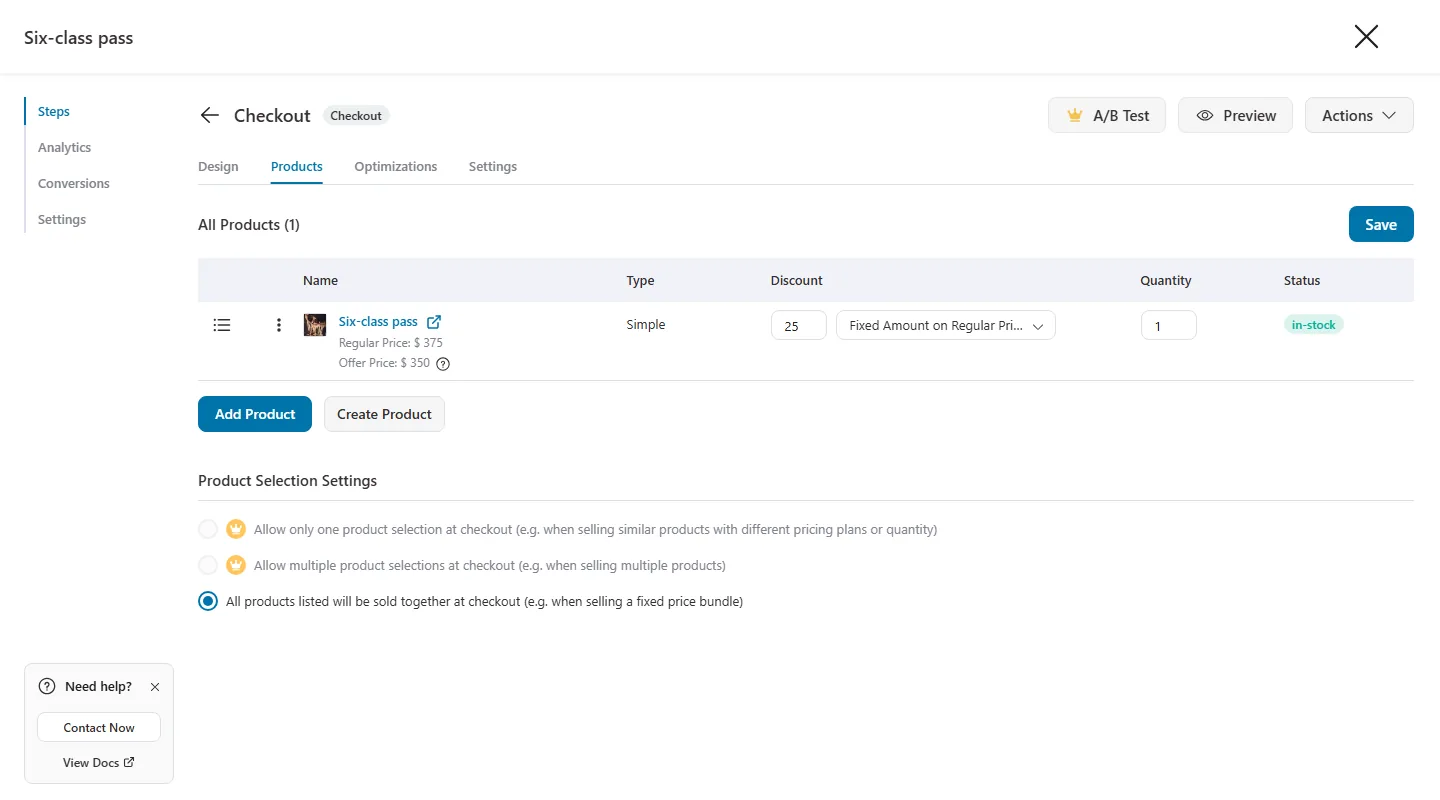
Set checkout products with a percentage, fixed or flat-price discount. A dry run reports the exact price a buyer will pay, and every create or update can be dry run first, showing the request without writing anything.
Follow-up automation
Follow up after every order.
With FunnelKit Automations, the agent drafts automations, contacts, tags and lists. New automations start switched off, so nothing runs until you turn them on. With Automations Pro it can also create, schedule and send broadcasts, and a dry run counts the recipients first.
Built-in safety
Your store’s settings stay out of reach.
The write tool is off until you switch it on, and the agent can only do what the connected WordPress user is allowed to do. API keys, connectors, licences and plugin installs are never reachable.
Dry run first
Creates and updates can show the exact request and price without writing anything.
Automations start off
Nothing runs until you switch an automation on yourself.
History and Undo
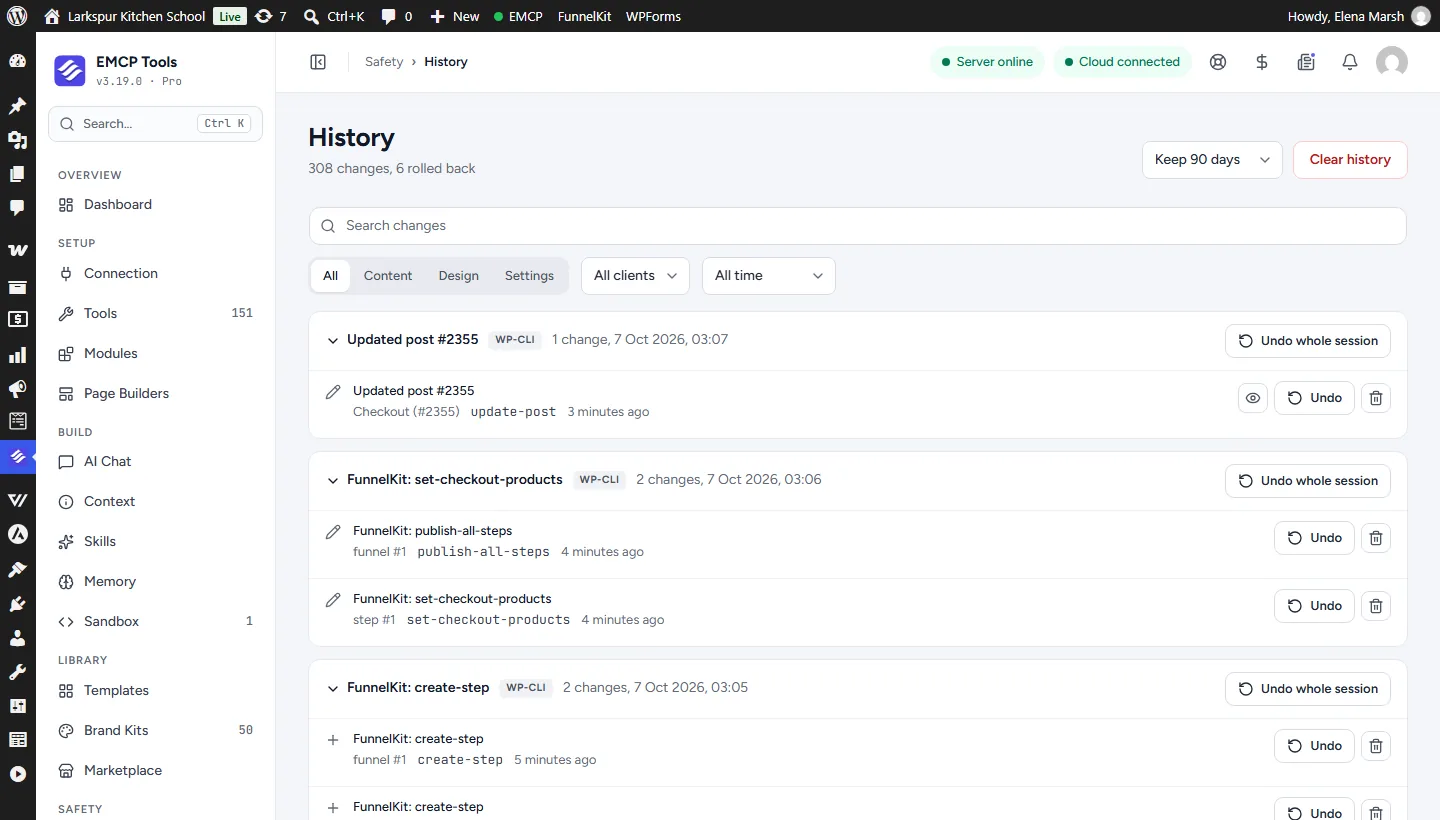
Every write is recorded, grouped by session, with its own Undo.
Confirm to delete
Deletes need a confirmation. Sends cannot be undone, so the agent asks first.
Get started
Up and running in three steps.
You need: FunnelKit Funnel Builder, FunnelKit Automations, WooCommerce, EMCP Pro 3.19+, and an MCP client such as Claude, ChatGPT or Cursor.
Installation guide- Step 1
Install EMCP Pro
Version 3.19 or later, with FunnelKit Funnel Builder active. Automations is optional.
Install Free and Pro - Step 2
Switch on writes
Under EMCP Tools → Tools → Plugins, enable the FunnelKit write tool, then reconnect your AI client.
Choose your tools - Step 3
Describe the offer
Name the products, discounts and steps, ask for a dry run, then approve the funnel.
Write a useful brief
Questions, answered.
Still stuck? Drop a line at [email protected] or open an issue on GitHub. Most replies are under one business day; Pro tiers go to the front of the queue.
Open the full docsBuild your next offer in one conversation.
Install EMCP Pro, switch on the FunnelKit write tool, and describe the funnel you want.