
 A brief becomes a real page.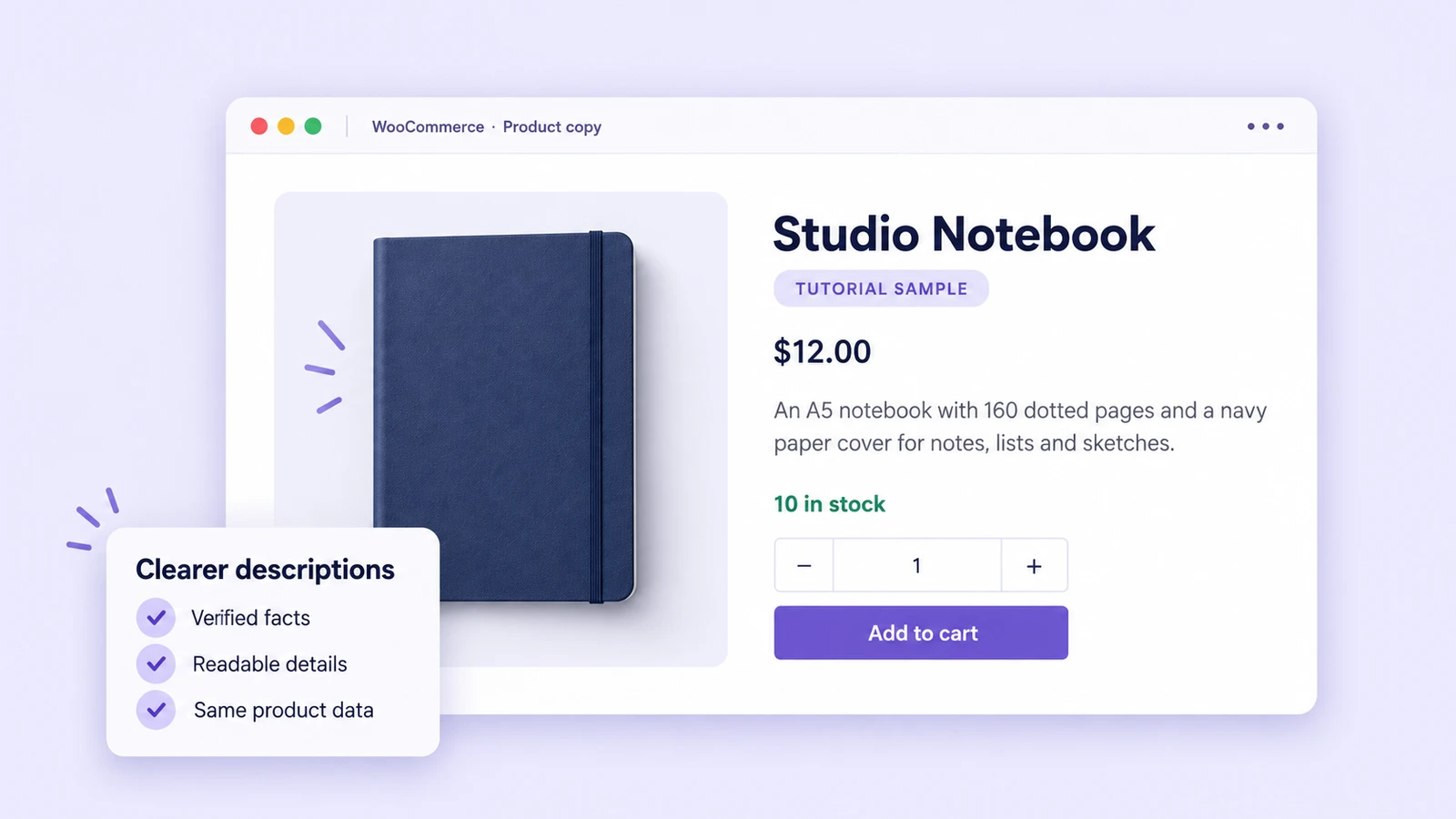
“A notebook for everyday notes” tells a buyer very little. The same product’s attributes may already contain its format, page count and cover material. A useful AI edit brings those facts into the description without inventing specifications or changing the offer.
The cover is an illustrative product-page mockup. The before-and-after images below are actual demo screenshots.
We tested that workflow with EMCP and WooCommerce: two product descriptions updated, a third product left as a control, and commercial fields preserved. We inspected the saved records and authenticated storefront previews after the edits.
These are fictional tutorial products on a demo site, not merchandise or a customer case study. All three remain drafts, hidden from the catalog, and the store remains in Coming soon mode. This test demonstrates content editing, not a measured improvement in sales or search rankings.
What we tested
The demo ran WooCommerce 11.1.2 and EMCP Pro 3.18.0, with the Bricks theme rendering the product previews. We used simple products with local attributes. Variable products, translated catalogs and extension-specific fields were outside this test.
EMCP exposes WooCommerce operations through woo-read and woo-write. We discovered the actual installed operation catalog before choosing create-product, get-product and update-product. See the WooCommerce integration and dispatcher reference for setup and scope.
We temporarily enabled the two tools with the site owner’s approval, then disabled both after verification. The write dispatcher covers more than descriptions, so a narrowly worded task still matters. No order, customer, payment or refund operation was used.
Start with an exact product set and a fact ledger
We created these fixtures and saved their creation responses as the baseline. Product IDs and SKUs identify the intended records; a similar product name is not enough.
| Product | Demo ID / SKU | Available facts | Action |
|---|---|---|---|
| Studio Notebook | 64 / EMCP-DEMO-NOTEBOOK | A5; 160 dotted pages; navy paper cover | Edit descriptions |
| Canvas Desk Pouch | 65 / EMCP-DEMO-POUCH | Cotton canvas; 22 × 10 cm; zip closure; natural colour | Edit descriptions |
| Bookmark Set | 66 / EMCP-DEMO-BOOKMARK | Three paper bookmarks; 5 × 15 cm each | Leave unchanged |
These specifications were deliberately seeded into the fictional products’ attributes. On a real store, use approved product records or supplier specifications and resolve contradictions before writing.
The notebook’s paper weight and fountain-pen compatibility were unknown. The pouch’s waterproofing and country of manufacture were unknown. None belongs in the new copy. Neither do invented warranties, certifications, delivery promises or environmental claims.
Make the change visible and useful
The revised short descriptions bring the available specifications into the main product summary:
| Product | Before | After |
|---|---|---|
| Notebook | A notebook for everyday notes. | An A5 notebook with 160 dotted pages and a navy paper cover for notes, lists and sketches. |
| Pouch | A pouch for your desk things. | A natural-colour cotton canvas pouch with a zip closure, measuring 22 × 10 cm. |
For the long descriptions, we added a brief introduction followed by a specification list. The pouch also asks the reader to compare its dimensions with what they intend to carry. Both retain the fictional-sample notice.
Before: vague summary and description.
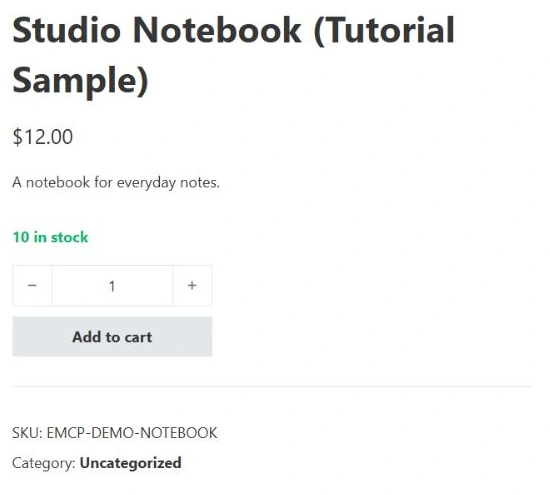

After: supported facts in the summary and a scannable specification list.
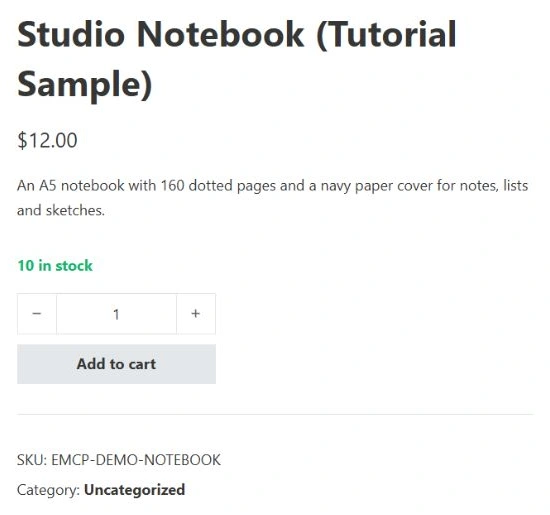
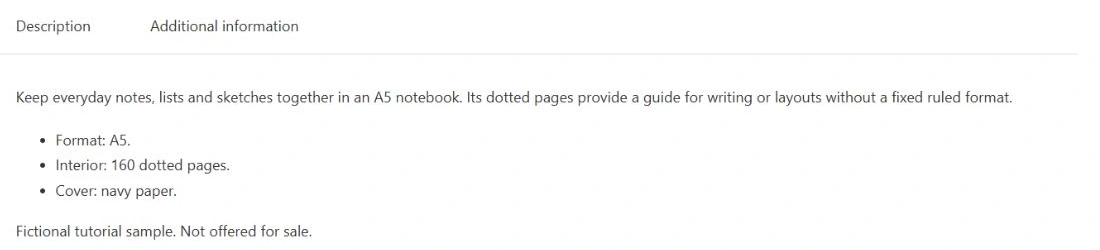
These are focused crops of the actual authenticated previews. The summary and long-description areas are shown separately so the text stays readable at article width. No product photography was added to this copy-only test, and the page is not being presented as a completed store design.
Send only the fields you intend to change
First inspect your own record:
{ "operation": "get-product", "arguments": { "id": 64 }}Then pass the approved description fields to woo-write. This is the notebook update used in our demonstration:
{ "operation": "update-product", "arguments": { "id": 64, "short_description": "<p>An A5 notebook with 160 dotted pages and a navy paper cover for notes, lists and sketches.</p>", "description": "<p>Keep everyday notes, lists and sketches together in an A5 notebook. Its dotted pages provide a guide for writing or layouts without a fixed ruled format.</p><ul><li>Format: A5.</li><li>Interior: 160 dotted pages.</li><li>Cover: navy paper.</li></ul><p>Fictional tutorial sample. Not offered for sale.</p>" }}Replace the demo ID with a verified ID from your store. We issued a separate update for the pouch and sent no update for the bookmark control. Neither update included price, stock, status, title, slug, SKU, images or attributes.
Product copy and an SEO meta description are separate fields. This operation changes the text shoppers read on the product page. For search titles and metadata, use the active SEO integration and verify its rendered output, as shown in our tested Rank Math workflow.
Read back the result and inspect the storefront
After saving, we retrieved all three products with get-product and compared them with their creation responses. The comparison found:
- Products 64 and 65 changed only in their two description fields and modification timestamps, after accounting for response formatting.
- Product 66 retained its content and settings.
- Prices remained $12, $16 and $4; each product retained a stock quantity of 10.
- Names, SKUs, publication status, catalog visibility, attributes and image lists were preserved.
Creation and read responses were not byte-for-byte identical. WooCommerce formatted HTML with additional line breaks, represented zero ratings as 0.00 instead of 0, and omitted two creation-response fields, generated_slug and permalink_template. We accounted for those specific differences rather than treating every mismatch as a catalog edit or ignoring the whole response.
We also opened the notebook in the native WooCommerce editor and checked its saved long and short descriptions. Both products’ storefront previews showed the new copy alongside the expected price, stock and SKU.
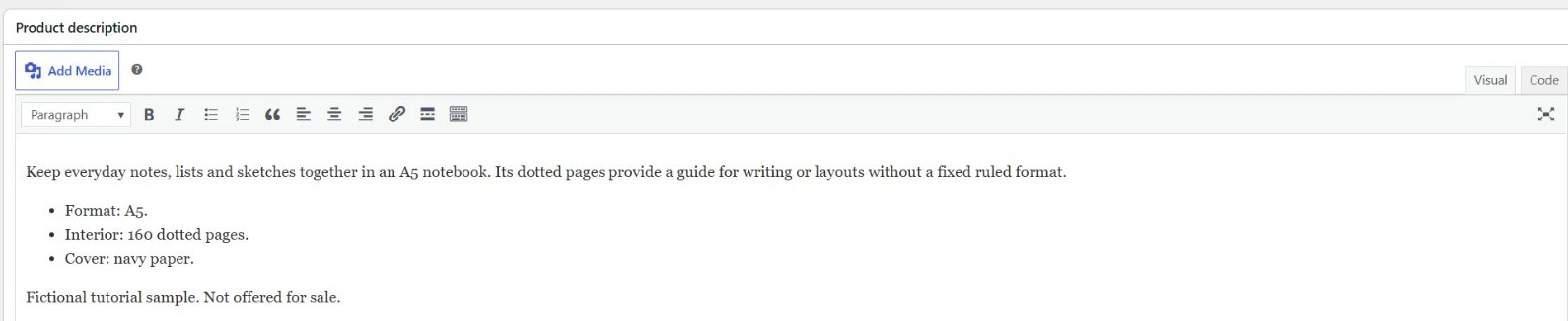
A successful API response alone would not establish that the theme displays the copy correctly. Conversely, a screenshot cannot prove that stock or another hidden field stayed unchanged. The record comparison and visual check answer different questions.
Reuse this prompt on your own catalog
Read the selected WooCommerce products by their exact IDs and SKUs.Save current descriptions, attributes and commercial fields.Prepare clearer short and long descriptions using only supported facts.List missing facts rather than inventing specifications or promises.Show the proposed copy for review before writing.
After approval, change only description and short_description on those IDs.Preserve titles, slugs, SKUs, prices, stock, status, images and attributes.Read the records back, compare preserved fields, and inspect the storefront.Report any mismatch and distinguish formatting changes from content edits.
For a larger catalog, start with a small reviewed sample before considering batch operations. Keep a baseline and a clear list of approved fields. This test did not measure conversion lift, SEO performance, variation handling or checkout behaviour.
To try the workflow, follow the installation guide and review Free vs Pro for WooCommerce tool availability. For an existing page’s visual layout, see the Elementor editing tutorial.