
Build a landing pageyou can still edit.
With EMCP, your AI agent builds Elementor landing pages from your brief with native containers and widgets, so every section stays editable in Elementor. Start from your own words, a ready-made prompt or a template, then refine it section by section.
- Elementorfree is enough
- Elementor Prooptional, for Pro widgets
- EMCP Free or Pro

Try asking
Ask the way you would brief a person.
“Build a complete landing page for my web design studio: hero, services, selected projects, our process, an FAQ and a contact CTA. Use my existing brand colors, and leave it as a draft for review.”
“Show me the brand kits that would suit a calm wellness studio, then apply the one I pick.”
“On the home page, tighten the space between the hero buttons and stack them on mobile.”
Native Elementor
Every section stays editable.
The agent builds with Elementor’s own containers and widgets, not screenshots or locked HTML. Your team can change text, swap images and rearrange sections in Elementor, or ask the agent for another pass.
- Core page building works with free Elementor and EMCP Free.
- Elementor Pro widgets are available when Elementor Pro is active on your site.
- Works with Elementor 4 Atomic elements and global classes too.
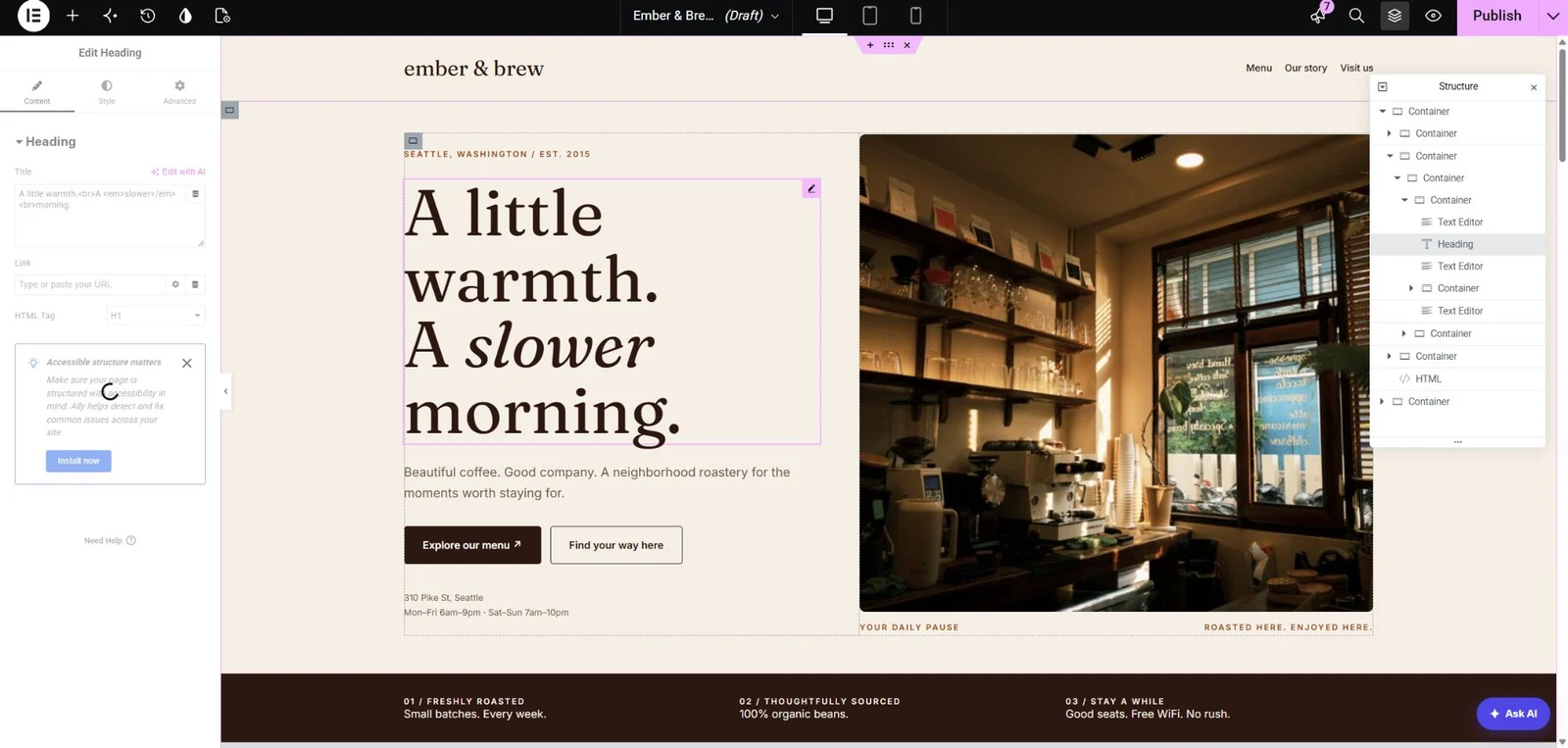
Start from the library
A head start for every brief.
Write your own brief, or start from EMCP’s library. Then give the page your look with a brand kit: a coordinated set of colors and typography.
- Prompts: 5 samples in EMCP Free, and 100 in Pro: 50 landing-page prompts and 50 complete website prompts.
- Templates: 50 premium landing pages across 10 industries in EMCP Pro.
- Brand kits: 10 in Free and 50+ in Pro. A restore point is saved before a kit is applied.

Refine
Refine it section by section.
Ask for changes the way you would brief a designer: tighten the hero, swap the order of two sections, fix spacing on mobile. The agent reads the page in one snapshot, then updates only the elements that need to change, many at once.
Built-in safety
Experiment without breaking the page.
Every tool call runs as the connected WordPress user and passes that user’s capability checks. Per-tool switches let you turn off anything a site should never use.
Drafts first
Ask for a draft and review it in Elementor before anything is published.
History and Undo
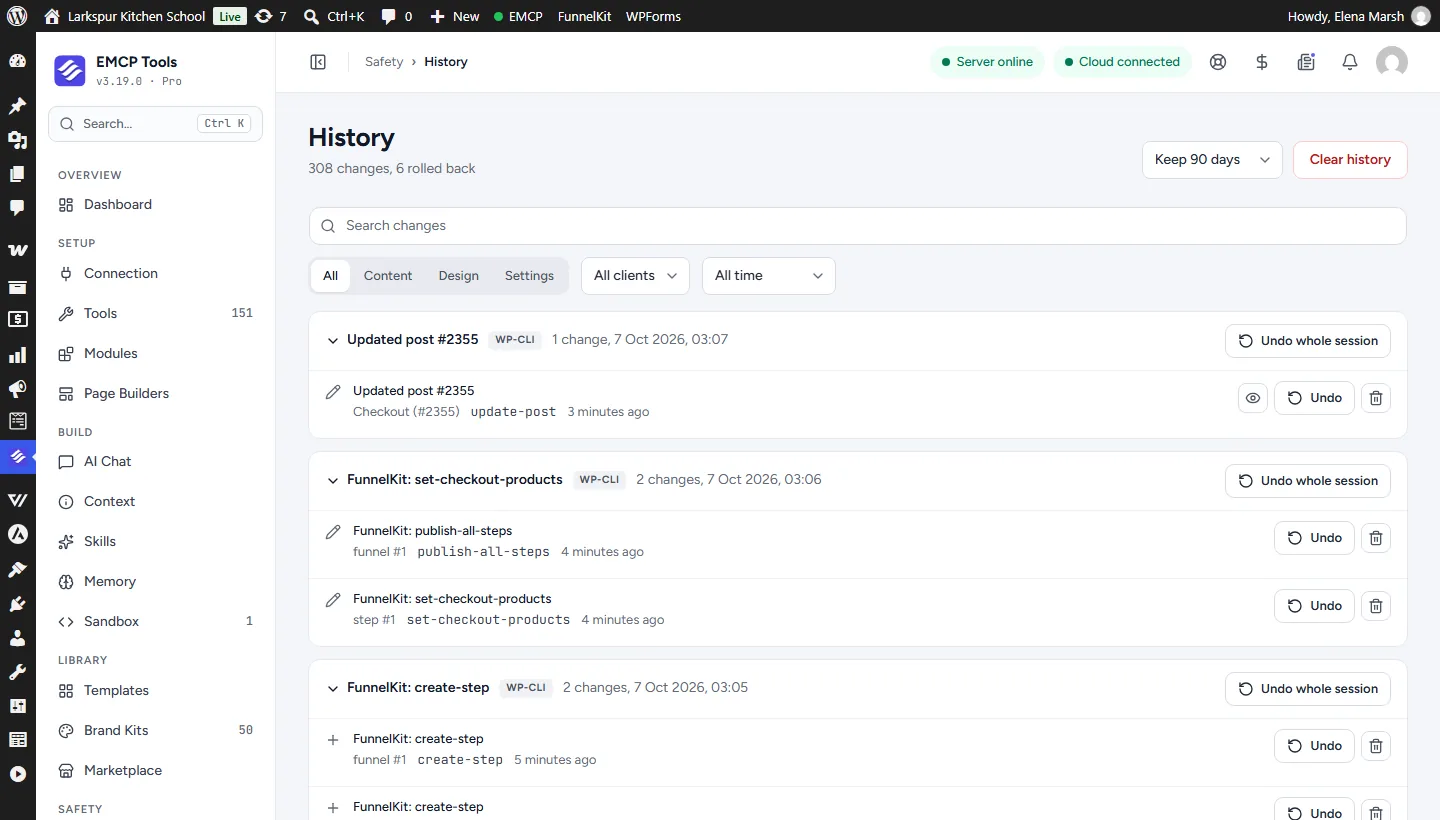
Undo one change or a whole session from EMCP History.
Brand restore points
A restore point is saved before a brand kit is applied.
Your choice of tools
Switch individual tools on or off for each site.
Get started
Up and running in three steps.
You need: Elementor, Elementor Pro, EMCP Free or Pro, and an MCP client such as Claude, ChatGPT or Cursor.
Installation guide- Step 1
Install EMCP
EMCP Free is enough for core page building. Add Pro for the prompt library, templates and full brand kits.
Install Free and Pro - Step 2
Connect your AI client
Claude, ChatGPT, Cursor or another MCP client, through the connection wizard in EMCP Tools.
Connect an AI agent - Step 3
Brief the page
Describe the audience, offer and sections, or pick a prompt, then review the draft in Elementor.
Write a useful brief
Questions, answered.
Still stuck? Drop a line at [email protected] or open an issue on GitHub. Most replies are under one business day; Pro tiers go to the front of the queue.
Open the full docsBrief your next landing page.
Install EMCP, connect your AI client, and describe the page you need.