
Elementor widget · FeaturesPro

Advanced Icon Box

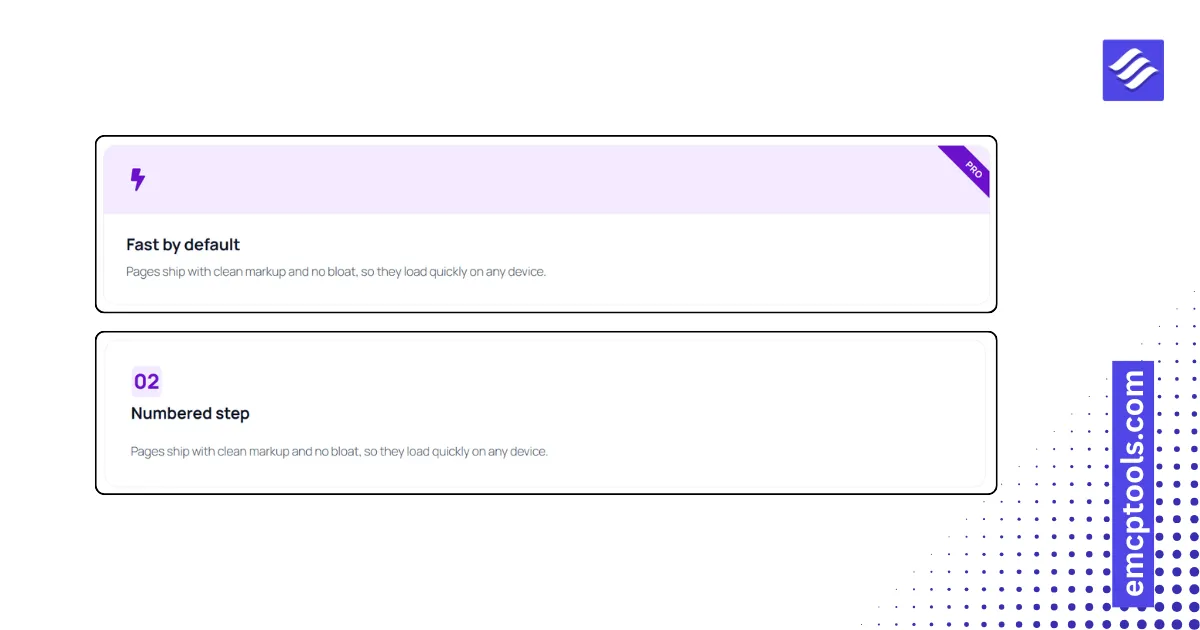
A feature card in six layouts with an icon, image or step number, six icon shapes, a badge or ribbon and eight hover effects.
About this elementor widget

The workhorse of a services section. Six layouts: icon on top, icon left, icon right, icon inline with the title, icon as a watermark behind the text, and an icon band across the top. The media can be an icon, an image, a step number or nothing, and the icon sits in a circle, rounded square, square, blob or hexagon. Add a badge as a pill, a corner ribbon or an inline label above the title, and choose whether the link applies to the button, the whole box or just the title. Hover effects include lift, fill with the accent colour and more. Stretch to column height keeps a row of cards even.
More elementor widgets

Your EMCP guide

Answers from our docs

YOUR CHAT, YOUR CHOICE

Before we chat

MSR Builds processes your question and up to four recent messages on our server to answer from the EMCP docs. AI is optional and needs your separate permission.

The chat is kept in this page's memory, not saved as a conversation in our database or browser storage. Our hosting and security services process connection information, such as your IP address, to prevent abuse.

Cloudflare Turnstile checks your browser and connection to prevent automated abuse when you send a question. No login is required.

Please leave out personal, sensitive or confidential information, passwords and API keys.

You can withdraw consent and clear this page's chat at any time. This cannot undo a request already sent or erase provider/security records.

Chat privacy, retention & your rights ↗ · Privacy contact

Starting chat consents to this processing. You can browse our docs without using the chat.