
 A brief becomes a real page.
Connect Claudeto your WordPress site.
Use Claude Desktop, claude.ai or Claude Code with your WordPress site through EMCP. Import a one-click bundle, add a connector, or run one command, then let Claude work with your pages, builders and plugins. The free plugin is enough.
- Claude Desktopbundle or connector
- claude.aiconnector
- Claude Codeone command
- EMCP Free or Pro

Try asking
Ask the way you would brief a person.
“List the tools you can use on my site and my five most recent pages. Do not create, update or delete anything.”
“Draft a services page in Elementor using our brand colors, with a hero, three service cards and a contact call to action. Leave it as a draft.”
“Export the home page with Content Mirror so I can commit it to git before we change anything.”
Claude Desktop
One click, nothing to install.
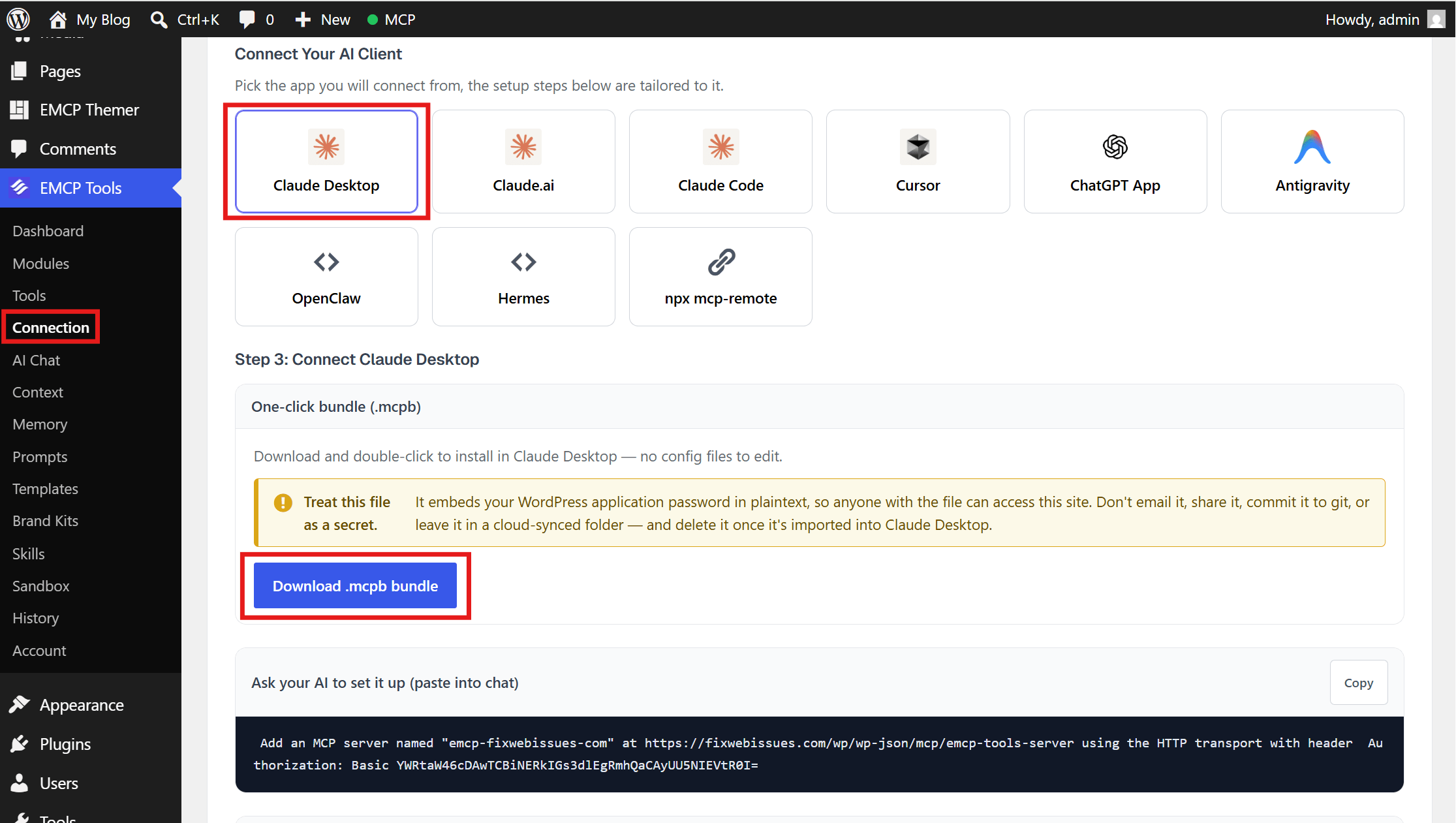
In EMCP Tools → Connection, choose Claude Desktop and an Application Password, then download the .mcpb bundle and double-click it. It runs on Claude Desktop’s built-in Node.js, so there is no npx and nothing else to install.
The bundle contains a live credential, so delete the file after importing it.
Connectors
Or sign in with a connector.
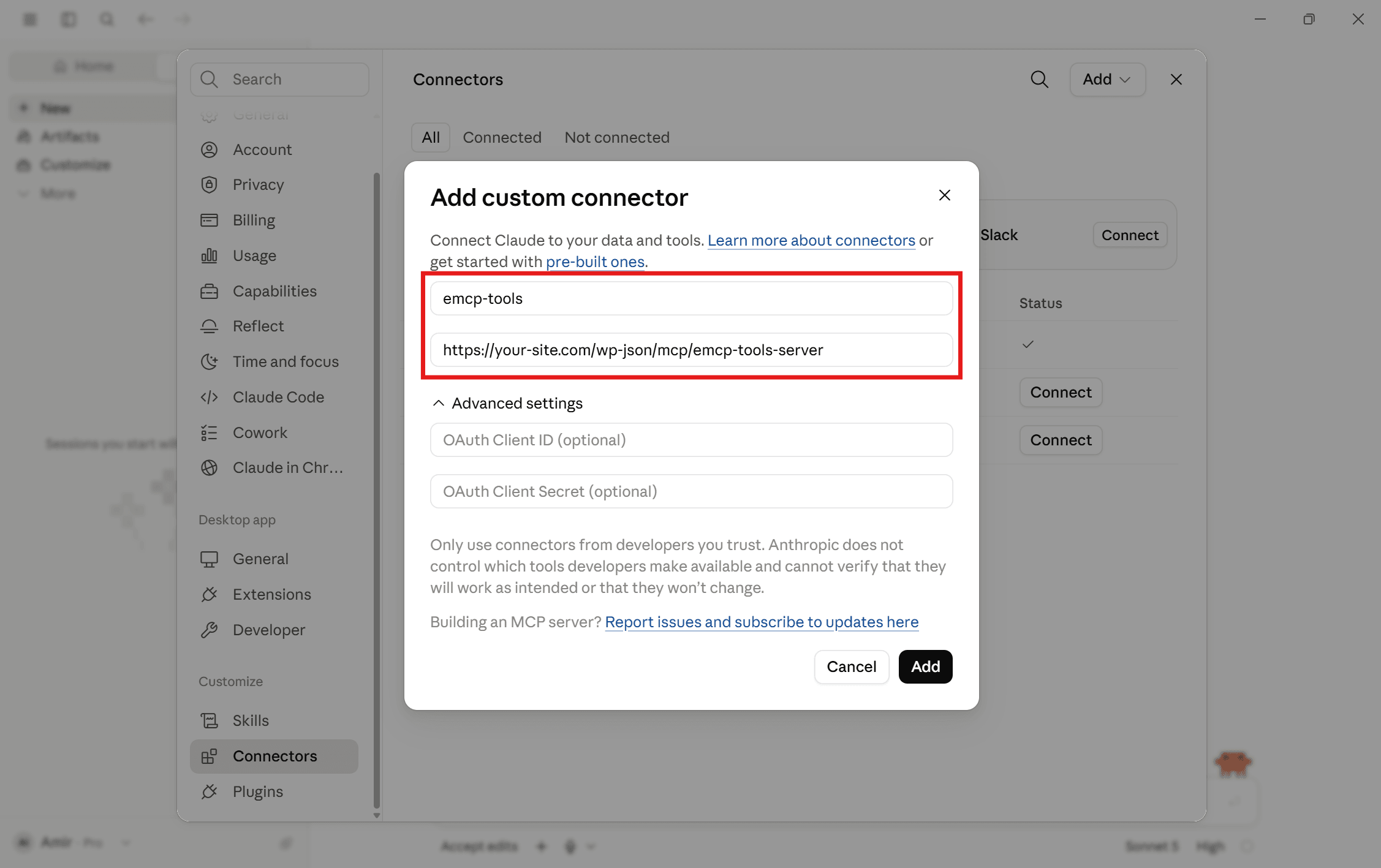
Prefer OAuth? In Claude Desktop, open Settings → Connectors → Add custom connector, enter a name and your site’s MCP address, leave the advanced fields empty, and approve in your browser. The wizard has a claude.ai entry too, with a button that adds the connector there.
Connectors need a site on HTTPS and a recent Claude Desktop build.
Claude Code
One command in your terminal.
Run claude mcp add emcp-tools --transport http with your site’s MCP address, approve in the browser, and check it with claude mcp list. The VS Code Claude Code extension shares the same setup.
Working on a local site? The WP-CLI bridge connects without HTTP or sign-in. If Claude’s context fills up, Compact tool mode collapses everything into three dispatcher tools.
Built-in safety
Claude only does what you allow.
Every tool call runs as the connected WordPress user and passes that user’s permission checks. Start with sensitive writes switched off while you confirm the connection.
Free OAuth
Built in and on by default on HTTPS sites. Only an administrator can approve.
Your choice of tools
Switch individual tools on or off under EMCP Tools → Tools.
History and Undo
Every change is recorded, with Undo for one change or a whole session.
Revoke any time
Sign Claude out, or remove it, under Connection → Connected apps.
Get started
Up and running in three steps.
You need: Claude Desktop, claude.ai or Claude Code, administrator access on your WordPress site, and EMCP Free or Pro. Connectors need a site served over HTTPS.
Installation guide- Step 1
Install EMCP
Upload the free plugin zip under Plugins → Add New and activate it.
Installation guide - Step 2
Connect Claude
Import the bundle, add a connector, or run the Claude Code command from the connection wizard.
Claude Desktop guide - Step 3
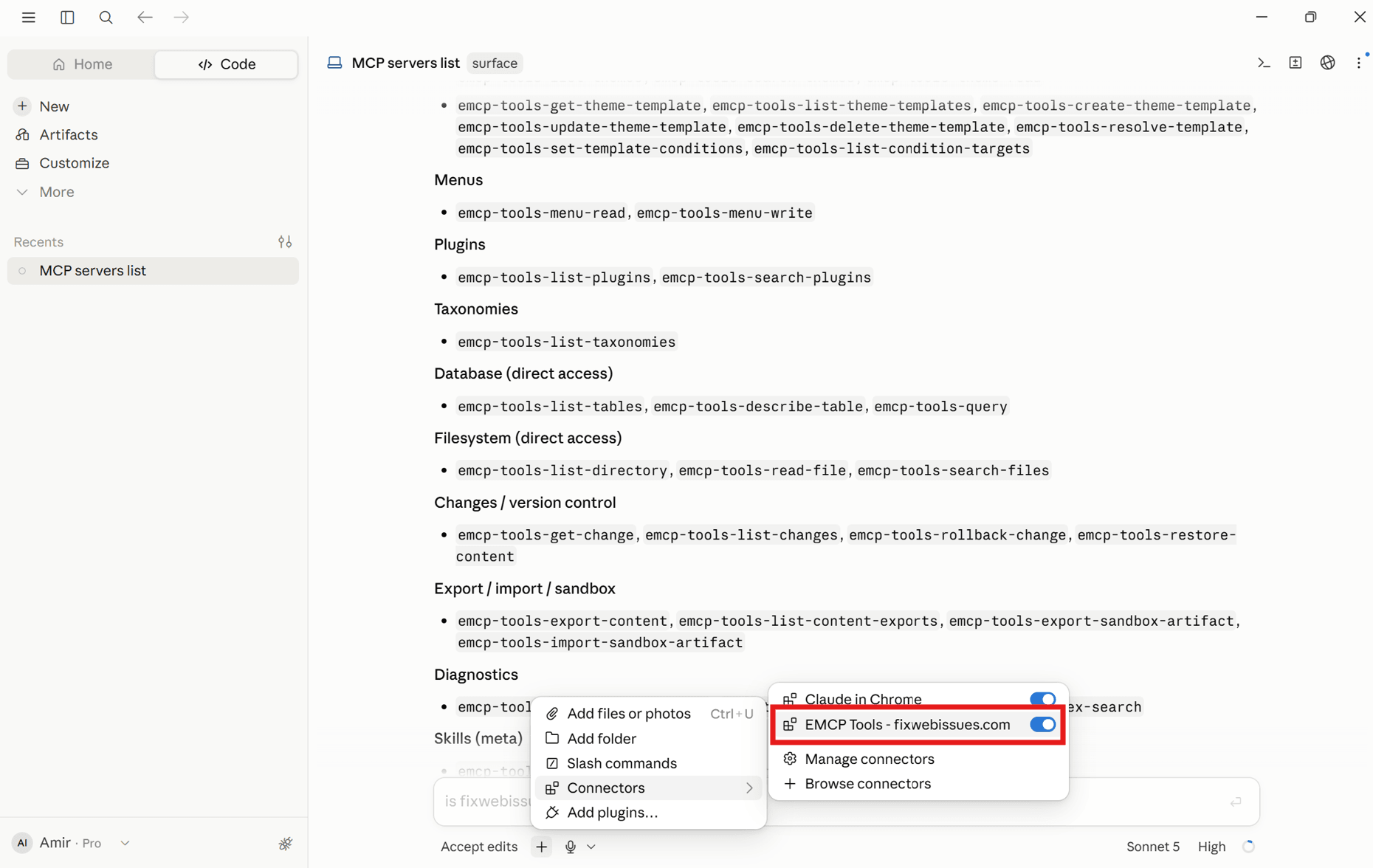
Ask a first question
Start with a read-only prompt, then switch on the writes you need.
Claude Code guide
Questions, answered.
Still stuck? Drop a line at [email protected] or open an issue on GitHub. Most replies are under one business day; Pro tiers go to the front of the queue.
Open the full docsPut Claude to work on your site.
Install the free plugin, open the connection wizard, and pick Claude Desktop, claude.ai or Claude Code.